|
INTRODUCTION
I
personally have tried or owned some of these scanners, and others I'm
merely guessing on. As I've said before and will say again, the only
way to tell how well a scanner works is to try it yourself. These
suggestions are honestly what I'd buy today, and when I say "try" I
mean exactly that: go buy it from Amazon
or Adorama
and if it doesn't work for you, you can send it back and try something
else. Everyone's computer, expectations and needs are different.
If
you have an entire archive of slides to scan please read this page here.
The page below is written for artists like me who want to scan images
one at a time. Scanning an archive is a very different story.
WHERE
SHOULD I BUY MY SCANNER?
Seeing
that only two out of the five scanners I've bought actually worked properly,
buy from someplace you can return the thing if it doesn't work. Talk
to your friends; scanners seem to be the least likely computer item
to work properly when you get it. Honest, many times they won't work
with certain operating systems or other solid reasons that no one can
fix.
The
last place to buy one is a camera store. They won't let you bring it
back if you just don't like it, they have nothing set up to let you
try it first, and they probably expect you to pay full price. Computer
stores have better return policies and discounts, especially over the
Internet.
I've
bought mine from Amazon
because they allow 30 days return for any reason, and
have much better prices than a camera store. Also check Adorama,
which has a 14 day return policy and usually the best prices on the
planet.
For
Prints back
to top
 You're
off the hook cheap for scanning prints. Prints are easy to scan: any cheap flatbed scanner is
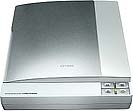
more than enough. I'd get whatever Epson flatbed is the cheapest. Even 5 years ago their cheapest, the 1640, worked great. I bought one back then as a refurbished for $50! Today I'd get the Epson V100, shown above, here or here. Likewise the Epson 3490 is great. These scanners even come with 35mm film adaptors that probably work better than you'd think. You're
off the hook cheap for scanning prints. Prints are easy to scan: any cheap flatbed scanner is
more than enough. I'd get whatever Epson flatbed is the cheapest. Even 5 years ago their cheapest, the 1640, worked great. I bought one back then as a refurbished for $50! Today I'd get the Epson V100, shown above, here or here. Likewise the Epson 3490 is great. These scanners even come with 35mm film adaptors that probably work better than you'd think.
Hint:
All prints today, even from film, are printed with minilab equipment
that has a digital intermediate stage and only print at 300 DPI,
so there isn't any more detail to be had by scanning above 300 DPI.
If you have a fine optical print by Ansel Adams then
there's a lot of extra detail to scan, but not from modern lab prints.
If you have $500 to splurge you can get the superb EPSON
4990 or EPSON V750 which are way, way, way more than needed for scanning prints at 4,800
DPI. The advantage is that these excellent flatbeds do a fairly great job of scanning film of any size. The flatbeds get better as the film gets bigger, since the flatbeds don't have that may DPI (dots per inch) as dedicated film scanners, but as the film gets bigger (more inches) it doesn't matter.
For
35mm Film: back
to top
35mm film wants a dedicated film scanner for best results. I used to suggest Minolta scanners, but they went out of business. Today, get the Nikon film scanner for scanning film.
 If
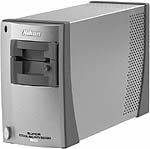
you have thousands of slides to scan I think you're crazy as you should
read here. If you insist, I'd get this
Nikon
5000 scanner ($1,100) here or here and the $500 slide feeder here.
An adapter for scanning long strips of uncut and unmounted film is here.
Remember that for 3,000 slides your main concern is speed and automation,
not price or image quality. Thank goodness the Nikon has ICE to get
rid of the dirt automatically. You can worry about price and image quality
if you want to scan 30 slides, not 3,000. I'd get it here. If
you have thousands of slides to scan I think you're crazy as you should
read here. If you insist, I'd get this
Nikon
5000 scanner ($1,100) here or here and the $500 slide feeder here.
An adapter for scanning long strips of uncut and unmounted film is here.
Remember that for 3,000 slides your main concern is speed and automation,
not price or image quality. Thank goodness the Nikon has ICE to get
rid of the dirt automatically. You can worry about price and image quality
if you want to scan 30 slides, not 3,000. I'd get it here.
Not as good, but more flexible and less expensive, is to get a very good flatbed scanner like the Epson 4990 or V750.
For
Medium Format and 35mm: back
to top
 NIKON
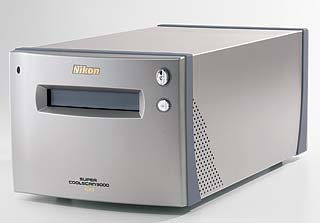
Coolscan 9000 This beastly 20 pound, $1,800 scanner is the best
thing if you can't get the old Minolta Multi PRO I use. The 9000 scans as well, I
just preferred the much smaller size and ease of use of my eight pound
Minolta. The Nikon 9000 will take up most of your desk with a 10 x
20"
footprint and is 8" tall. The multi PRO only takes 7 x 15"
and is 5" tall. I'd get it here.
NIKON
Coolscan 9000 This beastly 20 pound, $1,800 scanner is the best
thing if you can't get the old Minolta Multi PRO I use. The 9000 scans as well, I
just preferred the much smaller size and ease of use of my eight pound
Minolta. The Nikon 9000 will take up most of your desk with a 10 x
20"
footprint and is 8" tall. The multi PRO only takes 7 x 15"
and is 5" tall. I'd get it here.
Not as good, but more flexible and less expensive, is to get a very good flatbed scanner like the Epson 4990 or V750.
For
4 x 5" and Larger Formats back
to top
 EPSON
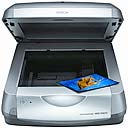
4990. New in February 2005, the 4990 is the cheapest excellent way to scan film. For 35mm you're better off with a dedicated film scanner, but for larger formats the Epson is great for about $450.
EPSON
4990. New in February 2005, the 4990 is the cheapest excellent way to scan film. For 35mm you're better off with a dedicated film scanner, but for larger formats the Epson is great for about $450.
Another advantage of this Epson 4990
is its 120 film scan up to 6 x 12 cm originals directly. The other scanners
only go to 6 x 9 cm. Depending on what you're doing many people just
love these Epsons. The 4990 even has ICE lacking on other dedicated
120 film scanners! See my review here and I'd get it here. I'd just buy one from Amazon
since you can return it if you dislike and then spend more for a fancier
one. The 4990 even has ICE
dirt removal!
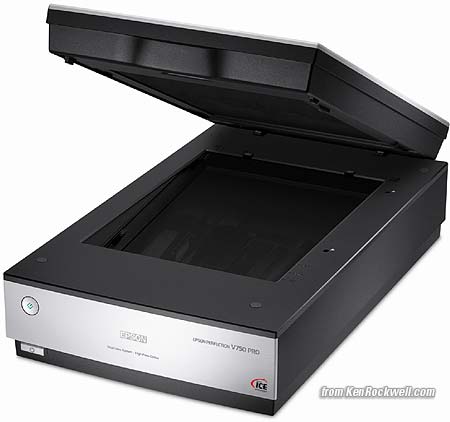
Epson V750
The Epson V750 is 2006's King of practical flatbed scanners. Click it to see my review. It's so good it works for 35mm, shines for 120 and is stellar for 4x5 and 6x17cm. It's only about $600, depending on which version you get. See my review.
OLDER
MODELS back
to top
Scanners go obsolete and are replaced with newer models annually. Here are winners from past years of this page.
Look
for these cheap as refurbished units; some are still available new but
outdone by newer scanners. Beware when reading my descriptions and especially
prices below; these are copied and pasted by me below every few months
from the section above as they go obsolete. I don't rewrite them or
up date the links when they make it to the hall of fame below.
 Minolta Dimage Scan Multi PRO I own this and love it. It's the world's
best scanner for less than $50,000 and therefore a bargain at the $3,000
I paid and an even better bargain at today's $1,900 price, presuming
you need to scan 120 film as well as 35mm. If you only shoot 35mm then
get the 5400-II. As of March 2005 the Multi PRO has been discontinued,
so if you can't find one new or used try the other two. The Multi PRO
has 4,800 DPI for 35mm, 3,200 DPI for medium format and a 4.8 claimed DMax. See my pages of reviews and tips here. Half of what you see on my gallery pages was scanned on it. It has an excellent glass film holder that
give perfect focus across the entire image so you actually can get all
the resolution for which you pay. I won a trip to Hawaii with a slide I scanned on this and printed to enter the contest. Get
the scanhancer and see a huge improvement if you scan slides and use ICE. The scanhancer is an inexpensive piece of magic plastic that really is inexpensive
and magic. I'd try to get it here,
which is where I bought mine. Minolta Dimage Scan Multi PRO I own this and love it. It's the world's
best scanner for less than $50,000 and therefore a bargain at the $3,000
I paid and an even better bargain at today's $1,900 price, presuming
you need to scan 120 film as well as 35mm. If you only shoot 35mm then
get the 5400-II. As of March 2005 the Multi PRO has been discontinued,
so if you can't find one new or used try the other two. The Multi PRO
has 4,800 DPI for 35mm, 3,200 DPI for medium format and a 4.8 claimed DMax. See my pages of reviews and tips here. Half of what you see on my gallery pages was scanned on it. It has an excellent glass film holder that
give perfect focus across the entire image so you actually can get all
the resolution for which you pay. I won a trip to Hawaii with a slide I scanned on this and printed to enter the contest. Get
the scanhancer and see a huge improvement if you scan slides and use ICE. The scanhancer is an inexpensive piece of magic plastic that really is inexpensive
and magic. I'd try to get it here,
which is where I bought mine.
 Introduced February, 2005, the Konica-Minolta 5400-II improves on the
obsolete 5400 for just $599. The older model can be identified by its
flat silver face. The 5400-II is likely the best 35mm scanner available,
even better than the more expensive and lower resolution Nikon 5000.
The 5400-II is 5,400 DPI, USB 1.1/2.0, 4.8 DMax and ICE dirt removal. I'd get it here or here.
A reader writes that his ICE works great even on Kodachrome, which if
it does is the only scanner of which I know that does work on Kodachrome.
Kodachrome's unique dyes usually render ICE automated dirt removal useless.
More on ICE here. Introduced February, 2005, the Konica-Minolta 5400-II improves on the
obsolete 5400 for just $599. The older model can be identified by its
flat silver face. The 5400-II is likely the best 35mm scanner available,
even better than the more expensive and lower resolution Nikon 5000.
The 5400-II is 5,400 DPI, USB 1.1/2.0, 4.8 DMax and ICE dirt removal. I'd get it here or here.
A reader writes that his ICE works great even on Kodachrome, which if
it does is the only scanner of which I know that does work on Kodachrome.
Kodachrome's unique dyes usually render ICE automated dirt removal useless.
More on ICE here.
 Microtek
1800f At about $900 this big and heavy beast improves on the Microtek
1100 which was used to scan the other half of the images you see
on my site. It has 1,800 DPI, has great color and most importantly
has a special film drawer making it great for scanning 4 x 5" and even
120 film. If you really want to go gonzo it comes standard with a glass
holder that swallows up to 8 x 10" film, although I've never figured
out how to use this glass holder without Newton rings. (4 x 5"
is no problem with the glassless holder.) It scans flat art up to 8
x 14." (Warning: I said 8," not 8 - 1/2," so often you
will have to be careful when trying to scan a printed page.) You can
load about a dozen 35mm frames into it at a time, too. This is a great
way to go at a low price for the bigger film formats, and of course
for 35mm you are better off with a dedicated 35mm scanner above. I'd
get it here.
It went for $1,400 in 2002 and is very heavy and durable. Microtek
1800f At about $900 this big and heavy beast improves on the Microtek
1100 which was used to scan the other half of the images you see
on my site. It has 1,800 DPI, has great color and most importantly
has a special film drawer making it great for scanning 4 x 5" and even
120 film. If you really want to go gonzo it comes standard with a glass
holder that swallows up to 8 x 10" film, although I've never figured
out how to use this glass holder without Newton rings. (4 x 5"
is no problem with the glassless holder.) It scans flat art up to 8
x 14." (Warning: I said 8," not 8 - 1/2," so often you
will have to be careful when trying to scan a printed page.) You can
load about a dozen 35mm frames into it at a time, too. This is a great
way to go at a low price for the bigger film formats, and of course
for 35mm you are better off with a dedicated 35mm scanner above. I'd
get it here.
It went for $1,400 in 2002 and is very heavy and durable.
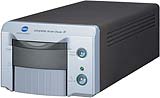 Minolta
Dimage Scan Dual IV (introduced in February 2004) If you want an
inexpensive new scanner ($ 265) you're really going to be impressed
with this one, which as of 2004 replaces the previous model III. The
only real difference between it and the $850 one above is the lack
of real automated hardware dust removal (ICE). The "Pixel Polish"
software doesn't really work, nor does any automated software for removing
defects. If you have a lot of scanning to do the ICE will pay for itself
in time saved. If not, the best way to remove dirt with any non-ICE
scanner is a trick in Photoshop as I explain here.
If you just have a few slides to scan and want to do it yourself this
is far better than a flatbed. This scanner is 3200 DPI and 16 bits if
you care. I'd get it here. Minolta
Dimage Scan Dual IV (introduced in February 2004) If you want an
inexpensive new scanner ($ 265) you're really going to be impressed
with this one, which as of 2004 replaces the previous model III. The
only real difference between it and the $850 one above is the lack
of real automated hardware dust removal (ICE). The "Pixel Polish"
software doesn't really work, nor does any automated software for removing
defects. If you have a lot of scanning to do the ICE will pay for itself
in time saved. If not, the best way to remove dirt with any non-ICE
scanner is a trick in Photoshop as I explain here.
If you just have a few slides to scan and want to do it yourself this
is far better than a flatbed. This scanner is 3200 DPI and 16 bits if
you care. I'd get it here.
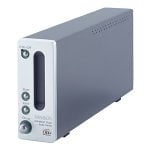 Minolta
Dimage Scan Elite 5400 Introduced Summer 2003. The Multi Pro above
is needed only if you need to scan bigger 120 film. It's probably much
better than the older and more expensive Nikon LS-4000 far below. It
seems to lack a glass film holder (similar to other 35mm-only scanners)
so you may or may not be able to get perfect focus or scan small 16mm
film as you can on the Multi PRO above. The 5400 sells for $830 here,
cheap considering what you used to have to pay a year or two ago for
lesser performance as with the old Nikon LS-4000 or today's Nikon LS-5000.
Most amateurs buy the Nikon since it's what's pushed in camera stores
and amateurs are also unfamiliar with the Minolta name as a leader in
scanners.
Minolta
Dimage Scan Elite 5400 Introduced Summer 2003. The Multi Pro above
is needed only if you need to scan bigger 120 film. It's probably much
better than the older and more expensive Nikon LS-4000 far below. It
seems to lack a glass film holder (similar to other 35mm-only scanners)
so you may or may not be able to get perfect focus or scan small 16mm
film as you can on the Multi PRO above. The 5400 sells for $830 here,
cheap considering what you used to have to pay a year or two ago for
lesser performance as with the old Nikon LS-4000 or today's Nikon LS-5000.
Most amateurs buy the Nikon since it's what's pushed in camera stores
and amateurs are also unfamiliar with the Minolta name as a leader in
scanners.
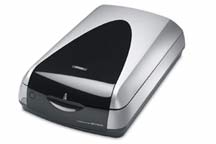 EPSON 4870 PRO Complete with MonacoEZcolor 2.5 color calibration
software and targets. It even adds real ICE dirt removal for both film
and prints! Only get this if you need to scan film larger than
35mm or need to retouch cracked prints, otherwise get a film-only scanner
for 35mm or a cheaper scanner for just prints. For large B/W negs you
can get the same scanner without the color calibration material $420
here.
It drops the "Pro" from its model number. I'd get it here.
EPSON 4870 PRO Complete with MonacoEZcolor 2.5 color calibration
software and targets. It even adds real ICE dirt removal for both film
and prints! Only get this if you need to scan film larger than
35mm or need to retouch cracked prints, otherwise get a film-only scanner
for 35mm or a cheaper scanner for just prints. For large B/W negs you
can get the same scanner without the color calibration material $420
here.
It drops the "Pro" from its model number. I'd get it here.
It's
got 4800
DPI, claimed 3.8 DMax, 16 bit ADC.
It
can scan film up to 6 x 9 inches, so it can handle all common film
formats and scan multiple images simultaneously: twenty-four 35mm
frames, eight 35mm mounted slides, three frames of 6 x 12cm (or more
of combinations of smaller 120 formats), or two 4”x5” frames.
If
you only need to scan 35mm film instead get the Minolta
Dimage Scan Dual IV for $285 which should give better results, and
if you want to scan prints only get any $40 flatbed.
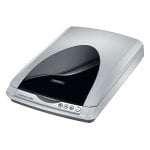 Epson
1670 This scanner is more than all you will ever need for scanning
photo prints and flat art for about $150. You won't ever use more than
600DPI unless you are counterfeiting currency or otherwise doing some
non-photo things. The scanner goes up to 1,600 DPI. I'd get it here. Epson
1670 This scanner is more than all you will ever need for scanning
photo prints and flat art for about $150. You won't ever use more than
600DPI unless you are counterfeiting currency or otherwise doing some
non-photo things. The scanner goes up to 1,600 DPI. I'd get it here.
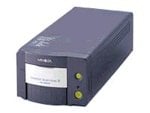 Minolta
Dimage Scan Dual III This was hot from December 2002 till February
2004 with the intro of the Scan Dual IV. This has 2820 DPI resolution
and sold for only $290 and the only major difference between it and
scanners that cost five times as much are its lack of ICE (automatic
dust removal) and maybe an almost imperceptible difference in shadow
rendition on slides. No other $300 scanner has ICE either, so don't
worry.
Minolta
Dimage Scan Dual III This was hot from December 2002 till February
2004 with the intro of the Scan Dual IV. This has 2820 DPI resolution
and sold for only $290 and the only major difference between it and
scanners that cost five times as much are its lack of ICE (automatic
dust removal) and maybe an almost imperceptible difference in shadow
rendition on slides. No other $300 scanner has ICE either, so don't
worry.
 EPSON
3200 Now replaced by the Epson 4780 above. Till the 4870 came out
it was the best buy in one of the best flatbed scanners ever made. Get
the Pro version (which includes all the color calibration software)
here
or the cheap version without the calibration tools
here if you shoot B/W. It scans film up to 4" x 9" at
3200 DPI. This is for cheapskates shooting 120 or 4x5 film.
EPSON
3200 Now replaced by the Epson 4780 above. Till the 4870 came out
it was the best buy in one of the best flatbed scanners ever made. Get
the Pro version (which includes all the color calibration software)
here
or the cheap version without the calibration tools
here if you shoot B/W. It scans film up to 4" x 9" at
3200 DPI. This is for cheapskates shooting 120 or 4x5 film.
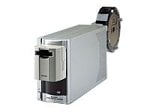 Nikon
LS-4000 A popular scanner, now selling for about $1,100 since the
Nikon name is familiar to photographers, although I suspect the Minolta
5400 above is much better for less money. A great, unique thing about
the Nikons is an LED light source, as opposed to the fluorescent tubes
used in everything else. The LEDs should be more stable over time. Measured
scan times: 3 minutes at 4x sampling with ICE, (15 second prescan),
1GHz Windows 98 PC. I'm not that great a fan of this scanner since the
two I've used on both Mac and PC both clipped the shadows on slides,
and I suspect the Minolta at half the price does not. The Minolta can
cost less since their name does not extract the premium Nikon does.
This is your gain, since actually Minolta makes far more complex industrial
and other higher end scanners than Nikon does and therefore Minolta's
expertise is your gain.
Nikon
LS-4000 A popular scanner, now selling for about $1,100 since the
Nikon name is familiar to photographers, although I suspect the Minolta
5400 above is much better for less money. A great, unique thing about
the Nikons is an LED light source, as opposed to the fluorescent tubes
used in everything else. The LEDs should be more stable over time. Measured
scan times: 3 minutes at 4x sampling with ICE, (15 second prescan),
1GHz Windows 98 PC. I'm not that great a fan of this scanner since the
two I've used on both Mac and PC both clipped the shadows on slides,
and I suspect the Minolta at half the price does not. The Minolta can
cost less since their name does not extract the premium Nikon does.
This is your gain, since actually Minolta makes far more complex industrial
and other higher end scanners than Nikon does and therefore Minolta's
expertise is your gain.
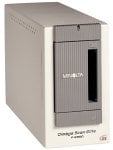 Minolta
ELITE F2900 A great 35mm scanner at what was about $850. Today it
is replaced by the Minolta 5400. As of December 2002 it's discontinued,
so if you can find one on closeout by all means go for it. I have friends
who have owned this and love it. Don't let price fool you: the Nikons
many people use just cost more but aren't better.
Minolta
ELITE F2900 A great 35mm scanner at what was about $850. Today it
is replaced by the Minolta 5400. As of December 2002 it's discontinued,
so if you can find one on closeout by all means go for it. I have friends
who have owned this and love it. Don't let price fool you: the Nikons
many people use just cost more but aren't better.
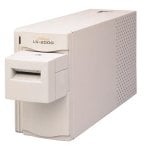 Nikon
LS-2000 This 2700 DPI scanner was the hot item in 1999. It works
great, so if you can find one cheap by all means get it. It was replaced
by the LS-4000 in about 2000. It makes great scans and the ICE works
great. A great, unique thing about the Nikons is an LED light source,
as opposed to the fluorescent tubes used in everything else. The LEDs
should be more stable over time.
Nikon
LS-2000 This 2700 DPI scanner was the hot item in 1999. It works
great, so if you can find one cheap by all means get it. It was replaced
by the LS-4000 in about 2000. It makes great scans and the ICE works
great. A great, unique thing about the Nikons is an LED light source,
as opposed to the fluorescent tubes used in everything else. The LEDs
should be more stable over time.
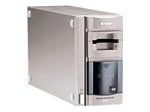 Nikon
Coolscan IV I wouldn't buy this current $610 35mm scanner since
the Minolta 5400 seems so much better for very little more money. This
CS-IV was introduced about 2000. A great, unique thing about the Nikons
is an LED light source, as opposed to the fluorescent tubes used in
everything else. The LEDs should be more stable over time.
Nikon
Coolscan IV I wouldn't buy this current $610 35mm scanner since
the Minolta 5400 seems so much better for very little more money. This
CS-IV was introduced about 2000. A great, unique thing about the Nikons
is an LED light source, as opposed to the fluorescent tubes used in
everything else. The LEDs should be more stable over time.
 Polaroid
4000 yesteryear's 4000 DPI scanner, useless since it has no ICE
and is discounted accordingly. If you don't mind spotting by hand this
could be a deal. Honestly, I'd first go for the Minolta 5400 since ICE
is a necessity.
Polaroid
4000 yesteryear's 4000 DPI scanner, useless since it has no ICE
and is discounted accordingly. If you don't mind spotting by hand this
could be a deal. Honestly, I'd first go for the Minolta 5400 since ICE
is a necessity.
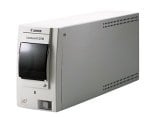 Canon
FS2710 This and its newer brother the 2720 were great little 35mm
scanners for around $500, but today get the Minolta the $290 Minolta
Scan Dual III above first.
Canon
FS2710 This and its newer brother the 2720 were great little 35mm
scanners for around $500, but today get the Minolta the $290 Minolta
Scan Dual III above first.
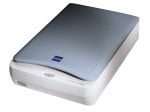 Epson
1640SU Photo I own one of these and love it. It was hot in 2000.
I bought a new one for $300 (review here)
and returned it since I needed better colors for film scans. It scans
up to 4x5" film. I then bought a refurbished version without the
film adapter for $50 (!!) for scanning prints and flat art and absolutely
love it. My $50 refurbished even came with a copy of the $99 program Adobe Photoshop Elements! I'm playing with
a new $1,400 Microtek 1800f and so far I prefer the scans of flat art
and prints made on this EPSON which also scans more quickly. EPSONs
are quality products regardless of price, just like their superb printers.
Epson
1640SU Photo I own one of these and love it. It was hot in 2000.
I bought a new one for $300 (review here)
and returned it since I needed better colors for film scans. It scans
up to 4x5" film. I then bought a refurbished version without the
film adapter for $50 (!!) for scanning prints and flat art and absolutely
love it. My $50 refurbished even came with a copy of the $99 program Adobe Photoshop Elements! I'm playing with
a new $1,400 Microtek 1800f and so far I prefer the scans of flat art
and prints made on this EPSON which also scans more quickly. EPSONs
are quality products regardless of price, just like their superb printers.
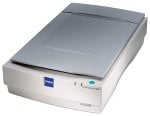 Epson
1680 Professional This is a heavy duty version of 1640 which sells
for about $1,000. The image quality is the same as the cheap 1640 when
I've tried it. The colors are better controlled than the 1640, although
I never tried any color profiling on the 1640 which probably could have
fixed that. Today I'd buy the EPSON
3200 for half the price.
Epson
1680 Professional This is a heavy duty version of 1640 which sells
for about $1,000. The image quality is the same as the cheap 1640 when
I've tried it. The colors are better controlled than the 1640, although
I never tried any color profiling on the 1640 which probably could have
fixed that. Today I'd buy the EPSON
3200 for half the price.
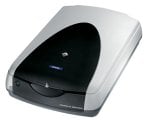 EPSON
2450 Obsolesced as of 2003 by the EPSON
3200, in 2002 it was the best all-purpose flatbed/film scanner for
$400. Bundled Silverfast software should allow great colors from scanning
negatives; something the $3,000 Minolta film scanner at the top can't
do!
EPSON
2450 Obsolesced as of 2003 by the EPSON
3200, in 2002 it was the best all-purpose flatbed/film scanner for
$400. Bundled Silverfast software should allow great colors from scanning
negatives; something the $3,000 Minolta film scanner at the top can't
do!
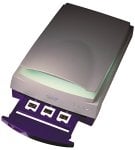 Microtek
1100 This has been superseded by the Microtek 1800f. Most of the
good stuff you see on my site was scanned on this in 2000. It has great
color, scans all formats from 35mm to 8x10" for what was $1,650.
Microtek
1100 This has been superseded by the Microtek 1800f. Most of the
good stuff you see on my site was scanned on this in 2000. It has great
color, scans all formats from 35mm to 8x10" for what was $1,650.
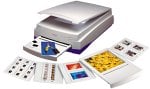 Microtek
8700 This is a fast firewire scanner for all formats from 35mm
to 8 x 10" for $770. I have not tried it. People who have tell
me it's poor for transparencies, so again if you're looking at this
look at the Microtek
1800f instead for about $1,400.
Microtek
8700 This is a fast firewire scanner for all formats from 35mm
to 8 x 10" for $770. I have not tried it. People who have tell
me it's poor for transparencies, so again if you're looking at this
look at the Microtek
1800f instead for about $1,400.
|