


Canon
SD770 IS
(IXUS 85 IS)
© 2008 KenRockwell.com. All rights reserved.

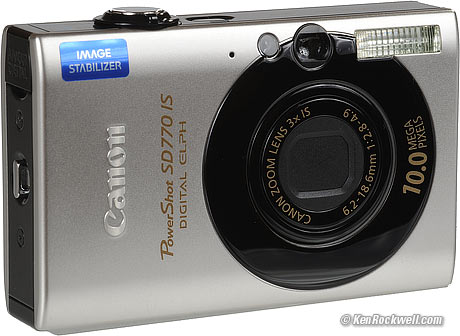
Canon SD770 IS. enlarge.
I'd order mine from Adorama or Amazon in silver or black. It helps me keep adding to this site when you get yours from these links, too.
May 2008
Introduction top
The Canon SD770 was announced on 12 March 2008. It's been available since April 2008 for about $270.
Not only is it the least expensive pocketable Canon ever made with Image Stabilization, it's also the thinnest.
It comes in two color schemes: the "black-eye" version above, and plain silver shown below.
Specifications top
Name: Canon calls this the PowerShot SD770 IS Digital ELPH Camera.
Resolution: 10MP.
Lens: 3x optical zoom, 35-105mm equivalent. (same as SD790).
Image Stabilization: YES.
LCD: 2.5."
Peephole Viewfinder: YES.
Battery: NB-6L, 1000mAh, included.
Charger: A spiffy gloss-white plug in the wall CB-2LY charger, included.
Also Included: An almost useless 32MB SD memory card, a USB interface cable, a video playback cable, a wrist strap, and a software CD.
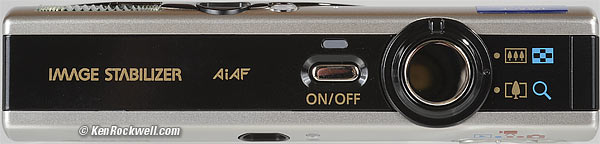
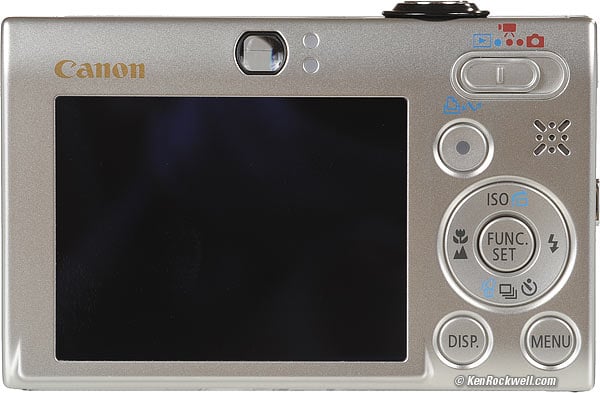
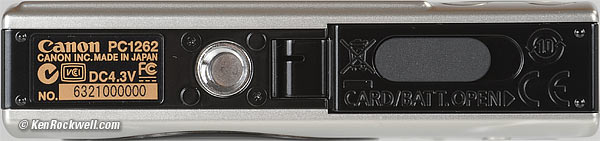
Canon SD770 IS, larger than life.
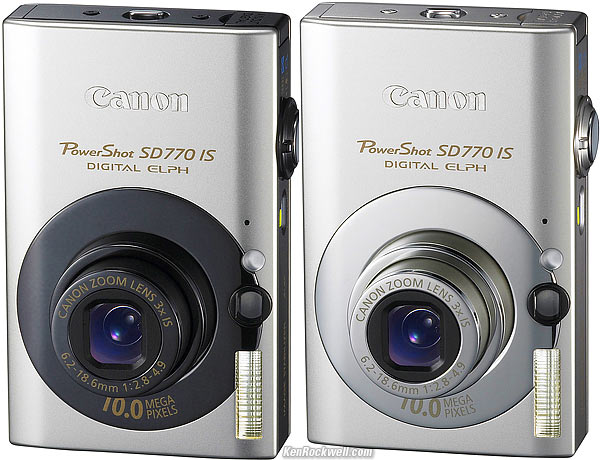
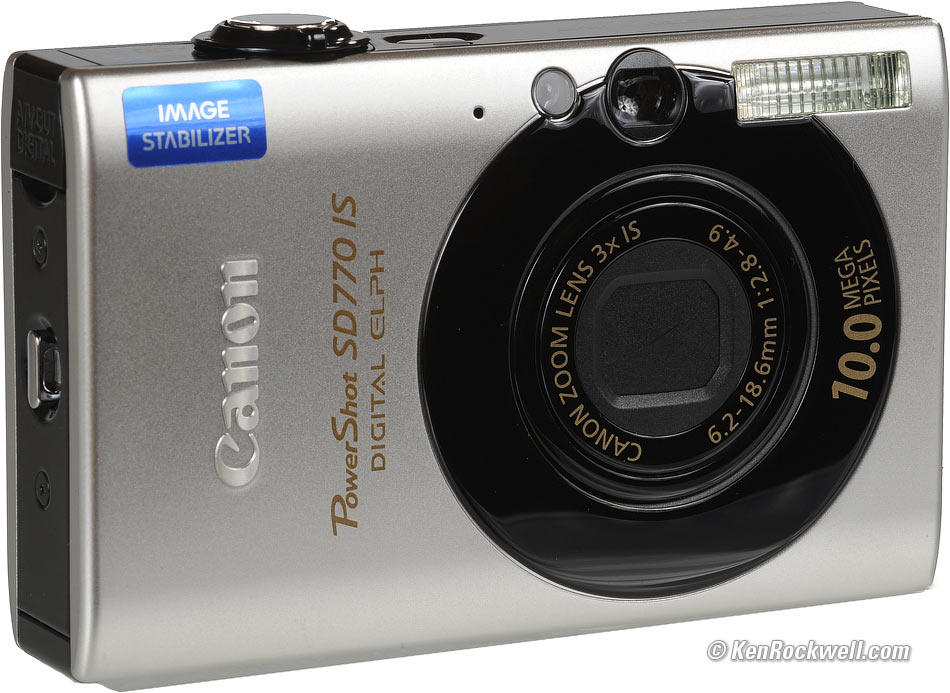
Canon SD770 IS "Black-Eye" and regular versions.
Performance top
Performance is as expected: excellent mostly-metal build quality, extremely sharp pictures (why would anyone need 10 MP in a compact, anyway?), a bright, sharp, accurate, anti-reflection coated LCD screen, and normal response speed.
I'm reviewing this camera for extremely experienced photographers who know how to use each and every feature to get great pictures. If you're like my mom and 99% of the people who buy these cameras, your picture quality won't vary from one camera to the next since you're at the mercy of chance when you leave the camera set as it came from the factory. Therefore I need to caution you that if you don't like the way pictures come out on your current camera, a new camera probably isn't going to change anything.
Speed of Operation
I'm impatient. I want my camera, and everything, to respond instantly. Shutter delay isn't a problem (see how to eliminate shutter delay), my whining is about how fast all the controls and menus react to my button pushes.
Like almost every compact camera made in the past 5 years, it turns on fast enough, but it's always a tenth of a second behind where I want it to be. When I push a button, I demand instant response.
Call me a crank, but these delays in setting the camera from shot-to-shot make me miss photos when I'm trying to chase action.
It beats me how Canon and everyone puts so much more processing horsepower into every new camera, yet the response speed has always stayed the same. I suspect this must be deliberate, so the camera doesn't startle users like my mom.
I find the SD790 just a tad faster, but to me this tad is important, so I greatly prefer the SD790, which also has a much bigger screen, to this SD770.
Image Quality
Image quality is exactly as I expect from a compact. It's very, very sharp, but noisy with noise reduction artifacts that make the image look spackled-over, even at normal ISOs.
It's sharper than my $5,000 Nikon D3 SLR, but that's because, like most compacts, the SD770 over-sharpens its images. Sharpness has little to do with quality or clarity.
SLR camera images look much better than images from any compact camera because the image comes from a much larger image sensor, so becuase it has to be enlarged less it's purer, and not tainted with battles between noise and noise reduction.
All compact cameras have these problems because the microscopic pixels of their tiny sensors have to gasp for every last photon of light, while SLRs which have big sensors with big, fat pixels that easily collect every photon flying by.
That said, the SD770 has image quality as good or better than any other compact camera I've used.
Color and Tone
I see the same colors and contrast I've seen from Canon compacts before. No changes here.
Distortion
The Canon SD770 has the the typical distortion I see in compact zoom cameras.
It has barrel (bulging) distortion at the wide end, and no distortion at the tele end.
At the widest end, you can correct it with a value of +5 in Photoshop CS2's lens distortion filter.
Face Detection
Face Detection works. It's a far cry better than earlier Canons.
By "works" I mean the camera draws rectangles around people's (and dogs') faces as you press the shutter halfway to set the camera. I don't see any improvements in exposure or auto white balance. Let's see beyond sales pitches: how would the camera know how dark or light, or what color, the skin of any person, dog or other face is supposed to be? People, much less pets, come in every color.
Auto White Balance
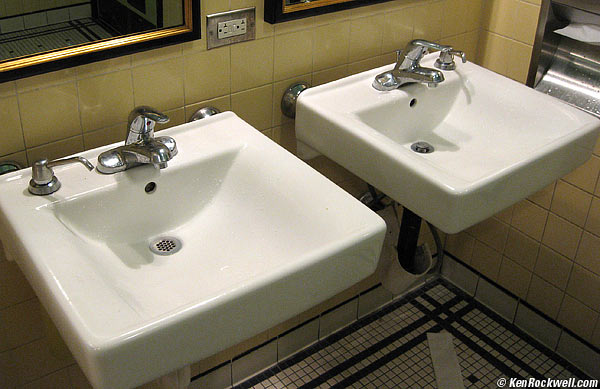
The SD770 passes the toilet test: whites look white under tungsten light, yay!
Auto WB works better than expected in tungsten light. It usually gives perfect correction, eliminating the usual orange cast of earlier cameras.
In shade it often is still a bit too blue.
Panoramic Stitching and QTVRs
You get to the Stitch Assist mode by
1.) sliding the top stitch to the red camera icon
2.) pressing MENU
3.) in the red camera menu, click one up to to Stitch Assist
4.) Press FUNC SET and follow the instructions.
The SD770 comes with free Canon Photostitch v3.2 software which lets you create all sorts of panoramas from the shots you can make in the stitch assist mode. I've never bothered with a tripod; I shoot these freehand.
The software lets you create all sorts of outputs. Have fun!
Movies
Video has a few modes, but only up to 640x480. There are no 16:9 or HDTV modes.
It looks good, but the file sizes are fat: 19MB per 10s clip. This is great if you're expecting high-quality files for later editing, but an inefficient use of file space.
It records with no intra-frame compression, which makes it great for frame-by frame editing, but makes bigger than you might want. I prefer the more efficient .MOV h.264 video files created by the Casio EX-V8 or EX-V7 , which have better sound and only need 7.3MB, instead of 19MB, for the same 10s clip with about the same quality.
All these cameras can be set to other video qualities, which varies the files sizes as you like them.
Time-Lapse
There's a silent time-lapse mode which makes a frame every one or two seconds, and puts them in an AVI file to play them back at 15 FPS.
Recording 1 frame each second, file sizes are 50 MB per minute of playback, which recorded 15 minutes of reality.
Audio
Audio only happens with regular (not time-lapse) movies.
The SD770's audio is designed for high intelligibility for quick videos of friends and family.
It's optimized for voice-quality, with no LF and a peaked upper mid range. It's got a very active AGC I can hear pumping away.
It's mono only.
Played on a full-range studio system, it's got a little bit of high-frequency hiss and even what almost sounds like a little bit of time code leaking through (of course there is no time code, but there is a little pipping sound). This noise won't be audible on a typical TV or computer speaker.
The audio of the SD770's videos is crisp and clear, so you can hear what people are saying, but not what you'd want for Hi-Fi. For Hi-Fi, get a Casio EX-V8 or EX-V7 which record full bandwidth x-y stereo.
Default DPI
Files are tagged as 180 DPI.
Battery
There's a several-segment battery level display.
It comes with a flat wall-charger and a stamp-sized battery. Both are spiffy white.
The battery still read full after I made 175 photos and movies.
Mechanics
The Canon SD770 is a quality product that feels like it has a lot of metal. The case seems like stainless steel or aluminum. The screen is anti-reflection coated.
Recommendations top
This is mostly the same camera as the $50 more expensive SD790. The differences in actual use are far greater: the SD790 has a much bigger 3" screen and seems to handle much faster. I'd gladly pay the extra $50 or so for the SD790.
If $300 is your budget, I'd be happy with this camera for years and years to come. Just get it. Send me on a trip with this as my only camera, and I'll come back with loads of great shots, even if I prefer the screen of the SD790.
If you want to pay less, get the excellent SD750. For only $170, the SD750 has a bigger screen but lacks Image Stabilization (IS). IS is very helpful for shooting indoors without flash, but since most people use flash, most people would never notice. I prefer the 7MP resolution of the SD750. The 10MP resolution of the SD770, SD790 and SD890 is too much for me.
Hint: Want brighter colors? I usually set my Canons to their Vivid modes, which you do by:
Press FUNC. SET
Click right to "Manual"
Click down to "OFF"
Click right to "V (Vivid)"
Press FUNC. SET and you're done.
In Vivid, I usually prefer images a little darker, so once I've set Manual and Vivid as above, I
Press FUNC. SET
Click up or down to +-0
Click two left to -2/3
Press FUNC. SET again to lock it in.
See Basic Camera Adjustments and Fixing Shutter Delay to learn how to shoot like a pro. Questions about how to use your Canon in the USA? Ask them at (800) OK-CANON.
PLUG
If you find this as helpful as a book you might have had to buy or a workshop you may have had to take, feel free to help me continue helping everyone.
Thanks for reading!
Ken