Home Donate New Search Gallery How-To Books Links Workshops About Contact
Correcting
Lens Distortion
© 2010
KenRockwell.com

 |
 |
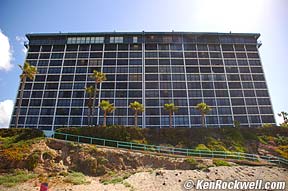
From
camera |
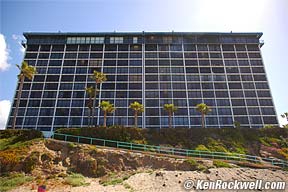
Barrel
distortion corrected @ +6.00 |
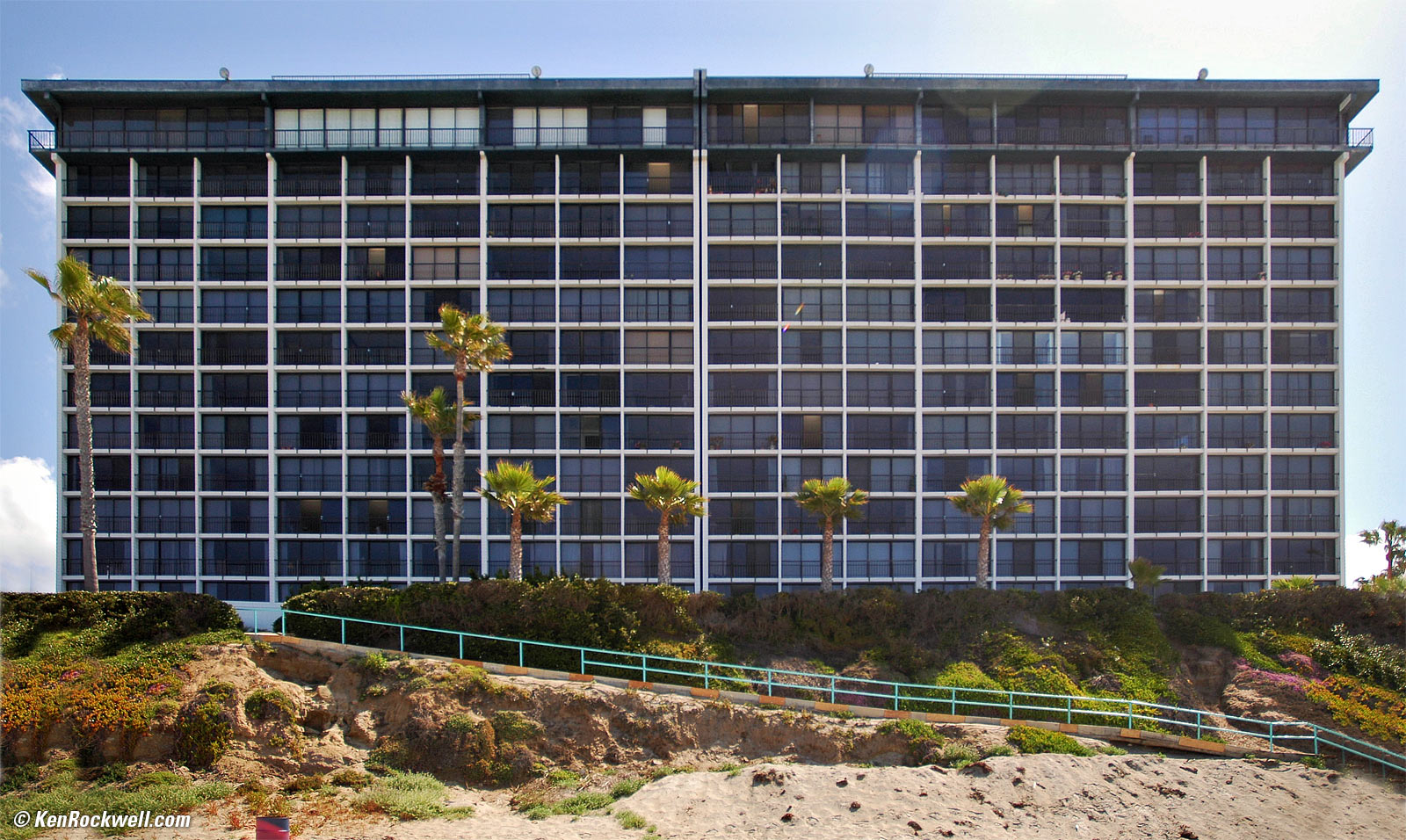
Corrected for keystoning and barrel distortion.
Correcting Lateral Chromatic Aberration and Color Fringes
INTRODUCTION
I personally suggest Adorama, Amazon, Ritz, B&H, Calumet and J&R. I can't vouch for ads below.
|



This is trivial with Photoshop CS2, CS3, CS4 and CS5. This particular feature isn't in earlier versions of Photoshop, but I'll expalin how to do this with them at the bottom.
This works with any image, JPG, RAW, a film scan, or anything.
ABOVE EXAMPLE
Here's what this filter, included free with Photoshop CS2 and later, can do to a bad digital camera image.
The original image, top left, is from a Nikon D70 with an 18-70 mm lens set to 18 mm. At 18 mm the 18-70 mm not only has barrel distortion, it has complex barrel distortion which is difficult to correct. As you can see even this nonlinear sort of barrel distortion is very well corrected. Most other lenses are even easier to correct. I chose this as the toughest example I could find.
Barrel distortion is what has made the top of the hotel look curved. In the corrected image, made by setting the slider I'll explain below to +6.00, the roof is now straight.
Most amateurs would be happy just getting the curving lines straightened out. Professionals also want the verticals fixed as well. Because I had the camera pointed up the building looks like it's falling backwards. I detail how to correct the converging perspective lines in the final large image here.
Photoshop CS2, CS3, CS4 and CS5
From the menu at the top of your screen in CS2 simply choose: FILTER > DISTORT > LENS CORRECTION. Be sure to have the grid turned on for reference.
As of CS5, it's in FILTER > LENS CORRECTION.
There are three ways to select the amount of correction:
1.) Type it in the "Remove Distortion" box, or
2.) Move the slider, or
3.) Use the Remove Distortion Tool (D) at the top left of the screen. Select it and grab the middle of a distorted line. Drag it until it looks correct. Release.
Feel free to fine tune as you see fit.
Most lenses only need values between +5 and -3, so go easy here. In my lens tests I'm now listing values to type into the box to save us all time.
Hit OK when you're done fine tuning. Voila!
Before Photoshop CS2
Back in the dark days of Photoshop CS and before I usually used the "Spherize" command under FILTER > DISTORT > SPHERIZE. Increase your canvas size 50 - 100% first so you correct the whole image.
COMPLEX DISTORTIONS
CS2's filter works perfectly for simple first-order linear distortions. These simply curve lines into broad curves.
More complex distortions bend lines into more complex shapes like a moustache. CS2's Lens Distortion filter can't correct those completely.
For complex distortion you might want to try third-party tools I explain here, like DxO and the free Panorama Tools.
Help me help you top
I support my growing family through this website, as crazy as it might seem.
The biggest help is when you use any of these links to Adorama, Amazon, B&H, eBay, Ritz, Calumet and J&R and when you get your goodies. It costs you nothing, and is this site's, and thus my family's, biggest source of support. eBay is always a gamble, but all the other places always have the best prices and service, which is why I've used them since before this website existed. I recommend them all personally.
If you find this page as helpful as a book you might have had to buy or a workshop you may have had to take, feel free to help me continue helping everyone.
If you've gotten your gear through one of my links or helped otherwise, you're family. It's great people like you who allow me to keep adding to this site full-time. Thanks!
If you haven't helped yet, please do, and consider helping me with a gift of $5.00.
As this page is copyrighted and formally registered, it is unlawful to make copies, especially in the form of printouts for personal use. If you wish to make a printout for personal use, you are granted one-time permission only if you PayPal me $5.00 per printout or part thereof. Thank you!
Thanks for reading!
Mr. & Mrs. Ken Rockwell, Ryan and Katie.
Home Donate New Search Gallery How-To Books Links Workshops About Contact