LEICA Q3
60 MP Full-Frame, 5 (15) FPS, ISO 50~100,000, C8K/29.97
28mm f/1.7 Stabilized Lens
35mm, 50mm, 75mm & 90mm Crops
1/2,000 Flash Sync
MADE IN GERMANY
Specifications Accessories Unboxing
Performance Compared User's Guide
LEICA: Q3 43 Q3 Mono Q3 Q2 Q2M M EV1 M11-P SAFARI M11-P M11M M11 M10-R M10M M10P M10 M240 M-E M9P M9T M9 M7 M6/TTL CLE M3 IIIf IIIa SL3 P SL3-S SL2 SL2 S Lenses
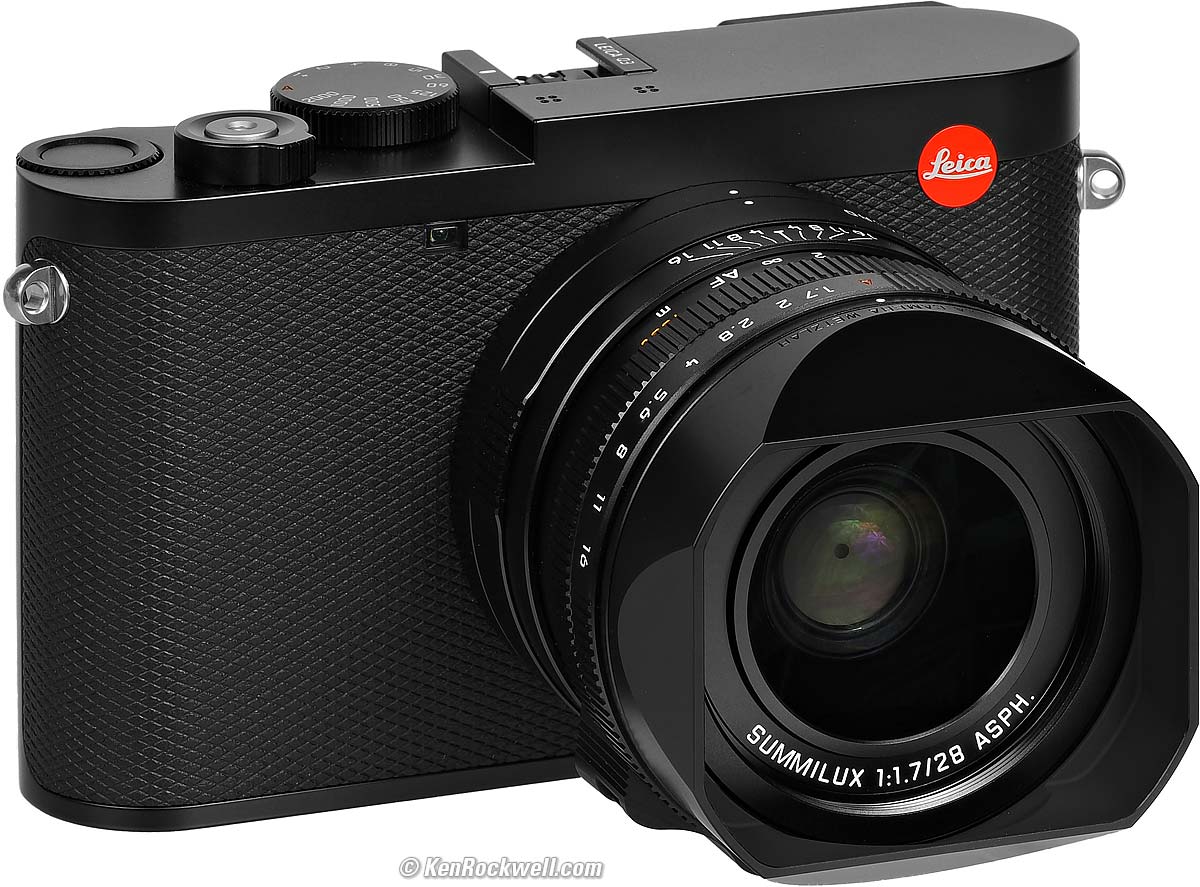
LEICA Q3 (49mm filters, 26.9 oz./764g with hood, battery and SD card as shown (or 26.4 oz./748g with protector ring, battery and card), 1'/0.3m close focus (0.56'/0.17m in macro mode), 0.11× macro ratio (0.24× in macro mode), $7,350 new or about $5,500 used if you know How to Win at eBay.
The Q3 also comes in metal gray metallic, comes in a version with a special black-and-white-only sensor for greatly improved high ISOs and effective resolution, and comes in a version with a 43mm f/2 lens). größer (bigger).
I got my Q3 at B&H. I'd also get it at Crutchfield, at Adorama, at Amazon or used at eBay if you know How to Win at eBay, or get it used at KEH.
My junk-free, all-content website's biggest source of support is when you use those or any of these links to the places I use myself when you get anything, and it costs nothing more. I've bought from these places for over 100 combined years because they have the best service, the best selection, the best prices, and usually 100% cash-back returns for at least 30 days if you don't love your new goodies. As an Amazon Associate and eBay Partner Network Affiliate, I earn from qualifying purchases. Thanks for helping me help you! Ken.
June 2026 Better Pictures LEICA Reviews LEICA Lenses lesser-brand reviews
Why Fixed Lenses Take Better Pictures
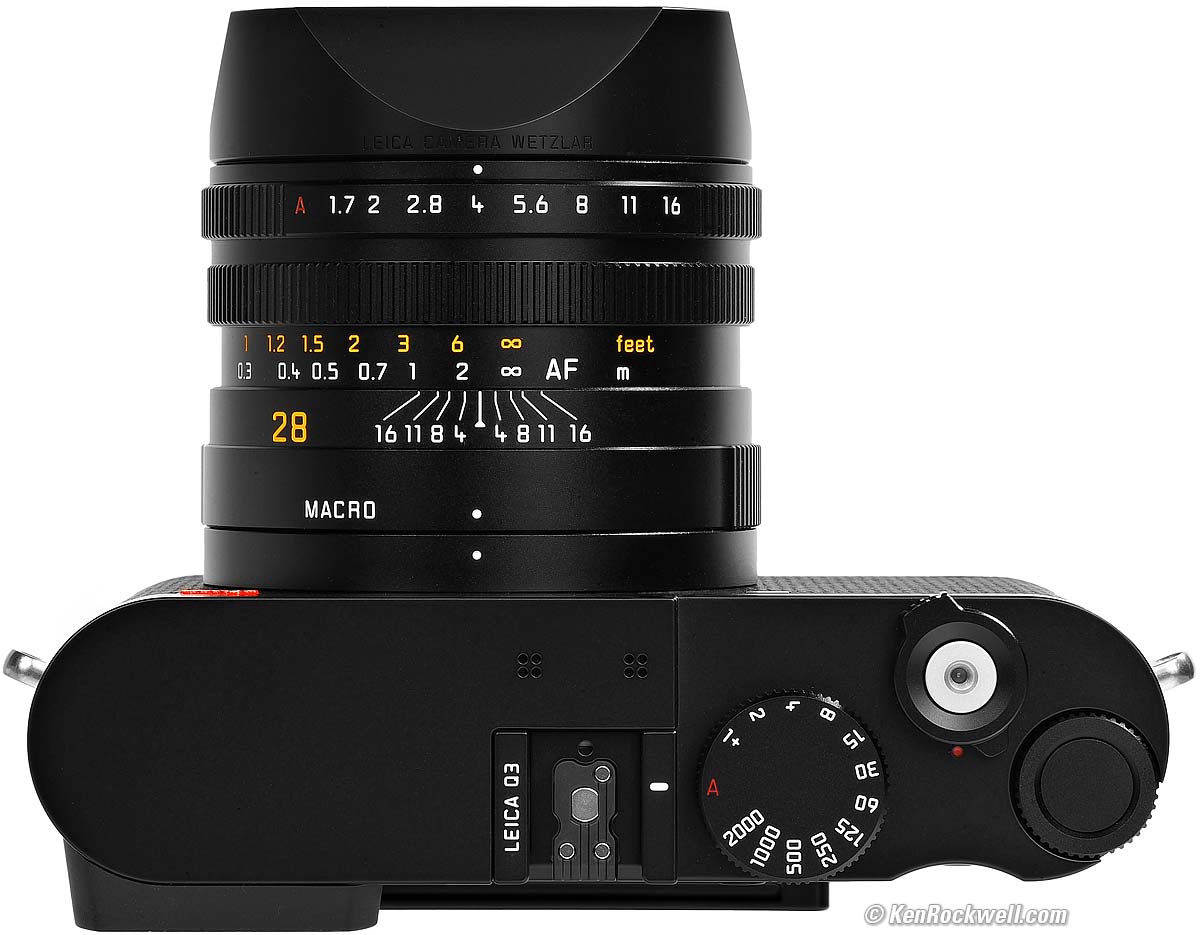
LEICA Q3. größer.
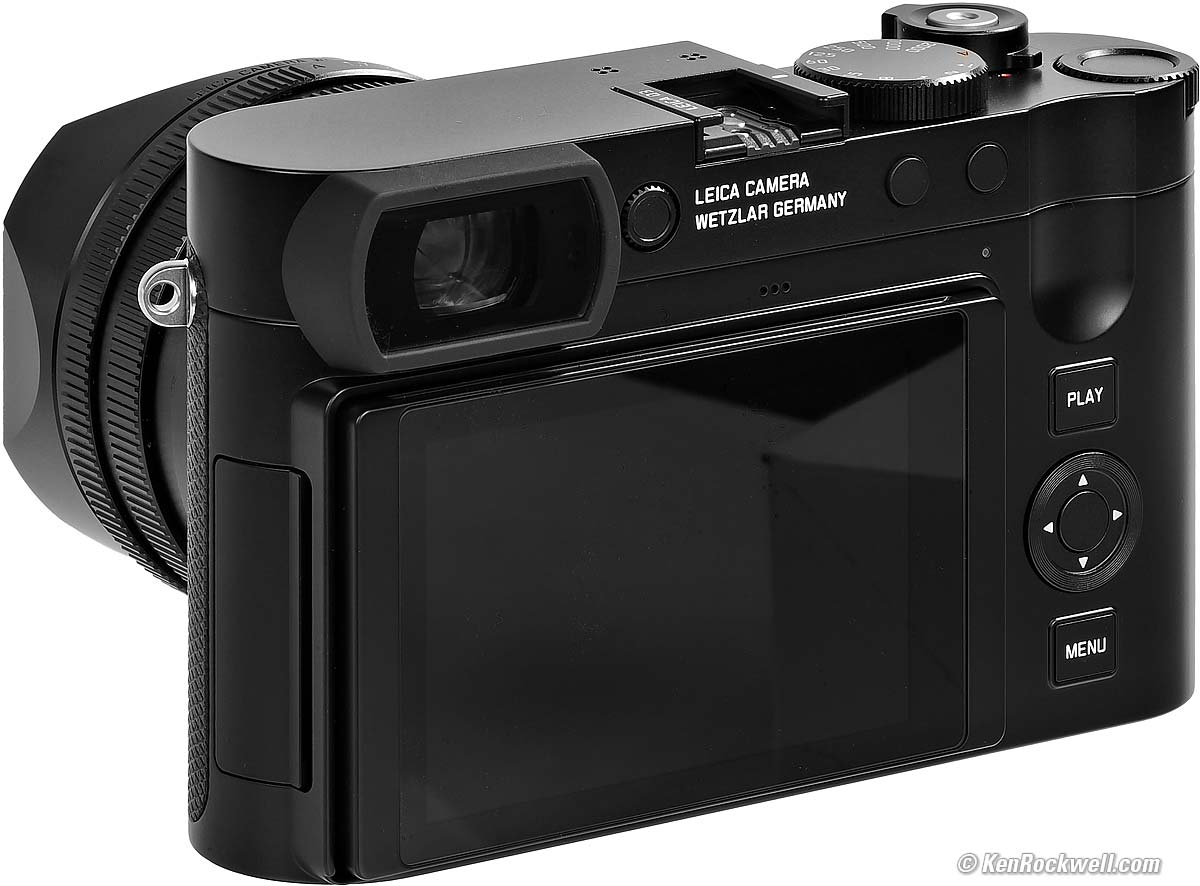
LEICA Q3. größer.
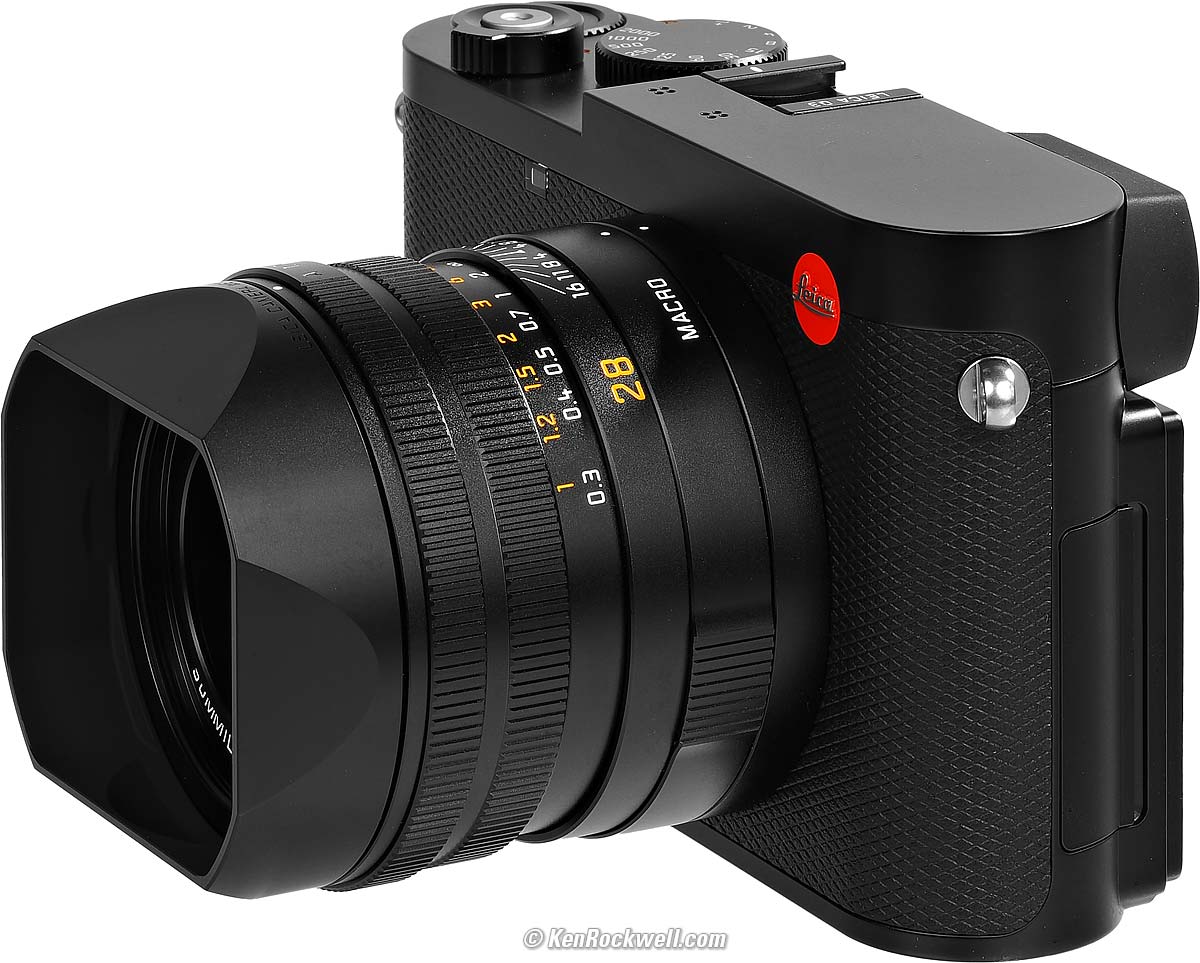
LEICA Q3. größer.
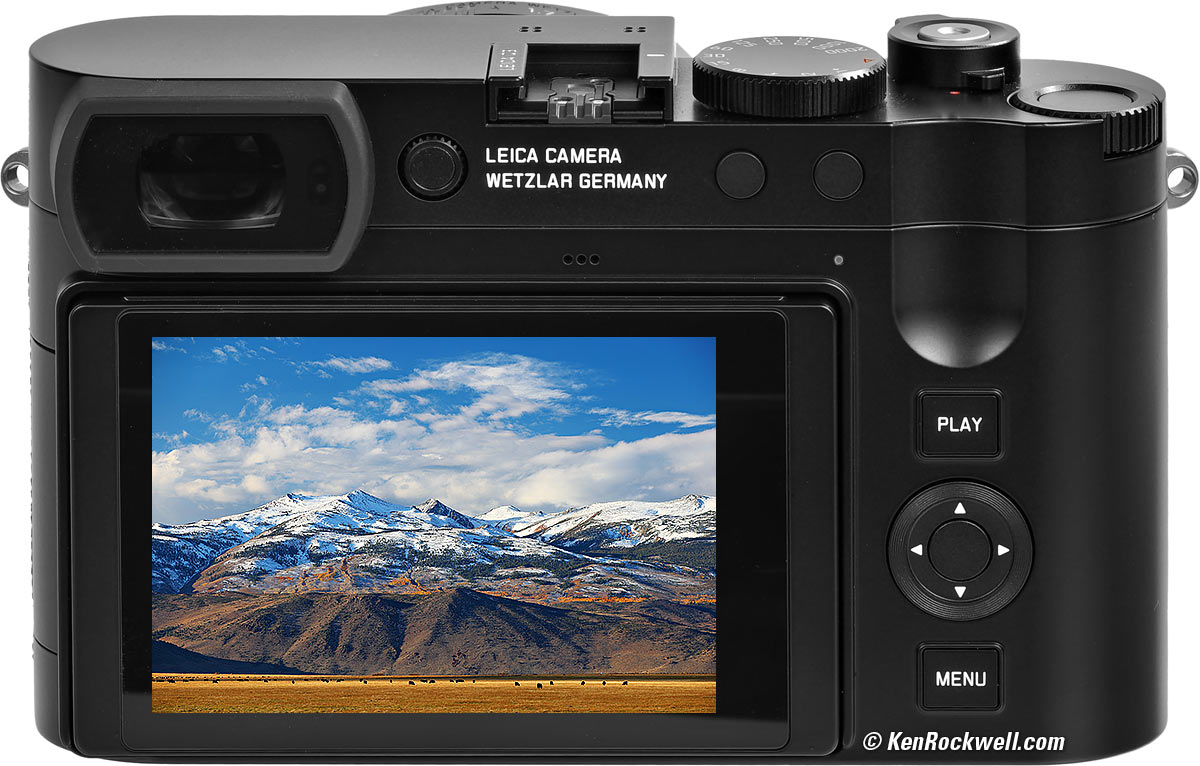
Bridgeport, California im Display der LEICA Q3. größer.

Sample Images (Zertifizierung der Leistungsüberprüfung) top
Specifications Accessories Unboxing
Performance Compared User's Guide
These are just snapshots; my real work is in my Gallery. There are more samples throughout this review at Bokeh, Falloff, High ISOs, Macro, Spherochromatism and Sunstars.
These are all shot hand-held as JPGs; no tripods and most certainly no DNG (raw) files were used or needed (the Q3 can shoot raw DNG files if you want them).
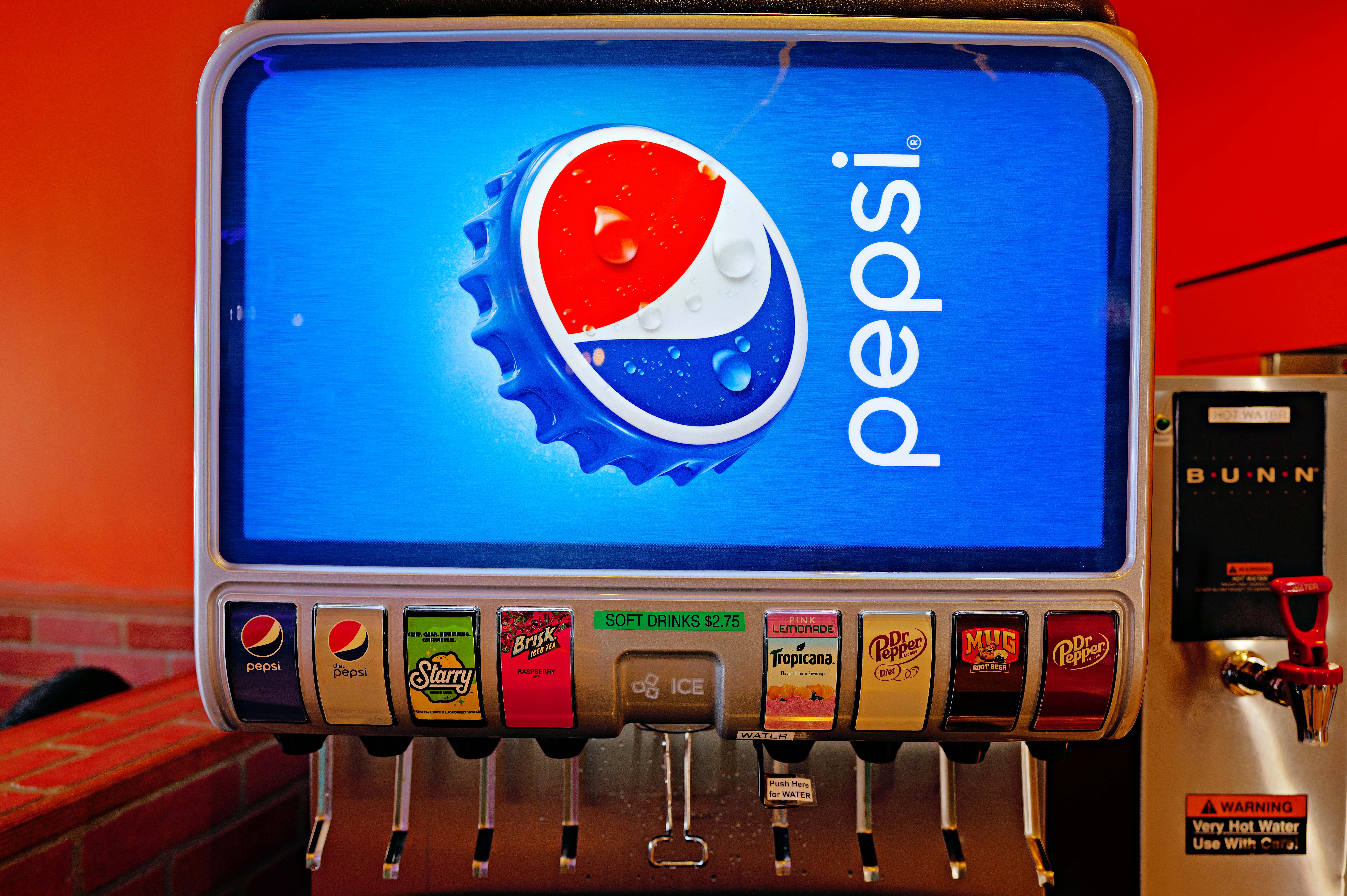
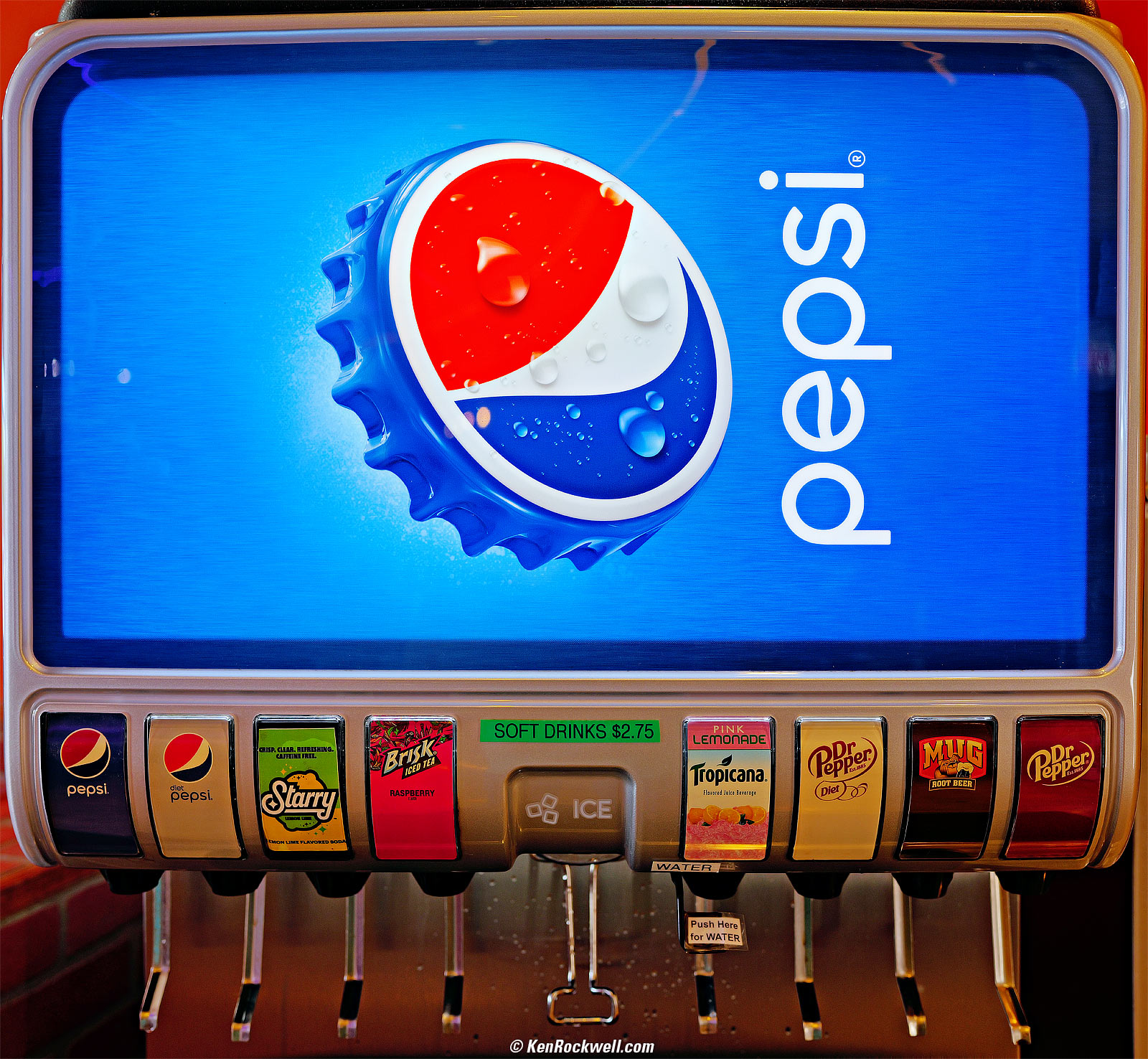
Soda-Bar, 1:38 PM, Tuesday, 09 June 2026. Cropped from LEICA Q3, Auto White Balance, LEICA SUMMILUX 28mm f/1.7 ASPH at f/2.8 at 1/50 at Auto ISO 100 (LV 8.6), Radiant Photo software to add light to the shadows while retaining highlights. größer or full-resolution 60 MP © 4.6 MB JPG file.
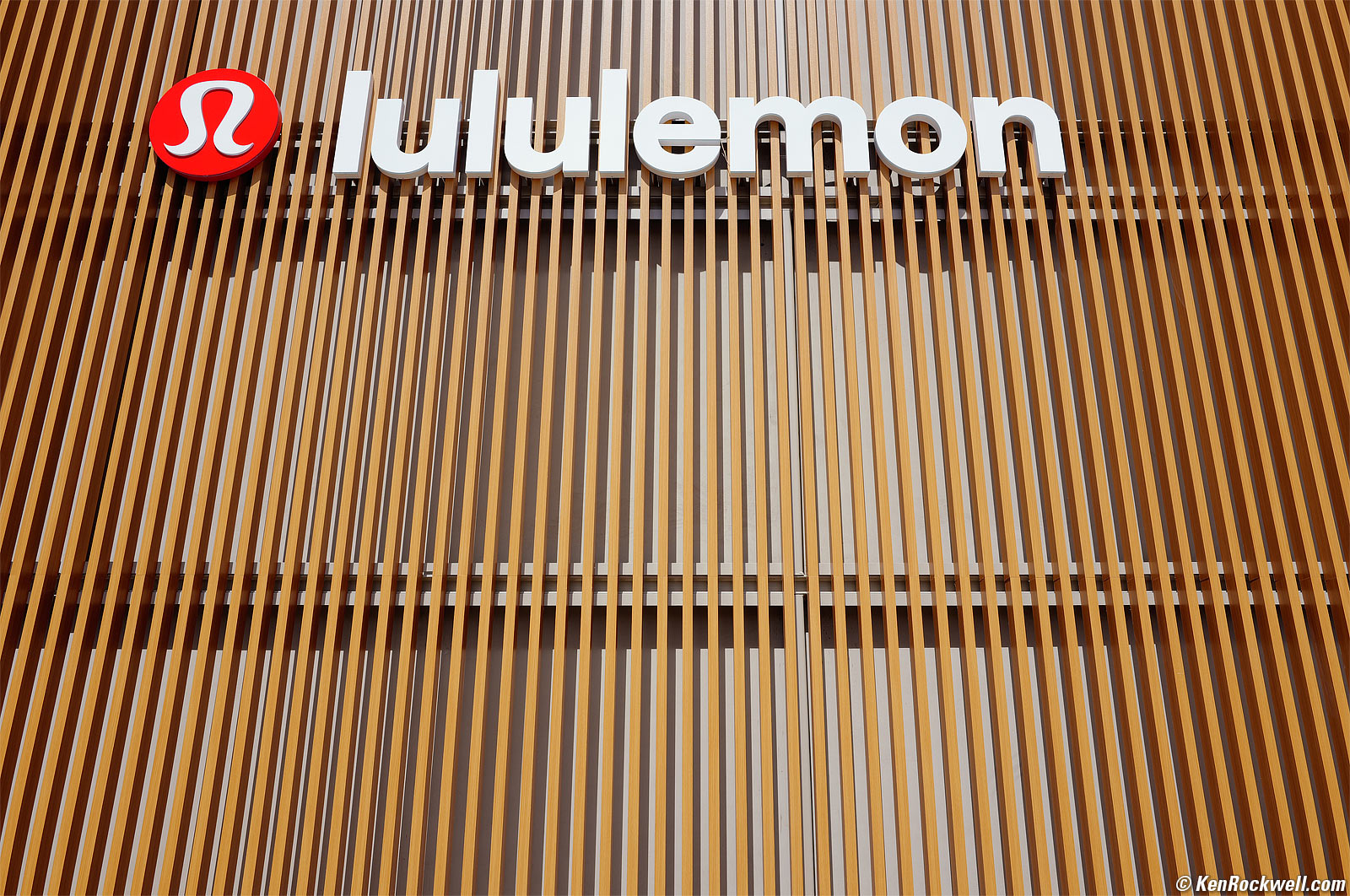
Lululemon, 10:37 AM, Thursday, 11 June 2026. LEICA Q3, Auto White Balance, LEICA SUMMILUX 28mm f/1.7 ASPH at f/5.6 at 1/500 at Auto ISO 100 (LV 14.0), as shot. größer.
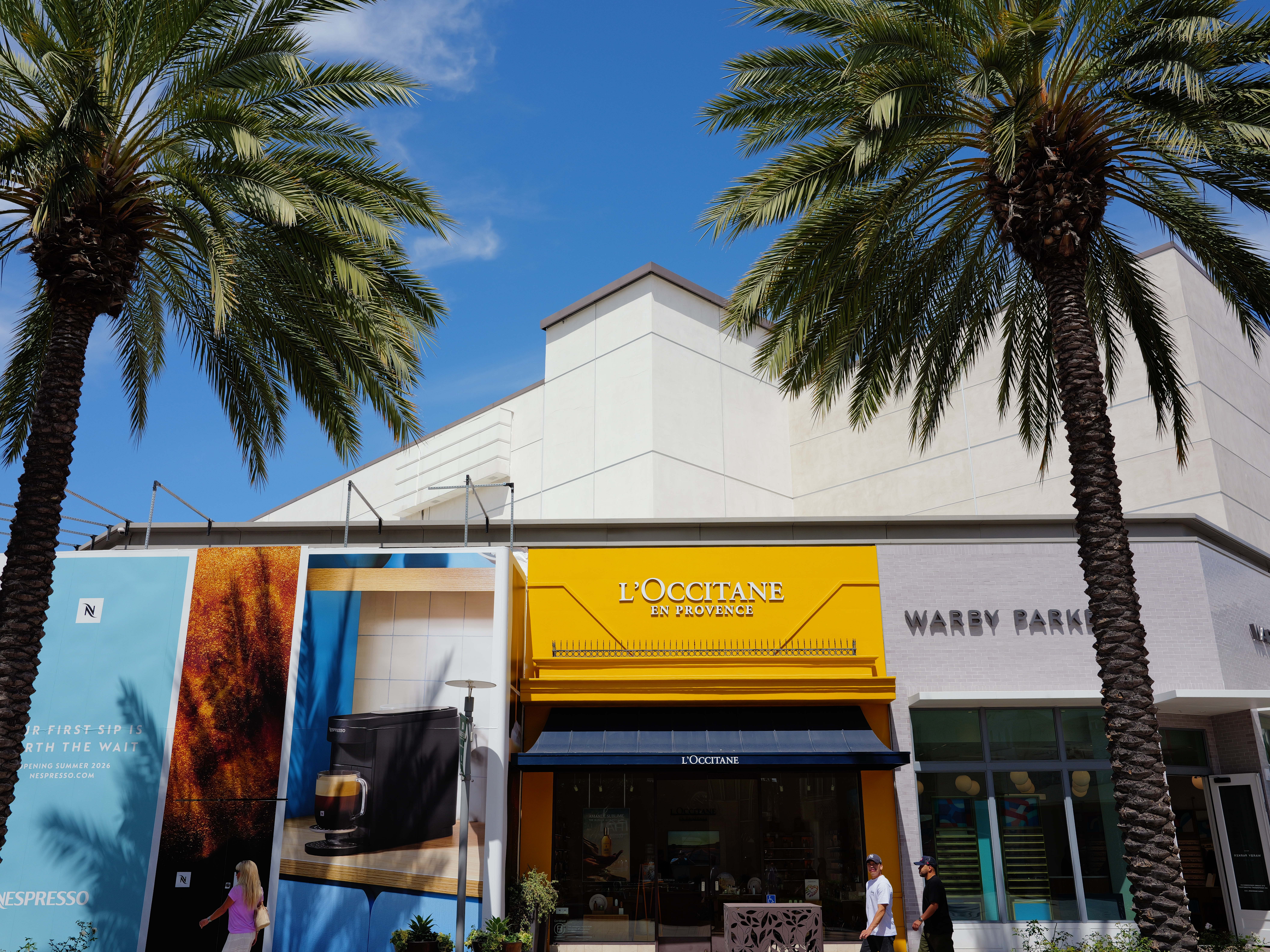
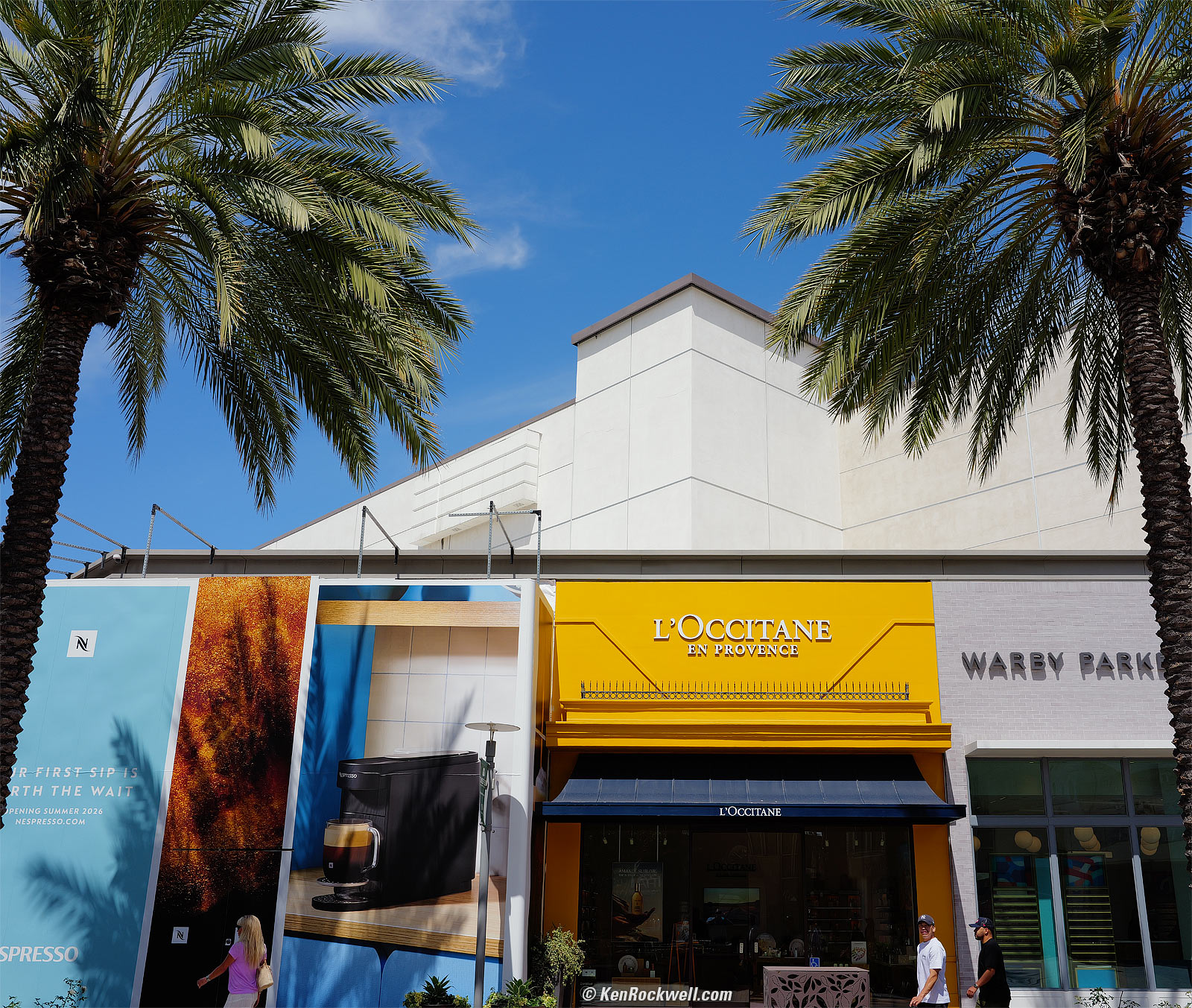
Französisches Geschäft verkauft Zaubertränke in Flaschen, 10:40 AM, Thursday, 11 June 2026. LEICA Q3 in 4:3 crop mode and Auto White Balance, LEICA SUMMILUX 28mm f/1.7 ASPH at f/5.6 at 1/800 at Auto ISO 100 (LV 14⅔), as shot. größer or camera-original 4:3 cropped 53.5 MP © 26.1 MB JPG file.
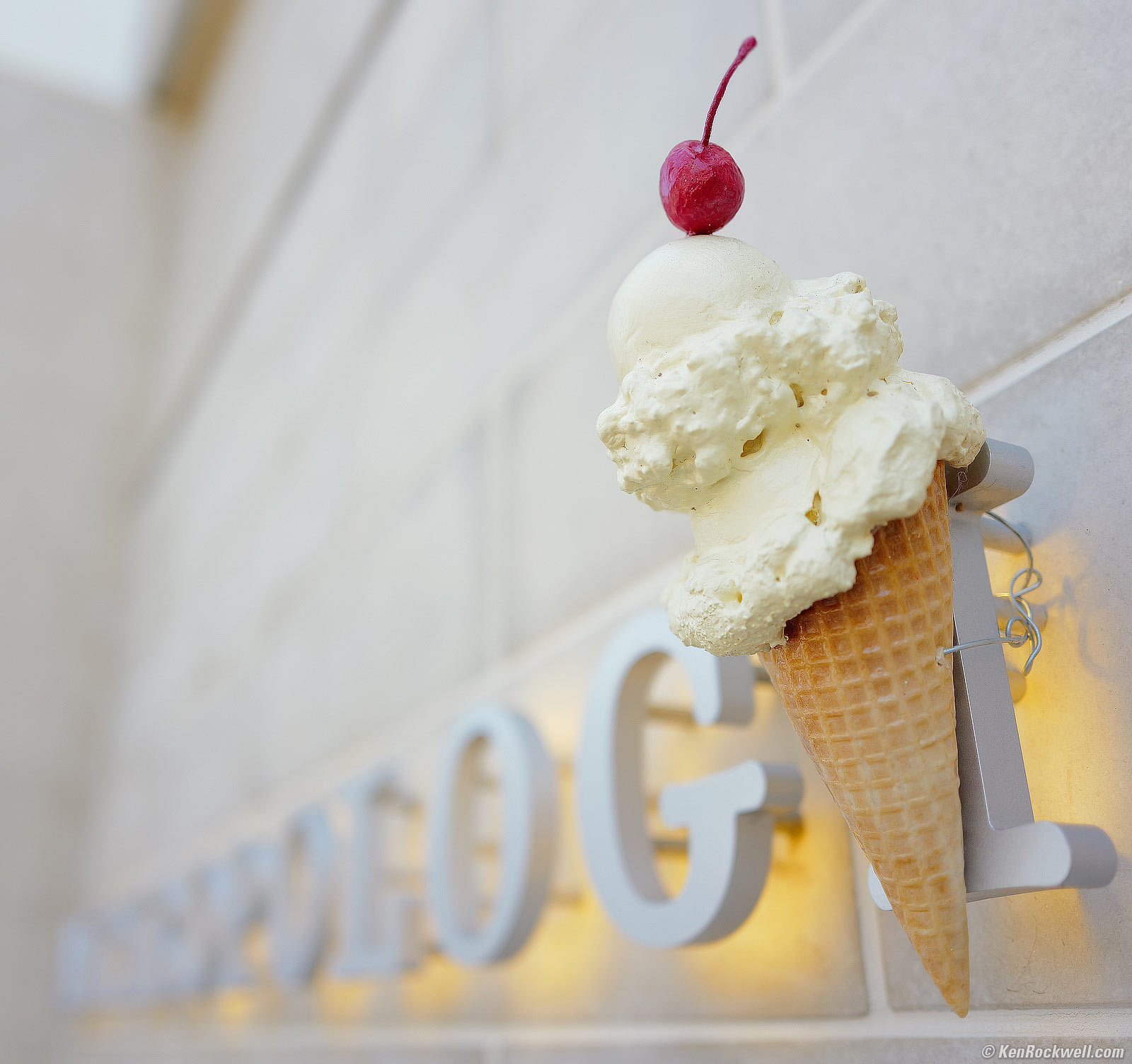
Anthropologie-Eistüte mit Kirsche, 10:42 AM, Thursday, 11 June 2026. LEICA Q3, Auto White Balance, LEICA SUMMILUX 28mm f/1.7 ASPH wide-open at f/1.7 at 1/800 at Auto ISO 100, +1 stop exposure compensation (LV 11⅙), cropped, but otherwise as shot. größer.
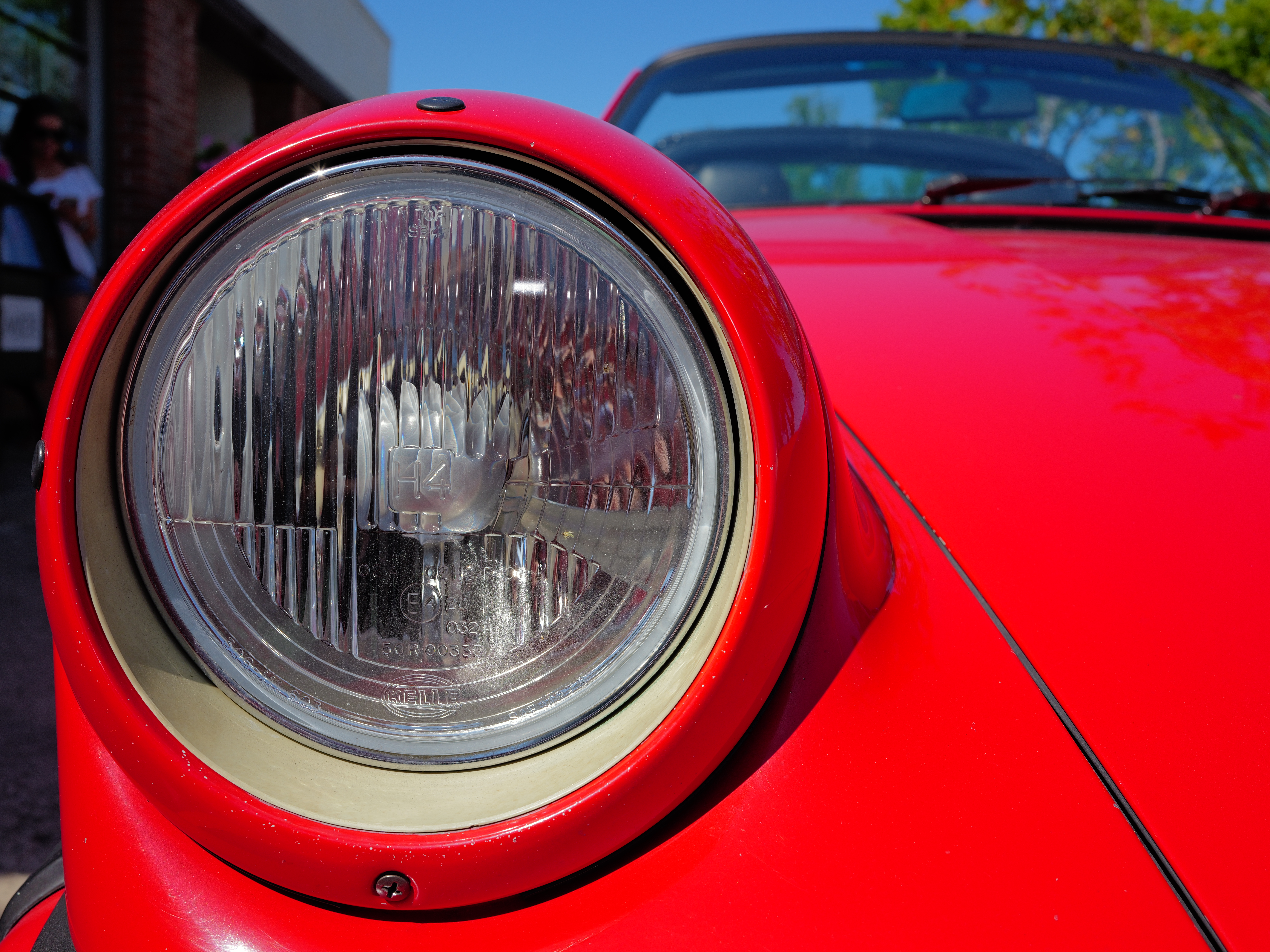
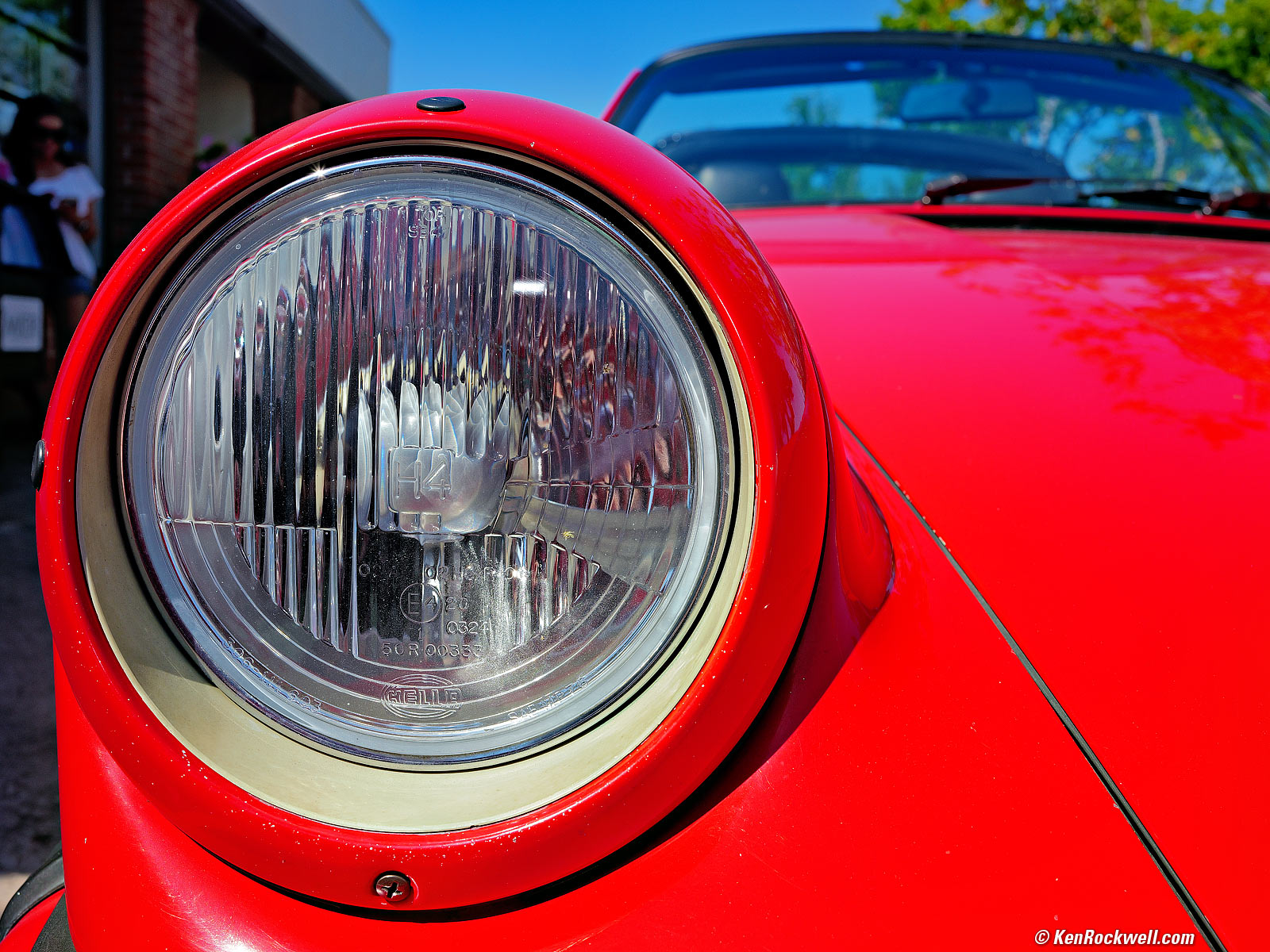
Hella H4-Scheinwerfer an einem Porsche 911 in Indischrot, 9:50 AM, Saturday, 13 June 2026. LEICA Q3 in 4:3 crop mode and Daylight White Balance, LEICA SUMMILUX 28mm f/1.7 ASPH at f/8 at 1/400 at Auto ISO 100, -⅔ stops exposure compensation (LV 14⅔), Radiant Photo software to add light to the shadows while retaining highlights. größer or camera-original 4:3 cropped 53.5 MP © 23.8 MB JPG file.
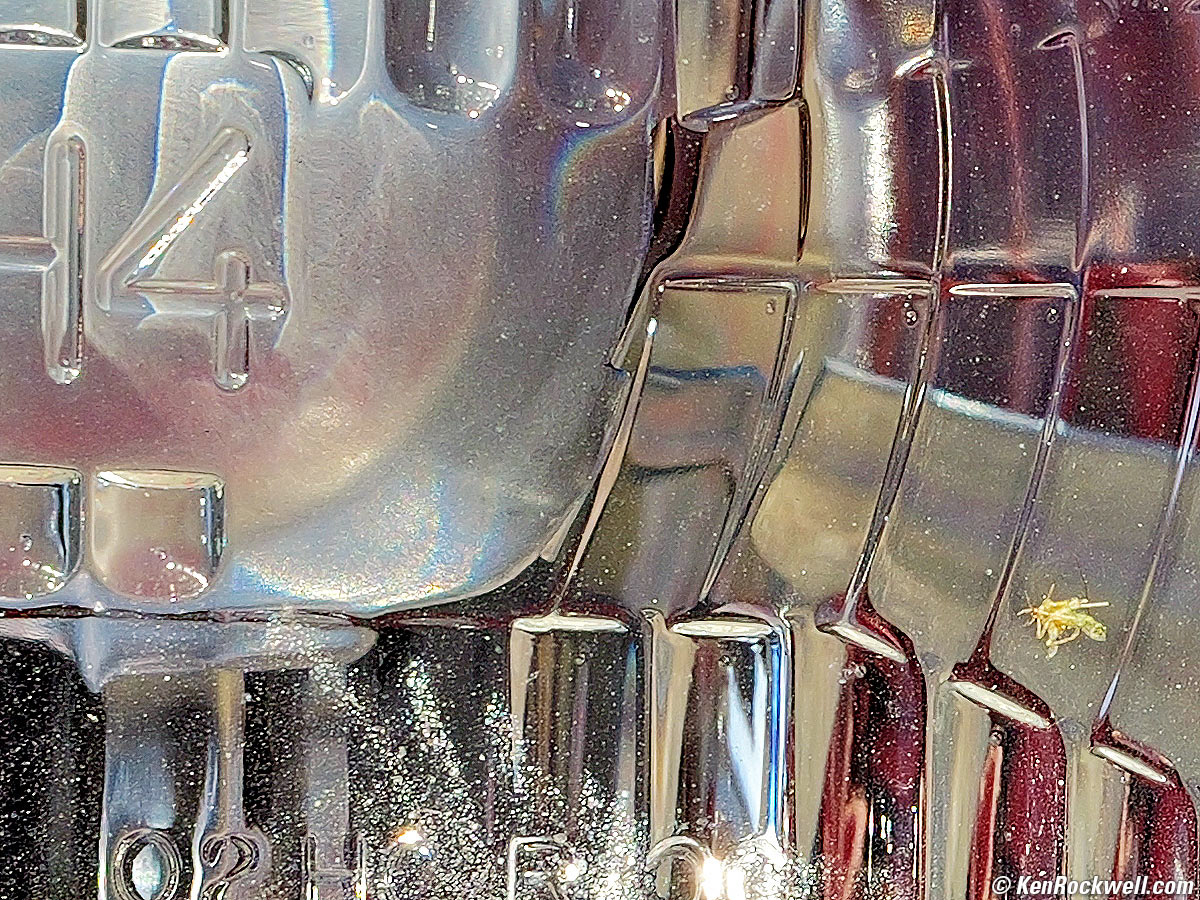
You can see a squashed Mosquito in intimate detail on the headlight lens in the camera-original 4:3 cropped 53.5 MP © 23.8 MB JPG file:
1,200 × 900 pixel (7× magnification) crop from above. größer or camera-original 4:3 cropped 53.5 MP © 23.8 MB JPG file.
If this 1,200 × 900 pixel crop is about 3" (7.5cm) wide on your screen, then the complete image printed at this same large magnification would be about 16 × 21" (1.3 × 1.8 feet or 40 × 53 cm).
If this 1,200 × 900 pixel crop is about 6" (15cm) wide on your screen, then the complete image printed at this same extreme magnification would be about 32 × 42" (2.6 × 3.5 feet or 0.75 × 1.06 meters).
If this 1,200 × 900 pixel crop is about 12" (30cm) wide on your screen, then the complete image printed at this same insanely high magnification would be about 63 × 84" (5.3 × 7 feet or 1.6 × 2.1 meters).
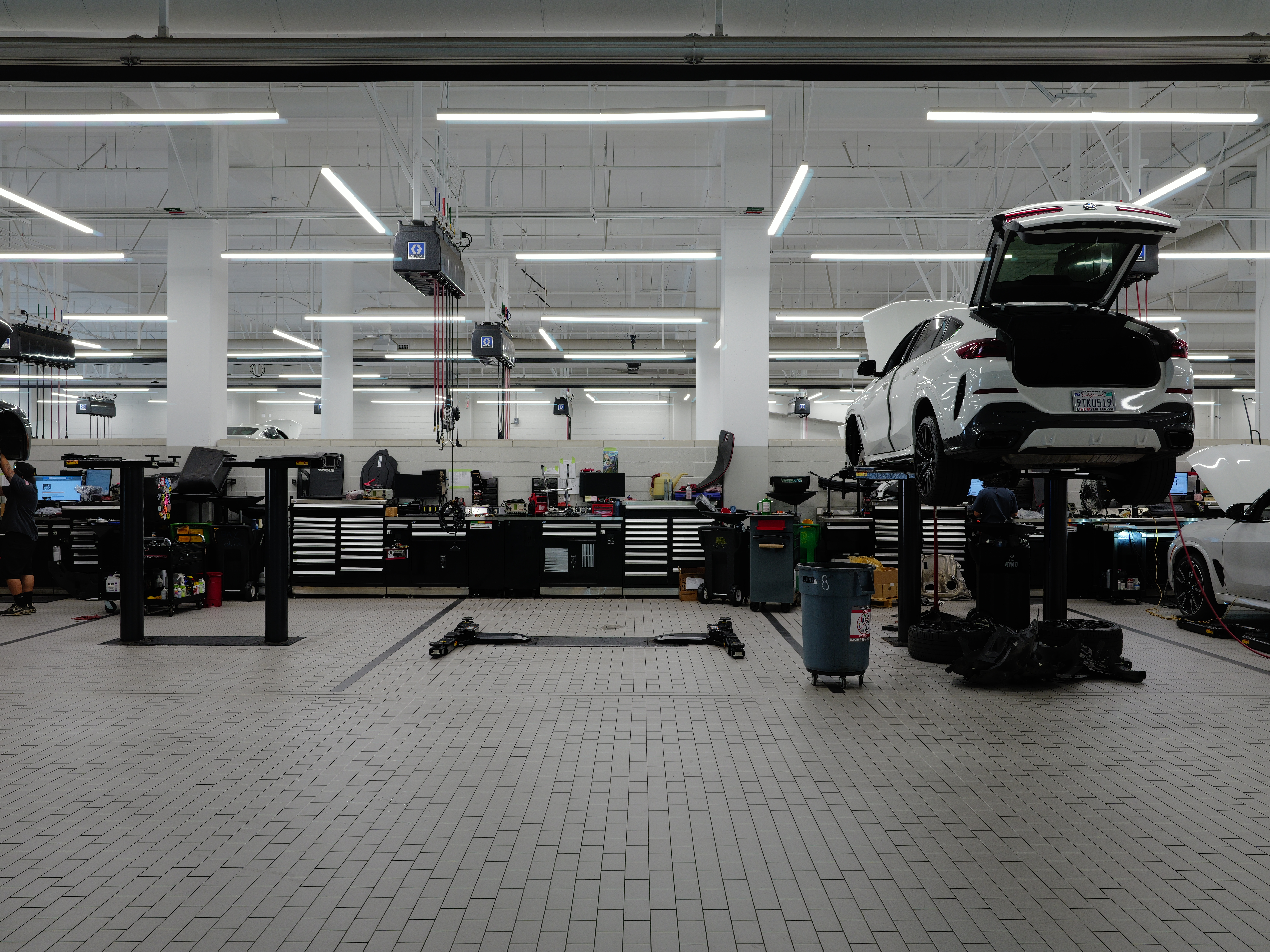
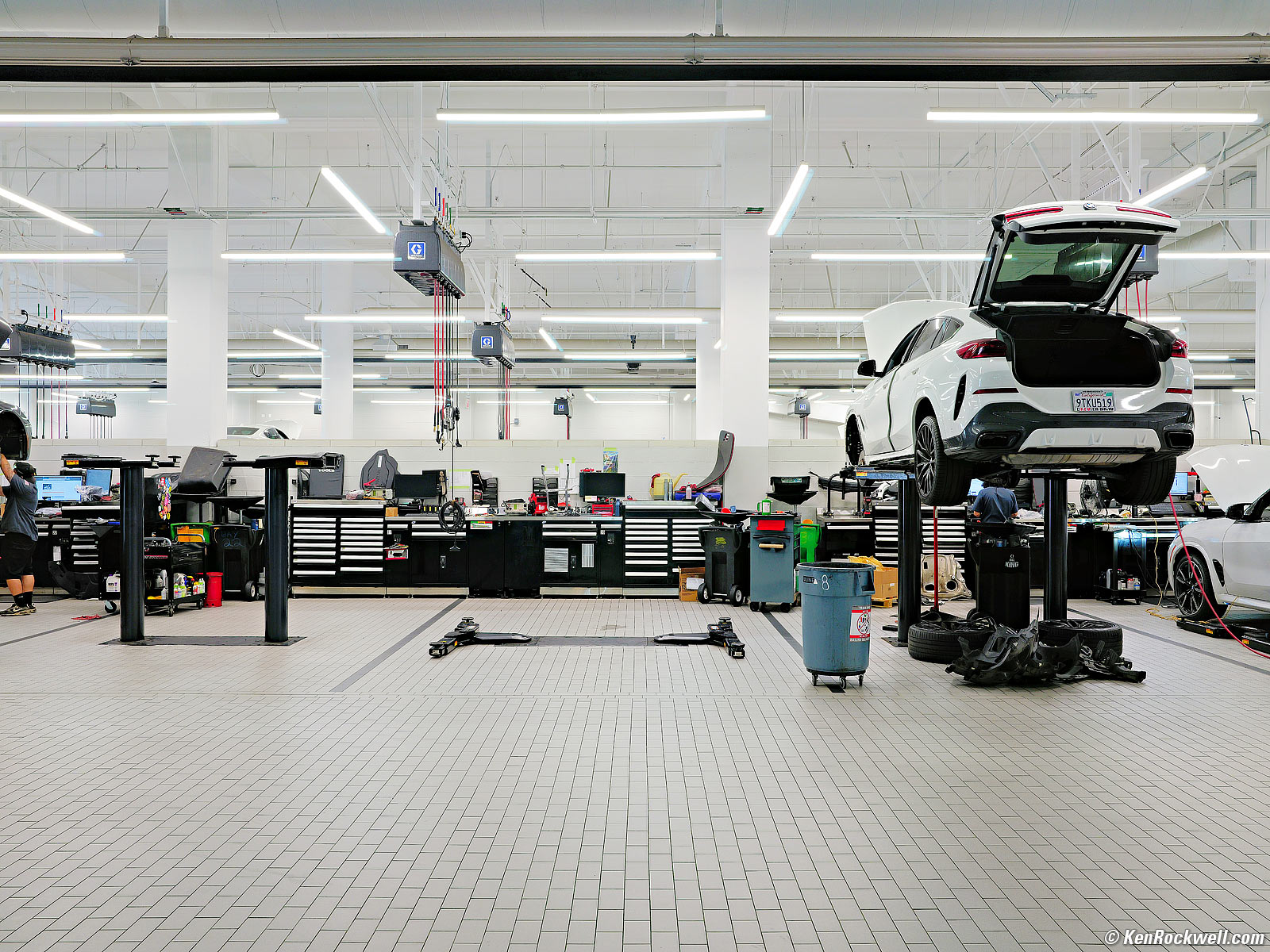
Werkstatt der Bayerischen Motoren Werke, 11:34 AM, Saturday, 13 June 2026. LEICA Q3 in 4:3 crop mode and Auto White Balance, LEICA SUMMILUX 28mm f/1.7 ASPH at f/8 at 1/8 handheld against a glass window, erroneously set to -⅓ stop exposure compensation, Auto ISO 160 (LV 8⅓), Radiant Photo and Skylum Luminar Neo software to brighten it up. größer or camera-original 53.5 MP (4:3 crop mode) © 22.4 MB JPG file.
The weird cyanish ghosts you see hugging the lights are reflections from the glass window through which I shot.

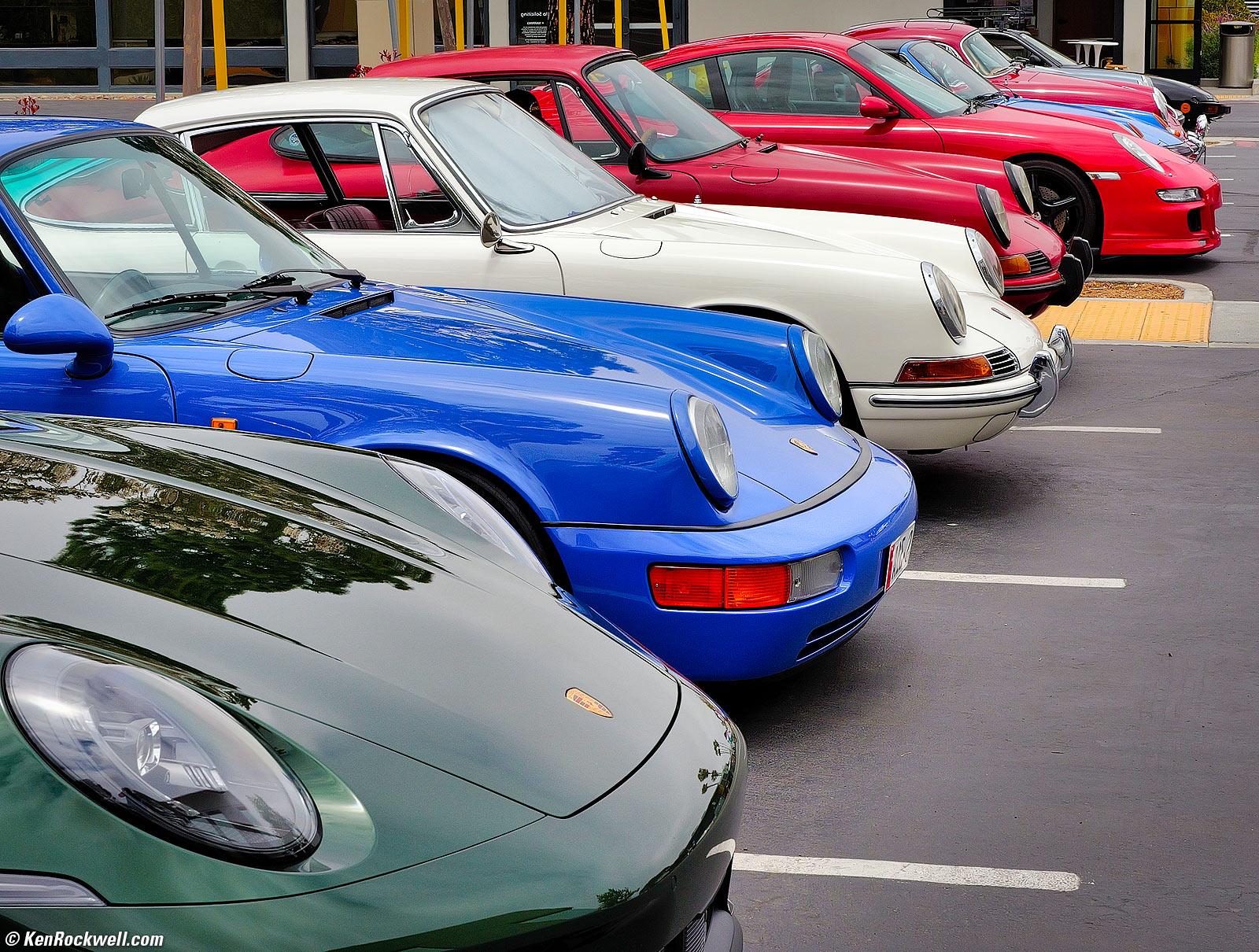
Porsche-Treffen, 12:19 PM, Saturday, 13 June 2026. LEICA Q3 in 4:3 crop mode and Auto White Balance, LEICA SUMMILUX 28mm f/1.7 ASPH in 75mm digital teleconverter mode at f/8 at 1/400 at Auto ISO 100 (LV 14⅔), Radiant Photo software to add light, negative flipped in Photoshop so the Porsches are pointing forwards (to the right). größer or camera-original 7.5 MP (simultaneous 75mm and 4:3 cropped modes) © 4.4 MB JPG file.
See? Even with all the cropping to 4:3 and to 75mm equivalent in-camera, it still looks great. The "fixed" 28mm lens isn't really fixed when we have so much resolution with which to start.
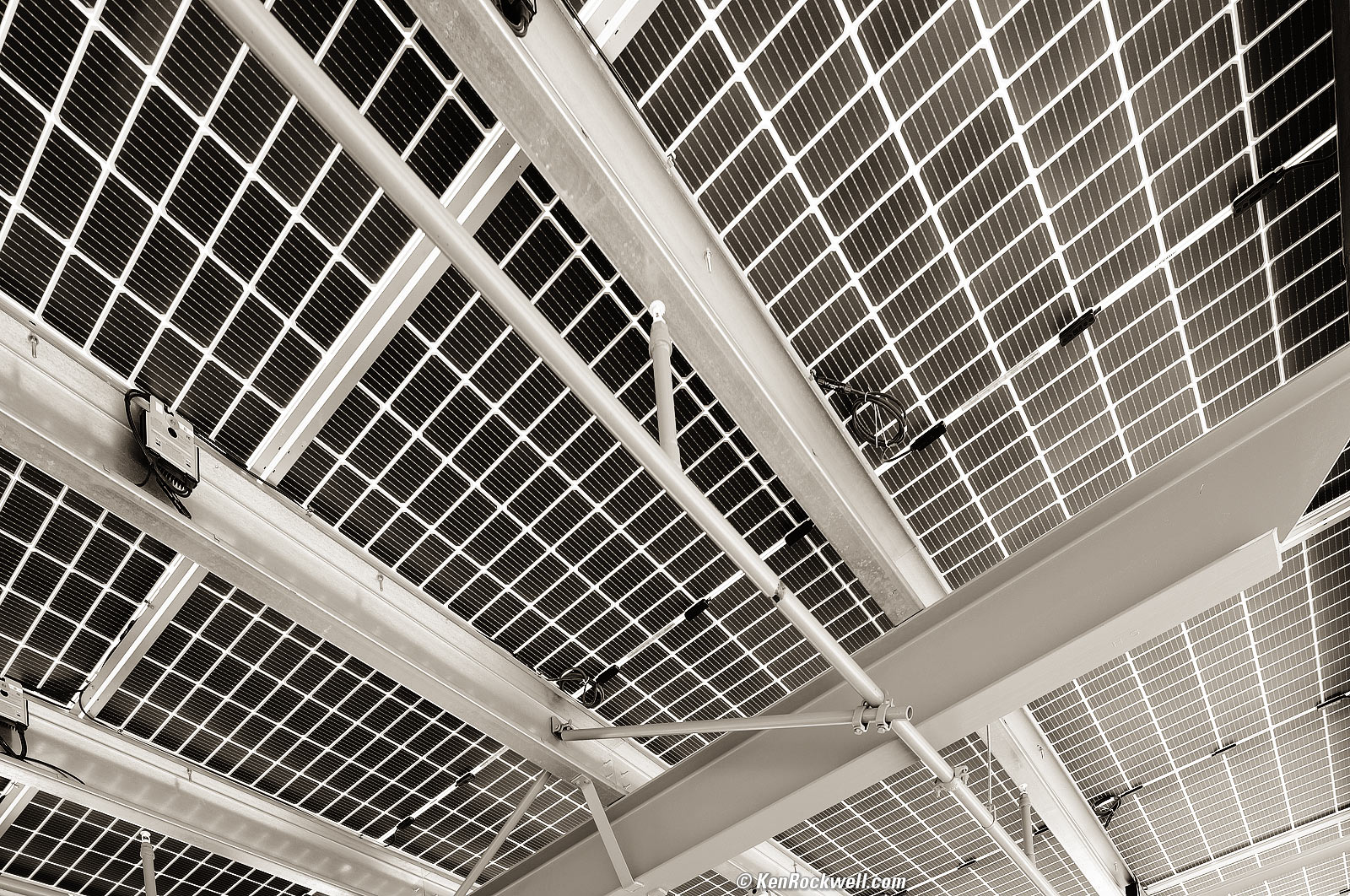
Solaranlage, 11:16 AM, Sunday, 14 June 2026. LEICA Q3 in Perspective Control (Correction) Mode, LEICA SUMMILUX 28mm f/1.7 ASPH at f/4 at 1/160 at Auto ISO 100 (LV 11⅓), split-toned print. größer.
In this case I let my Q3 emphasize the perspective by using its Perspective Control (Correction) Mode. It thought it was correcting from my Q3 being tilted up, and the effect it gave was the exaggerated pulling-out of the top corner I wanted, heh heh.
I converted the Q3's color image to black-and-white. Ideally a Q3 Monochrom would have yielded the same thing with less noise and more effective resolution, neither of which matter here.
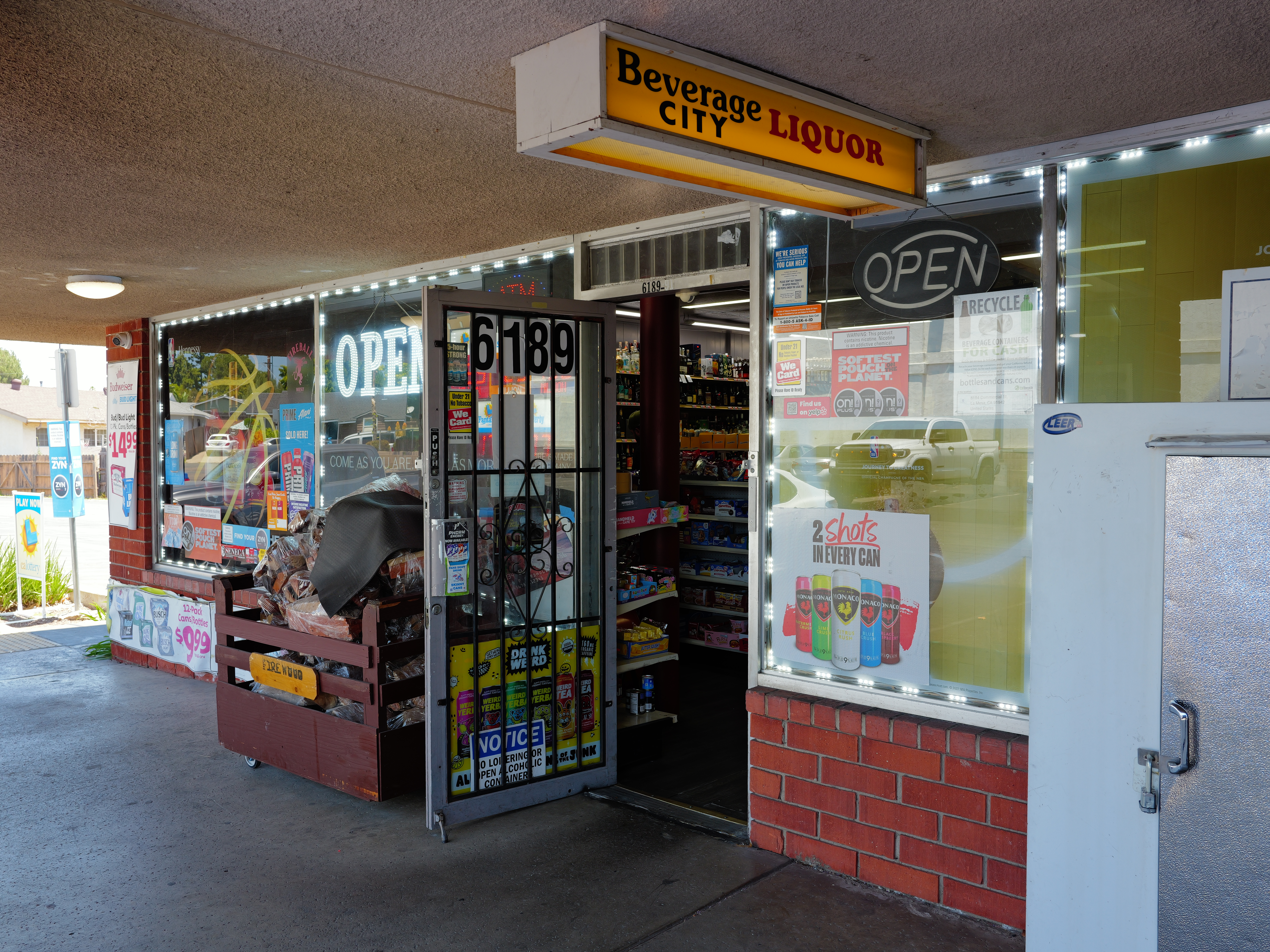
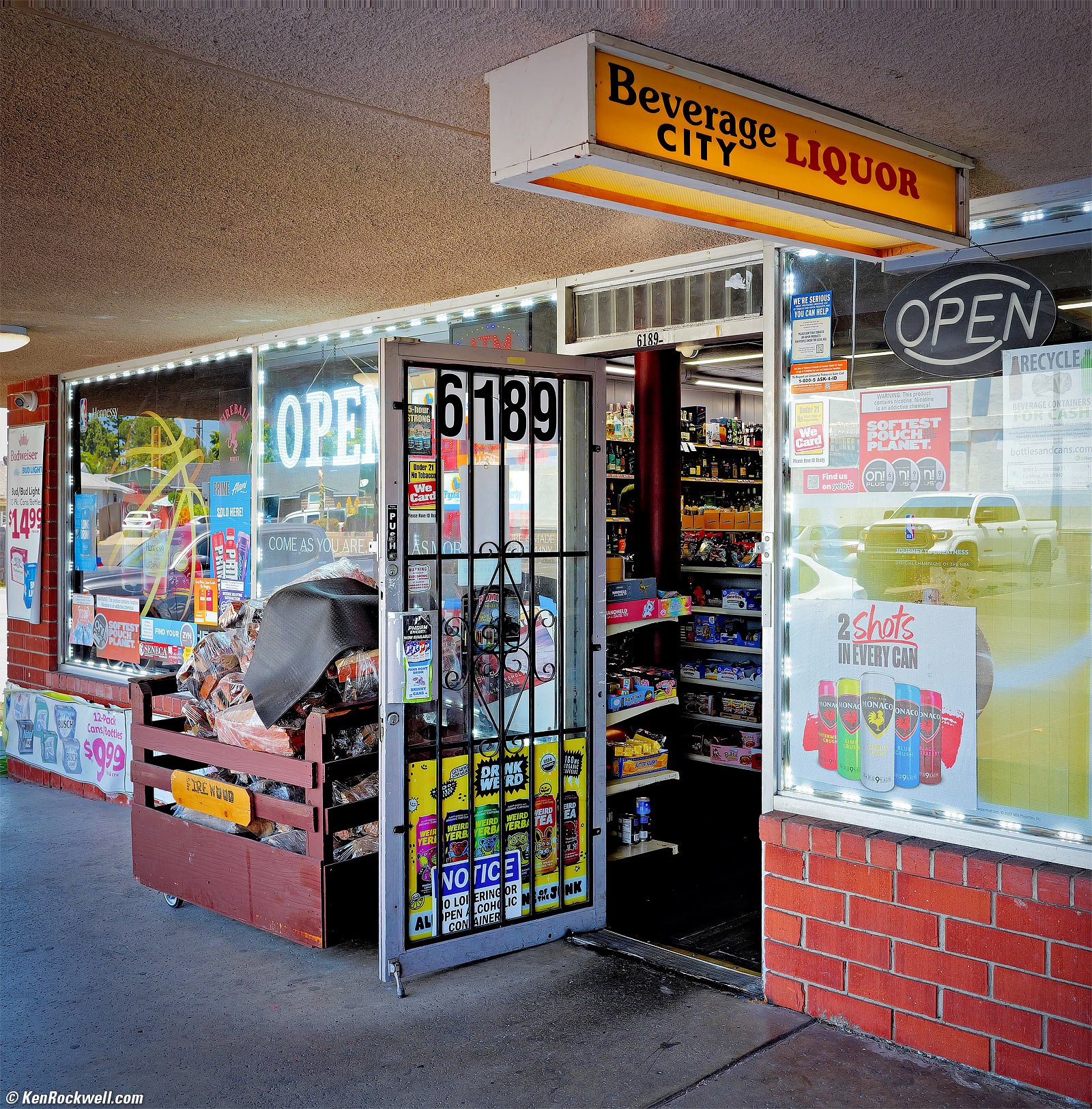
Spirituosengeschäft, 12:22 PM, Sunday, 14 June 2026. LEICA Q3 in 4:3 crop mode further cropped to a square in Photoshop, Auto White Balance, LEICA SUMMILUX 28mm f/1.7 ASPH at f/7.1 handheld at 1/30 at Auto ISO 100 (LV 10⅔), Radiant Photo and Skylum Luminar Neo software to add central emphasis and deliberate vignetting. größer or camera-original 53.5 MP (4:3 cropped) © 16.7 MB JPG file.
I cropped the 4:3 camera image to a square, raising the fascination of the HASSELBLAD to which every LEICA owner aspires. Cropped to a square either in-camera or later, the LEICA SUMMILUX 28mm f/1.7 ASPH evokes the look of a 60mm ZEISS DISTAGON on the 6 × 6 cm format.
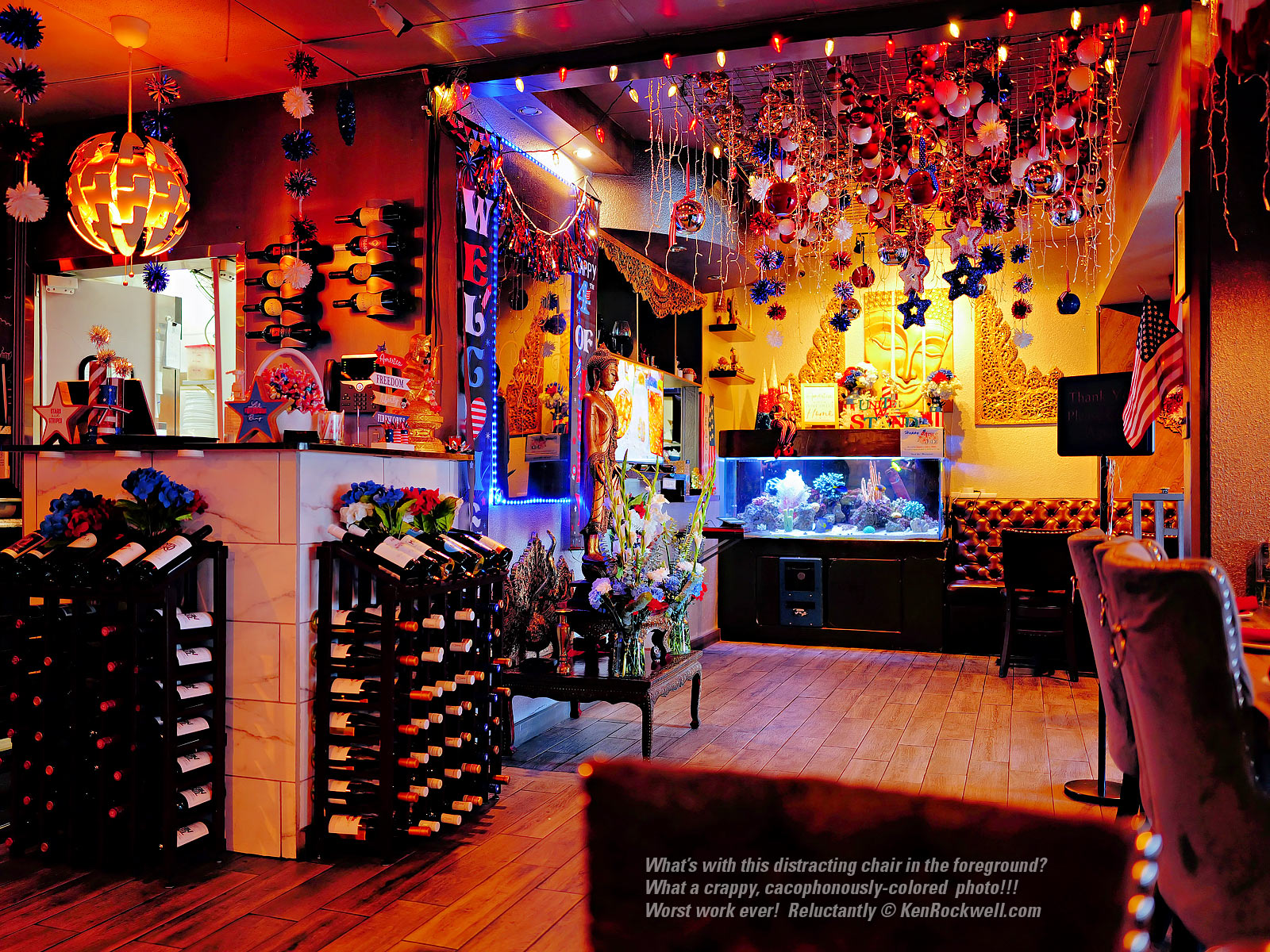
Thailändisches Restaurant in leuchtenden Farben, 12:37 PM, Sunday, 14 June 2026. LEICA Q3 in 4:3 crop mode, Cloudy White Balance to warm things up, LEICA SUMMILUX 28mm f/1.7 ASPH wide-open at f/1.7 handheld at 1/10 at Auto ISO 100, -⅔ stops exposure compensation to preserve the highlights (LV 4.8), Radiant Photo and Skylum Luminar Neo software to amp it up to beyond crazy as well as bring light into the shadows. größer.
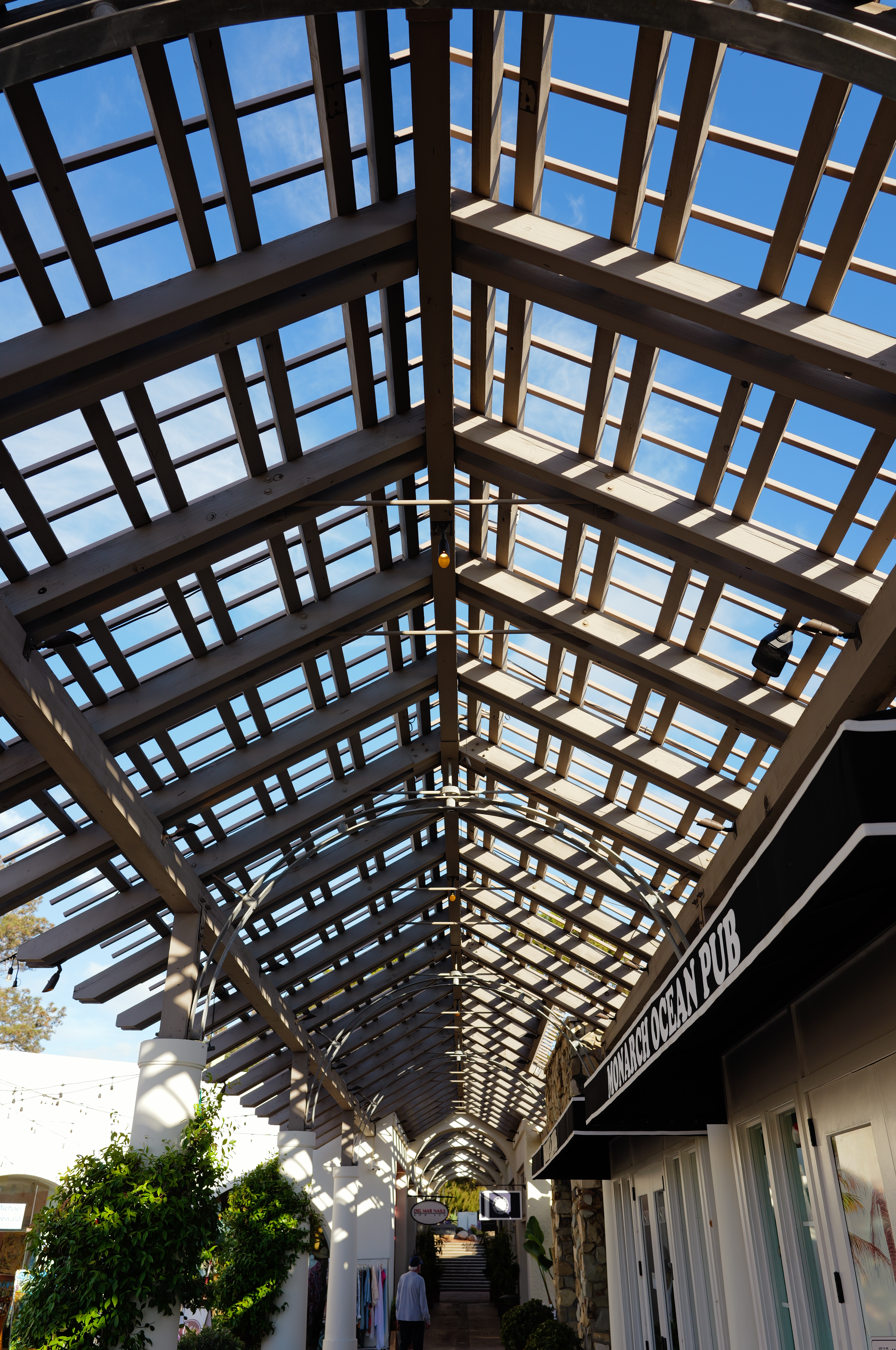
Free Vacation with Purchase, 6:28 PM, Sunday, 21 June 2026. LEICA Q3, Auto White Balance, LEICA SUMMILUX 28mm f/1.7 ASPH at f/4.5 at 1/250 at Auto ISO 100 (LV 12.3), as shot. größer or camera-original 18 MP © 8.8 MB Small JPG file.
Astute realism when shot clean. This is shot at f/4.5 in the Program mode which favors large apertures, so of course the depth-of-field doesn't extend to the distance.
Introduction top
Specifications Accessories Unboxing
Performance Compared User's Guide

I buy only from these approved sources. I can't vouch for ads below. |



This LEICA Q3 is a fixed-lens full-frame mirrorless camera with an electronic finder. It feels like a real camera: a solid metal and glass block of GERMAN - MADE precision, not a disposable plastic turd like so many other cameras today.
The Q3 is the dream to which the Sony RX1R III aspires, but the Sony, while almost priced the same, lacks the optical stabilization of the Q3's SUMMILUX 28mm f/1.7 ASPH lens.
While the lens itself is fixed, the Q3 has so much resolution that it can zoom digitally to 90mm equivalent with a single button. You have all the prime LEICA M lenses in the Q3, minus the SUPER-ELMAR 21mm f/3.4 ASPH. Wunderbar!
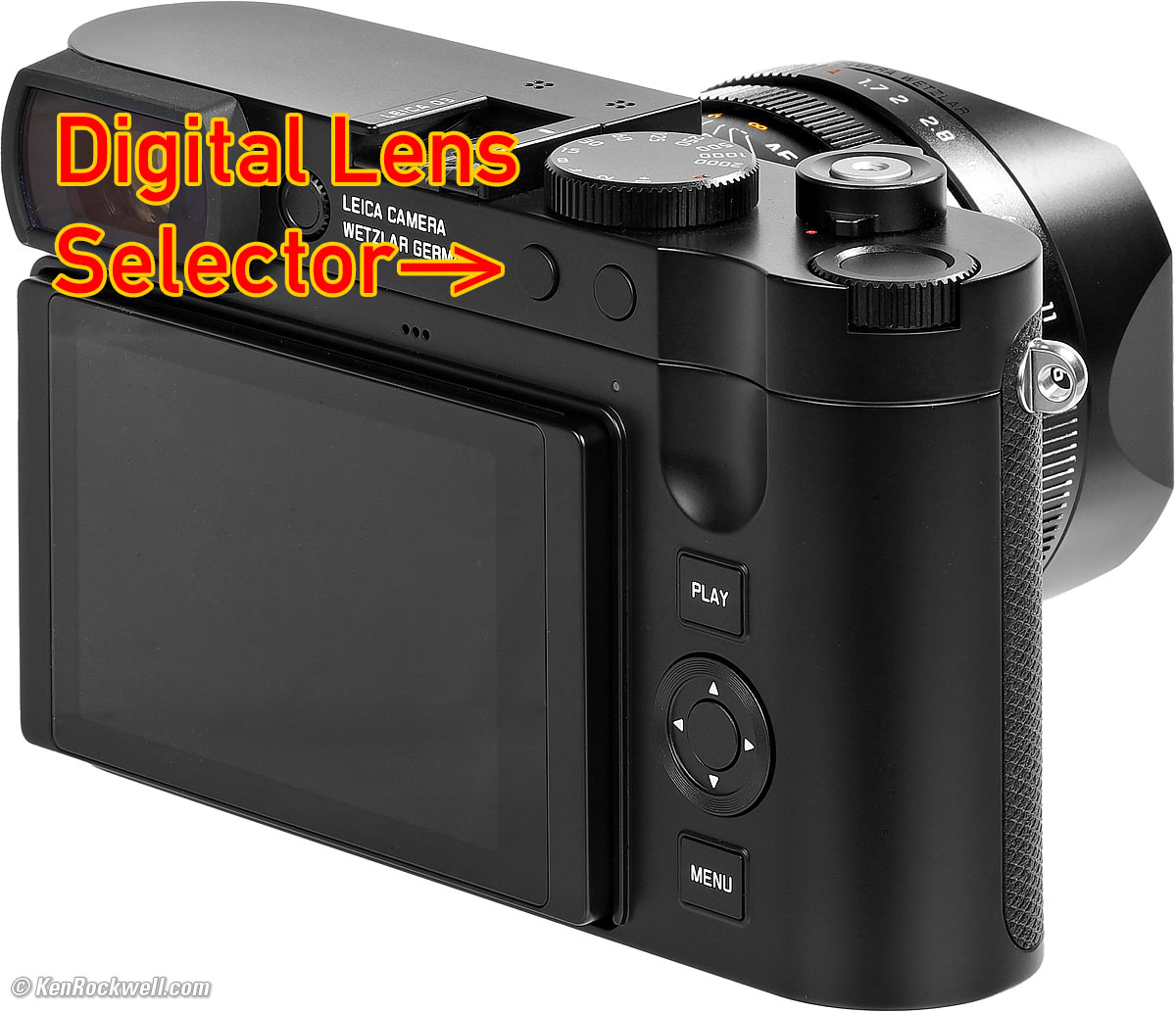
LEICA Q3 28mm, 35mm, 50mm, 75mm und 90mm Objektivauswahl (Lens Selector) Button. größer (bigger).
The Q3 bridges the gap between the immortal M series and earthly cameras. The Q3 is a real MADE IN GERMANY full-frame LEICA, but priced so everyone can afford it. Remember, while even the most basic LEICA M11 costs more than $10,000, that's with no lens. The most basic 50mm f/1.4 ASPH will set you back over $5,000, bringing you to $16,000 for the most basic M setup. As real LEICAs go, the Q3 is a bargain.
The Q3 is both immortal as well as practical and inexpensive, which is why it's LEICA's most popular camera today. It's much easier to use than the manual-focus M-klasse; the Q3 works both completely manually as well as completely automatically, and everywhere in between.
The Q3 is worlds ahead of everything fixed-lens from Fuji or from Sony because the Q3 adds stabilization for handheld shooting, which is the whole point of Kompaktkameras. It handles brilliantly. Its clear, simple menus are way better than Fuji or Sony (if you can find The Secret Leica Menu System), and its controls are also way ahead of Sony and even simpler than Fuji. Neither Nikon nor Canon make any fixed-lens full-frame digital cameras, and none of those brands is immortal as is the LEICA.
We can just grab our Q3 and shoot, paying rapt attention to our subject which begets immortal images.
The Q3's mechanical leaf shutter is essentially silent and synchronizes with flash all the up to 1/2,000, even wide-open at f/1.7 where we need it. If that's not quiet or fast enough, the electronic shutter is completely silent and goes to 1/16,000.
The Q3 handles brilliantly, autofocuses and shoots, fast. The Q3 just gets out of my way more than I had ever expected. Bravo!
I got my Q3 at B&H. I'd also get it at Crutchfield, at Adorama, at Amazon or used at eBay if you know How to Win at eBay, or get it used at KEH.
The Q3 also comes in metal gray metallic, comes in a version with a special black-and-white-only sensor for greatly improved high ISOs and effective resolution, and comes in a version with a 43mm f/2 lens.
New since the LEICA Q2 intro top
 60 MP, up from 47 MP.
New 90mm (6 MP) digital zoom option, thanks to the higher resolution.
USB-C charging.
USB-C port.
HDMI connector.
"Perspective Control" mode reads the accelerometers for pitch and roll and corrects and compensates for tilts and distortions from pointing the camera up or down. It even corrects if you hold the camera off-level! I invented this process several years ago, and it actually works! This is the first I've ever seen it shipping.
The Play, Menu and Fn2 buttons are now on the right side of the Q3 so we can use them while shooting with one hand.
New is what looks like a threaded cable release socket, but it's nur Optik: only for looks 🤮. While you can screw a cable release into it, it won't work. The threads are only to hold a soft release button. Boo!
5,760,000 dot OLED finder, up from 3,686,400 dots.
Finder compensation only adjusts -4 ~ +2 diopters, down from -4 ~ +3 diopters.
ISO goes to 100,000, up from 50,000.
1/16,000 top electronic shutter speed, down from 1/40,000.
One-hour longest shutter speed, up from two minutes.
New 2,200 mAh BP-SCL6 battery replaces the 1,860 mAh BP-SCL4, however,
Rated shots per charge with the new battery is now only 350, rather than 370, shots.
More optional "Leica Looks" in the picture controls.
Oddly the AdobeRGB and ECI RGB V.2.0 color spaces are no longer mentioned, just the usual sRGB. Photoshop ACR of course offers the ability to open DNGs in any color space you like, but I seen no menu entry to let us select what we get for JPGs.
The FAVORITES menu went away as of Q3 firmware version 4.
My SF-24D flash is no longer recognized for TTL shooting. It now only works in Manual or non-TTL Auto modes, and there is no ready light in the finder. So? Use another flash.
1,843,200 dot LCD, up from 1,040,000 dots. Still the same tiny 3" screen.
8K & C8K video at up to 29.97 FPS.
4K now runs at up to 59.94 FPS.
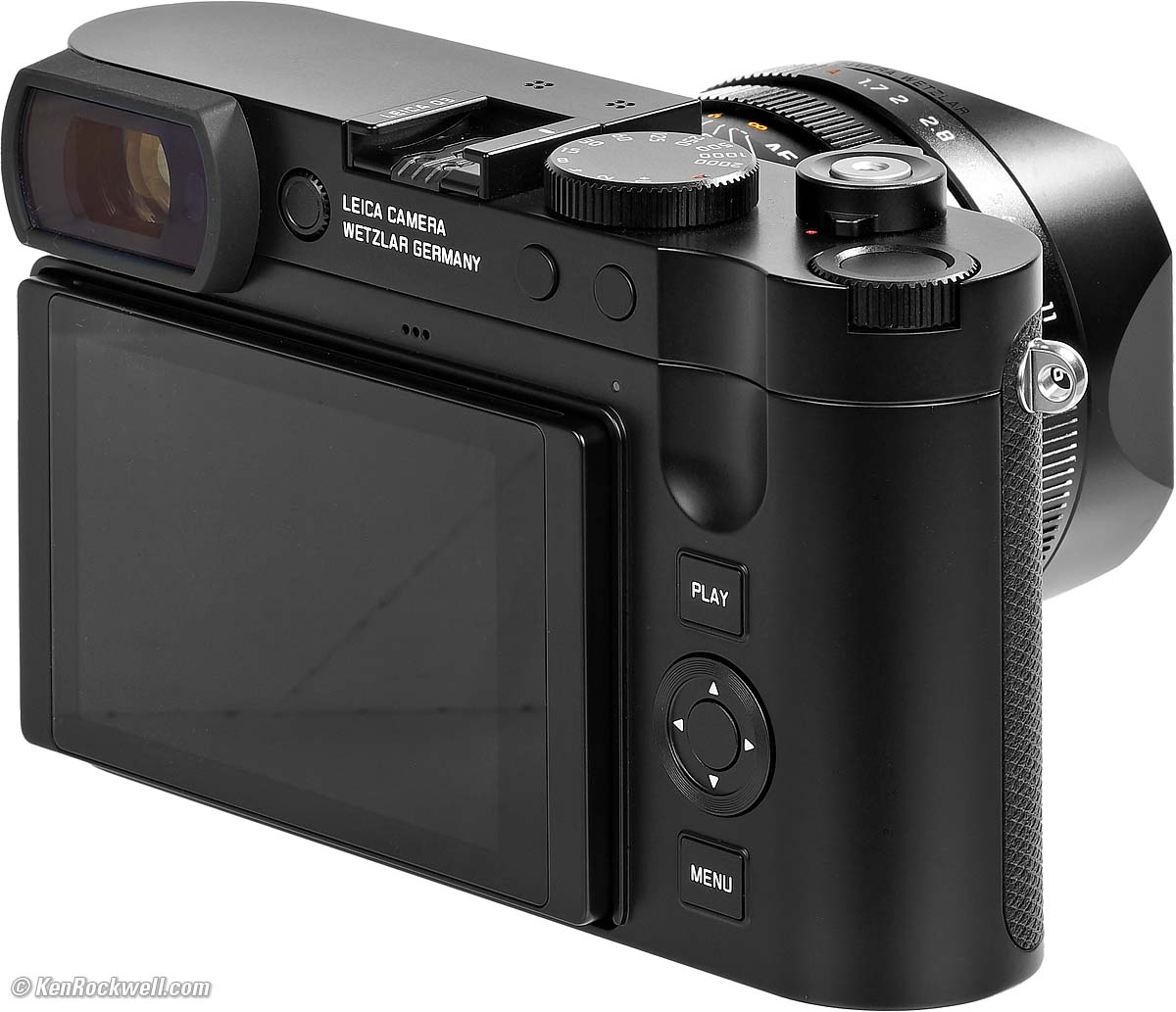
LEICA Q3. größer.
Same as the LEICA Q2 intro top
 Same 28mm f/1.7 lens.
Almost identical body, size and weight.
Good intro top
 "Perspective Control" mode (press MENU four times > Perspective Control > ON) corrects and compensates for camera tilts to keep horizontal and vertical lines horizontal and vertical, and it works!
MADE IN GERMANY.
All metal.
Optical Image Stabilization for stills and video.
Can save and recall six different complete camera-state setups ("User Profiles") from internal memory or to and from a card or computer, and you can edit and rename them.
Leaf shutter gives an amazing 1/2,000 flash sync speed.
Shutter has programmed speeds all the way out to an hour in third stops.
Real Depth-of-Field scale!
Displays go black with a red line and a dim count-down timer during exposures of a second or longer.
Automatic brightness control for the rear LCD (finder is manual only).
IP52 dust, moisture and weather-sealed in accordance with DIN EN 60529. LEICA warns that the splash-protection coating is not permanent and will diminish over time.
Odd for LEICA, thank goodness the Q3 stays in one piece as you load cards or batteries. Most other LEICAs have to be taken apart into two pieces to change cards, film or batteries!
Programmable button inside the top rear thumb wheel dial.
Dedicated macro mode, but limits lens to an f/2.8 maximum aperture.
35mm (39 MP), 50mm (19 MP), 75mm (8 MP) and 90mm (6 MP) cropped-equivalent modes.
Huge range of Kelvin white balance adjustment: 2,000 ~ 11,500 K, but only adjust in relatively coarse 10% steps.
Touch screen covered in glass, not plastic.
Lots of expensive accessories available.
Bad intro top
 Fixed finder brightness. 🤮 Almost every other camera over $500 has this controlled automatically, but with this LEICA you have to reset it every time you go inside or outside, otherwise the finder is much too bright or dim unless you set it manually every time the conditions change.
SINGLE or CONTINUOUS shutter modes now have to be set in a menu, they're no longer part of the power switch as they were in the original Q.
Self Timer has has to be set in a menu, it's not part of the power switch.
No color histograms, even on playback, and the B&W ones aren't necessarily accurate.
Missing intro top
No second card slot.
No automatic brightness control for the finder 🤮. (does have it for rear LCD).
No built-in-flash.
No precise battery percentage indication, just a 5-segment icon. Oddly even in the app it only reads out to the nearest 20%.
Cable release socket does not work. The shutter button thread is only for a soft release button.
No BULB or TIME modes and no exposures longer than an hour. LEICAMEN are not going to wait around anywhere near this long for a picture to take, so who cares?
Electronic shutter only goes to 1 minute. (Leaf shutter goes to an hour.)
Third-stop clicks on the aperture ring, not half stop clicks as is LEICA Abstammung und Erbe (bloodline heritage).
No deeper detents at full stop aperture settings.
No half-stop clicks on the shutter speed dial; full stops only (use the electronic dials to set third stops).
No single/continuous/self timer advance switch as part of the power switch, now just a simple ON/OFF power switch so you have to select advance mode in menus.
No Trash or Delete button. Every Q3 photo is perfect so this isn't needed. (You can delete photos with other options, but I don't know why you'd do that.)
No 49mm lens cap included; the included cap only works reliably with the included hood.
No ISO button, use the top wheel.
No color histograms, making the histogram nearly useless if you shoot in color.
No manual-focus infinity stop (manual focus goes past infinity).
No HEIC, HEIF or HIF files.
No Bildebenenanzeige (no image plane indicator).
No basic or fine JPG options.
No analog Mic-In jack. Use a USB Mic adapter or a USB mic like the RØDE VideoMic GO II, VideoMic NTG, Wireless GO II or Wireless ME.
No more Adobe RGB und ECI RGBv2.0 color spaces seen in the menu system.
No illuminated buttons.
The B&W modes have no ability to simulate the use of a colored contrast filter; most other cameras give us the option to simulate the use of a yellow, green or red filter.
No GPS; use the app.
Specifications top
Specifications Accessories Unboxing
Performance Compared User's Guide
I got my Q3 at B&H. I'd also get it at Crutchfield, at Adorama, at Amazon or used at eBay if you know How to Win at eBay, or get it used at KEH.
The Q3 also comes in metal gray metallic, comes in a version with a special black-and-white-only sensor for greatly improved high ISOs and effective resolution, and comes in a version with a 43mm f/2 lens.
Name
LEICA calls this the Q3 type 6506
Part numbers for all versions.
LEICA SUMMILUX 28mm f/1.7 ASPH Lens
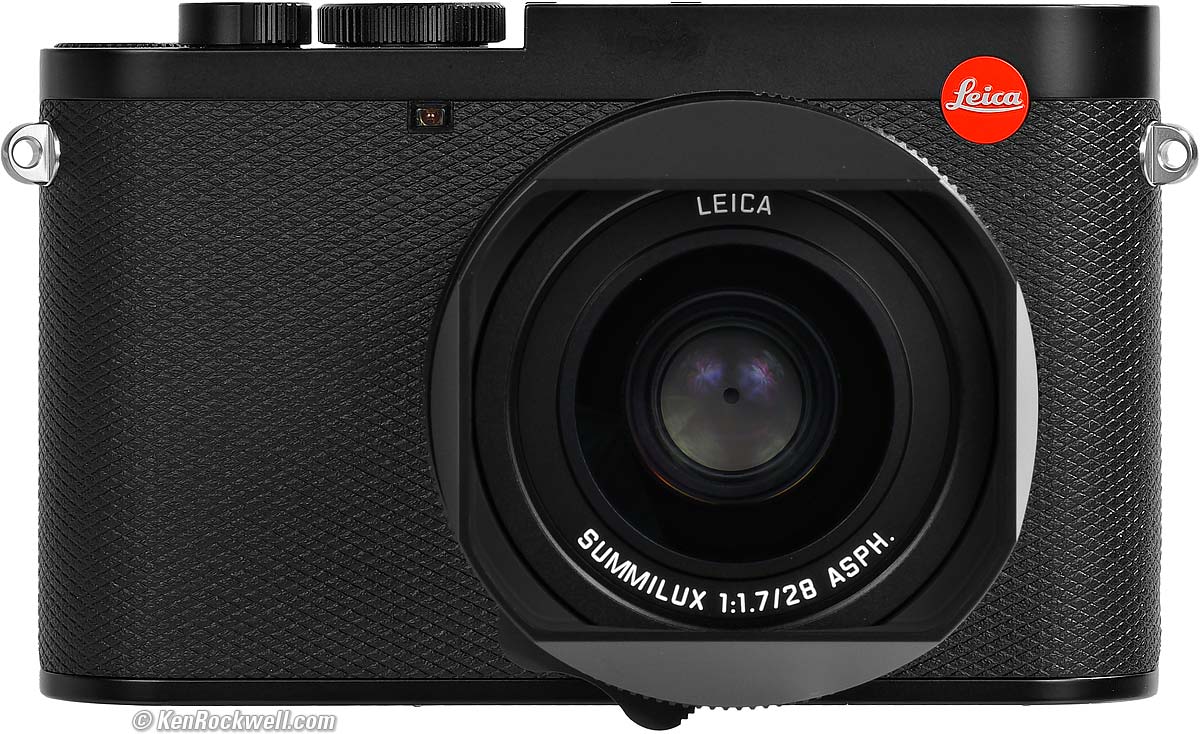
LEICA Q3. größer.
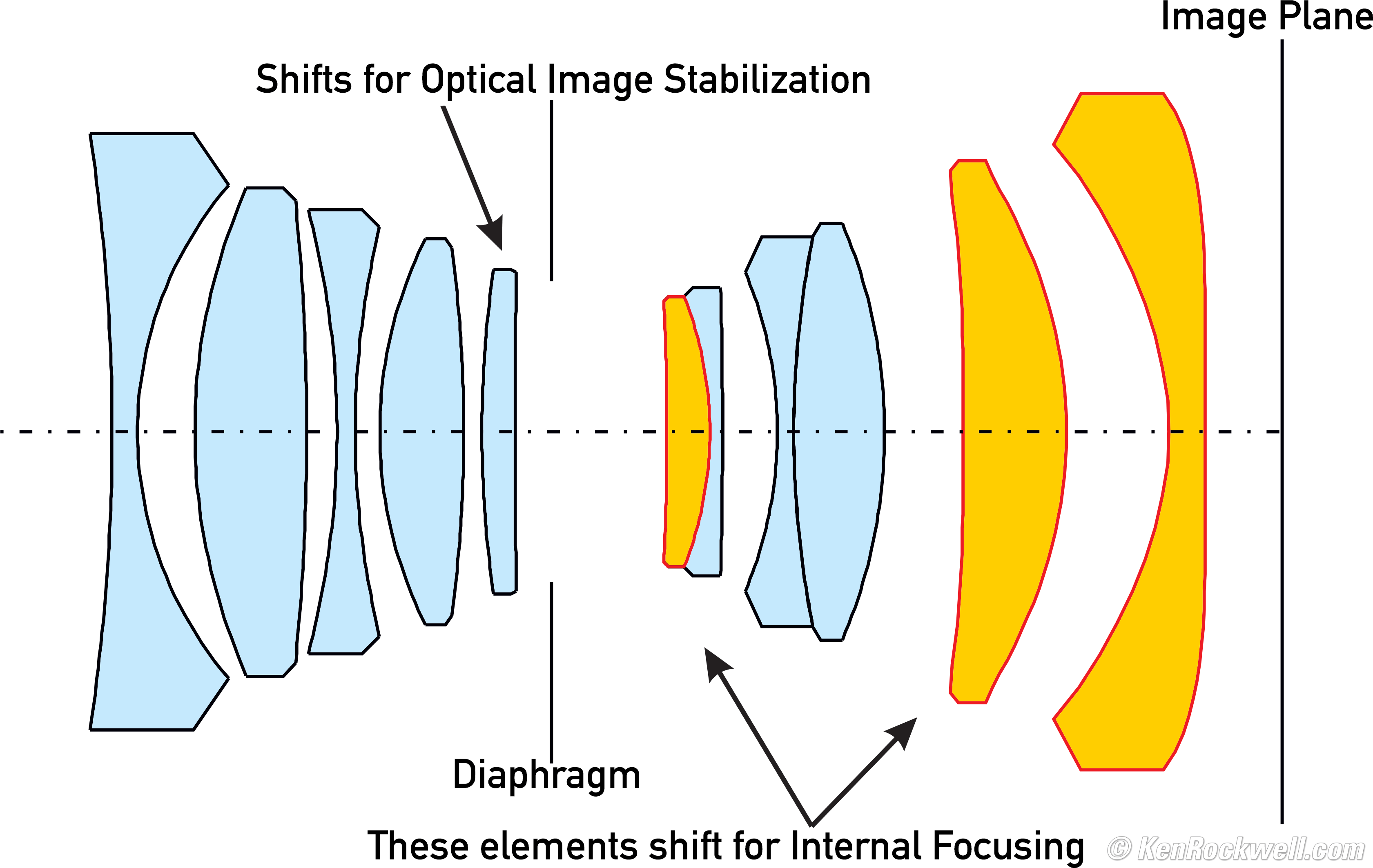
28mm f/1.7 ASPH Internal optical construction. Aspherical elements. größer.
11 elements in 9 groups.
3 Asphärisch (aspherical) elements.
The front surface is concave (curves in); you're not missing part of your lens.
1' (0.3m) close focus, normal mode.
MACRO Mode specifications top
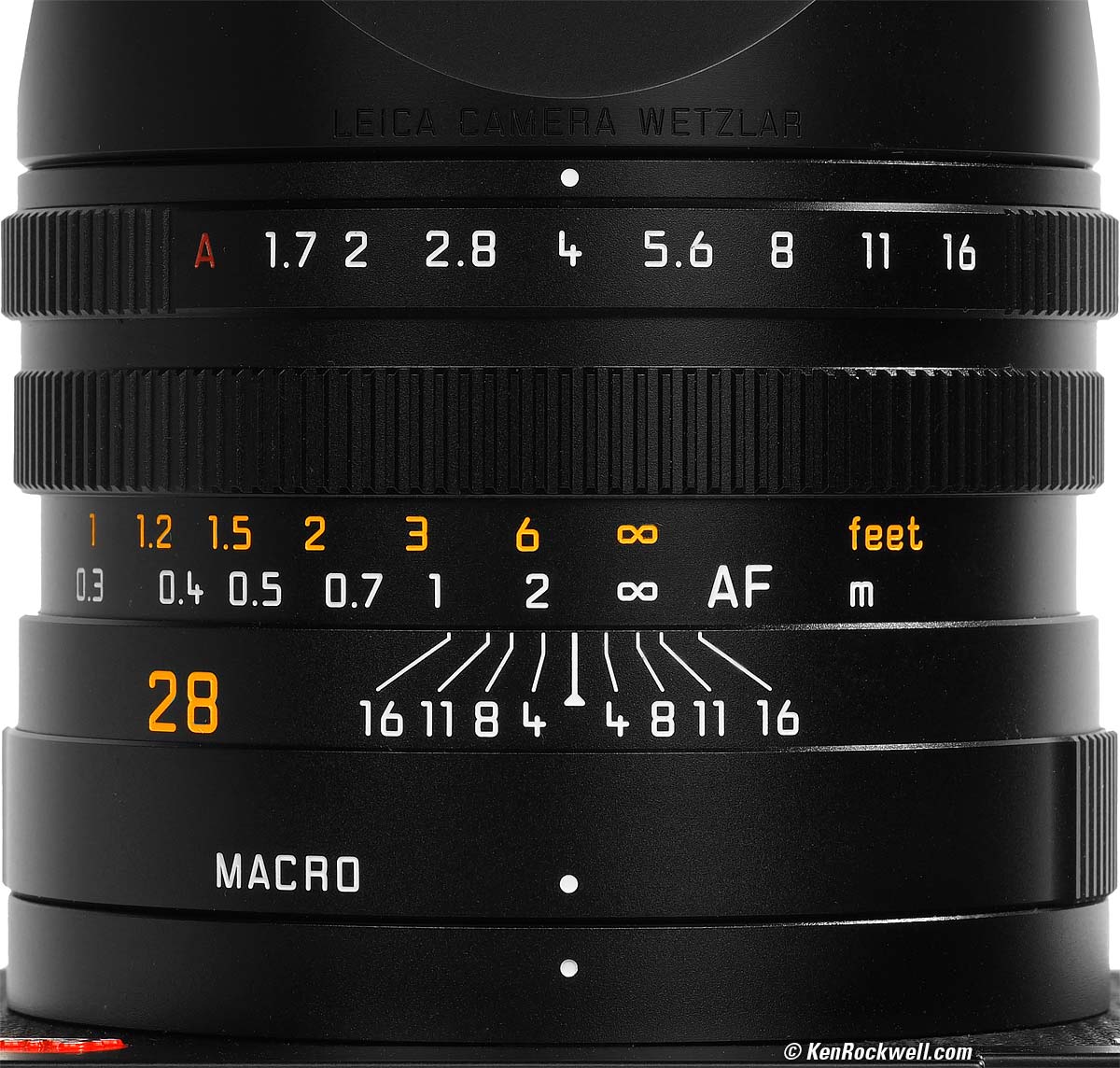
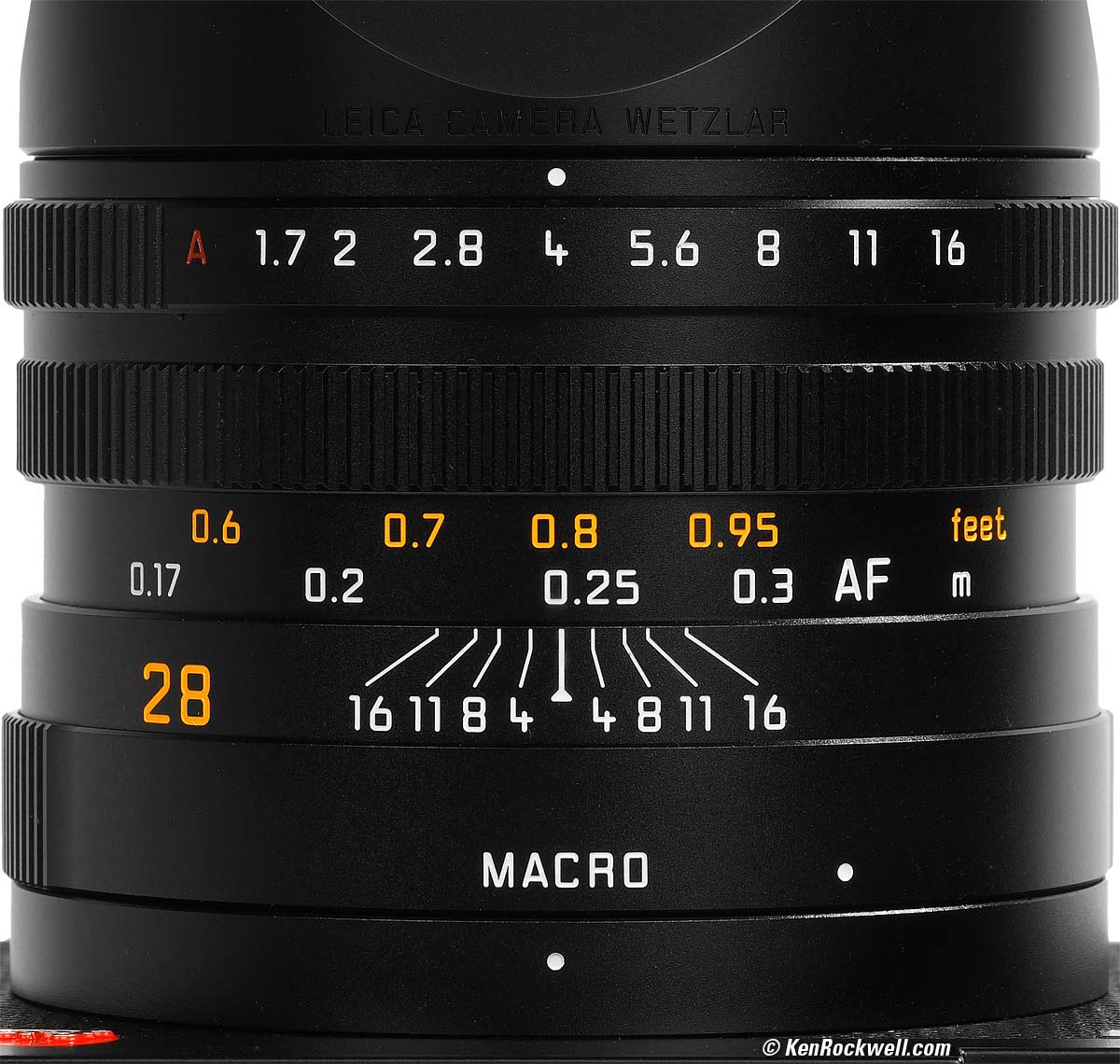
The dedicated macro mode covers 0.56' ~ 1' (0.17 ~ 0.3m), but limits the lens to an f/2.8 maximum aperture.
It's a clever system. Turning the MACRO ring not only moves the the lens mechanically forward; pay attention as you move the ring and you'll see a completely different focus scale come into view:
|
|
Normal Mode. größer. |
Macro Mode. größer. |
Maximum Macro Reproduction Ratios specifications top
0.11× (1:9.1).
0.24× (1:4.1) in macro mode.
Smallest Subject Field specifications top
228 × 342 mm.
98 × 148mm in macro mode.
Hood specifications top
It comes with this solid alloy screw-on hood attached:
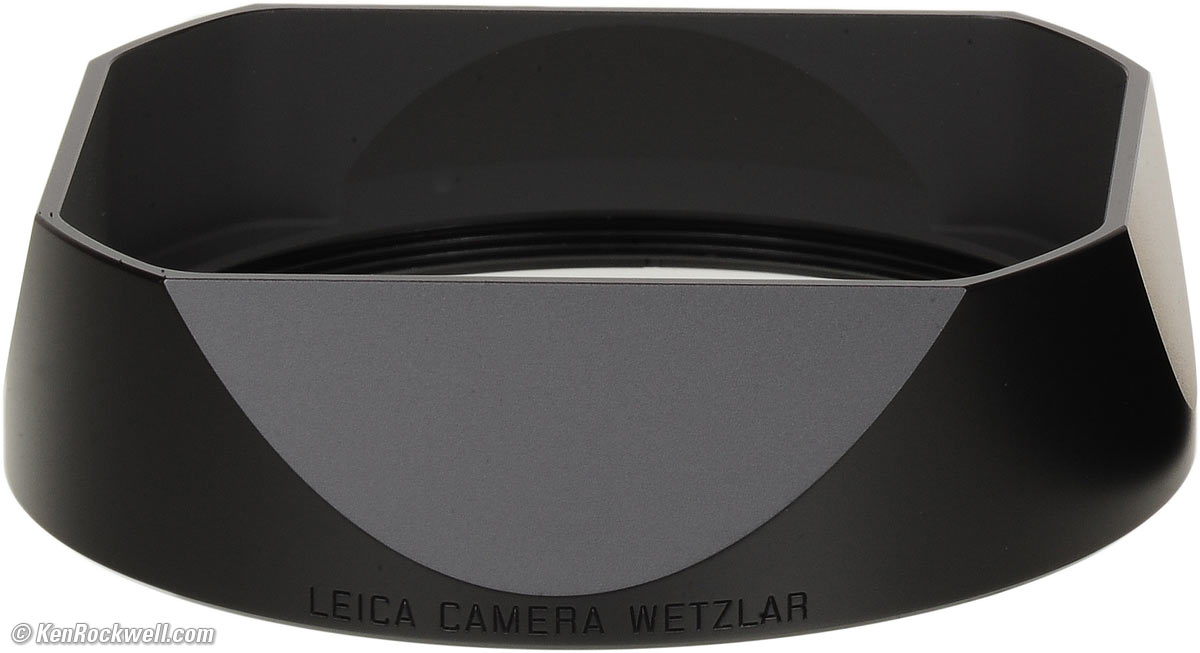
Included screw-on metal hood. größer.
If you prefer not to use the hood as shown at the top, LEICA includes a thin Gewindeschutzring ("thread protection ring") which screws over the front of the lens instead, and gives you this more kompakt look:
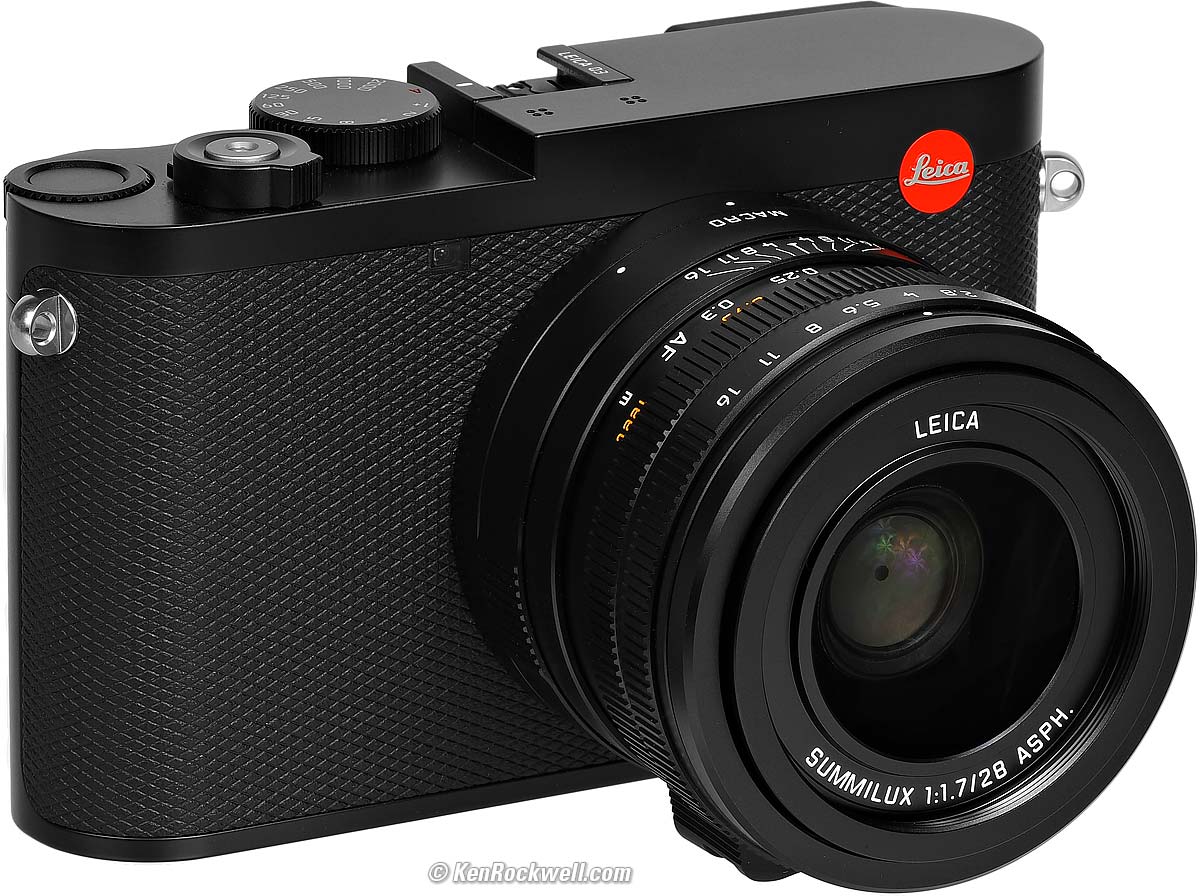
LEICA Q3. größer.
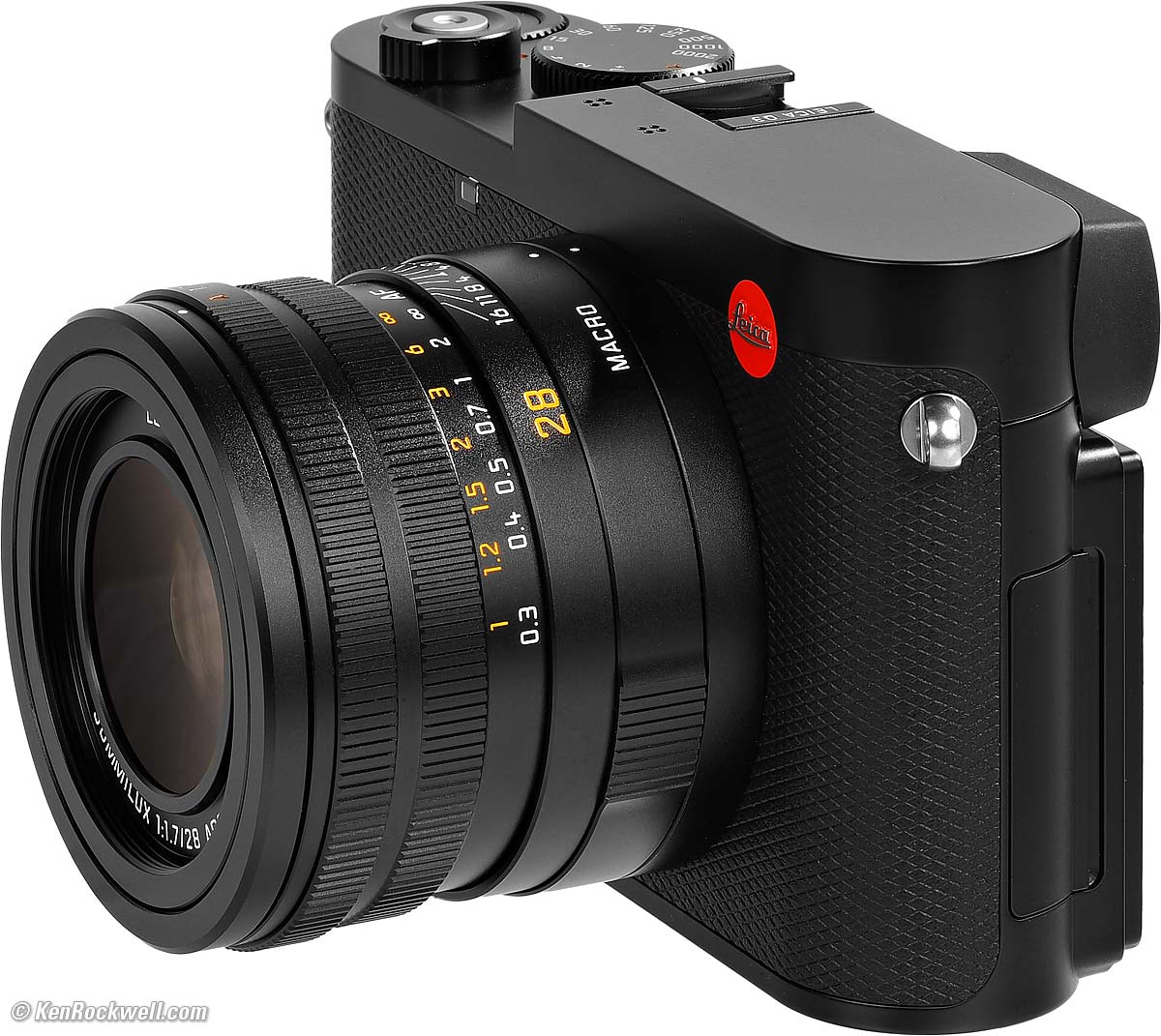
LEICA Q3. größer.
Caps specifications top
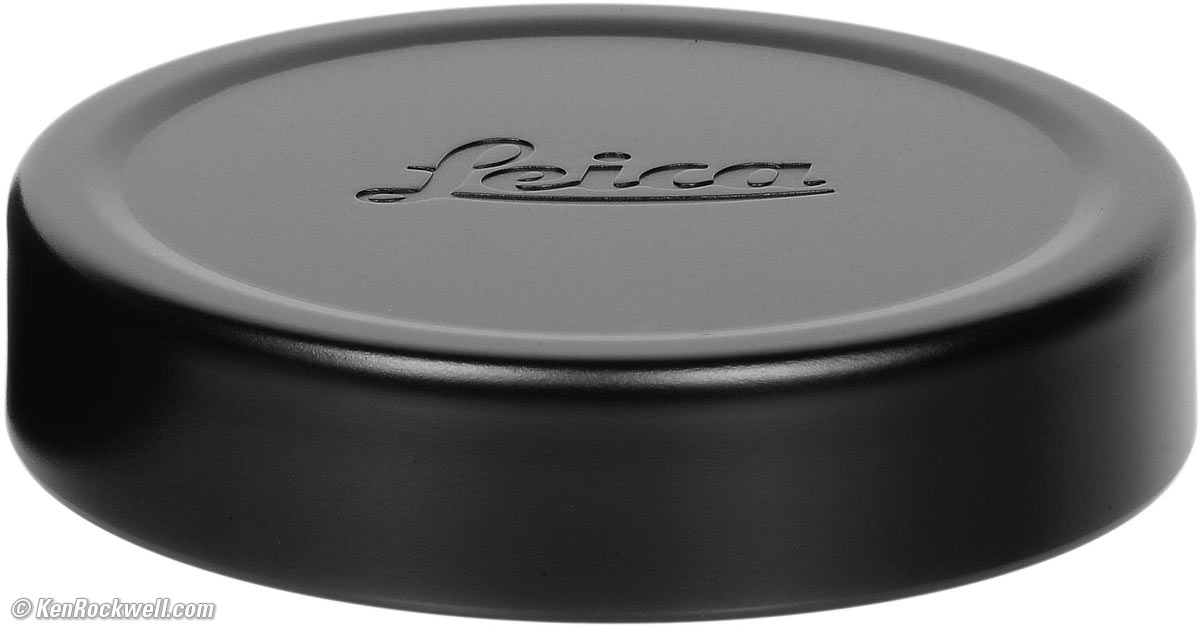
Included felt-lined metal cap Nr. 19 673. größer.
The included felt-lined metal cap slips over the hood.
It does not work unless the hood is attached.
If you don't use the hood and use the thread protector instead, the cap does fit, but it's not stable and likely to get lost. You'll want to get a 49mm cap separately; especially LEICA's own E49 49mm lens cap Nr. 14 001.
I don't use caps; I use the hood and a UV filter instead so I can shoot through it.
Diaphragm specifications top
Nine rounded blades.
f/1.7 ~ f/16.
Aperture ring has third-stop clicks, not half stops as have Real LEICA Lenses.
Autofocus specifications top
315 AF points.
Continuous or Single.
Face recognition.
Auto area-select and tracking.
Amber LED AF assist illuminator.
Image Sensor specifications top
9,520 × 6,336 pixels native JPG (60,318,720 pixels or 60.3 MP, Large).
9,536 × 6,344 pixels native DNG (60,496,384 pixels or 60.5 MP, Large).
24 × 36 mm CMOS.
14-bit quantization.
13 stop dynamic range.
3:2 aspect ratio.
1.0 × crop factor.
Smaller Image Sizes specifications top
There are also Medium and Small sizes (DNG is similar):
36.4 MP Medium JPG: 7,392 × 4,982 pixels and
18.5 MP Small JPG: 5,280 × 3,504 pixels.
LEICA makes me laugh when they claim "Triple Resolution Technology" or "pixel binning" or other such baloney. Every digital camera, even toy digital cameras, has had adjustable image pixel sizes since the 1990s. This is just marketing spin and nothing new. Heck, my Canon 5DSR from ten years ago has SIX selectable sizes, and gives us two choices of JPG compression while the Q3 offers only one. Hah!
Aspect Ratio Crops specifications top
It's 3:2 native, and can crop to 4:3, square or 16:9.
Digital Zoom specifications top
See my Digital Zoom section in my Performance section.
ISO specifications top
AUTO, ISO 50, 100, 200, 400, 800, 1,600, 3,200, 6,400, 12,500, 25,000, 50,000, 64,000, 80,000 and 100,000.
None of them are shamed as LOW or HIGH; LEICA knows you're a big boy and will figure it out.
Yes, ISO 50 has restricted highlights and ISO 100,000 looks horrible.
AUTO only works from 100 ~ 100,000.
Same ranges for video.
Still Formats specifications top
JPG and/or DNG raw.
sRGB only.
No HEIC, HIF or HEIF.
Flash specifications top
1/2,000 sync speed with mechanical leaf shutter (won't work with electronic shutter).
No Built-In Flash.
Dedicated hot shoe for your choice of flash:
Should work well with any of the LEICA SF 26, SF 40, SF 58, SF 60 or SF 64 flashes, or the LEICA SF C1 remote commander.
Should work great with the Godox iT32 and dedicated X5L LEICA module or Godox iT30Pro TTL, but I haven't tried either yet.
Works with my LEICA CF Compact Flash, but with no in-finder indication and no TTL (use Manual or the non-TTL Auto modes).
Works with my SF-24D, but only in Manual and non-TTL Auto modes. (Boo! My SF-24D worked perfectly on my Q2.)
Shutters specifications top
The shutter dial rotates continuously through 360º with no stops.
Mechanical Shutter
1/2,000 sync speed.
1/2,000 ~ one hour.
Silent Electronic Shutter
1/16,000 ~ one minute.
Remote Release specifications top
Via app and Bluetooth.
There's a standard threaded cable release socket, but it's only for looks or soft release accessories. My cable releases attach, but don't work.
Still Frame Rates specifications top
You can use either shutter at any speed, except that the Q3 will magically switch to the electronic shutter for 15 FPS. Thank goodness it doesn't lock you out or make you guess; it just does it.
It works at 2, 5 or 5 FPS with full tracking AF, AE and AWB set for every frame.
At 7, 9 or 15 FPS it LOCKS the exposure, the focus and the white balance, making the faster frame rates useless for photographing the things for which we want fast frame rates.
At the fastest frame rates it only works in 12-bits rather than 14:
Tracking AF, AE + AWB |
Bits |
|
2 FPS |
Yes |
14 |
4 FPS |
Yes |
14 |
5 FPS |
Yes |
12 |
7 FPS |
No! LOCKED AF, Exposure & AWB |
14 |
9 FPS |
No! LOCKED AF, Exposure & AWB |
12 |
15 FPS |
No! LOCKED AF, Exposure & AWB |
12 |
Still Image Buffer specifications top
8 GB:
JPG |
DNG |
JPG + DNG |
|
2 FPS |
88 |
164 |
947 |
4 FPS |
72 |
83 |
104 |
7 FPS |
69 |
74 |
83 |
9 FPS |
66 |
70 |
76 |
15 FPS |
63 |
63 |
67 |
Color Space specifications top
sRGB only.
No more ECI RGB V.2.0 or AdobeRGB menioned, although Photoshop ACR of course lets up open DNGs into any color space we like.
Picture Settings specifications top
LEICA calls these "Leica Looks."
Standard, Vivid, Natural, B&W & High-Contrast B&W modes.
Contrast, Saturation and Sharpening adjustable in ±2 steps.
Video specifications top
MP4 or MOV files.
C8K or 8K to 29.97 FPS.
C4K or 4K to 59.94 FPS.
1,080 to 119.94 FPS.
Maximum take length: 29 minutes.
Audio specifications top
Recorded only along with video: 48 ksps/16 bit AAC with MP4, 28 ksps/ 24-bit LPCM with MOV.
Stereo microphone built in, but I have no idea if they make real stereo or not. Most cameras' internal "stereo" mics sound 95% mono, but that's OK since if you're serious about audio the only purpose of the camera's audio track is as a reference to which to sync the audio later from an external recorder.
No analog Mic-In jack. Use a USB adapter or a USB mic like the RØDE VideoMic GO II, VideoMic NTG, Wireless GO II and Wireless ME.
Mono speaker.
Electronic Finder specifications top
NO AUTOMATIC BRIGHTNESS CONTROL 😡!
This means it will be too dim outdoors or blinding indoors until you reset the brightness manually every time you go to a place with different lighting. Almost every other mirrorless camera from Nikon, Canon, Sony and Fuji set this automatically. This is a major flaw if you intend to shoot this camera rather than just pose with it.
OLED.
4:3 aspect ratio.
1,600 × 1,200 pixels.
5,760,000 dots.
120 FPS, usually 60 FPS.
Actual measured magnification is only about 0.45 × life size.
Magnification is rated 0.76 ×, but that's a lie and refers to what it might be with some unspecified longer lens, probably a 50mm — which the Q3 does not have 😡!
It gets slightly bigger in 4:3 crop mode, rated 0.79 × and actually measures about 0.49x — still tiny compared to even an ordinary 0.72 × M finder.
-4 ~ +2 diopters.
20.75 mm eyepoint.
Eye sensor.
LCD Monitor specifications top
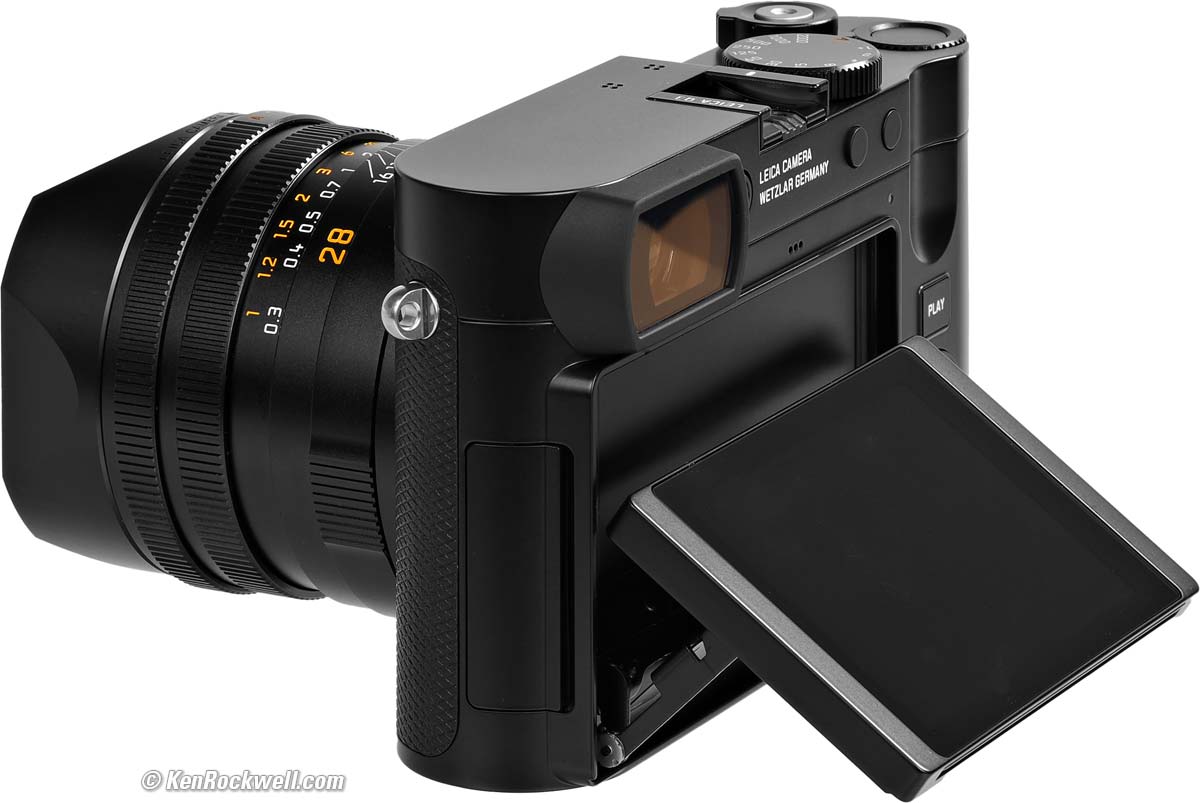
TFT touch screen.
Glass cover.
Flips up 75º or down 45º, but not left or right.
3" diagonal.
3:2 aspect ratio.
1,843,200 dots.
384 PPI.
Automatic brightness control.
WiFi specifications top
Only talks to the LEICA FOTOS app.
2.4 GHz: IEEE 802.11b/g/n compliant (standard WLAN protocol), channels 1-11, 2.412 ~ 2.462 GHz.
5 GHz only in USA, EU, China and Japan; nowhere else.
Bluetooth specifications top
Bluetooth 5.0 LE.
Channels 0 ~ 39 (2.402 ~ 2.480 GHz).
GPS specifications top
None; use the app.
Storage specifications top
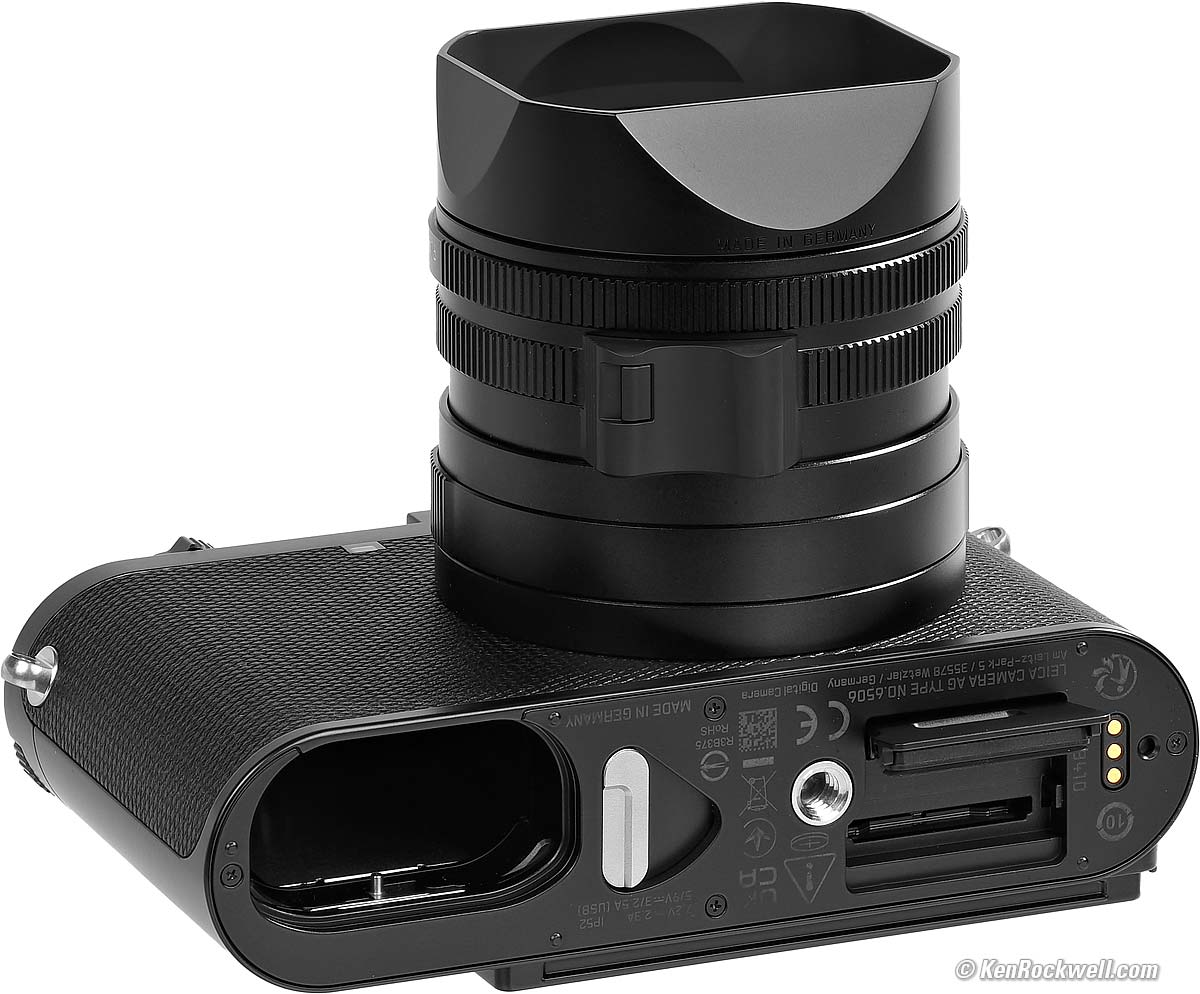
LEICA Q3. größer.
One slot for an SD (up to 2GB), SDHC (up to 32GB) and SDXC (up to 512GB) cards.
UHS II recommended; works with just about any old card.
Connectors specifications top
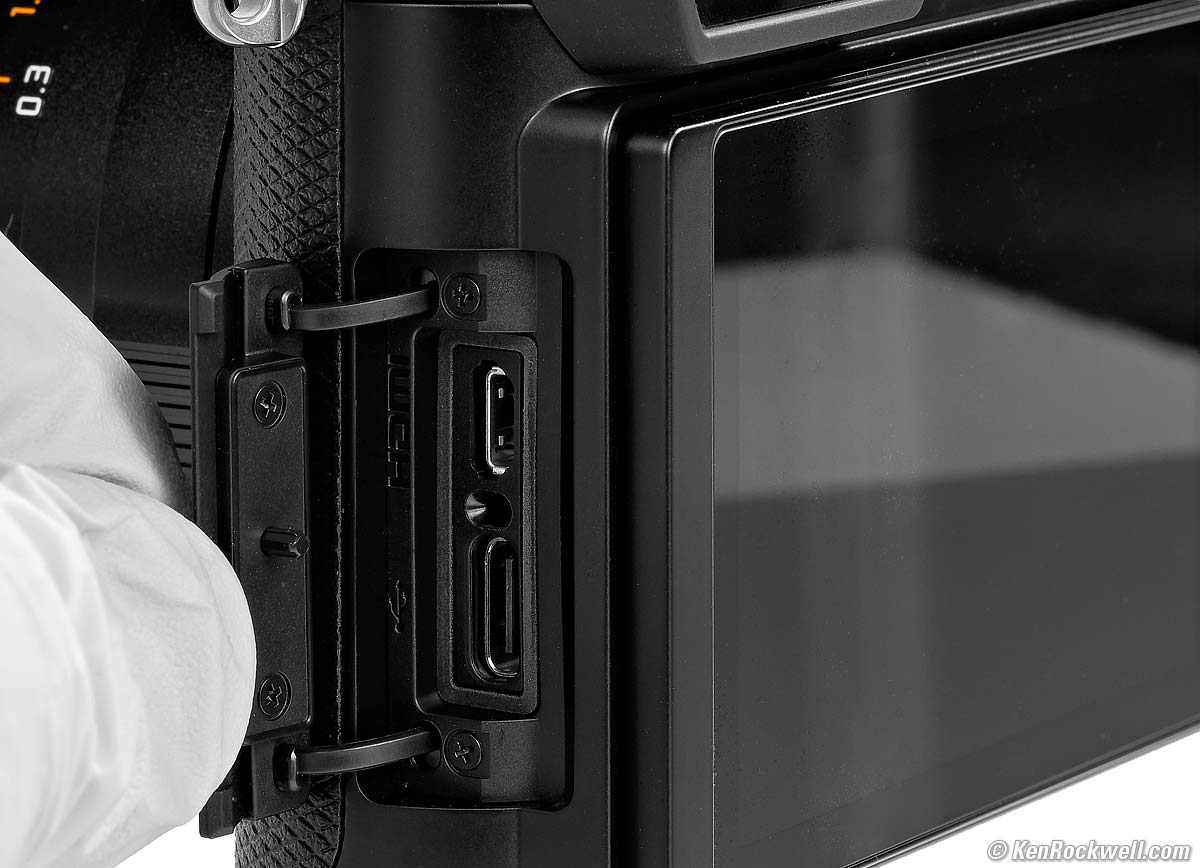
LEICA Q3, battery half-out and card door open. größer.
Crappy card door: only held on by two pieces of plastic. There is no hinge.
HDMI typ. B.
USB 3.1, Gen 2, Type C up to 10 Gb/s.
Body specifications top
Die-cast magnesium alloy enrobed in fine leather.
Solid stainless-steel tripod socket.
IP 52 rated.
Quality specifications top
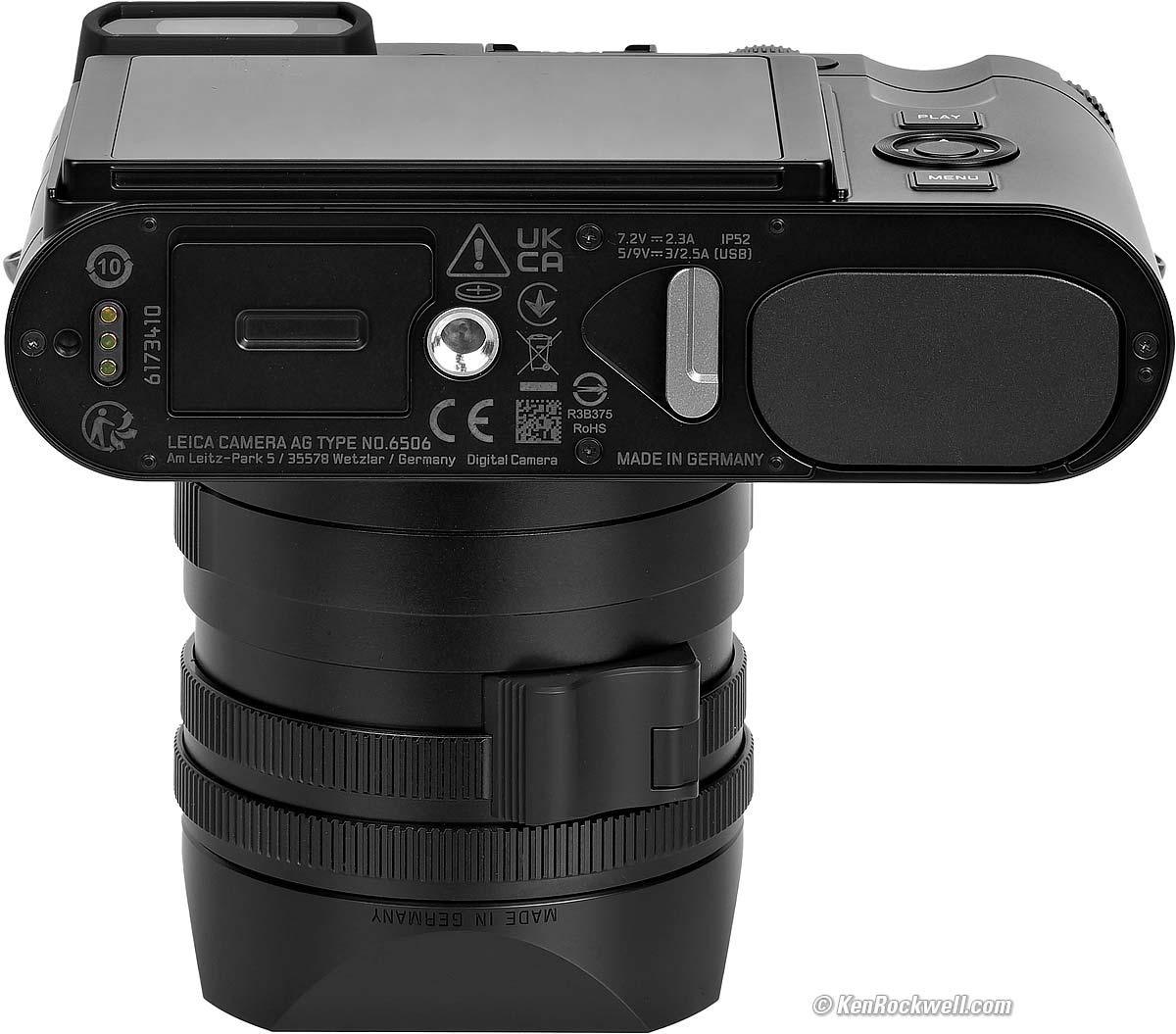
LEICA Q3. größer.
MADE IN GERMANY.
Power & Batteries specifications top
Works with the included BP-SCL6 Battery, and also works with the older BP-SCL4 battery.
It charges via USB-C.
No external charger included, but you can buy one if you prefer.
BP-SCL6 Battery
Rated 350 shots per charge.
7.2V, 2,200 mAh minimum.
It charges at a measured 10⅔ W (4.72V at 2.22A) over USB-C. It also charges at 9V at the same rate.
It charges at a measured 6⅔ W (4.63v 1.42a) over USB-A .
It charges from 20% to 50% in 40 minutes, consuming 6 Wh.
It draws 177 mW when done (34.7mA at 5.1V).
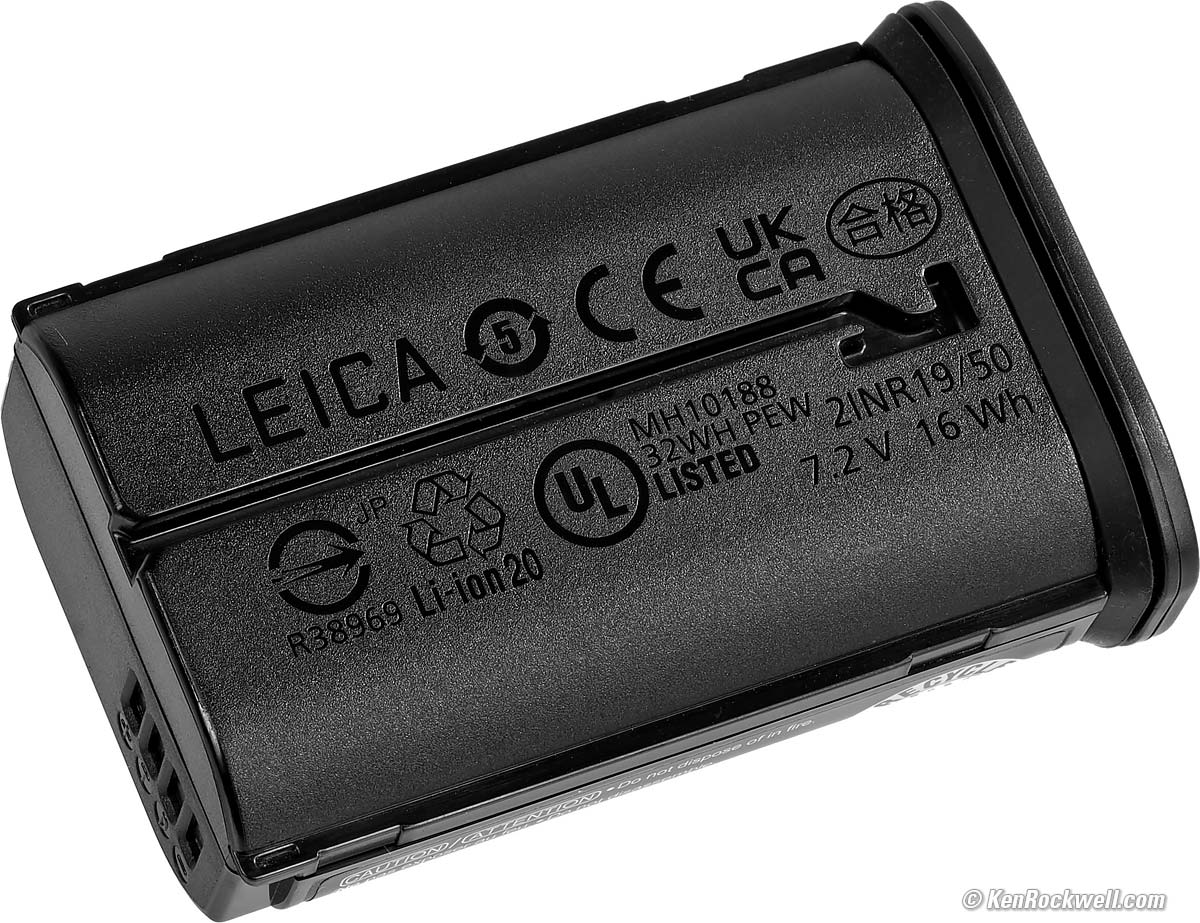
LEICA BP-SCL6 Battery. größer.
|
|
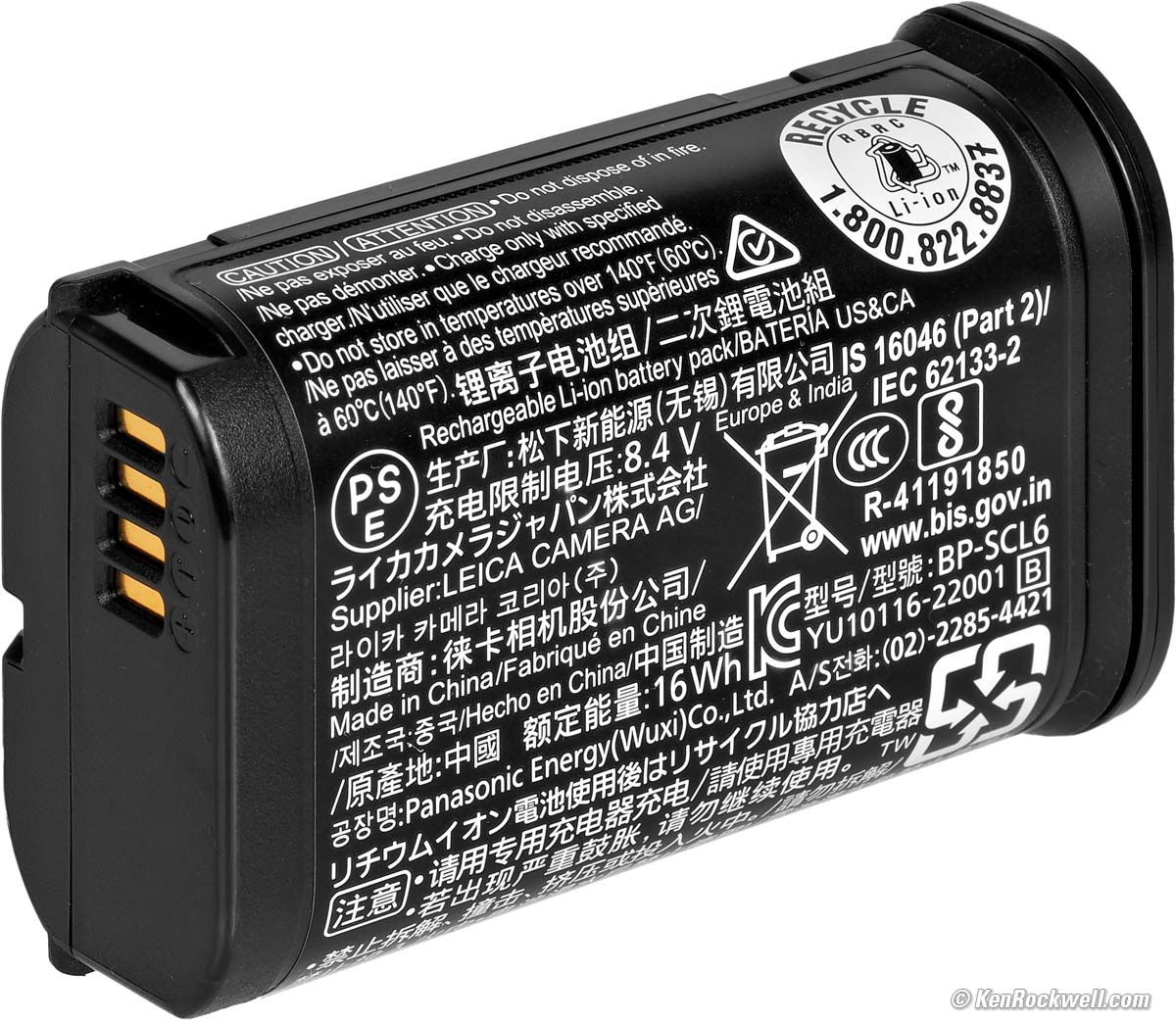
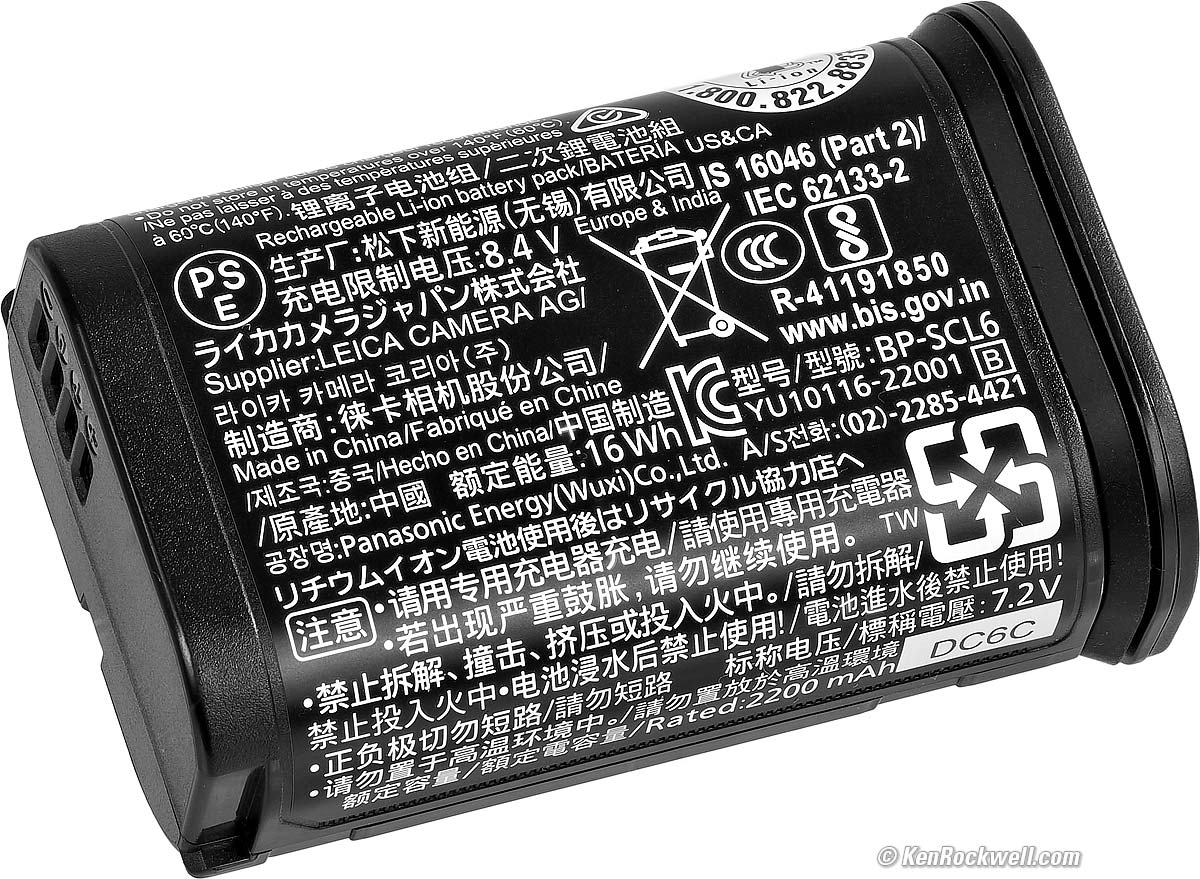
ML421 Clock Backup
There is also a rechargeable ML421 manganese lithium cell for the clock and saving settings.
It charges in an hour when the main battery is in, and can run the clock for two months with no main battery.
Size specifications top
3.15 × 5.12 × 3.66 inches HWD.
80.3 × 130 × 92.6 millimeters HWD.
Weight specifications top
26.9325 oz. (763.55 g) actual measured weight with hood, battery and card.
26.395 oz. (748.3 g) actual measured weight with protector ring, battery and card.
Battery alone: 2.970 oz. (84.15 g) actual measured weight.
Rated 26.21 oz. (743 g) with battery and card.
Rated 23.21 oz. (658g) stripped.
Environment specifications top
0º to 40º C (32º to 104º F).
LEICA's Model Numbers (Verk. Nrs.) specifications top
Typ 6506.
Black
19 080 in U. S. A., Europe and China.
19 081 in Japan.
19 082 in the rest of the world.
The differences are radio frequency bands for bluetooth and WiFi, not anything directly related to photography.
Metal Gray
19 210 in U. S. A., Europe and China.
19 211 in Japan.
19 212 in the rest of the world.
The differences are radio frequency bands for bluetooth and WiFi, not anything directly related to photography.
Included specifications top
Q3 Kamera.
Accessory shoe cover (shipped on camera).
Screw-on metal hood (shipped on lens).
Metal Cap 19 675 (shipped on lens hood).
Screw-on front trim ring (shipped in the drawer with accessories) to use if you don't use the hood. LEICA calls the trim ring a "thread protection ring." Either this ring or the hood screw onto the male threads on the front of the lens as seen above.
Dünner Lederarmband (thin leather strap).
BP-SCL6 Battery (but no external charger).
LEICA-branded braided-fabric USB-C cord. Don't laugh: audiophiles will cheerfully pay thousands and thousands of dollars for simple power cords or USB-C cords for digital audio (Amazon only carries basic ones), so God only knows what a true 'phile would pay for a LEICA-branded USB-C cord for combined power, images, audio and video.
Included Certifications, Zertifizierungen und Paperwork (packed in paperwork drawer)
Prüfzertifikat (test certificate) on top of documents.
Saddle-stitched 12-Month warranty extension invitation (to a maximum of 36 months of Freude und Freiheit) and three months of LFI magazine if you register your camera.
Perfect-bound Quick-Start Guide in about a dozen languages.
There is no printed user's guide; LEICAMEN know how to shoot. If you need this manual, it's online, or better, see my own LEICA Q3 Pro Tips, Secrets & User's Guide.
Announced specifications top
25 May 2023.
Available Since specifications top
25 May 2023.
Price, U. S. A. specifications top
June 2026
$7,350 at B&H, at Crutchfield and at Adorama.
About $5,500 used if you know How to Win at eBay).
May 2023
€5,950.00 in EU at introduction.
Accessories top
Specifications Accessories Unboxing
Performance Compared User's Guide
I got my Q3 at B&H. I'd also get it at Crutchfield, at Adorama, at Amazon or used at eBay if you know How to Win at eBay, or get it used at KEH.
The Q3 also comes in metal gray metallic, comes in a version with a special black-and-white-only sensor for greatly improved high ISOs and effective resolution, and comes in a version with a 43mm f/2 lens.
Included Accessories (as replacements)
LEICA BP-SCL6 Battery.
Screw-on metal hood.
Felt-lined metal cap Nr. 19 673.
Optional Accessories
Wie Ihr Porsche verdient auch Ihre LEICA das feinste Zubehör (Like your Porsche, your LEICA deserves the finest accessories).
Deine Accessoires sind der Maßstab für einen Mann (Accessories are the benchmark of a man).
Charging
It charges via USB-C from any USB-C or USB-A source with any USB-C to USB-C cable or USB-A to USB-C cable. Alternately, or if you need to charge a second battery at the same time:
HG-DC1 Handgrip & Wireless Charging Station.
It's a nice grip with a thin base as well as a separate charging pad.
Pop this grip on your Q3 and you can just plop it down on the included pad to charge. Brilliant!
BC-SCL6 USB-C External Charger.
The newest 2026 USB-C charger for up to two batteries.
Input: 100–240 V, 50/60 Hz, 0.25 A, with international adapters.
Output: 8.4 V DC at 850 or 1,000 mA.
Charging time: rated 3 hours.
BC-SCL4 External AC Charger
Discontinued in 2026, but easily available at eBay if you'd rather plug into AC power:
|
|
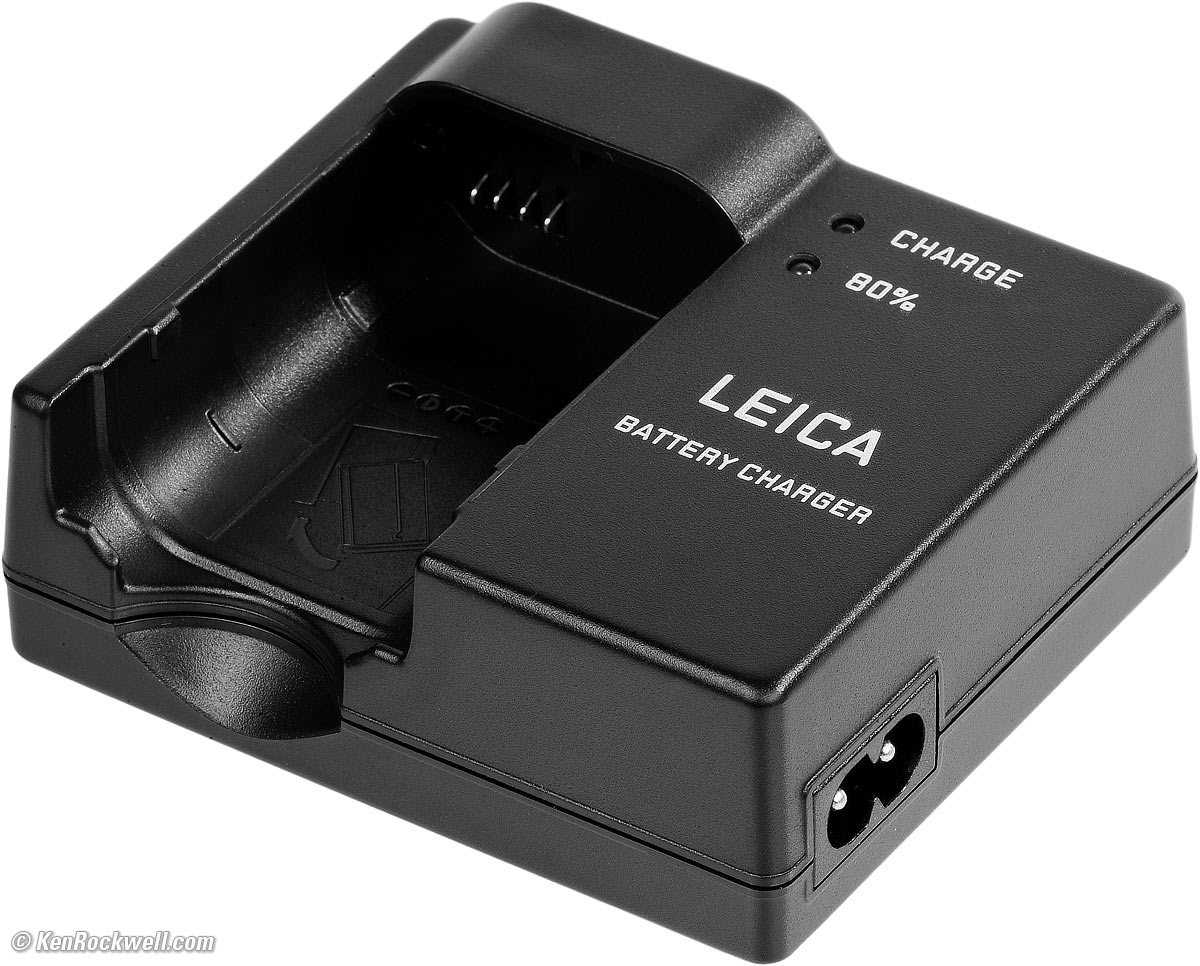
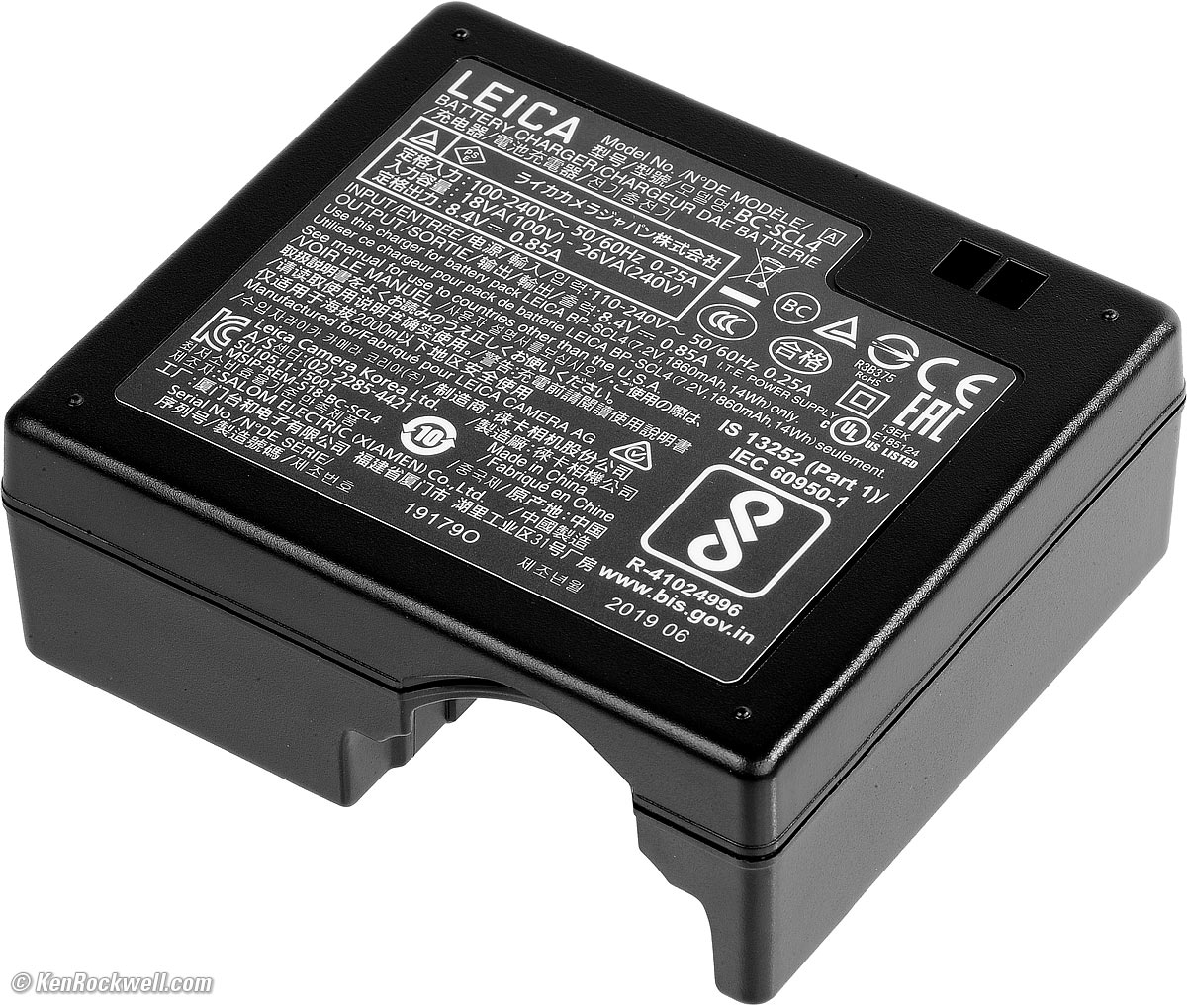
Input: 100–240 V, 50/60 Hz, 0.25 A, with international adapters.
Output: 8.4 V DC at 850 mA.
Charging time: rated 3 hours.
Flash
Flash is critical for fill-flash for people and most kinds of photos in real-world lighting conditions, especially harsh Sonnenlicht (sunlight).
Should work well with any of the LEICA SF 26, SF 40, SF 58, SF 60 or SF 64 flashes, or the LEICA SF C1 remote commander.
Should work great with the Godox iT32 and dedicated X5L LEICA module or Godox iT30Pro TTL, but I haven't tried either yet.
Works with my LEICA CF Compact Flash, but with no in-finder indication and no TTL (use Manual or the non-TTL Auto modes).
Works with my SF-24D, but only in Manual and non-TTL Auto modes. Boo! My SF-24D worked perfectly on my Q2.
Filters
LEICA Slim 49mm UVa II Filter Nr. 19 691. The very best für your LEICA.
HOYA HD3 Bulletproof 49mm Protective UV Filter. I use this because I already own it. It's Schmutz (dirt & fingerprint) and breakage resistant.
Hoods & Caps
49mm screw-in hood Nr. 19 658 used with larger filters that won't fit under or allow the lens to focus inside the included hood.
E49 49mm lens cap Nr. 14 001, used if you don't use the included hood and included hood cap. I kid you not; this plastic snap-on cap sells for the same $55 as the felt-lined metal cap Nr. 19 673!
Straps
I use LEICA's Classic Instant-On Typ. 14 312 Strap:
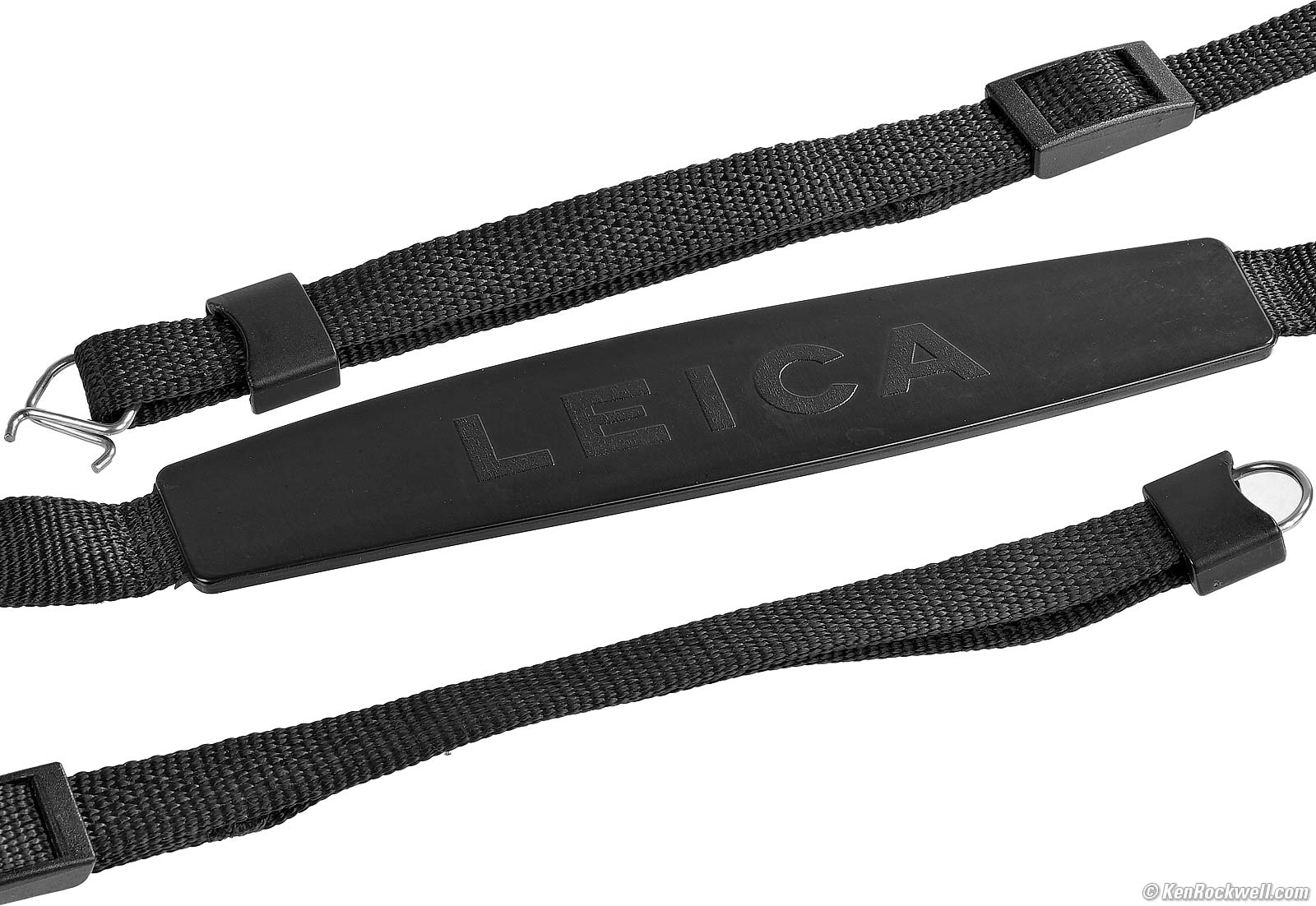
LEICA's best strap ever for the Q3. Discontinued and easily available used.
Mine is 20 years old and still like new.
Cases (which usually include grips)
LEICA Leather Half Case in Black.
LEICA Leather Half Case in Brown.
LEICA Leather Half Case in Cognac.
LEICA Leather Half Case in Olive.
LEICA Ettas Pouch (three color choices).
Oberwerth leather half case - Signature Edition.
Artisan & Artist Leather Half Cases
Artisan & Artist Leather Half Cases (brown or olive)
Grips
LEICA Q3 Thumb Grips (three colors).
Arca-Swiss Plates
Really Right Stuff Arca-Swiss Plate & Grip.
Soft Release Buttons
I've never gotten these, but a lot of you guys love them.
Screen Protector
LEICA Hybrid Glass Screen Protector.
This was for the Q2; I can't see why it's not also swell for the Q3's flippy screen.
Unboxing top
Specifications Accessories Unboxing
Performance Compared User's Guide
I got my Q3 at B&H. I'd also get it at Crutchfield, at Adorama, at Amazon or used at eBay if you know How to Win at eBay, or get it used at KEH.
The Q3 also comes in metal gray metallic, comes in a version with a special black-and-white-only sensor for greatly improved high ISOs and effective resolution, and comes in a version with a 43mm f/2 lens.
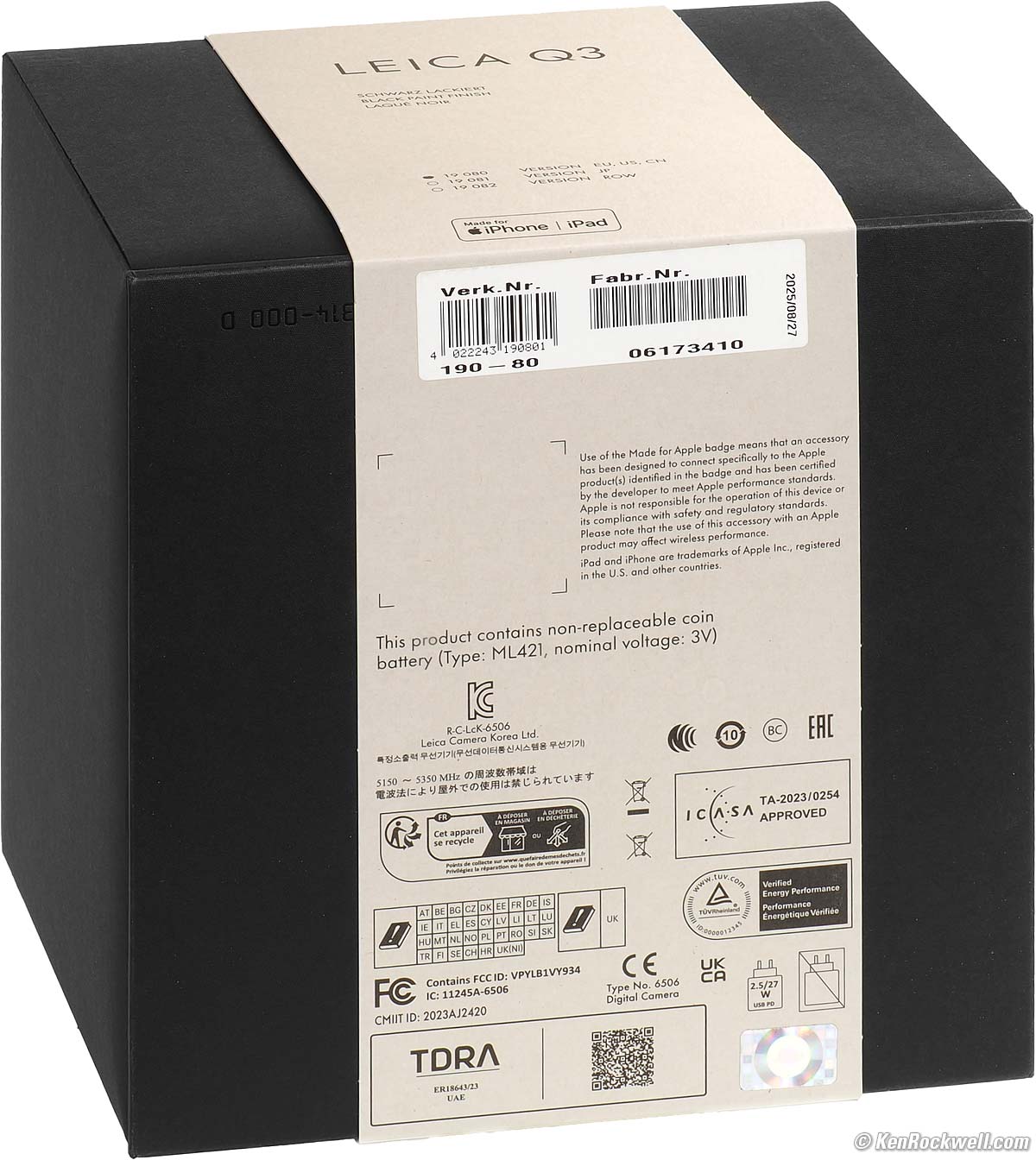
Supremely critical is that all LEICA Q3 are shipped sealed inside a germ and dirt resistant prophylactic shield, the light brown cardboard Keimschutzabdeckung (germ shield).
This is a multi-folded box which covers every aspect of the sacred inner box, and is sealed with an undefeatable sticker which includes the model and serial numbers, as well as your Q3's date of birth. My Q3 was Created on 27 August, 2025.
You must break the Keimschutzabdeckung's seal to unfold it and expose the inner black box:
|
|
NEW: Sealed Keimschutzabdeckung (Germ Cover). größer. |
Used: Front of Inner Box. größer. |
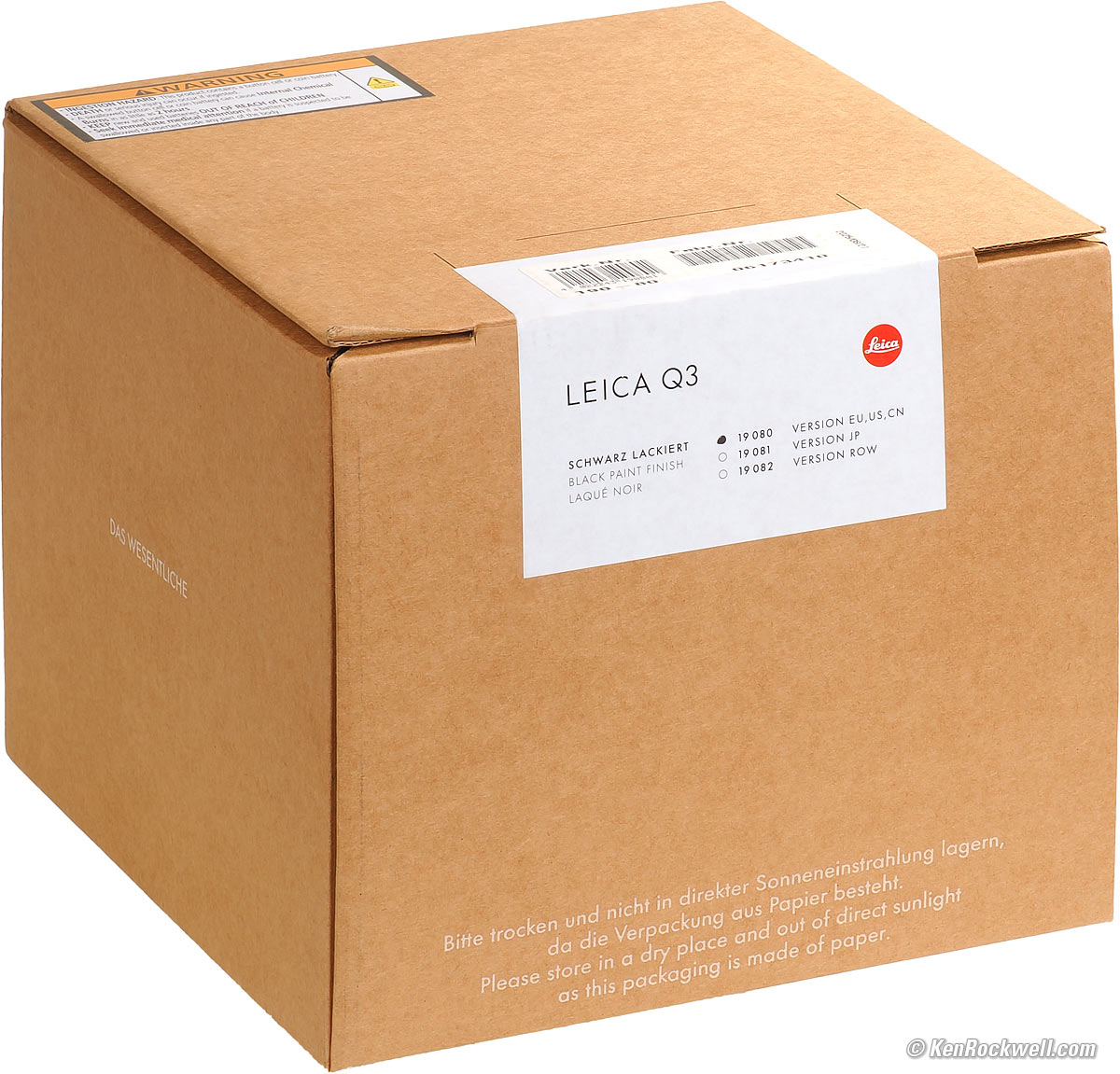
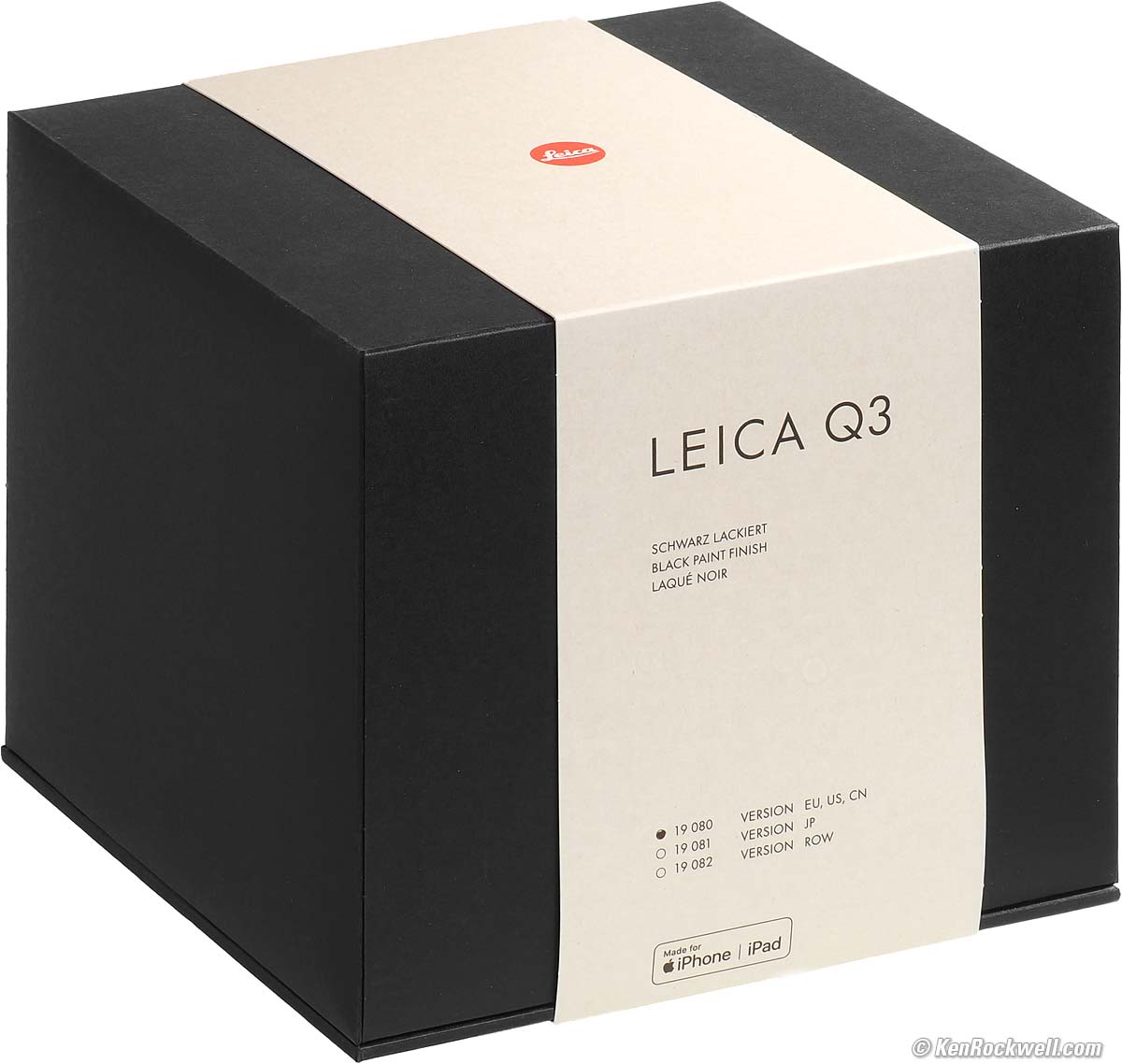
Achtung! A Q3 is only new if it is still sealed inside the Keimschutzabdeckung with an unbroken seal. If someone tries to sell you one with a broken seal, or Heaven forbid, only the black inner box, you're getting scammed by someone trying to sell you a used camera.
I can imagine retail dealers trying to pull this trick so they have a Q3 in stock that they can pass around to lookie-loos. Don't ever buy a Q3 in a black box claimed as "new." I only buy my gear from these trusted online sources; never at retail where dealers often open boxes so they can demo or loan cameras and then try to sell you these demo models at full price.
The bottom of the box is loaded mit certifications, and the back of the box has yet a third sticker with serial numbers. These all must match!
|
|
Bottom of Box. größer. |
Back of box, LEICA Q3. größer. |
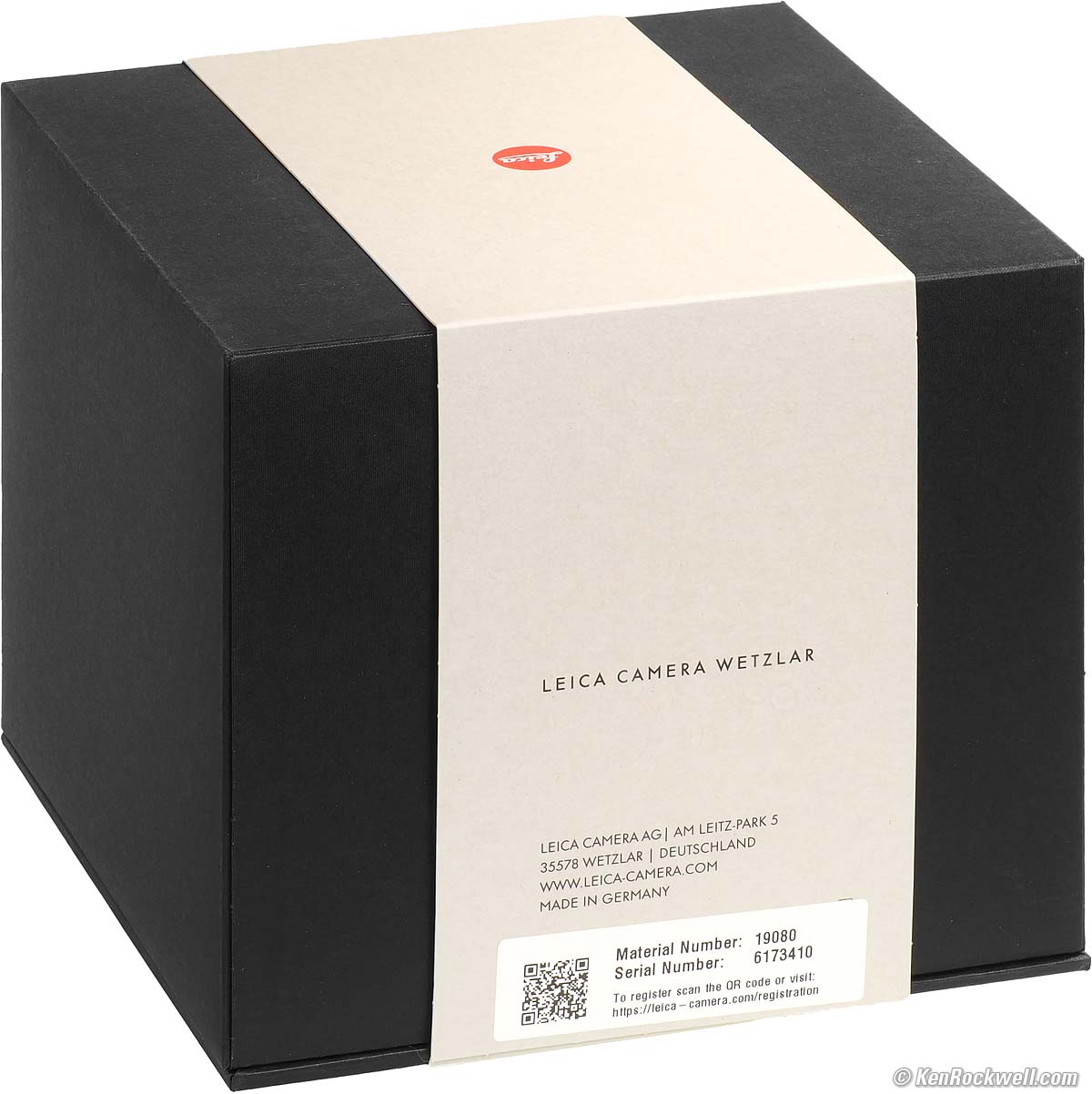
Remove the Gray Band of Honour and slide-up the top of the box and you'll be greeted by your new Q3 nestled in light-colored perch in which to display it.
If you intend to shoot with it, you'll lift your Q3 out of the perch, underneath which sits your Prüfzertifikat (test certificate).
Lift that, and below it you will find a container protecting your printed documentation: a saddle-stitched 12-Month warranty extension invitation (to a maximum of 36 months of Freude und Freiheit) and three months of LFI magazine if you register your camera, as well as a perfect-bound Quick-Start Guide in about a dozen languages and a few random warning sheets.
There is no printed full users guide.
Once you've dug through the documentation, in the bottom coffers you'll find the rest of the accessories.
Performance top
Specifications Accessories Unboxing
Performance Compared User's Guide
Overall Autofocus Manual Focus Breathing
Focus Distance Recording Bokeh Auto ISO
White Balance Color Rendition Digital Lens Selector
Distortion Ergonomics Exposure Falloff
Picture Controls Filters Finder Flare & Ghosts
Flash High ISOs Lateral Color Fringes
Lens Corrections Macro Mechanics Sharpness
Sound & Noise Spherochromatism Stabilization
Sunstars Video Rear Touch Screen Playback App
Data Power & Battery Clock Accuracy
I got my Q3 at B&H. I'd also get it at Crutchfield, at Adorama, at Amazon or used at eBay if you know How to Win at eBay, or get it used at KEH.
The Q3 also comes in metal gray metallic, comes in a version with a special black-and-white-only sensor for greatly improved high ISOs and effective resolution, and comes in a version with a 43mm f/2 lens.
Overall performance top
The Q3 gets out of the way and shoots, which is the most important thing about a camera, but it does take some attention to get it set up at first.
The finder is sharp and brilliant.
Autofocus is fast enough.
Its mechanical leaf shutter is essentially silent, and if that's not quiet enough, the electronic shutter is completely silent.
Power management is great; the Q3 wakes and sleeps magically as it should so you can leave it turned on all day. We're all different, but I can shoot a couple of days and plug it into USB-C to charge and my Q3 is always ready to shoot.
Of course the lens is ultra-sharp; we expect that.
Autofocus performance top
Autofocus is fast enough, but sometimes can give up.
It has face recognition and automatic AF-Area Selection and tracking, but honestly setting all this baloney is far more effort than needed with a LEICA.
I found setting up autofocus and trying to keep track of what it was doing to be a pain, and hey, this is a LEICA which by definition means one center AF spot. Thus I set mine to AF-s and use only a fixed center AF point, and I can shoot much faster than trying to fiddle with the innumerable AF options.
Manual Focus performance top
Manual focus is perfect. Just press the tab to unlock the mechanical focus ring, and turn it.
Duh!
There's no manual-focus infinity stop; manual focus goes past infinity.
It magically magnifies as you turn the focus ring. This is the "Auto Magnification" option seen in the menu system.
Focus Breathing performance top
Focus breathing is the image changing size as focused in and out. It's important to cinematographers that the image not breathe because it looks funny if the image changes size as focus gets pulled back and forth between actors. If the lens does this, the image "breathes" by growing and contracting slightly as the dialog goes back and forth.
The image from the LEICA SUMMILUX 28mm f/1.7 ASPH gets a bit smaller as focussed more closely.
Focus Distance Recording performance top
I see no focus distance displayed in the lower left of my screen in Photoshop's lens correction filter.
Bokeh performance top
Bokeh, the feel, character or quality of out-of-focus areas as opposed to how far out of focus they are, is swell at large apertures and iffier at small apertures.
A lens this wide never really gets anything that far out of focus. Whatever is out of focus is usually soft and smooth at large apertures.
Here are photos from headshot distance wide-open:
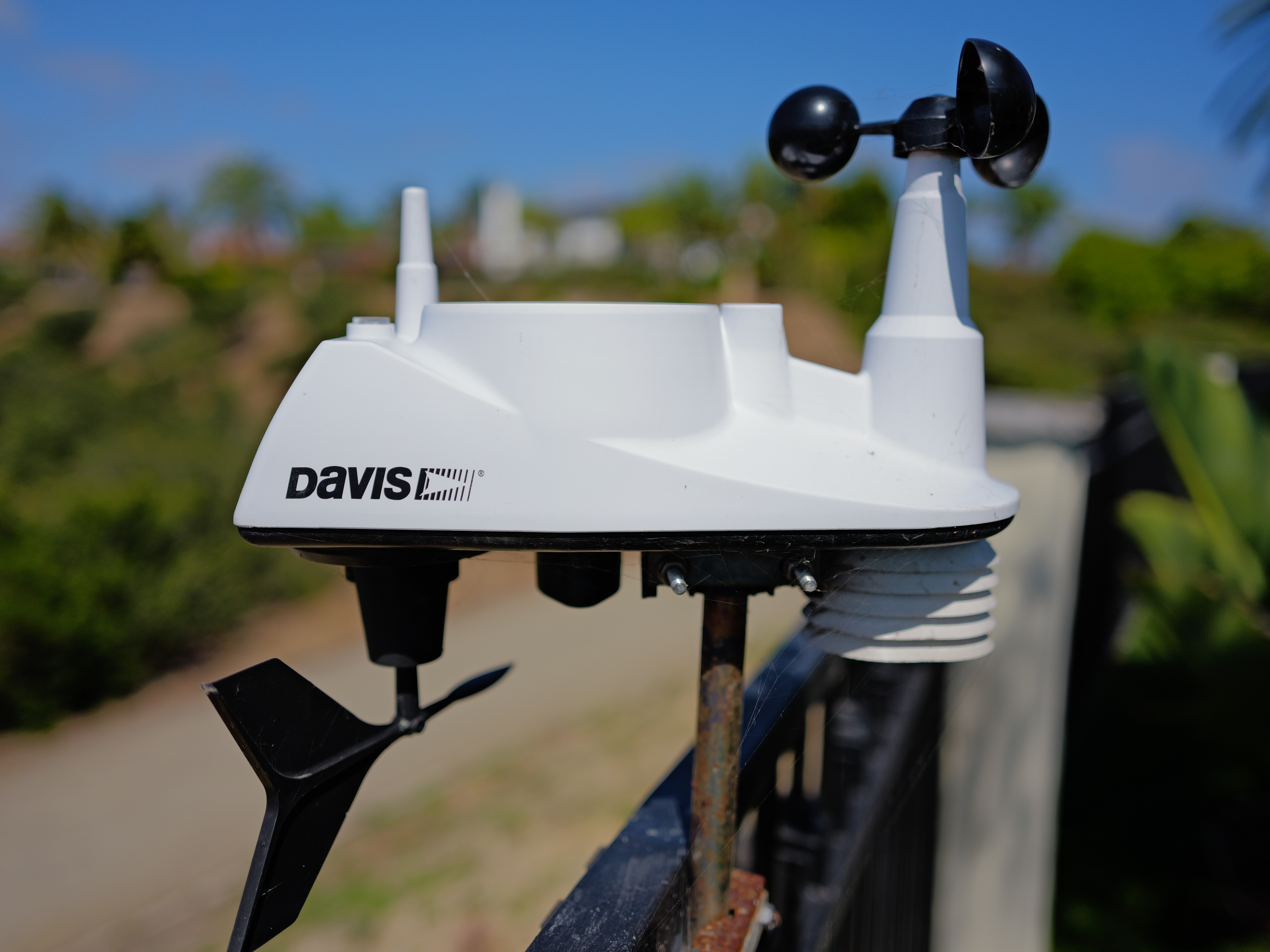
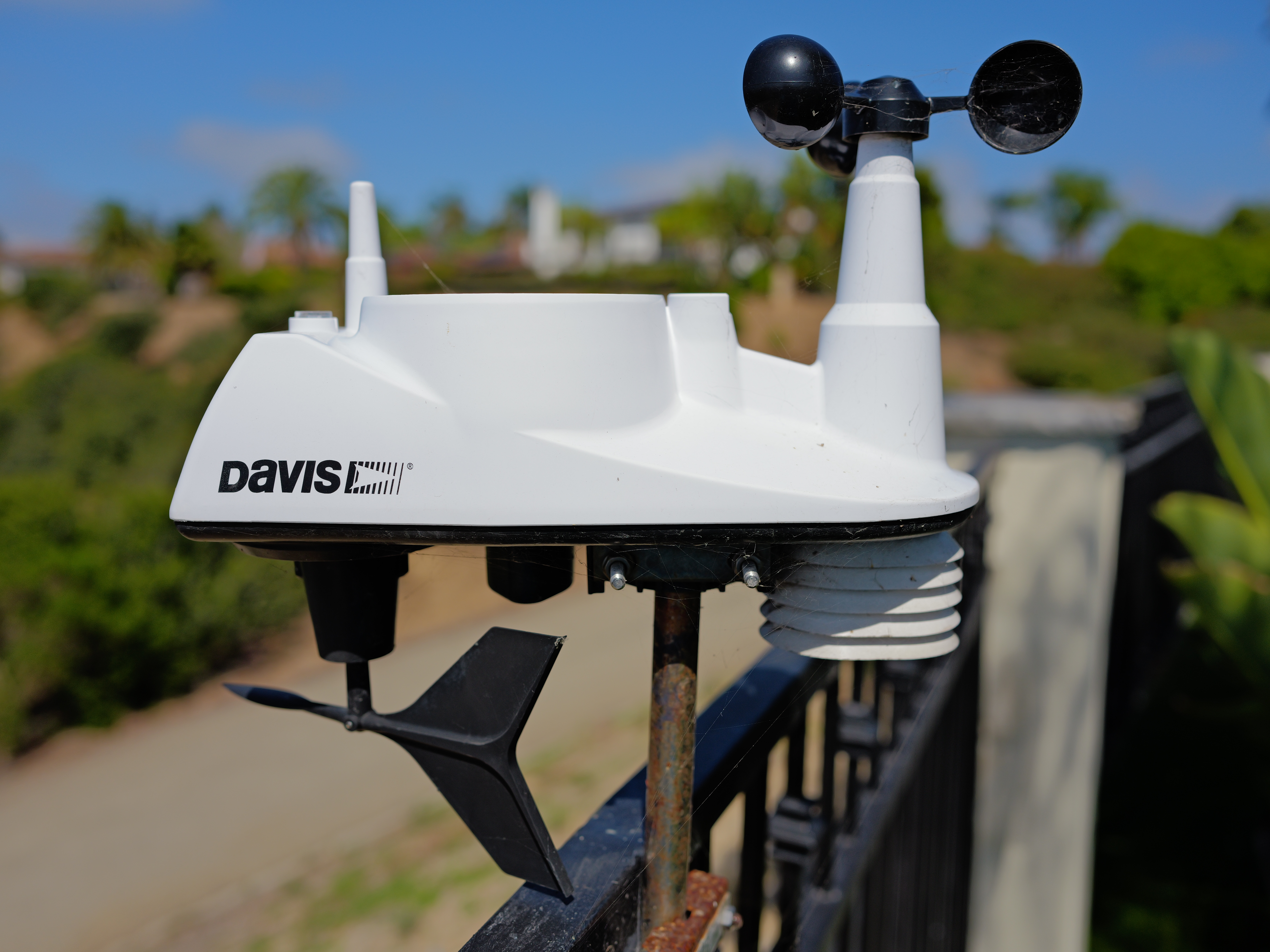
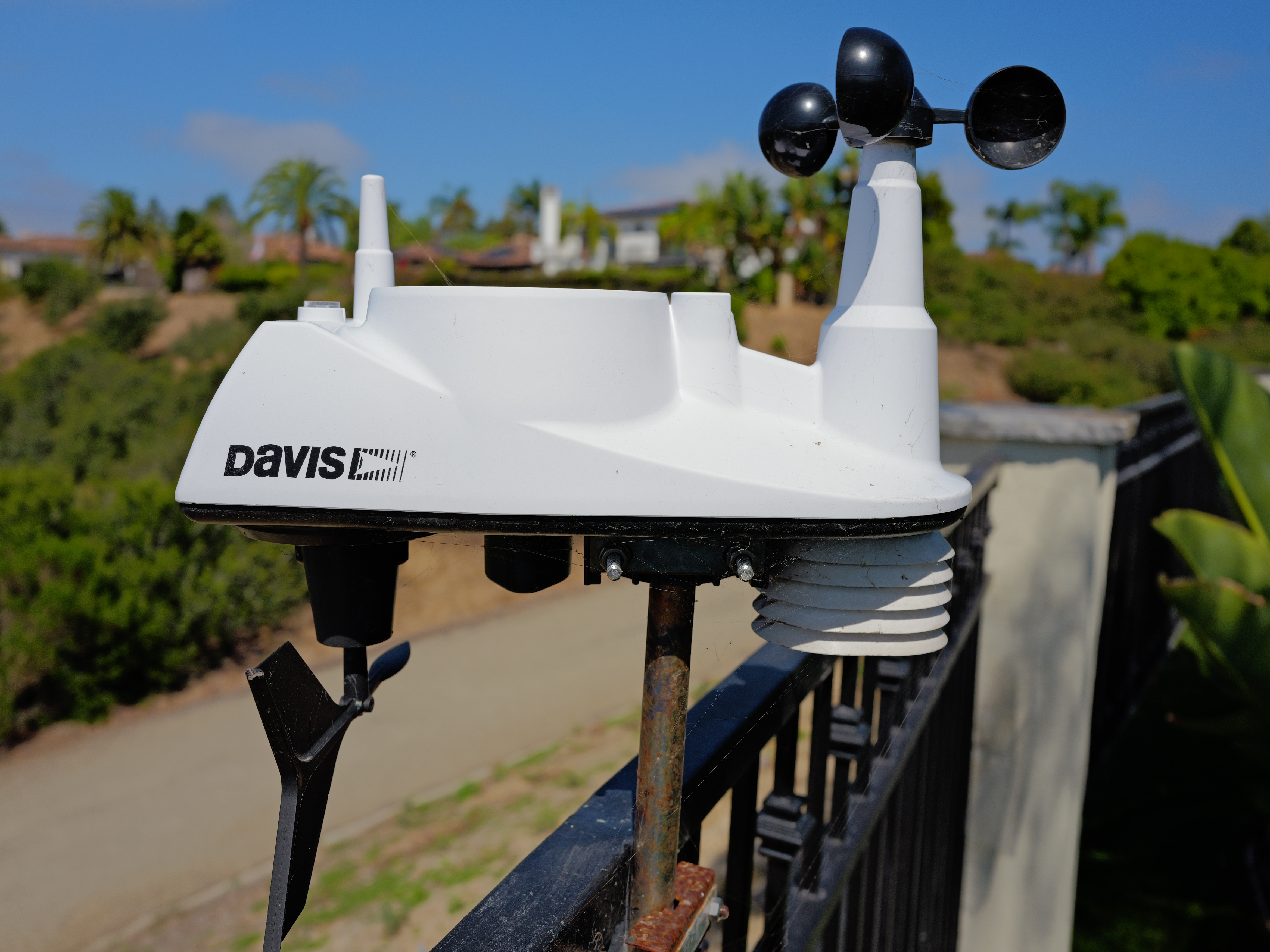
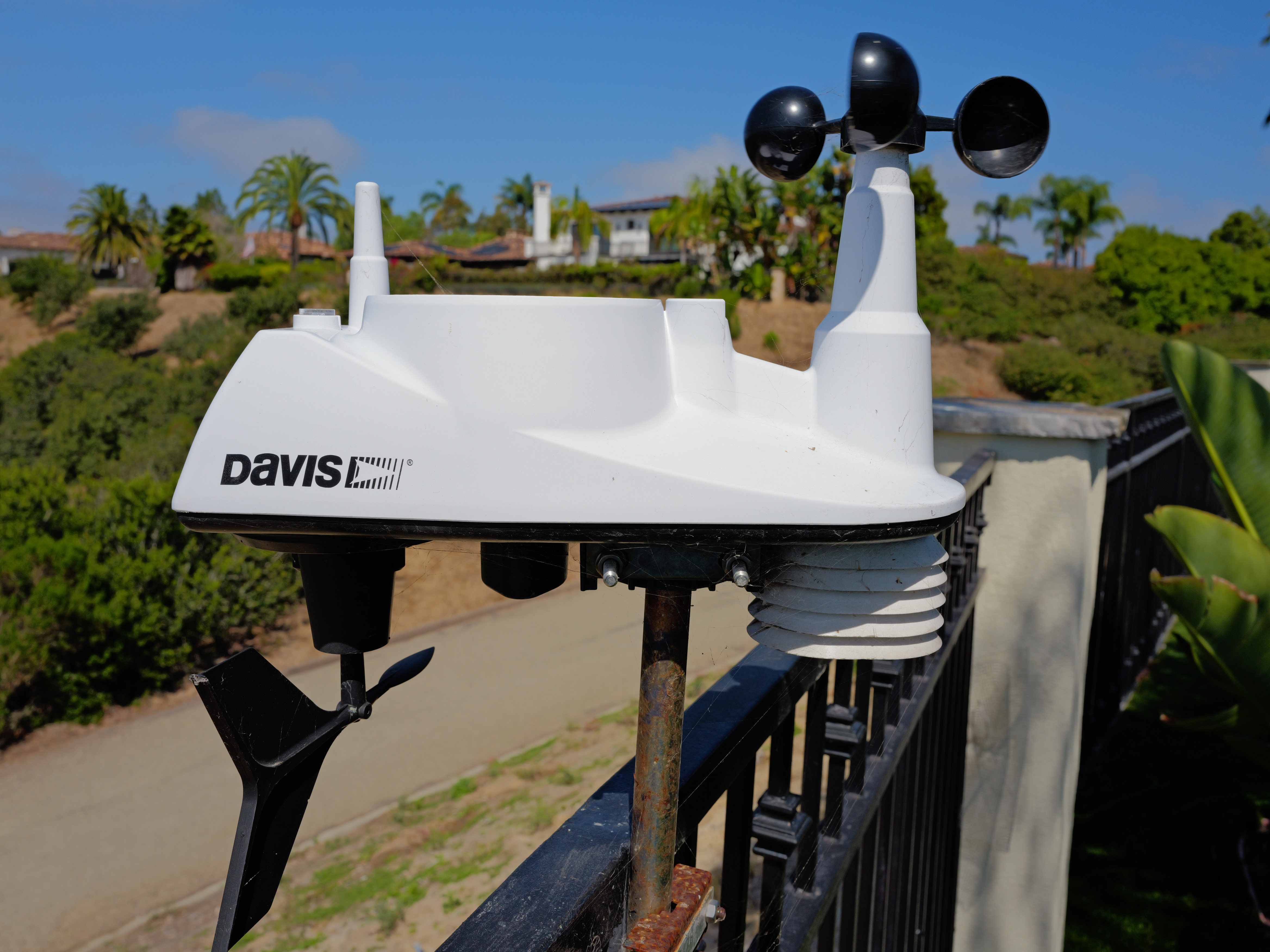
Made-in-U. S. A. Davis 6357 Vantage Vue Wireless Sensor Suite (use with WeatherLink console), 10:07 AM, Wednesday, 10 June 2026. LEICA Q3 in 4:3 crop and Small JPG mode, Sonnenlicht (sunlight) White Balance at 1/16,000, 1/5,000, 1/1,250 and 1/320 at Auto ISO 100 (LV 15½, 15¼,15¼ and 15¼).
Click any for the camera-original © 16⅓ MP, 4:3 Crop JPG Small files (about 7 MB each).
As always, if you want to throw the background as far out of focus as possible, shoot at f/1.7 and get as close as possible.
Auto ISO performance top
Auto ISO is perfect. We can set the high limit, and can set our choice of slowest shutter speed.
White Balance performance top
Auto White Balance is poor, as if it's 20-year old camera. It seems to look for the highlights or large areas and try to make them neutral, with little other intelligence to figure out how the scene ought to look. Getting good AWB under many conditions is very difficult, and thankfully other brands of cameras do a great job.
It's easily fooled by scenes with strong cyan, yellow or green areas, confusing them with shade, tungsten or florescent light and giving weird colors instead.
AWB usually renders things very cold and cool under artificial light, as seen in my Werkstatt der Bayerischen Motoren Werke photo above.
There is only one AWB setting. There are no Keep Warm, Normal, Natural or Keep White settings as in better-featured cameras.
This is too bad, as getting the correct white balance is critical to get a good picture. Thus I have to resort to setting white balance manually much more often than I do with other brands of kameras.
Kelvin white balance only sets in relatively large 10% jumps.
Color & Tonal Rendition performance top
I see slight yellow and green tinges in my Q3 images, and the colors are never as bright as I prefer. This is similar to my other digital LEICAs. To me, it's not exciting or pure.
Every brand, Fuji, LEICA, Canon, Nikon and Sony, make images that look very different from the other brands, at least to my expert artist's eyes. Most cameras of the same brand render colors and tones that match the other models very closely when set alike, while comparing brand to brand always look very different.
We all have our own personal tastes. This is what makes us artists rather than copying-machine operators trying to duplicate reality. Artists create tangible works from visions that previously only existed in our imaginations. Like it or not, cameras and musical instruments, and especially the LEICA, are artists' tools, not copying machines.
I don't like the look of the JPG or DNG images I get from my Q3. While the camera handles well, shoots fast and makes ultra-sharp images, the pictures don't look very good because the color rendition, to my taste, is inferior to the brands from America and Japan. My Q3 makes yuckier-looking colors that may look fine by themselves, but fall flat compared to other cameras — in my personal subjective opinion.
Color rendition is how pictures look when shot in the real world. Real-world color rendition has nothing to do with color accuracy measured in a lab. Color rendition is dependant on how a maker programs all the color matrices, curves, and look-up tables to generate color from the data read from the sensor, and varies widely between makers once you set a camera away from its defaults. I never shoot at defaults.
Specifically, even set to MENU > Leica Looks > VIVID and then Saturation +2 and Sharpening +2 it's to blah for me. My work is all about color; when I shoot in color, it's a deliberate artistic choice wherein I'm trying to show you COLOR! as my message rather than just blindly shooting in color rather than in B&W mode.
If you shoot raw then your colors and tones aren't created until you process the raw data later in software, and your choice of software will have as much effect on your images as the camera itself. I shoot JPG.
I'm a working artist, not some online tweaker, YouTuber or tech blogger. COLOR is critical to my work. I'm pickier about color than almost anyone; I see things most people don't. I can get photos that get oohs and ahhs with my Q3, but I rarely, if ever, do I get to WOW! as often as I do with my Nikons and Canons.
This is just me; your preferences and results will vary.
Digital Zoom specifications top
LEICA Q3 28mm, 35mm, 50mm, 75mm und 90mm Objektivauswahl (Lens Selector) Button. größer (bigger).
The Q3 provides easy digital zoom (crop modes) to 35mm, 50mm, 75mm und 90mm equivalents:
Large JPG |
Medium JPG |
Small JPG |
|
60 MP |
36 MP |
18 MP |
|
39 MP |
23 MP |
12 MP |
|
19 MP |
11 MP |
6 MP |
|
8 MP |
5 MP |
3 MP |
|
6 MP |
4 MP |
2 MP |
As you can see, it simply crops-in from whatever setting you have for resolution.
I prefer how Fuji does it in the GFX100RF: when set to lower resolution and you select a longer lens option, the Fuji reverts to the Large image sizes. This way at Small or Medium JPG you get much more resolution when zoomed.
Oddly the finder doesn't zoom-in with these modes. Instead the finder draws incomplete frame line guides inside the larger view, mimicking obsolete non-zoom optical viewfinders of 1950s cameras. Heck, even the 1990s CONTAX G1 and G2 have zoom optical finders.
Distortion performance top
There is no visible distortion; this is excellent performance.
For more critical scientific use you can use a correction factor of +0.5 in Photoshop's Lens Correction Filter for even better correction of JPG images or properly processed DNG files.
There is some residual waviness left after this correction if you're looking under a microscope, and again, shot properly there is no visible distortion in the first place.
The SUMMILUX 28mm f/1.7 ASPH employs electronic distortion correction as an integral part of its optical design. Adding a few silicon (electronic) elements in DSP rather than burdening the lens with additional silica (glass) elements preserves higher contrast by moderating the silica (glass) element count, and corrects distortion more accurately.
These silicon elements are included in JPGs as well as DNG files.
Photoshop and Adobe Camera Raw incorporates the silicon elements when converting DNG data to actual images:
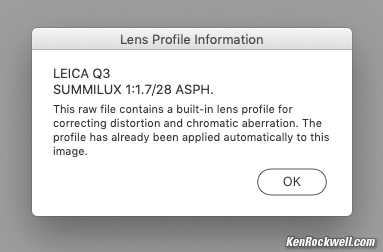
As seen in Photoshop and Adobe Camera Raw.
If you shoot DNG data rather than actual JPG images, whatever software you use to create visible images from the DNG data may — or may not — use the silicon elements to correct the distortion as is done in-camera as JPGs. You're on your own there; I don't bother with raw data. While Photoshop works great for this, there is always the possibility that some raw software will omit the silicon elements and your images will be uncorrected.
Be careful. Using the wrong software to process DNG files is exactly like shooting with some of the lens elements missing!
Ergonomics performance top
ISOs set in full stops, except in thirds above ISO 50,000 where it matters. Bravo!
The level indicator reads precisely and doesn't block much of the image.
A on the aperture ring is next to f/1.7, good.
The shutter dial rotates continuously through 360º with no stops.
Set to the default Hybrid shutter mode (press MENU five times > Shutter Type > Hybrid), the Q3 uses the regular mechanical leaf shutter for everything and magically switches to the electronic shutter at 1/2,500 and faster as needed.
The big battery needs no battery door. It's easy to drop it out and slam a fresh one home without having to stop and look carefully or fiddle with anything. In fact, it's easy to do blindfolded!
Count-down timer displayed during long exposures or dark-frame noise-reduction exposures, but it only stays lit a few seconds. Tap the shutter halfway (!?!) to display the countdown for another few seconds.
Handles well once set up, but has hard edges everywhere and 90º rectangular 1970s-style design makes it uncomfortable after hours in-hand.
LEICA's font is used everywhere and looks great, both as engraved into metal and as used in all the menus, however the stylishly tiny and thin finder & LCD icons are not particularly legible.
If the Live View is in a "clear" mode (no icons), then it won't show you any aperture, shutter, compensation or other values as they are adjusted!
Buttons are flush to look minimalist, but this also means they are harder to find by feel, especially the Fn2 button. Forget it with gloves.
Very tiny and fidgety touch screen, good luck setting copyright information.
While my, ahem, expert product photography makes the red As on the shutter and aperture dials stand out in my photos here, in actual use they are very dark red and mostly invisible on the black camera. They should be painted with fluorescent or bright red paint, but instead are more of a dark burgundy and look more like A (on black).
The diopter control is a tiny nubbin that, even if you can get it to pop out, is hard to turn because it's so small.
Digital Zoom is just four fixed settings plus 28mm, not a continuous zoom.
Fn1 is a one way Digital Zoom button, not a lever, so to go wider one step you have to press the button several times to go around past all the other settings.
Digital Zoom just shows crop lines inside a larger image instead of magnifying the finder image. (Images look fine played-back).
No obvious indication of active exposure compensation; the display doesn't stand out any more when set away from 0 so it's easy to shoot all day and not realize it's been set incorrectly since last month.
The plastic focus lock release button on the plastic focus lever is crappy. Instead of being big and easy to use as it is on most of LEICA's real lenses like the big infinity release on the superb 35mm SUMMICRON (1958-1974), on the Q3 you have to grope around to find a tiny release located on one half of one side of the plastic finger holder.
Why do we have to unlock the focus ring lever at all to get between AF and MF? All the focus ring needs is a good detent, like on the aperture ring.
The card slot is very dark; it needs a big white rectangle around it as well as an icon to show which side is up since we still have to fiddle around to find the slot for our cards.
User profiles don't auto update as you change settings. You have to take many steps to resave any profile that you've updated..
Profile names can only be up to 10 characters long.
Copyright and Artist EXIF fields are only up to 20 characters long, barely long enough to add "(c)KenRockwell.com" with no further ability to add my email, phone number or mailing address. Also there is no legitimate © symbol, so instead we have to settle for "(c)" like on every other camera.
The top control dial isn't in the right place; I have to reach deliberately to the right of the thumb rest to get to it.
The top dial is sharp and uncomfortable, bringing back unfond memories of CONTAX' and Nikon's 1950's rangefinder cameras which used very sharp dials to set the focus. We called them "Razor Wheels."
Card label faces backwards (away from the shooter).
Card door needs a second deliberate step to lock it after it's closed. It doesn't have a spring to lock it automatically.
There's no locks or even any detents on the MACRO ring, making it easy to knock. Weird, seeing how they got the aperture ring and shutter dial detents mostly right.
Exposure performance top
Exposure is pretty good most of the time, as typical for most mirrorless cameras.
The PROGRAM exposure mode opts for larger apertures at faster shutter speeds. Of course you can shift this.
Metering only reads the active area when you use the Digital Zoom.
Falloff performance top
Falloff is completely invisible.
I've greatly exaggerated the falloff by shooting a gray field and placing these on a gray background; it will not look this bad in actual photos of real things:
Falloff at infinity:
© 2026 KenRockwell.com. All rights reserved. |

Picture Controls performance top
LEICA calls its Picture Controls or Picture Styles "Leica Looks."
There are several options and you can download others.
In each of these we can set each of Contrast, Sharpening and Saturation as far as ±2 steps. The B&W modes have no saturation settings.
Sadly the B&W modes have no ability to simulate the use of a colored contrast filter; most other cameras give us the option to simulate the use of a yellow, green or red filter.
Filters, use with performance top
There's no need for thin filters. I can stack a couple of regular 49mm filters without vignetting.
Go ahead and use your standard rotating polarizer and grad filters - but beware if you use the included hood. Some filters may not fit inside or allow the lens to focus closely. If this is a problem, take of the hood or use the optional 49mm screw-in hood Nr. 19 658.
Finder performance top
The OLED finder is wonderful, especially with LEICA's excellent viewfinder optics.
The diopter adjustment is a pain, but stays set once adjusted.
I didn't need to, but you can adjust the sensitivity of the eye-control sensor that selects between the rear LCD and finder.
The OLED has a 4:3 aspect ratio, so you can see your 3:2 image with data along the top and bottom without covering any of the image.
If you shoot in the 4:3 crop mode as I often do, the finder image expands to fill the entire finder from top to bottom, giving a larger finder image than in the native 3:2 aspect ratio mode.
You can fine-tune its color balance in a menu, which thankfully I don't need. It's accurate.
It goes black with a red line and a dim count-down timer during exposures of a second or longer.
Flare & Ghosts performance top
I can't see any significant flare or ghosts.
See examples at Sunstars.
Flash performance top
With its 1/2,000 sync speed, even a small flash becomes quite well suited to daylight fill even at longer distances.
There is no built-in flash, but there is a dedicated hot shoe.
Should work well with any of the LEICA SF 26, SF 40, SF 58, SF 60 or SF 64 flashes, or the LEICA SF C1 remote commander.
Should work great with the Godox iT32 and dedicated X5L LEICA module or Godox iT30Pro TTL, but I haven't tried either yet.
Works with my LEICA CF Compact Flash, but with no in-finder indication and no TTL (use Manual or the non-TTL Auto modes).
My SF-24D flash worked great with my LEICA Q2, but my Q3 won't communicate with it for flash-ready signals or TTL control. I can use the SF-24D on my Q3 only in manual and non-TTL Auto modes.
Flash is important; lighting is by far the most important technical aspect of every photo.
Without Flash:
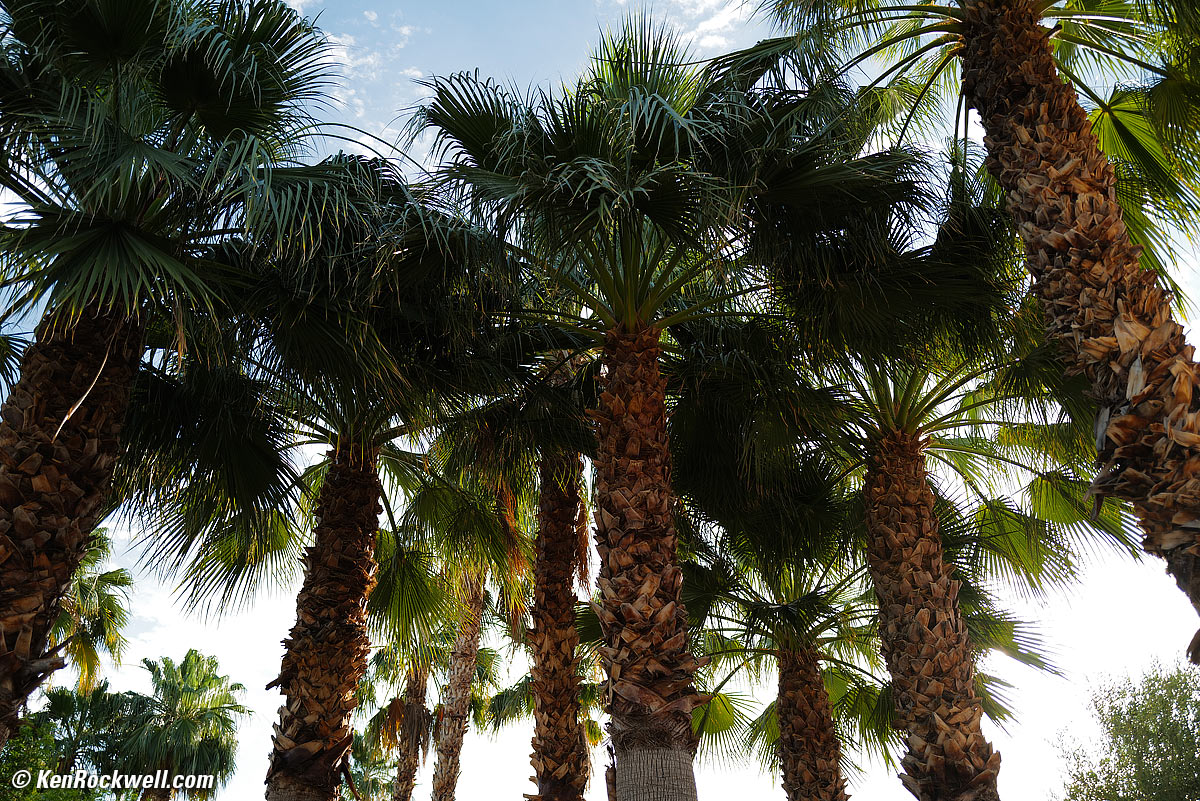
Backlit Palms, no flash, 7:15 AM, 03 June 2020. LEICA Q2, LEICA SUMMILUX 28mm f/1.7 ASPH at f/1.7 at 1/2,000 at Auto ISO 160 (LV 11.8), Perfectly Clear. größer.
With Flash:
This is with 2/3 stop less ambient exposure; the little SF‑24D flash can light up a whole palm forest against broad daylight when you have a super-fast sync speed like the 1/2,000 sync of the Q3:
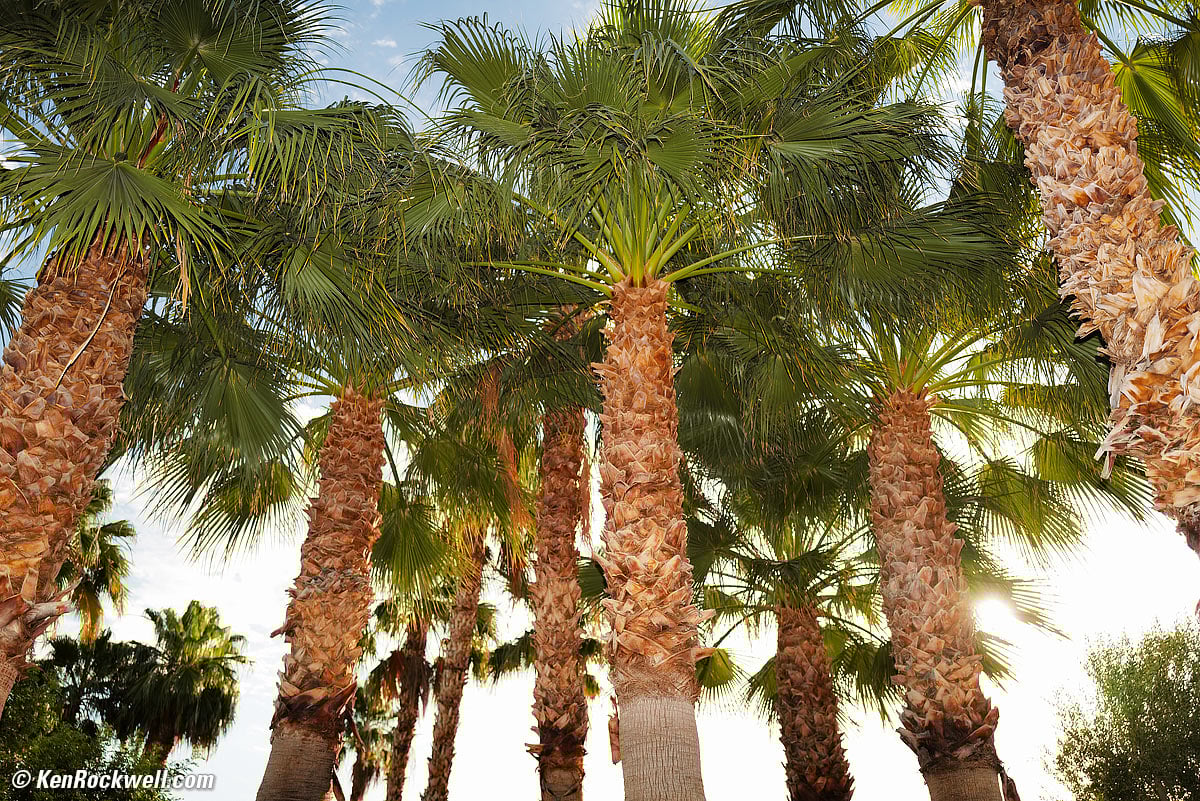
Backlit Palms with Fill Flash, 7:16 AM, 03 June 2020. LEICA Q2, LEICA SF‑24D Flash at full-power in manual mode, LEICA SUMMILUX 28mm f/1.7 ASPH at f/1.7 at 1/2,000 at Auto ISO 100 (LV 12.5), Perfectly Clear. größer
|
|
No flash. bigger. |
With SF‑24D Flash. bigger. |
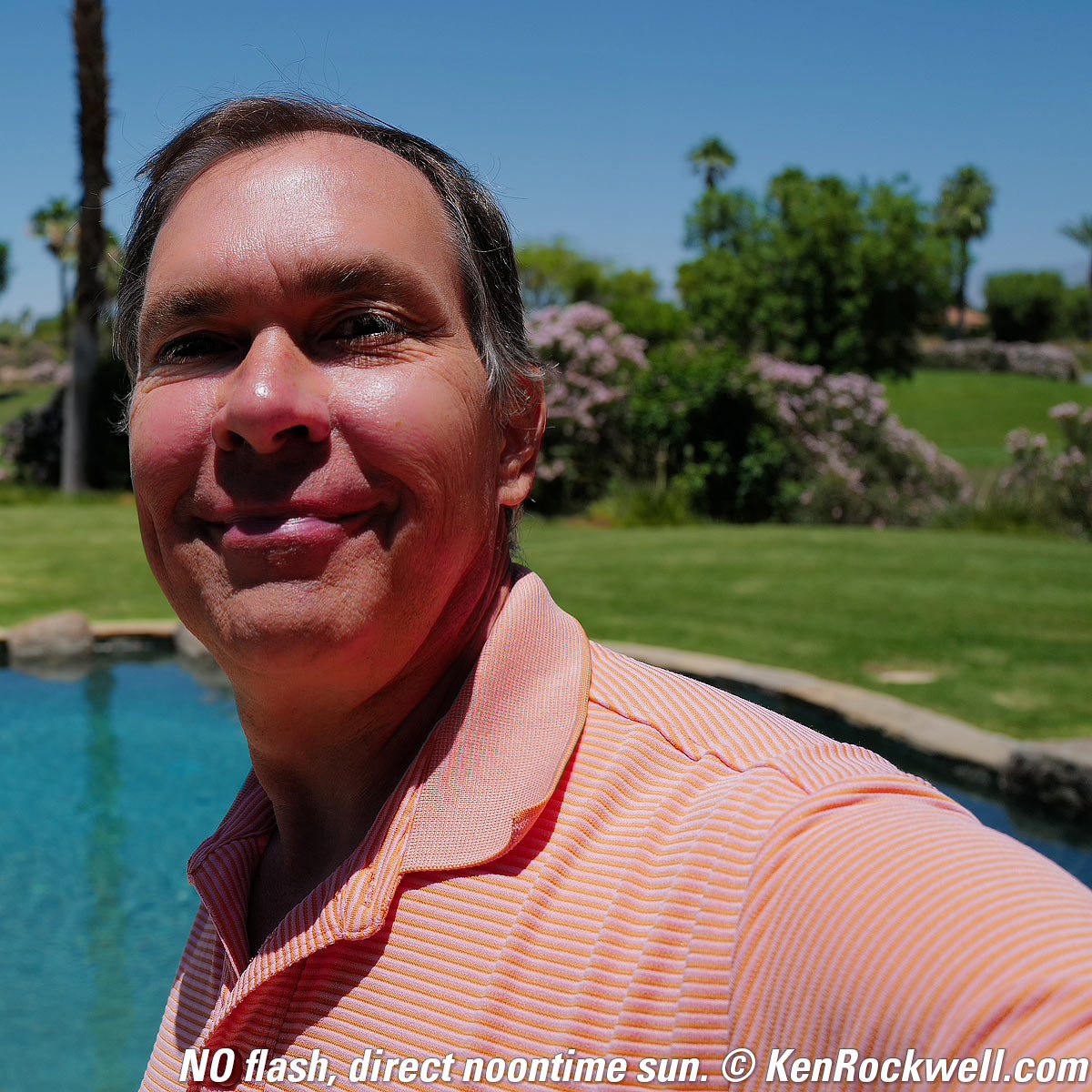
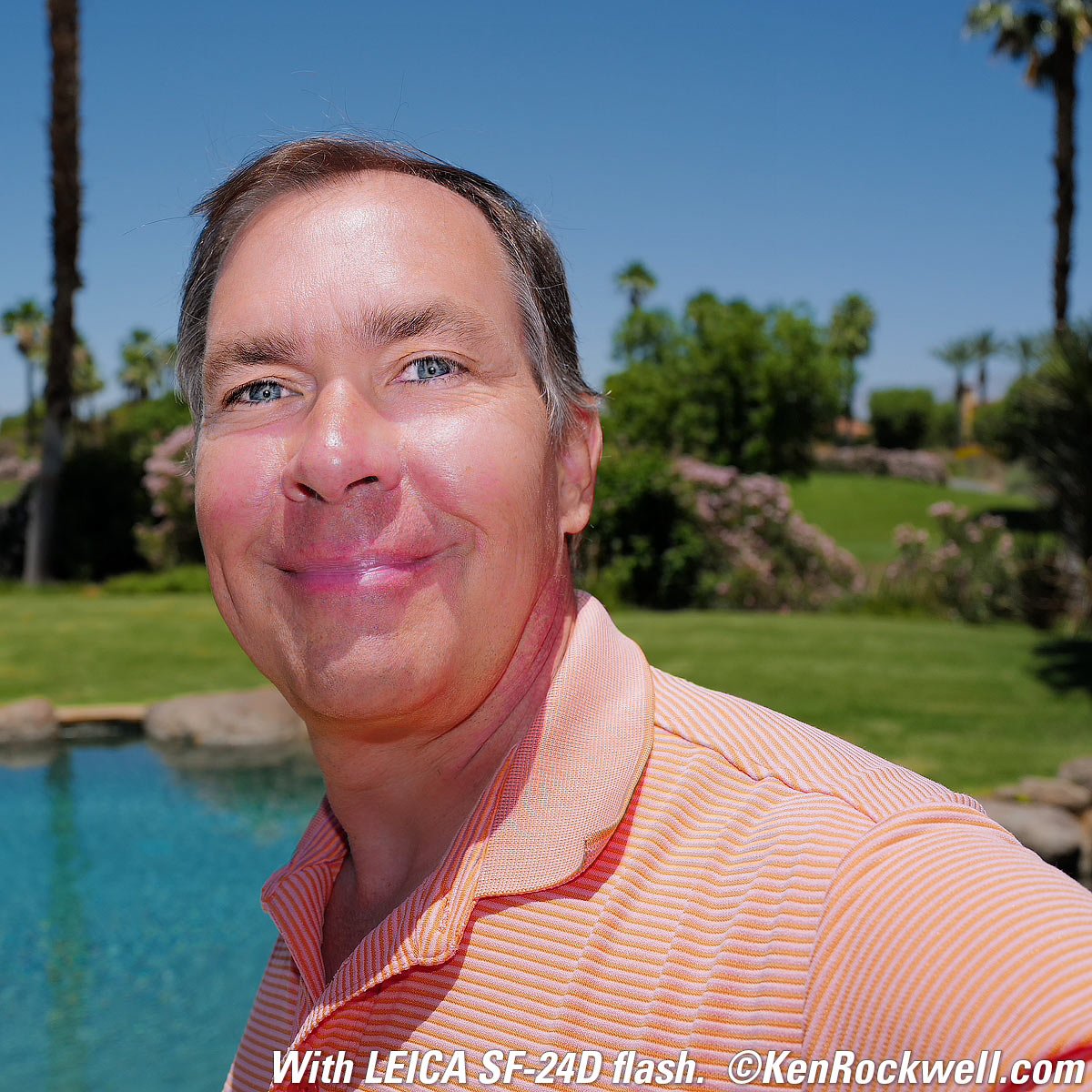
Hand-held self-portraits. Fill Flash fills the shadows. LEICA Q2 at f/5.6 at 1/900, SF‑24D flash in TTL flash mode.
High ISO Performance details dark detail performance top
The Q3 isn't competitive at extreme ISOs compared to other cameras like the EOS R5 II or even the R6 III, but talented shooters never need foolish ISOs above 6,400; we know how to light our sets. Feel free to poke around my other reviews to compare for yourself.
What's great is that the images match in exposure and color at every setting. Some cameras give different exposures, or at worst give weird color balances at the highest settings.
These shots are made in the default LOW jpg noise reduction setting.
The speeds are speeds; LEICA doesn't mark 50 as (L) or the highest settings as (H).
Complete Images details dark detail performance top
As seen at normal image sizes below, the Q3 pretty much makes the same images from ISO 100 to ISO 12,500.
ISO 50 is a pulled ISO, and has a limited highlight dynamic range as seen in the blown-out reflection in the clock's cover glass (more obvious in the close-ups below).
ISO 25,000 is passable, but gets a little dirtier.
ISO 50,000 is looking gritty, and the blacks are becoming gray rather than black.
ISO 64,000, 80,000 and 100,000 become progressively grainier and blotchier, and the blacks get lighter and lighter. Laudably the colors remain the same.
Click any to enlarge:
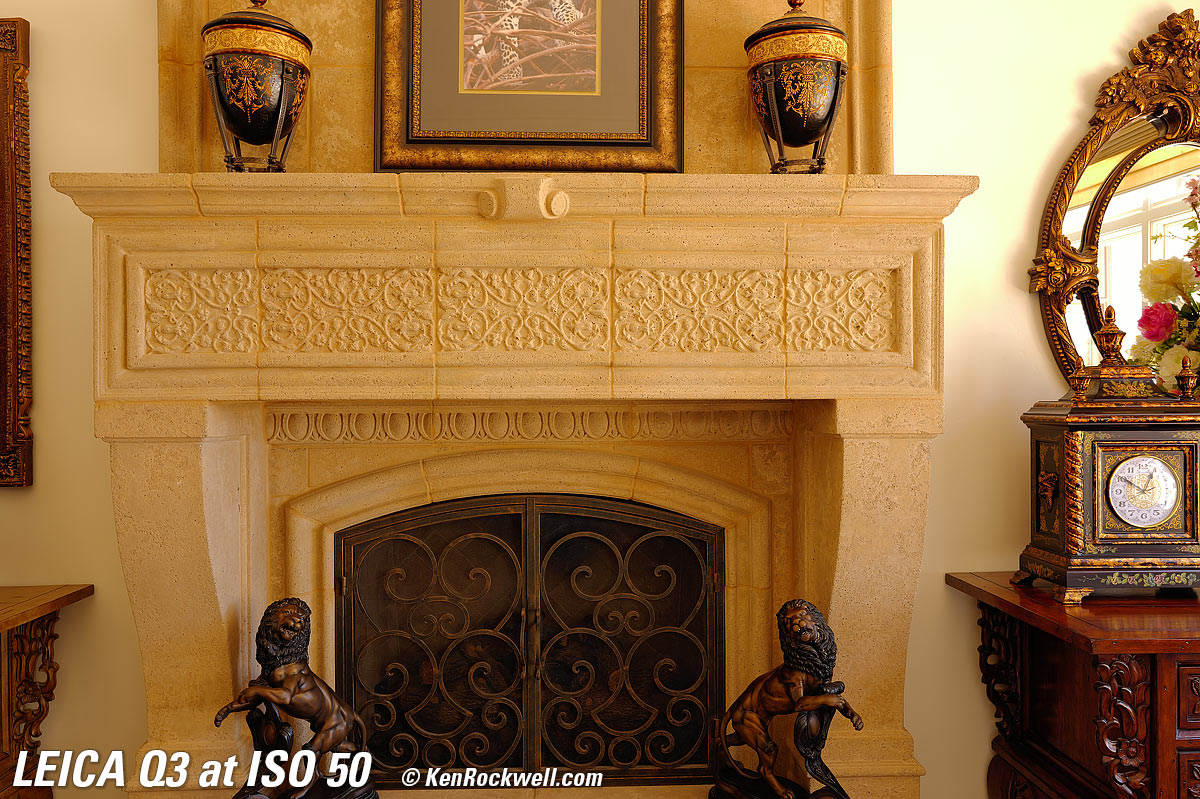
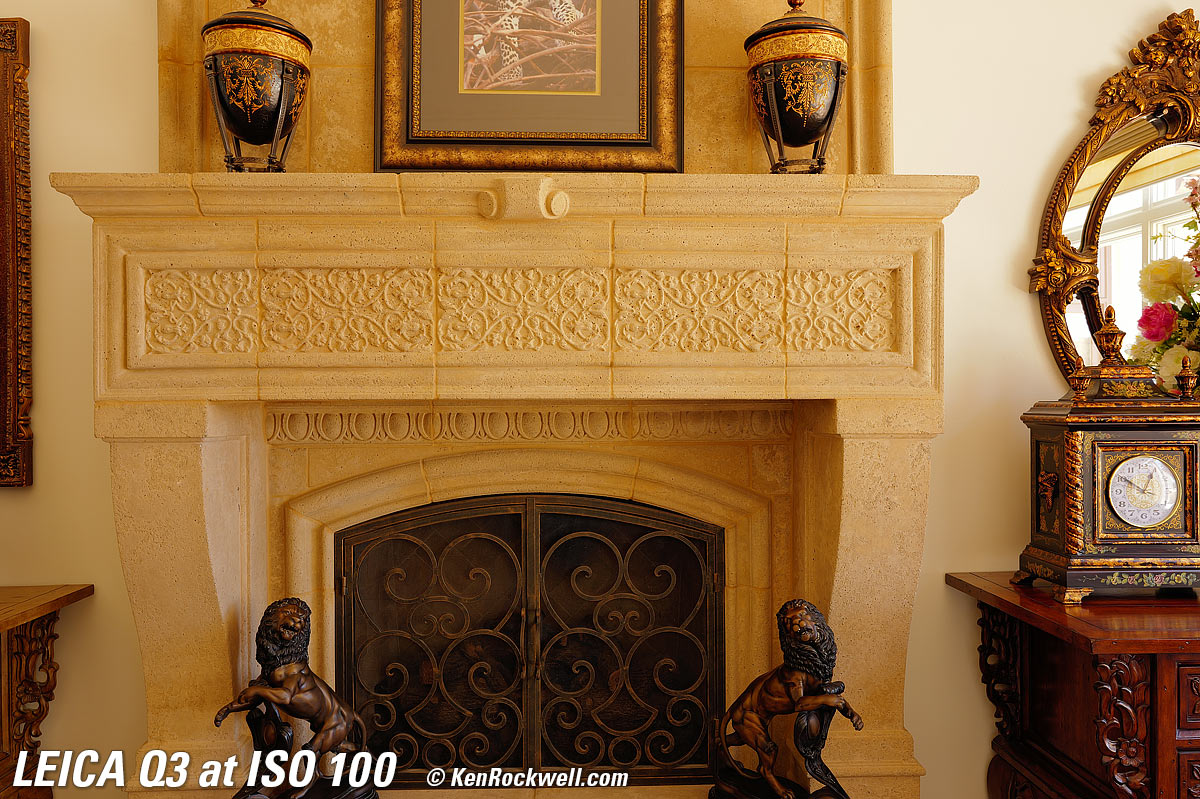
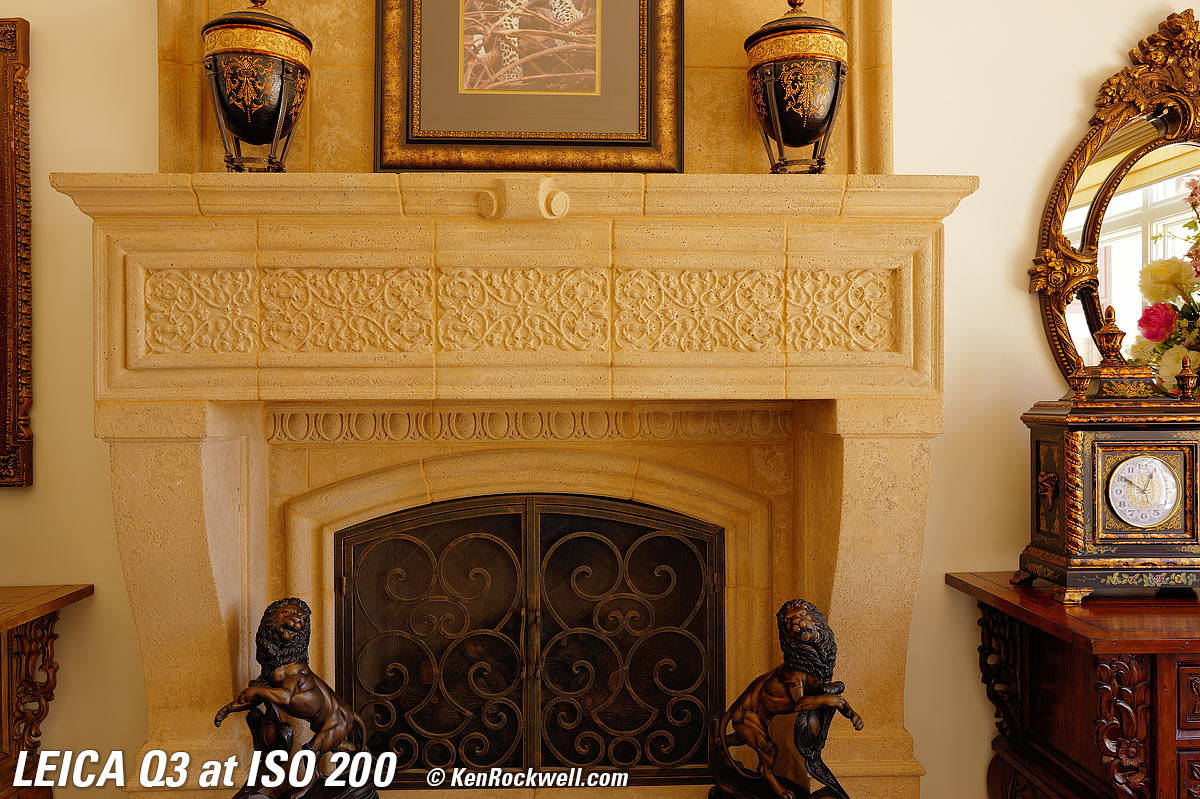
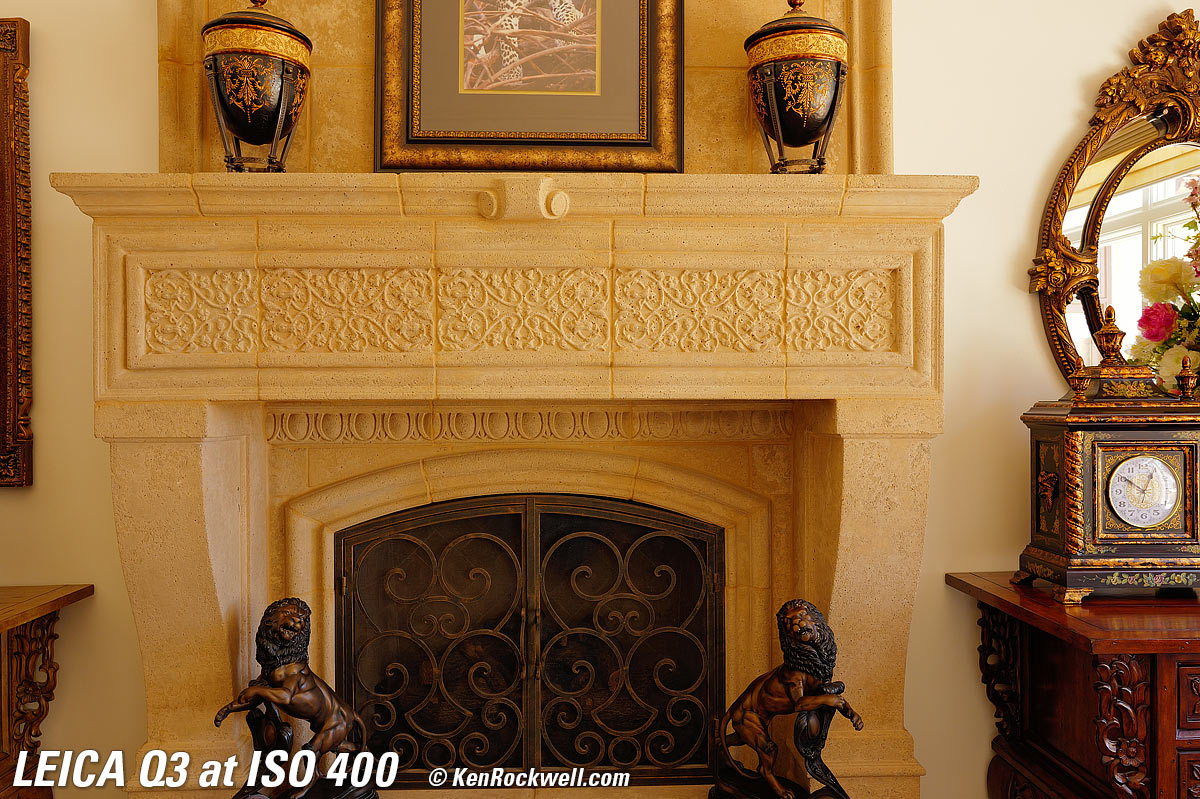
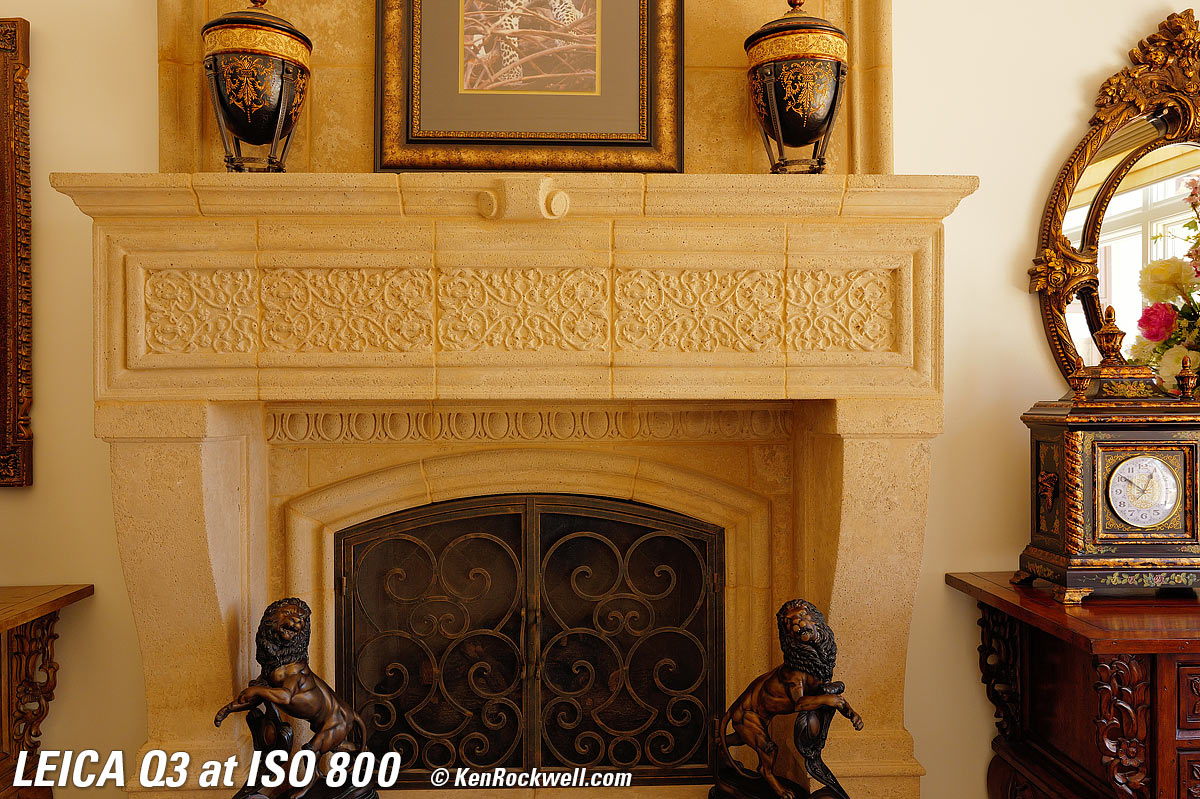
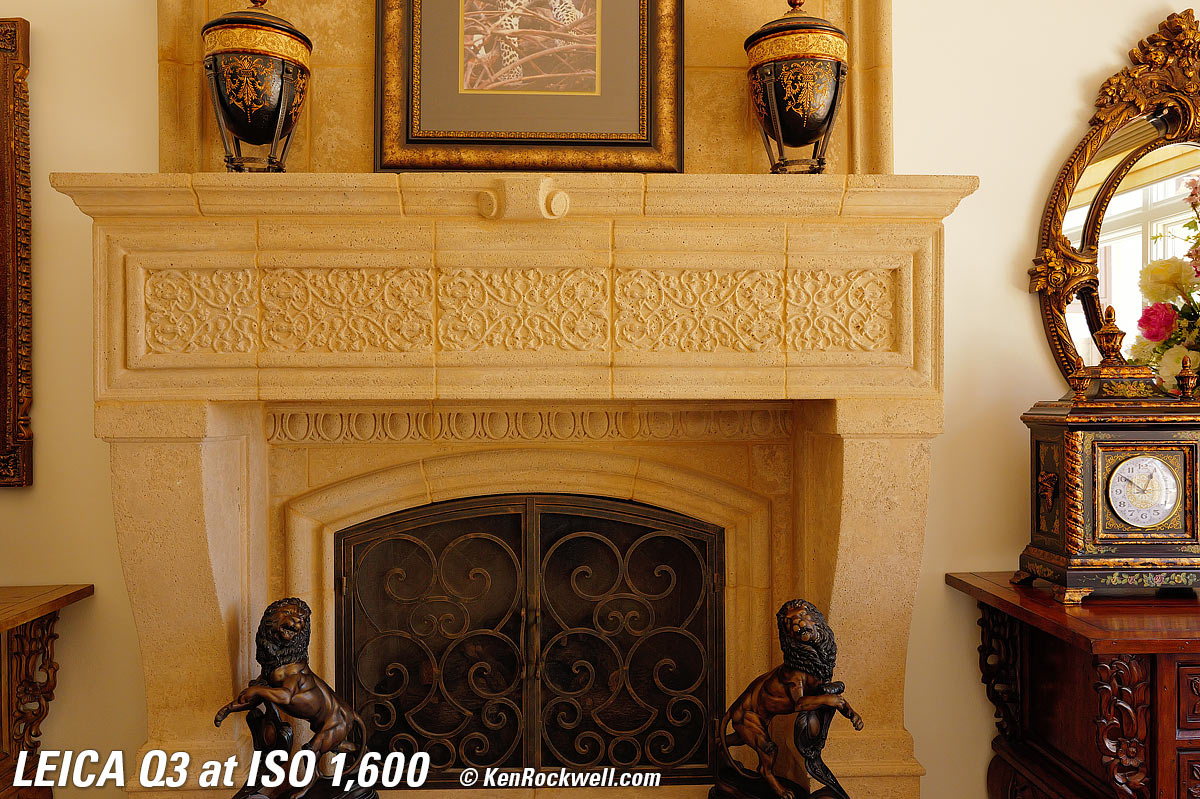
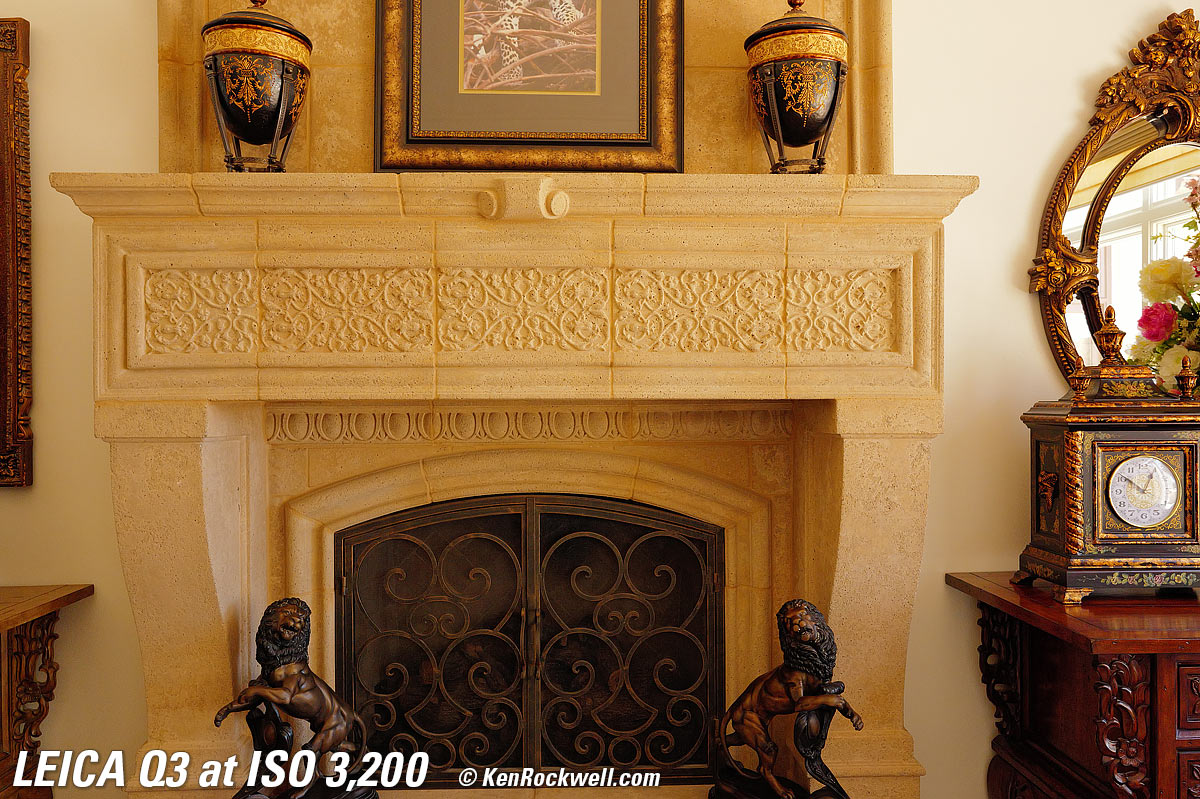
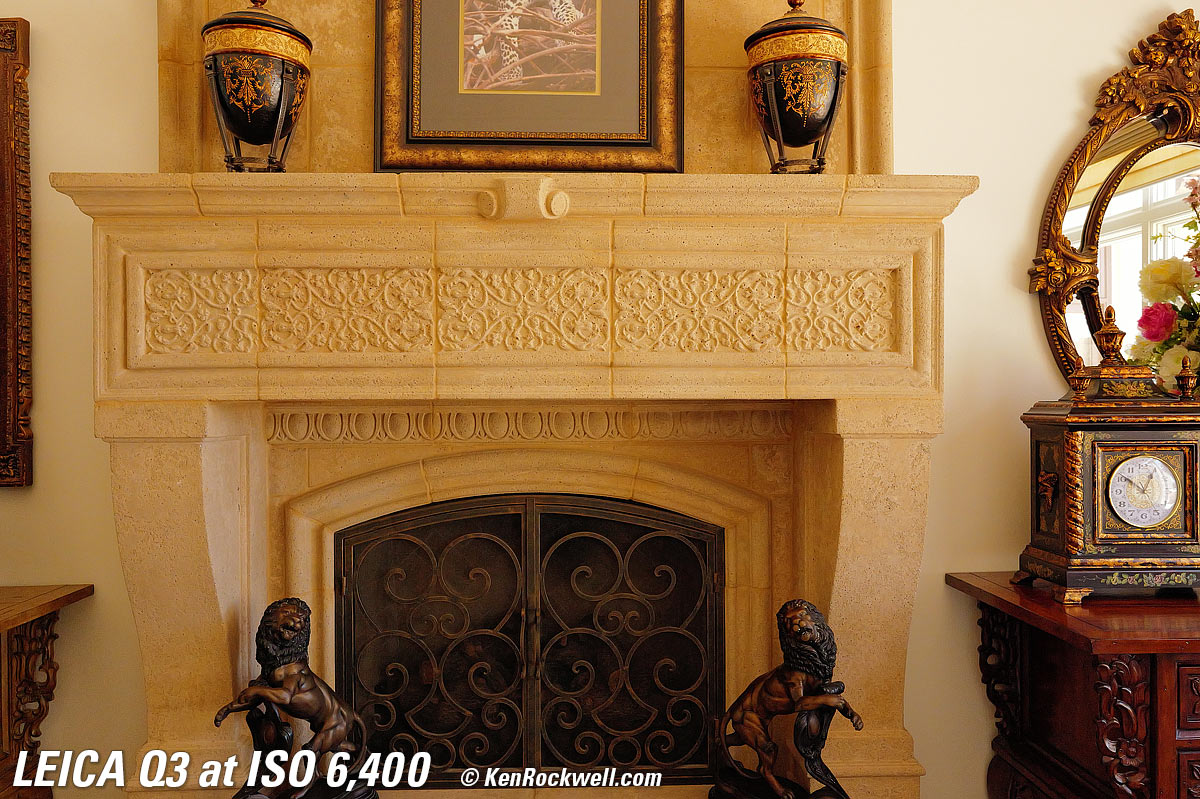
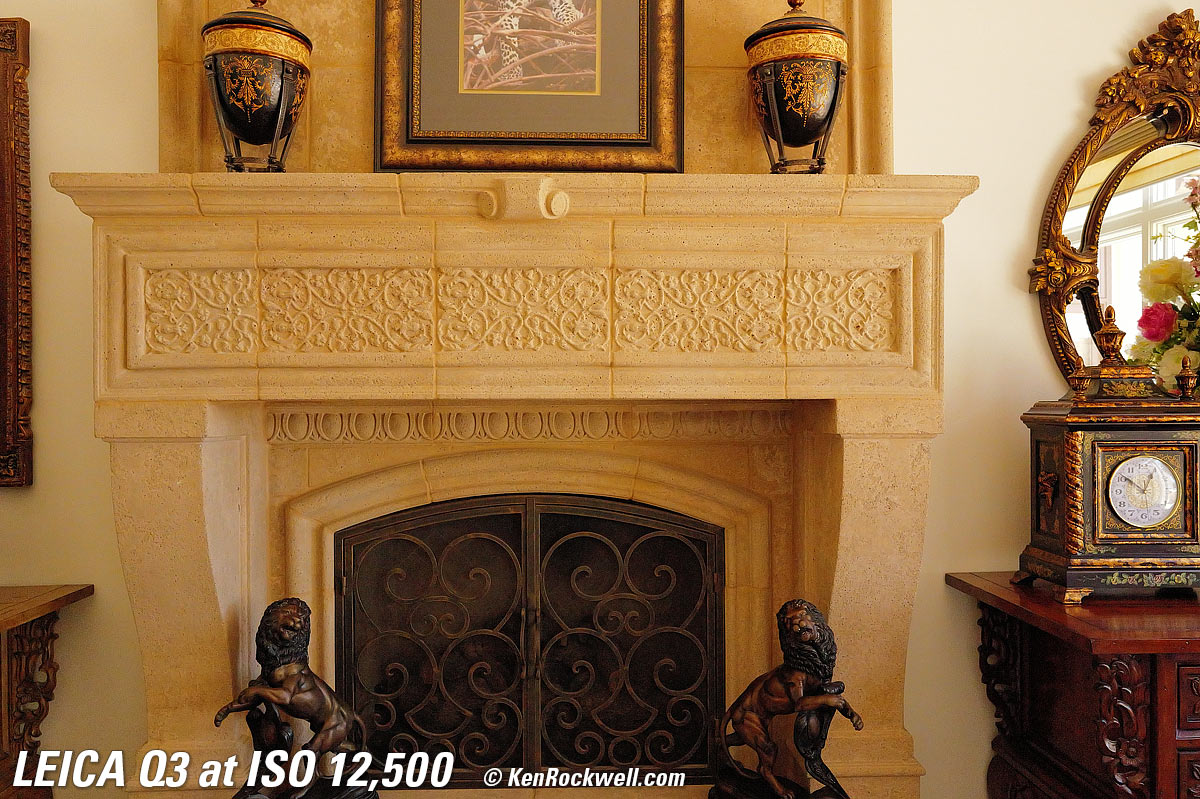
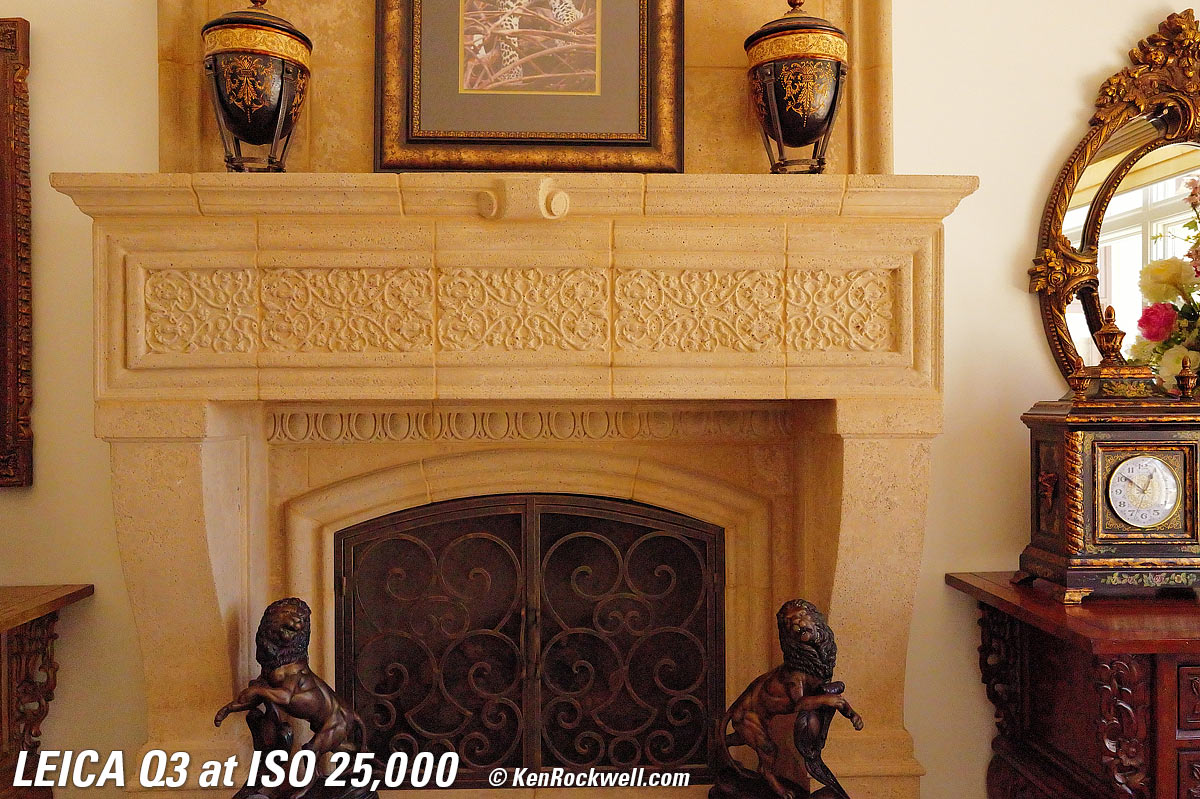
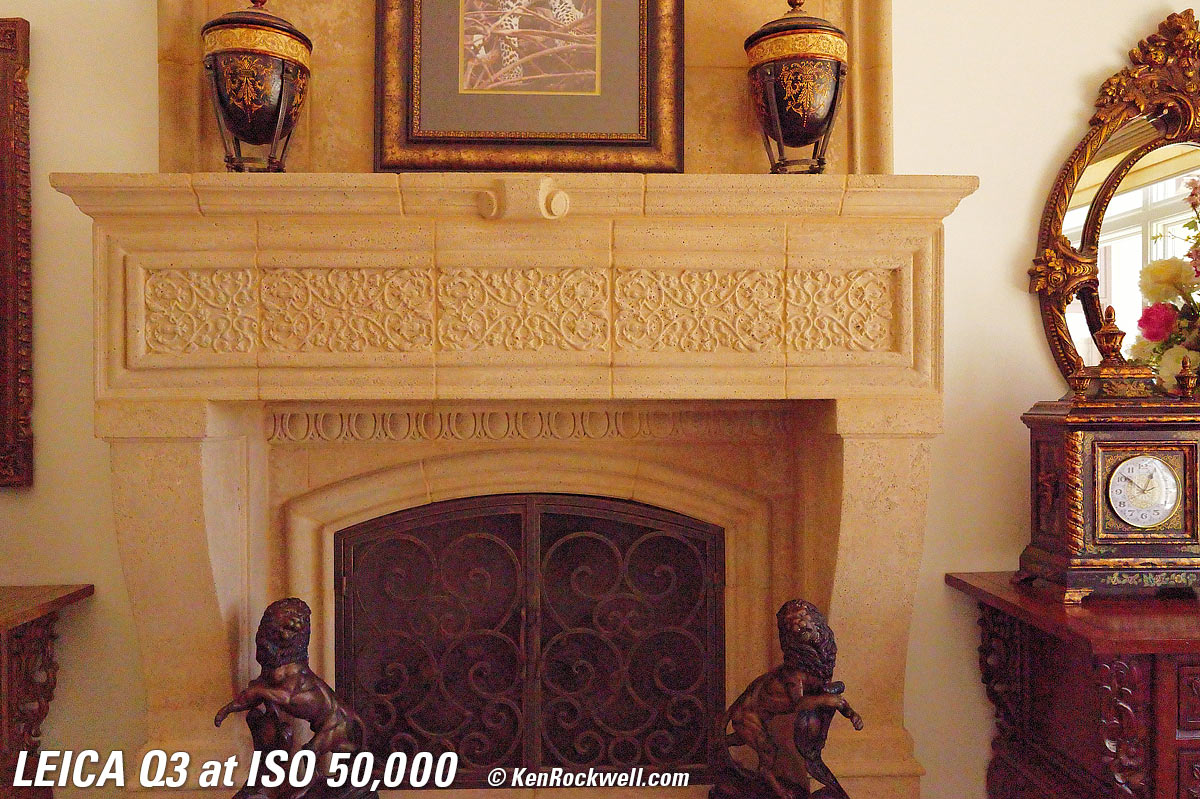
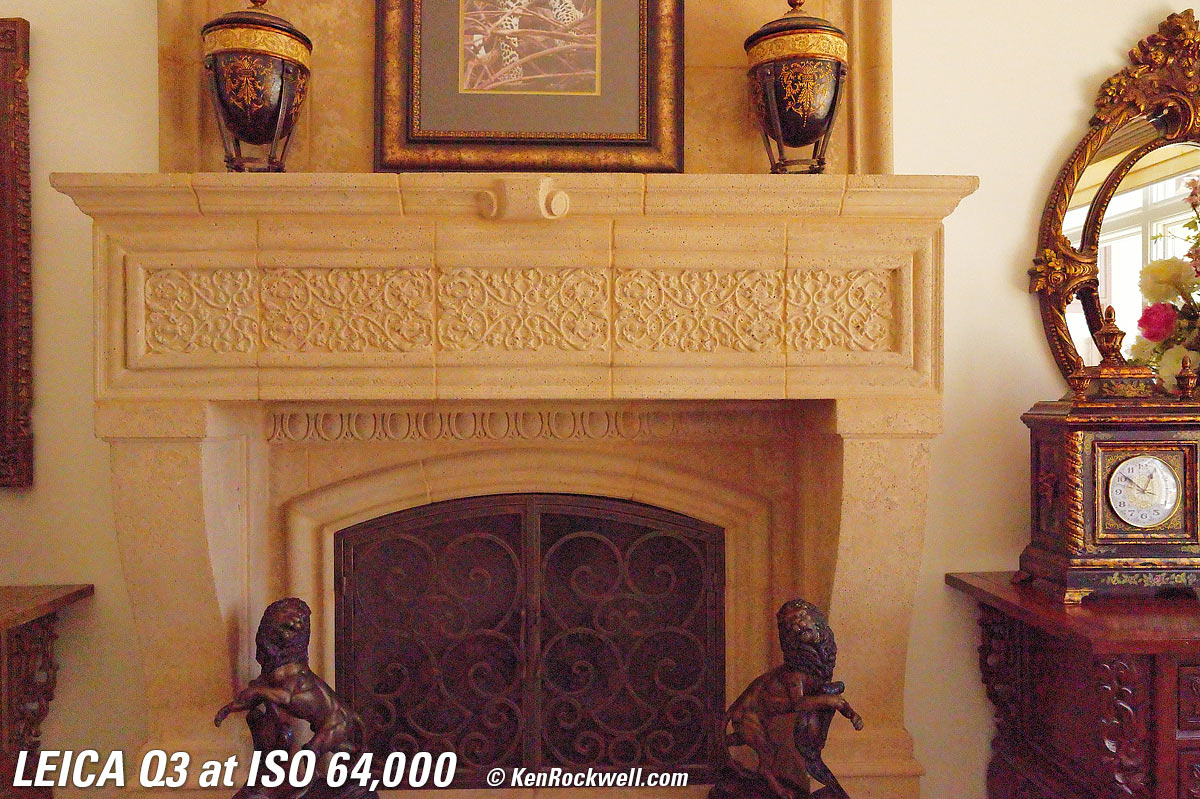
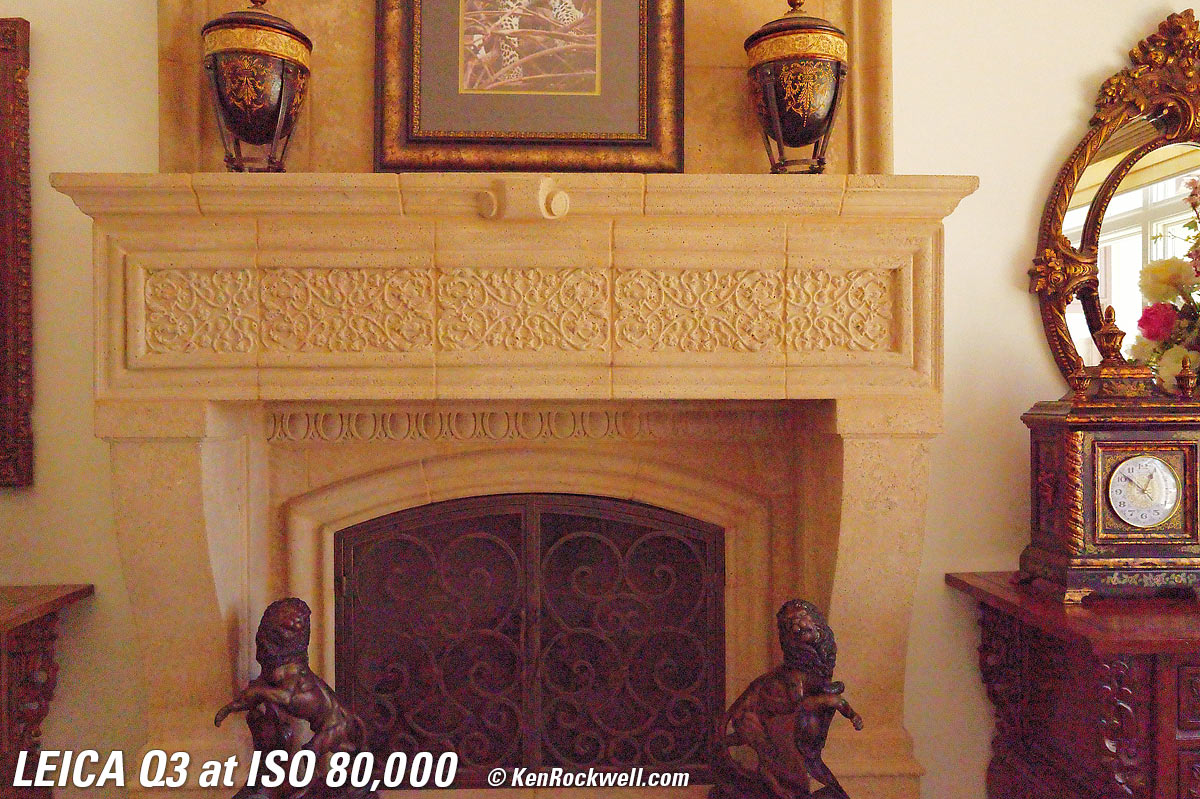
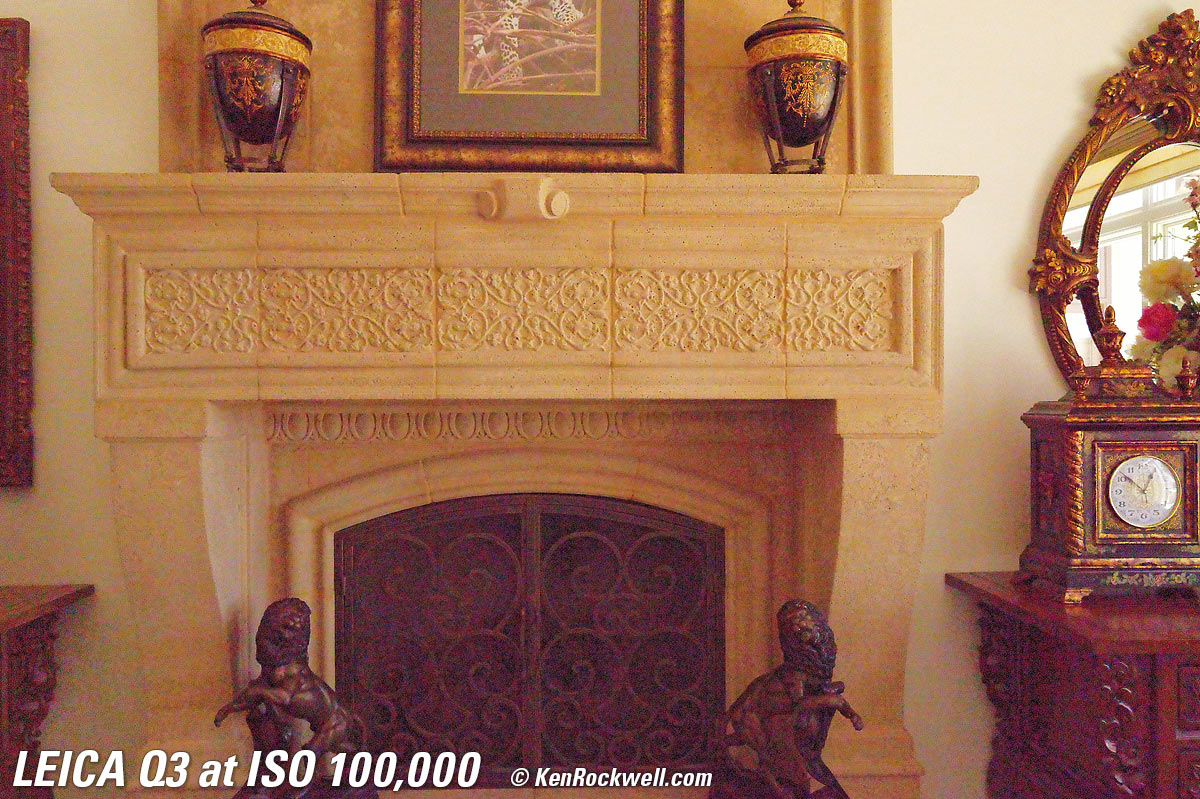
Click any to enlarge.
Fine Details: 600 × 450 Pixel Crops (15.8× magnification) High ISOs details dark detail performance top
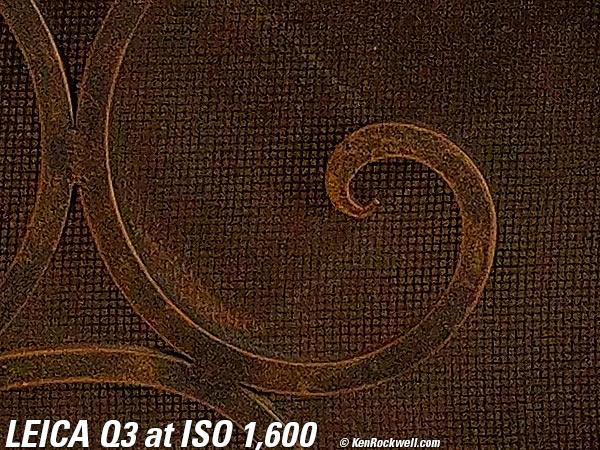
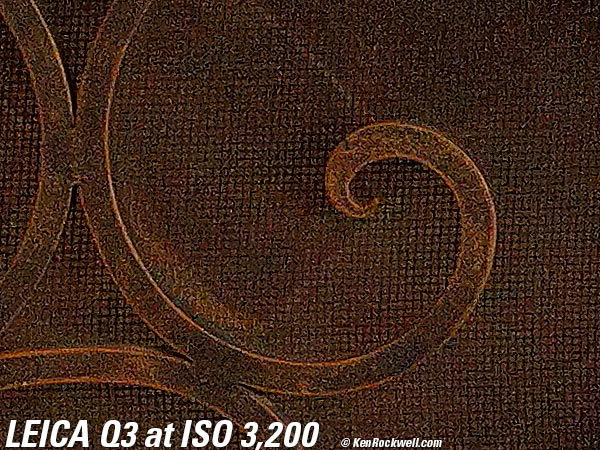
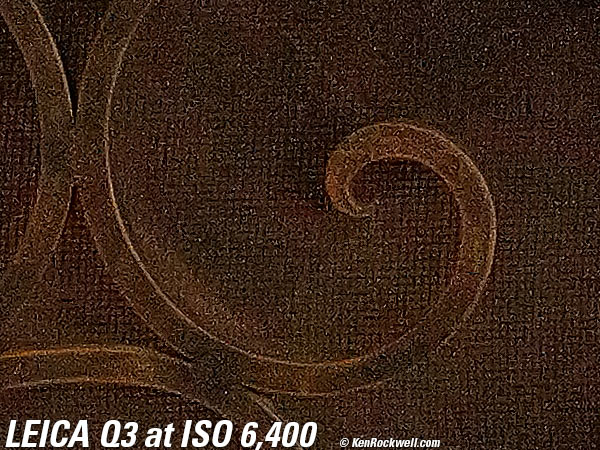
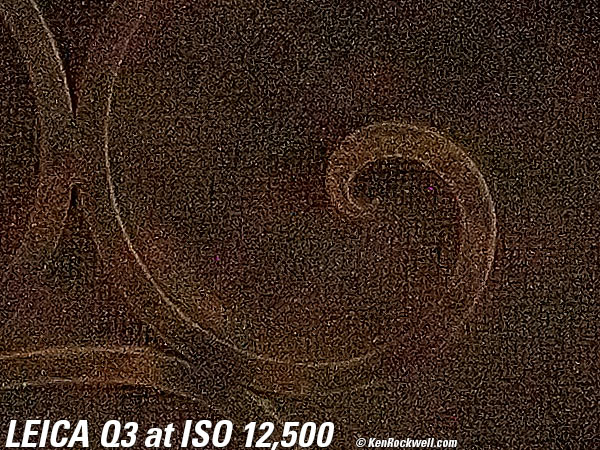
What we see at the crazy-high magnifications below is that fine details go away as the ISO increases. This happens with all cameras and is an artifact of the noise reduction working harder as the ISO increases.
These shots are made in the default LOW jpg noise reduction option.
In the Q3, the most detail is at ISO 50 (L), and becomes softer at every higher ISO. This is normal and how noise reduction works in every camera.
ISO 50 is a "pull" ISO, and thus has more highlight contrast. This usually increases perceived highlight detail, and can lead to clipped highlights if you have too much subject contrast, as in the case of the window reflection in the glass of the clock face.
By ISO 6,400 most of the detailed scrollwork between the clock numbers is gone.
By ISO 50,000 most of the minute marks are gone.
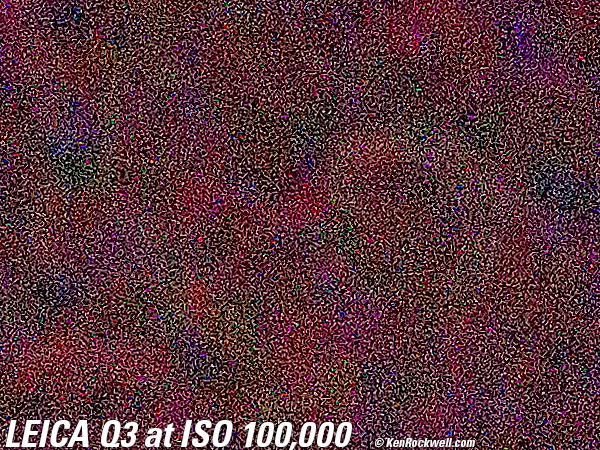
At ISO 100,000 there are weird colored sparkle effects. This is not frozen yogurt, colored sprinkles bad.
These 600 × 450 pixel crops will vary in size to fit your browser window.
If these crops are about 3" (7.5cm) wide on your screen, then the complete images printed at this same high magnification would be about 32 × 47½" (2.6 × 4 feet or 0.75 × 1.2 meters).
If these crops are about 6" (15cm) wide on your screen, then the complete images printed at this same extreme magnification would be about 63 × 95" (5.3 × 7.9 feet or 1.6 × 2.4 meters).
If these crops are about 12" (30cm) wide on your screen, then the complete images printed at this same insane level of magnification would be about 11 × 16 feet (3.2 × 4.8 meters)!!!
Click any to enlarge:
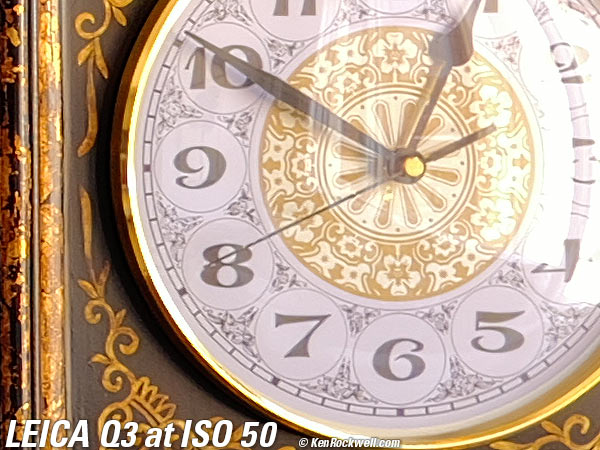
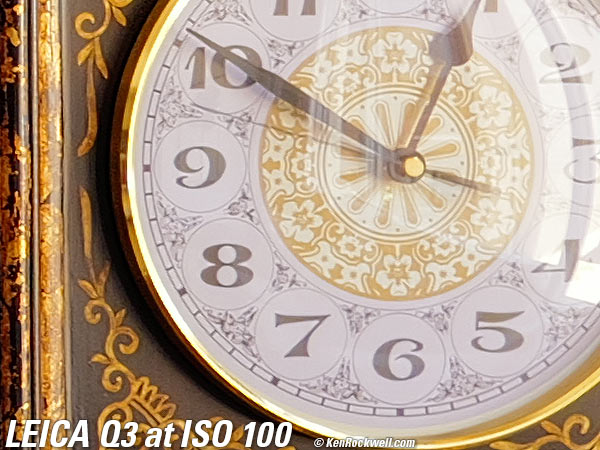
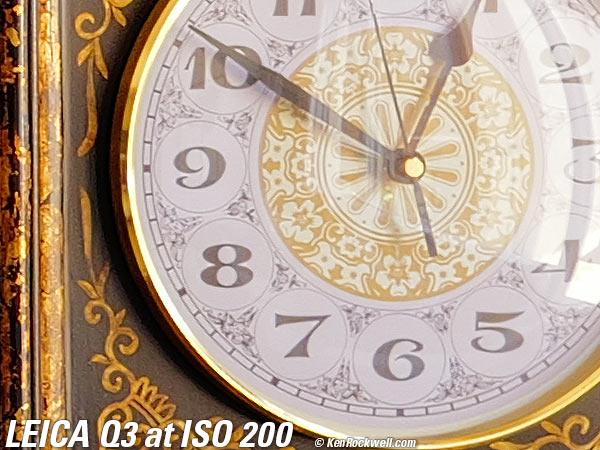
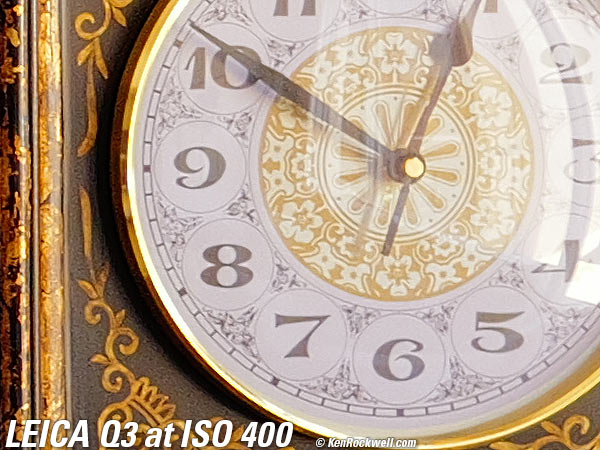
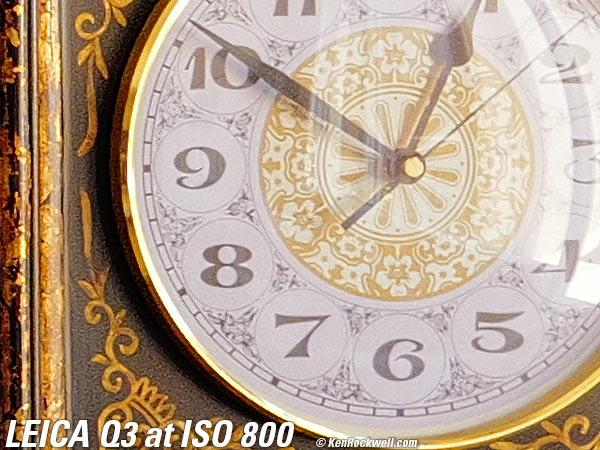
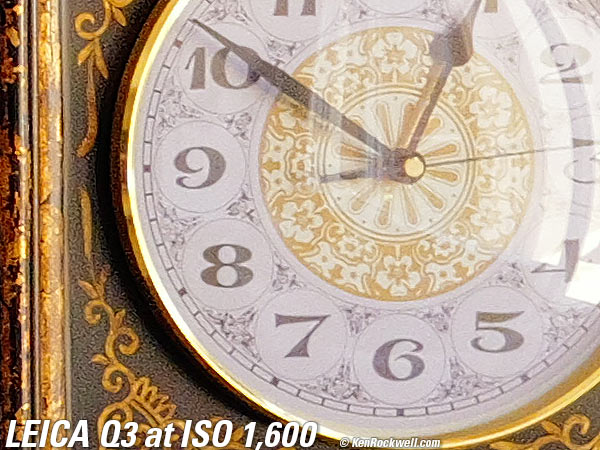
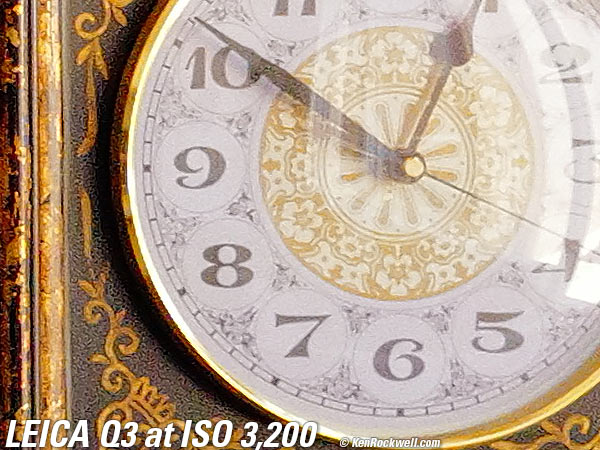
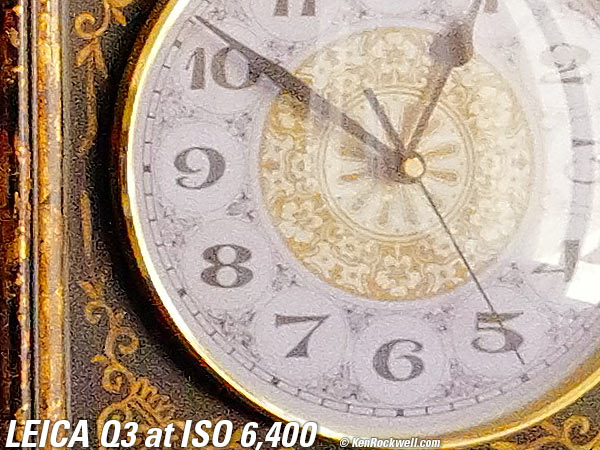
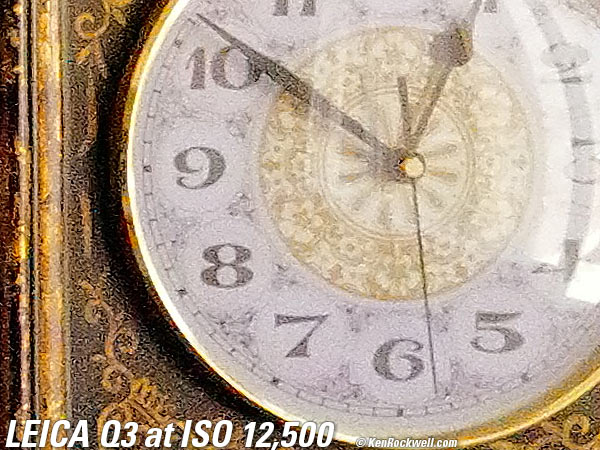
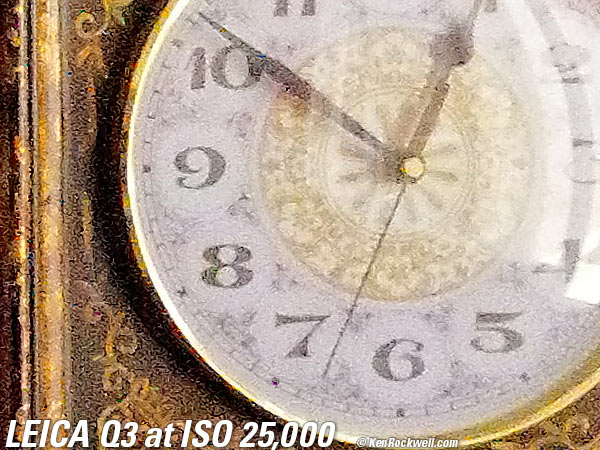
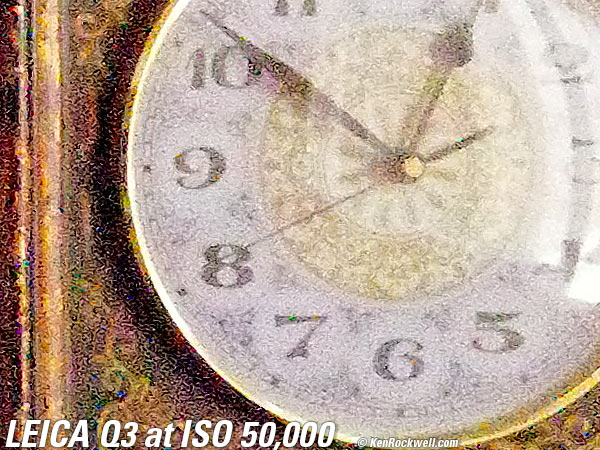
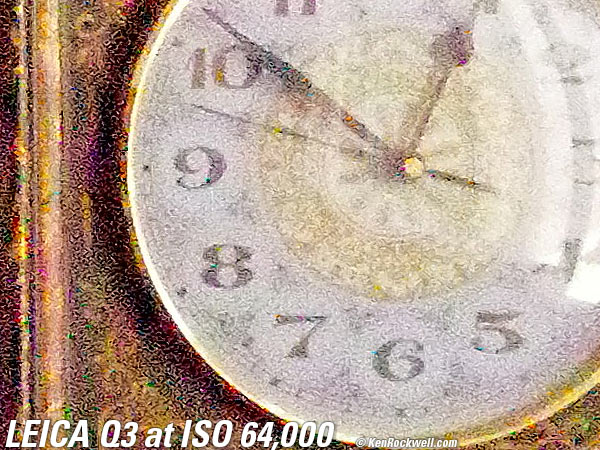
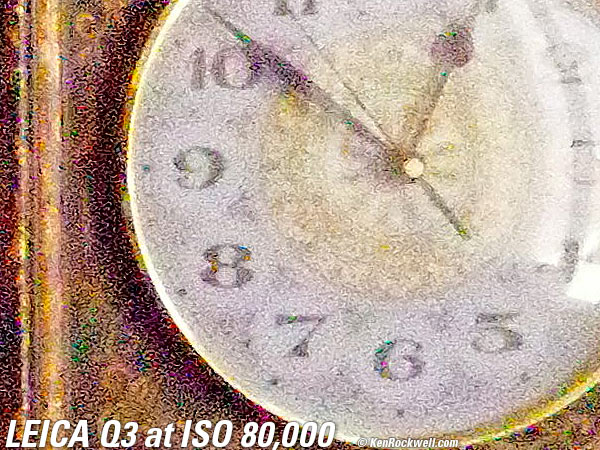
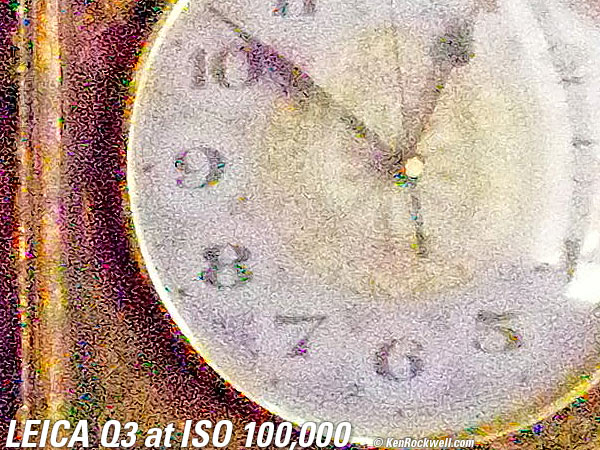
Click any for the camera-original © JPG files (about 22 MB each).
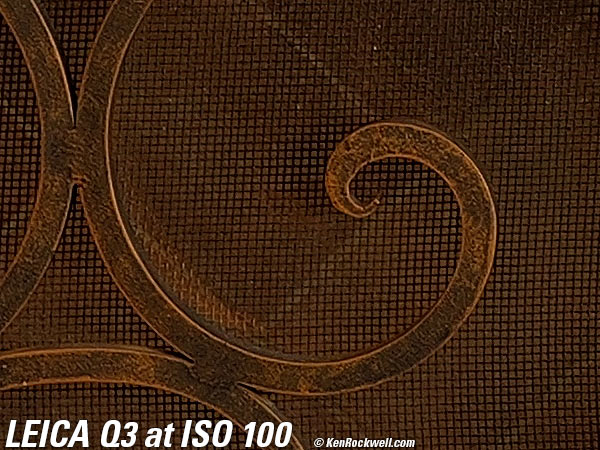
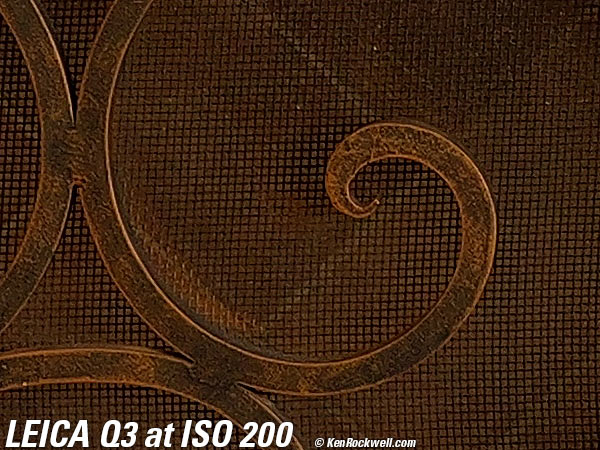
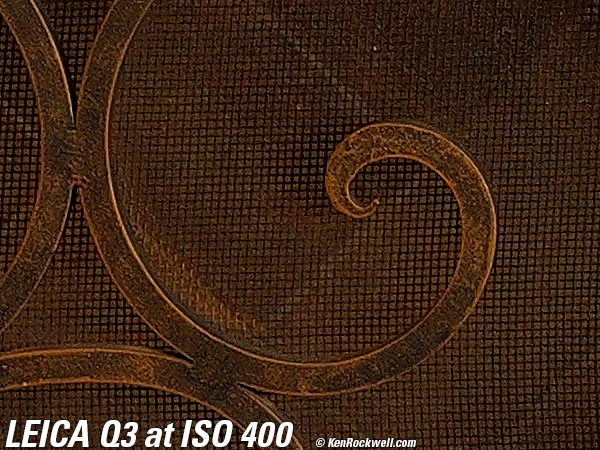
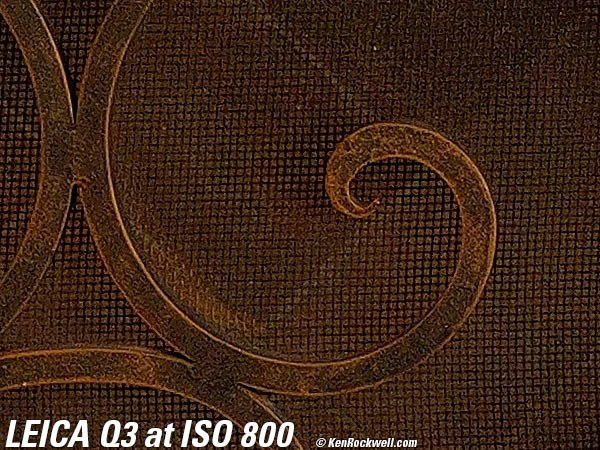
Dark-Area 600 × 450 Pixel Crops (15.8× magnification) High ISOs details dark detail performance top
Here are different crops from the same images as above, now showing the dark grillwork of the fireplace.
These shots are made in the default LOW jpg noise reduction option.
ISO 50 is a "pull" ISO, and throws much more light into the shadows and thus gives them the most detail.
Higher ISOs reduce the details in the shadows, as we expect.
The most detail in the fine screen is at ISO 50.
The bricks behind the grill go away by ISO 12,500.
Almost everything is gone by ISO 25,000, and above that there is more noise than detail.
At ISO 100,000 it's all just noise — and colored sprinkles!
It's normal in all digital cameras for details to go away at higher ISOs. The differences between cameras are in how much detail is lost, and at what ISOs.
These 600 × 450 pixel crops will vary in size to fit your browser window.
If these crops are about 3" (7.5cm) wide on your screen, then the complete images printed at this same high magnification would be about 32 × 47½" (2.6 × 4 feet or 0.75 × 1.2 meters).
If these crops are about 6" (15cm) wide on your screen, then the complete images printed at this same extreme magnification would be about 63 × 95" (5.3 × 7.9 feet or 1.6 × 2.4 meters).
If these crops are about 12" (30cm) wide on your screen, then the complete images printed at this same insane level of magnification would be about 11 × 16 feet (3.2 × 4.8 meters)!!!
Click any to enlarge:
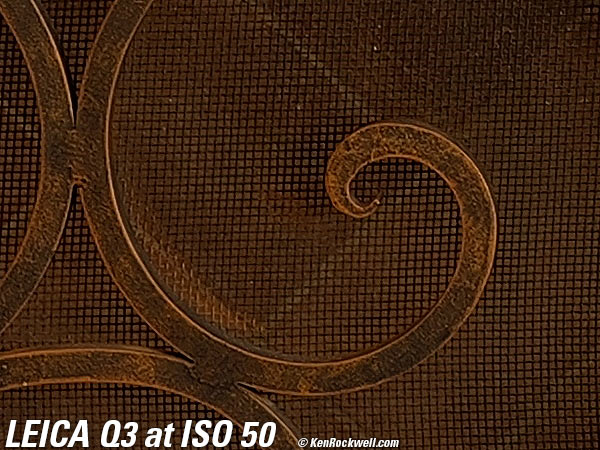
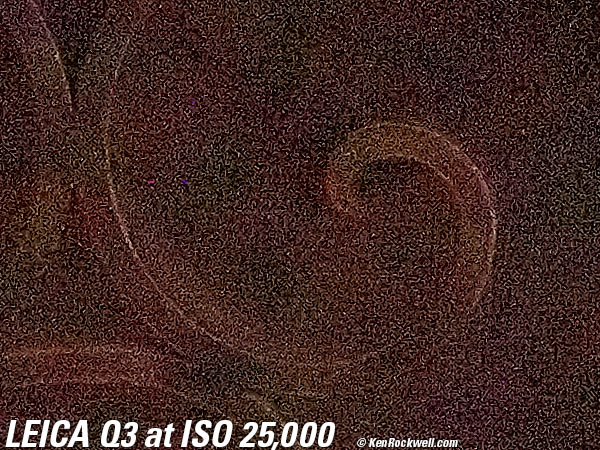
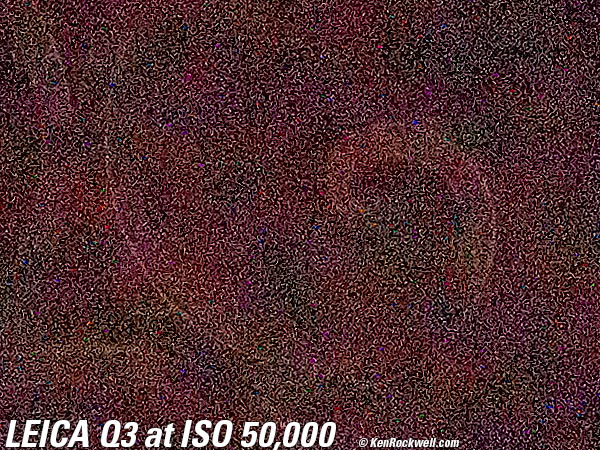
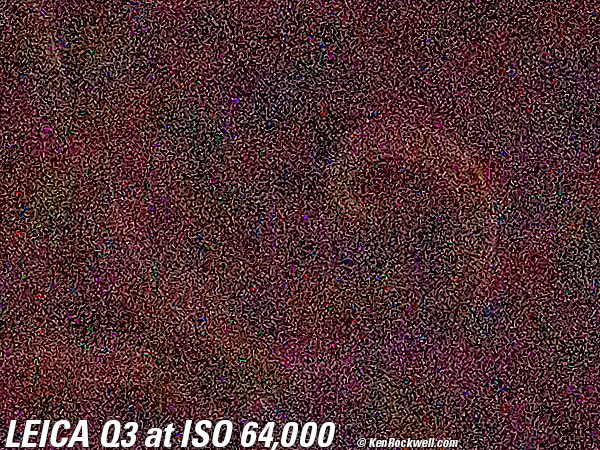
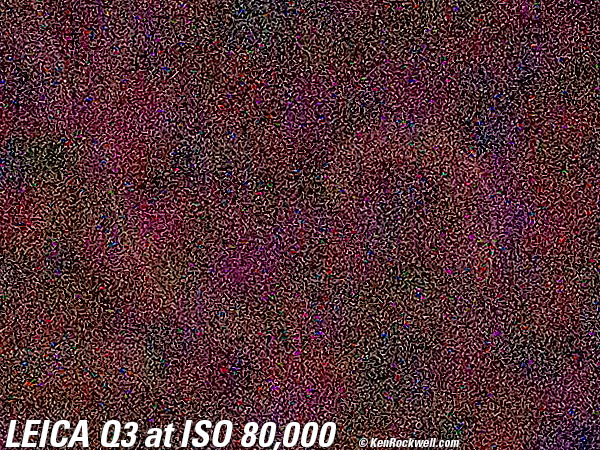
Click any to enlarge.
Lateral Color Fringes performance top
There are no lateral color fringes.
The SUMMILUX 28mm f/1.7 ASPH uses electronic correction (silicon lens elements) as an integral part of its optical design.
If you shoot DNG data rather than actual JPG images, whatever software you use to create visible images from the DNG data may — or may not — use the silicon elements to correct the distortion as is done in-camera as JPGs. Photoshop and Adobe Camera Raw work great.
There can be spherochromatism, which can cause color fringes on things that aren't in perfect focus. Spherochromatism is a completely different aberration in a different dimension than lateral color fringes.
Lens Corrections performance top
There are no selectable lens corrections, however the SUMMILUX 28mm f/1.7 ASPH employs electronic correction as an integral part of its optical design. Adding a few silicon (electronic) elements in DSP rather than burdening the lens with additional silica (glass) elements preserves higher contrast by moderating the silica (glass) element count, and corrects distortion more accurately.
These silicon elements are included in JPG images as well as DNG files.
You're on your own there; I don't bother with raw data. While Photoshop works great for this, there is always the possibility that some raw software will omit the silicon elements and your images will be uncorrected.
Macro Performance performance top
Macro gets pretty close, and sharpness and bokeh look great.
Just turn the lens ring nearest the body to MACRO and you're in business.
The digital telconverter modes also work in MACRO mode, so you can appear to get even closer. I'm not showing that here.
The lens will not open beyond f/2.8 in the MACRO setting. This is to limit lens aberrations at close distances.
At f/2.8
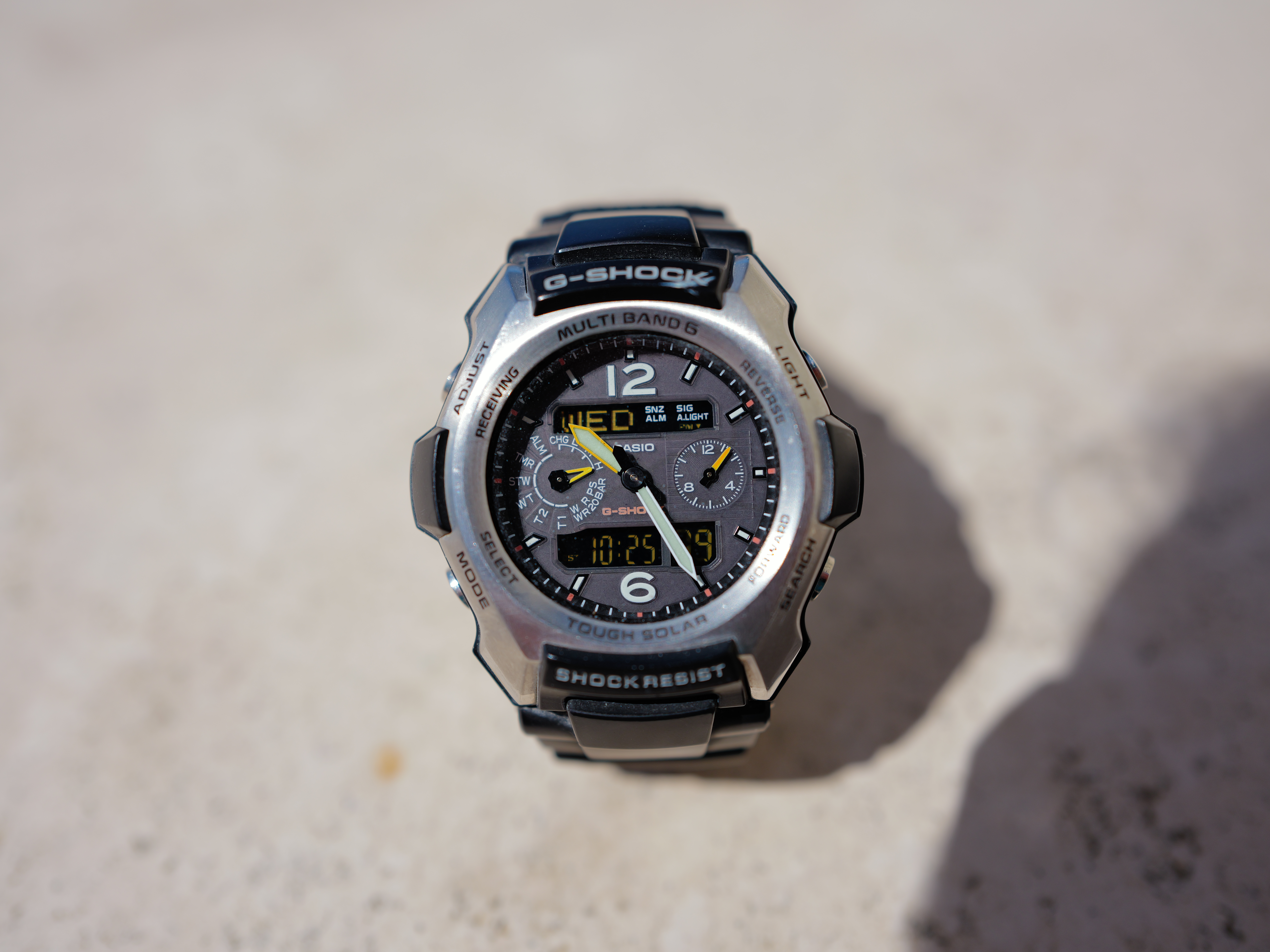
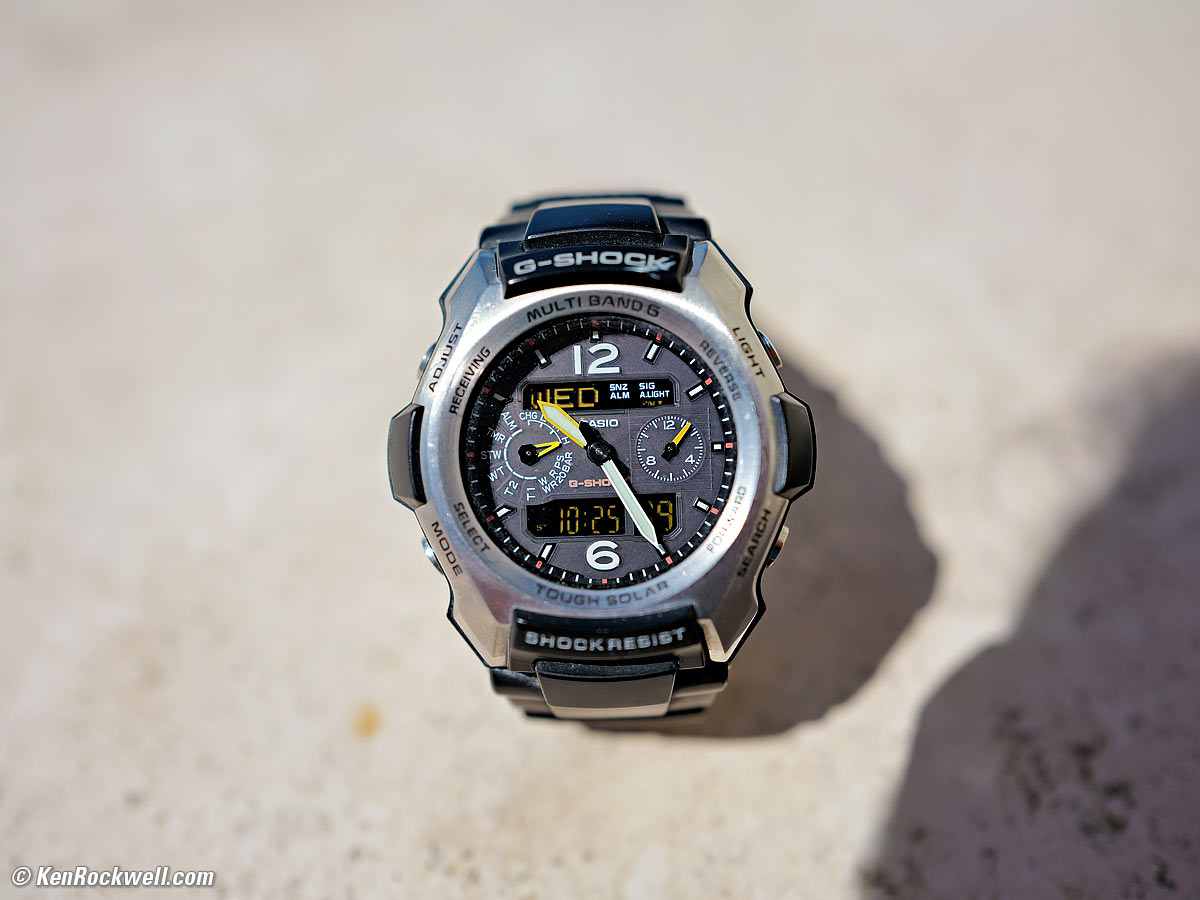
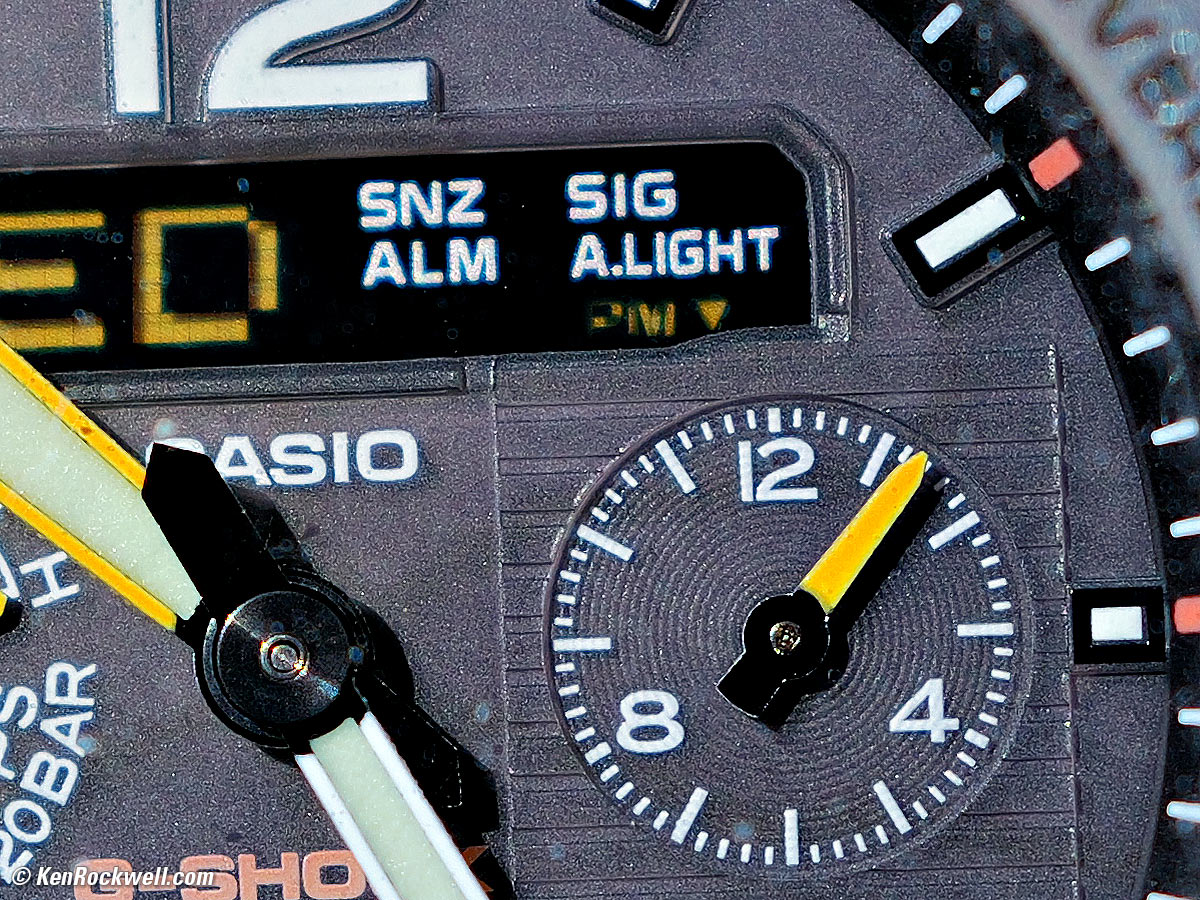
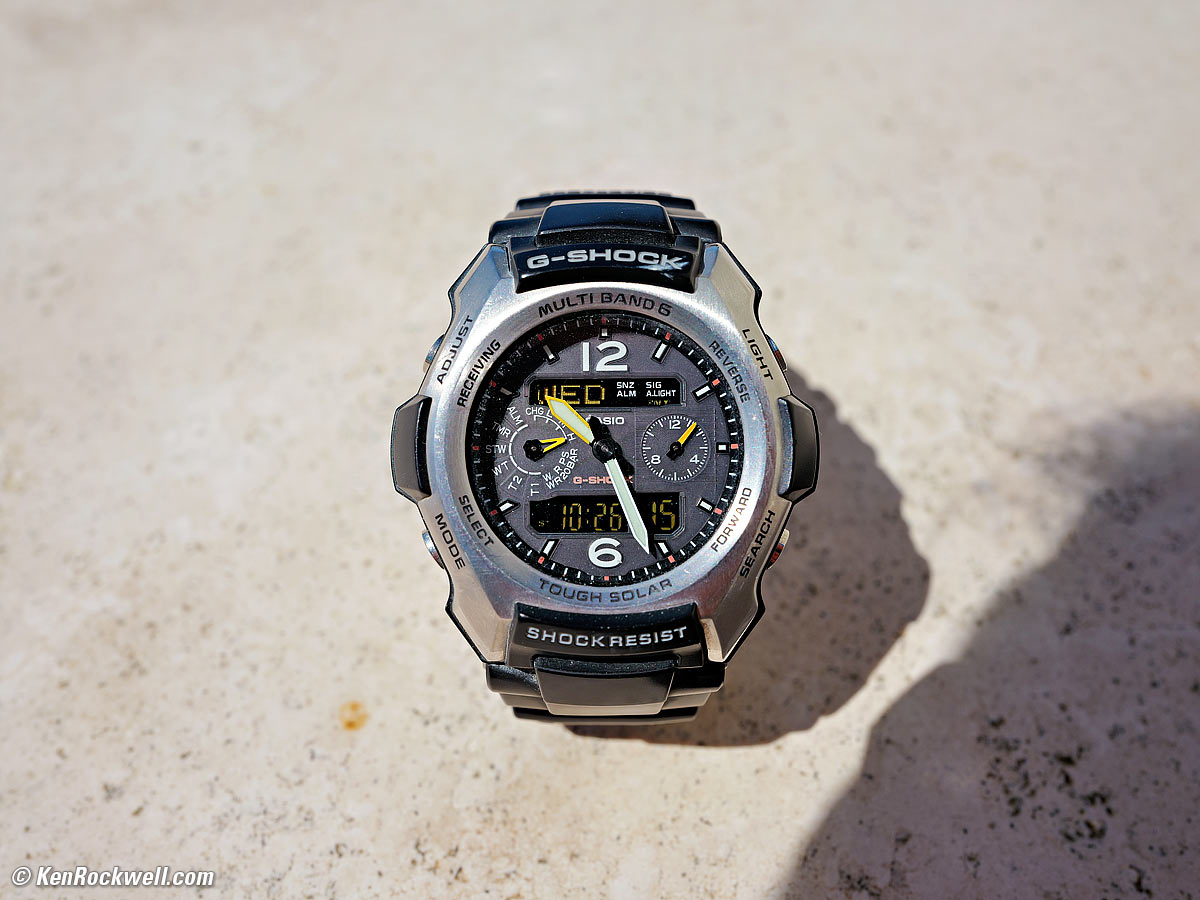
Casio G-Shock Solar Atomic Watch at close-focus distance, 10 June 2026. LEICA Q3 in 4:3 crop mode, LEICA SUMMILUX 28mm f/1.7 ASPH at f/2.8 at 1/5,000 at Auto ISO 100, +⅔ stops exposure compensation (LV 15¼). größer or camera-original 53.5 MP (4:3 cropped) © 14.6 MB JPG file.
1,200 × 900 pixel (7× magnification) crop from above. größer or camera-original 53.5 MP (4:3 cropped) © 14.6 MB JPG file.
This 1200 × 900 pixel crop varies in size to fit your browser window.
If this 1,200 × 900 pixel crop is about 3" (7.5cm) wide on your screen, then the complete image printed at this same large magnification would be about 16 × 21" (1.3 × 1.8 feet or 40 × 53 cm).
If this 1,200 × 900 pixel crop is about 6" (15cm) wide on your screen, then the complete image printed at this same extreme magnification would be about 32 × 42" (2.6 × 3.5 feet or 0.75 × 1.06 meters).
If this 1,200 × 900 pixel crop is about 12" (30cm) wide on your screen, then the complete image printed at this same insanely high magnification would be about 63 × 84" (5.3 × 7 feet or 1.6 × 2.1 meters).
At f/8
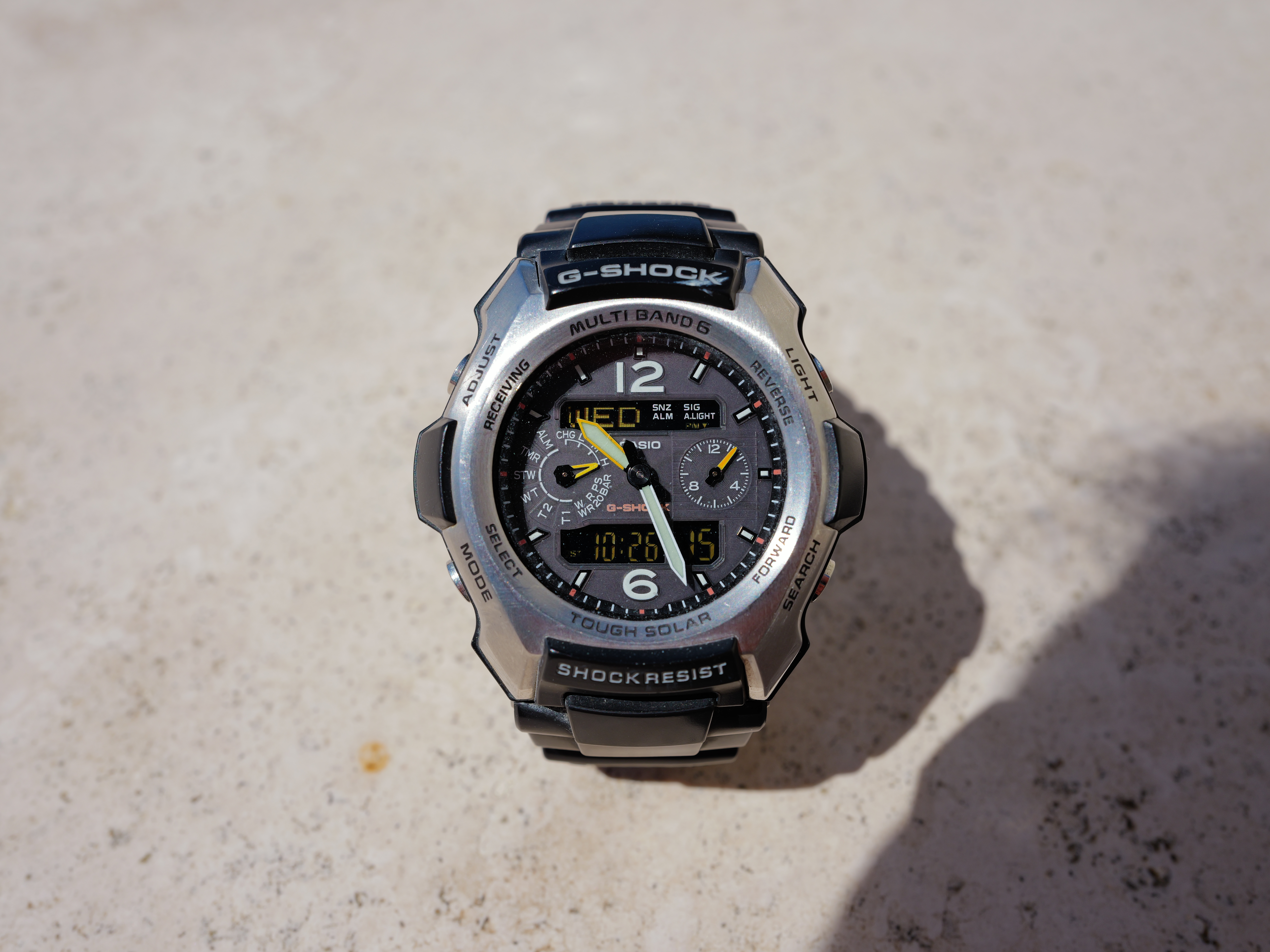
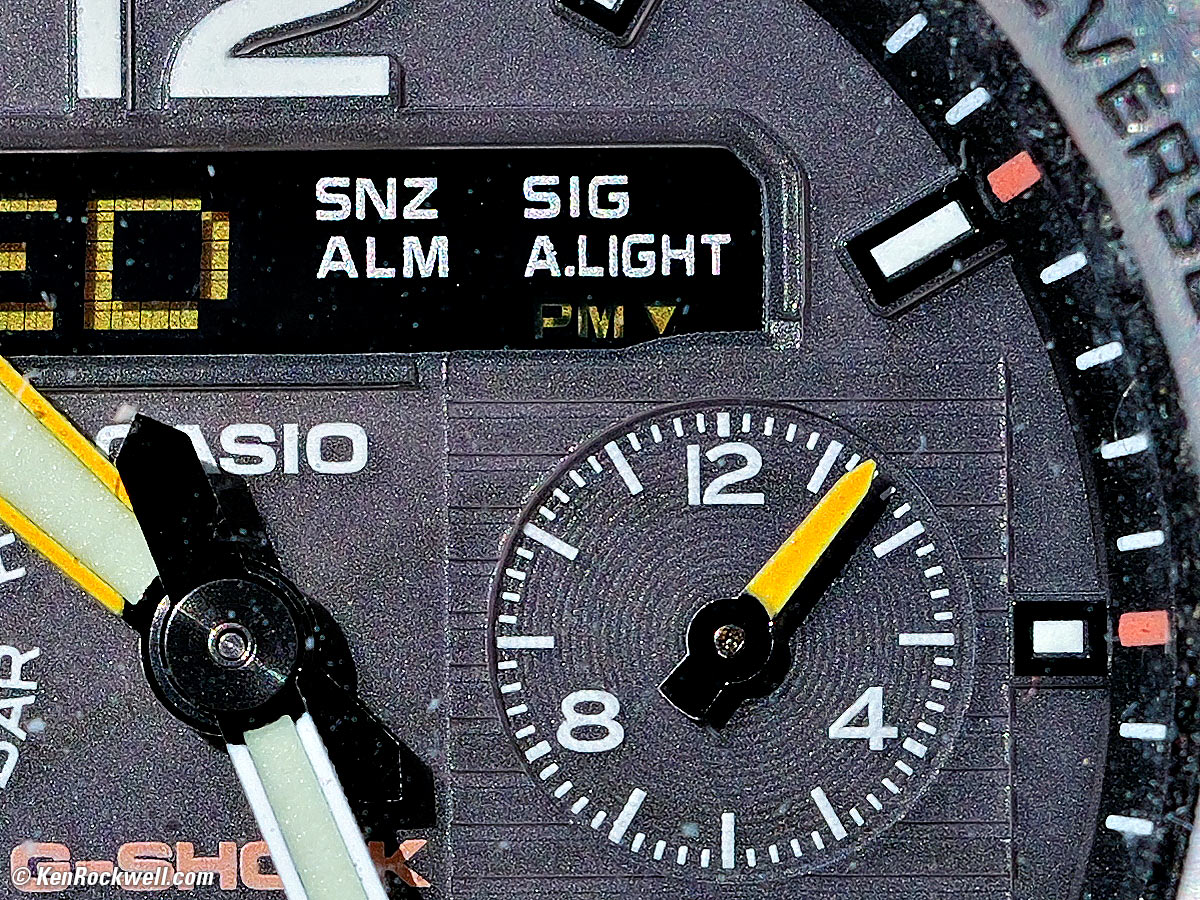
Casio G-Shock Solar Atomic Watch at close-focus distance, 10 June 2026. LEICA Q3 in 4:3 crop mode, LEICA SUMMILUX 28mm f/1.7 ASPH at f/8 at 1/640 at Auto ISO 100, +⅔ stops exposure compensation (LV 15⅓). größer or camera-original 53.5 MP (4:3 cropped) © 15.6 MB JPG file.
1,200 × 900 pixel (7× magnification) crop from above. größer or camera-original 53.5 MP (4:3 cropped) © 15.6 MB JPG file.
This 1200 × 900 pixel crop varies in size to fit your browser window.
If this 1,200 × 900 pixel crop is about 3" (7.5cm) wide on your screen, then the complete image printed at this same large magnification would be about 16 × 21" (1.3 × 1.8 feet or 40 × 53 cm).
If this 1,200 × 900 pixel crop is about 6" (15cm) wide on your screen, then the complete image printed at this same extreme magnification would be about 32 × 42" (2.6 × 3.5 feet or 0.75 × 1.06 meters).
If this 1,200 × 900 pixel crop is about 12" (30cm) wide on your screen, then the complete image printed at this same insanely high magnification would be about 63 × 84" (5.3 × 7 feet or 1.6 × 2.1 meters).
Mechanical Quality performance top
This is a LEICA. It is flawless - except for the crappy plastic-tethered USB/HDMI connector cover. The body is magnesium alloy. The tripod socket is stainless steel. It feels like the solid metal block of precision that it is.
The only plastic parts are the focus-ring finger grip and its focus mode lock release, the PLAY, MENU, Fn1 and Fn2 buttons and the battery casing.
Except for those and the rubber eyepiece guard and textured leather body grip covering, everything else is metal.
Every part of the lens and body are metal. The card door is solid alloy. The lens hood and front protector rings are metal. The battery release lever is metal. All the top controls and dials and buttons are metal. Even the 4-way rear controller is metal.
The rear touch screen is covered in glass, not plastic.
All the markings are engraved. Major markings are engraved and filled with paint, while minor markings on the bottom are all LASER engraved.
The manufacture date is on two different stickers on the boxes.
Bravo!
It rattles when shaken with the power off, and it's locked-down (no rattling) with power on. I suspect this is the stabilizer optics not being locked-down with the power off.
Sharpness performance top
Camera resolution and lens sharpness has nothing to do with picture sharpness. Every camera and lens made in the past 100 years is more than sharp enough to make super-sharp pictures if you know what you're doing. The only limitation to picture sharpness is your skill as a photographer. It's the least talented who spend the most time worrying about sharpness and blame crummy pictures on their equipment rather than themselves. Skilled photographers make great images with whatever camera is in their hands; I've made some of my best images of all time with an irreparably broken camera! Most pixels are thrown away before you see them, but camera makers don't want you to know that.
If you're not getting ultra-sharp pictures with your Q3, be sure not to shoot at f/11 or smaller where all lenses are softer due to diffraction, always shoot at ISO 100 or below with plenty of light because cameras become softer at ISO 200 and above, be sure everything is in perfect focus, be sure nothing is moving (camera or subject) and set your camera's sharpening as you want it. I set my Q3 to the maximum sharpening at MENU > Leica Looks > (choose the one you're using) > Sharpening +2.
If you want to ensure a soft image, shoot at f/16 at ISO 12,500 at default sharpening in daylight of subjects at differing distances.
These warnings aside, the 28mm f/1.7 SUMMILUX ASPH is super sharp at most apertures, as are most lenses are today:
Modulationsübertragungsfunktion (MTF oder Modulationsuebertragung)
LEICA's Modulationsuebertragung confirm that it's a little softer on the sides wide-open:
|
|
|
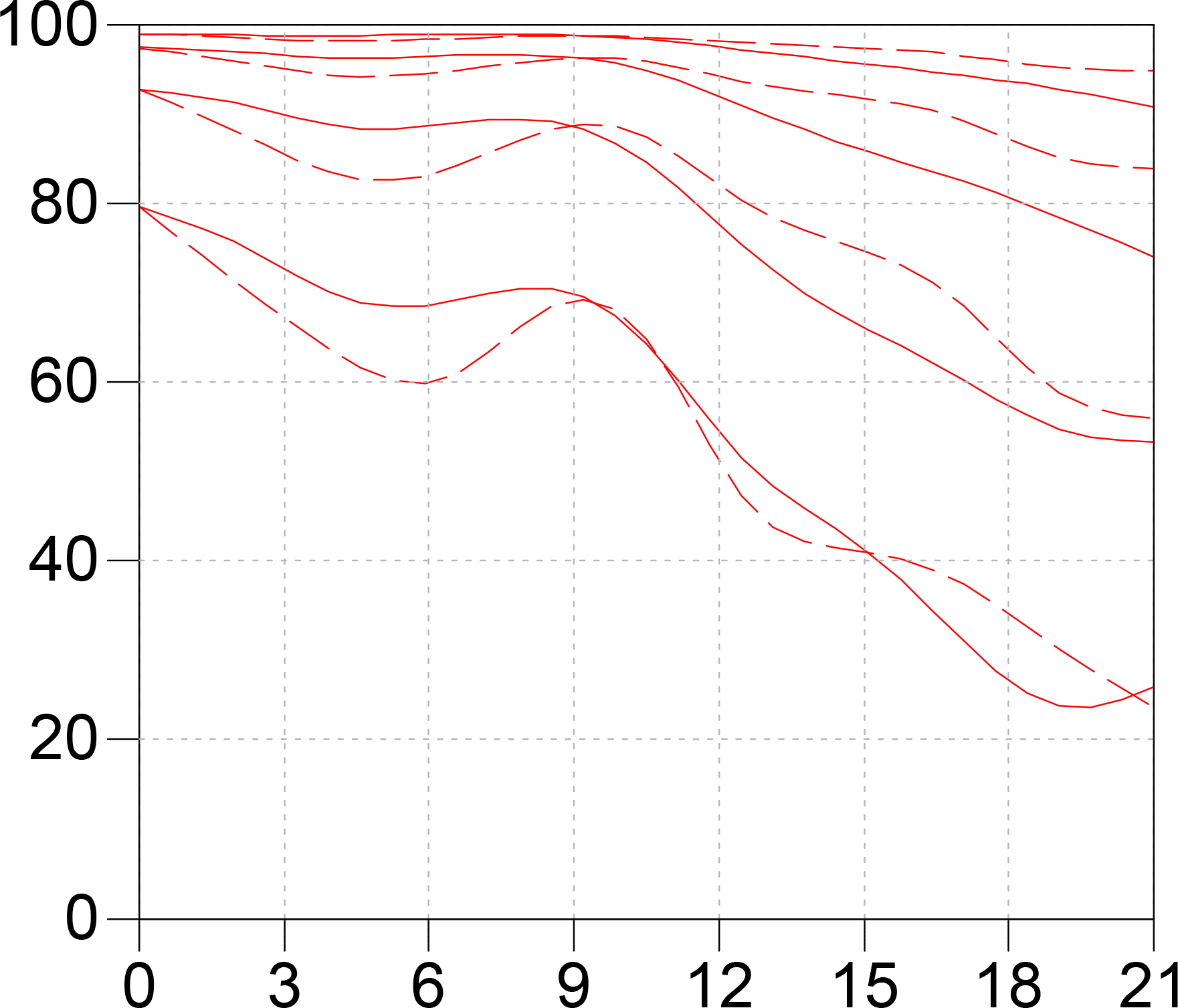
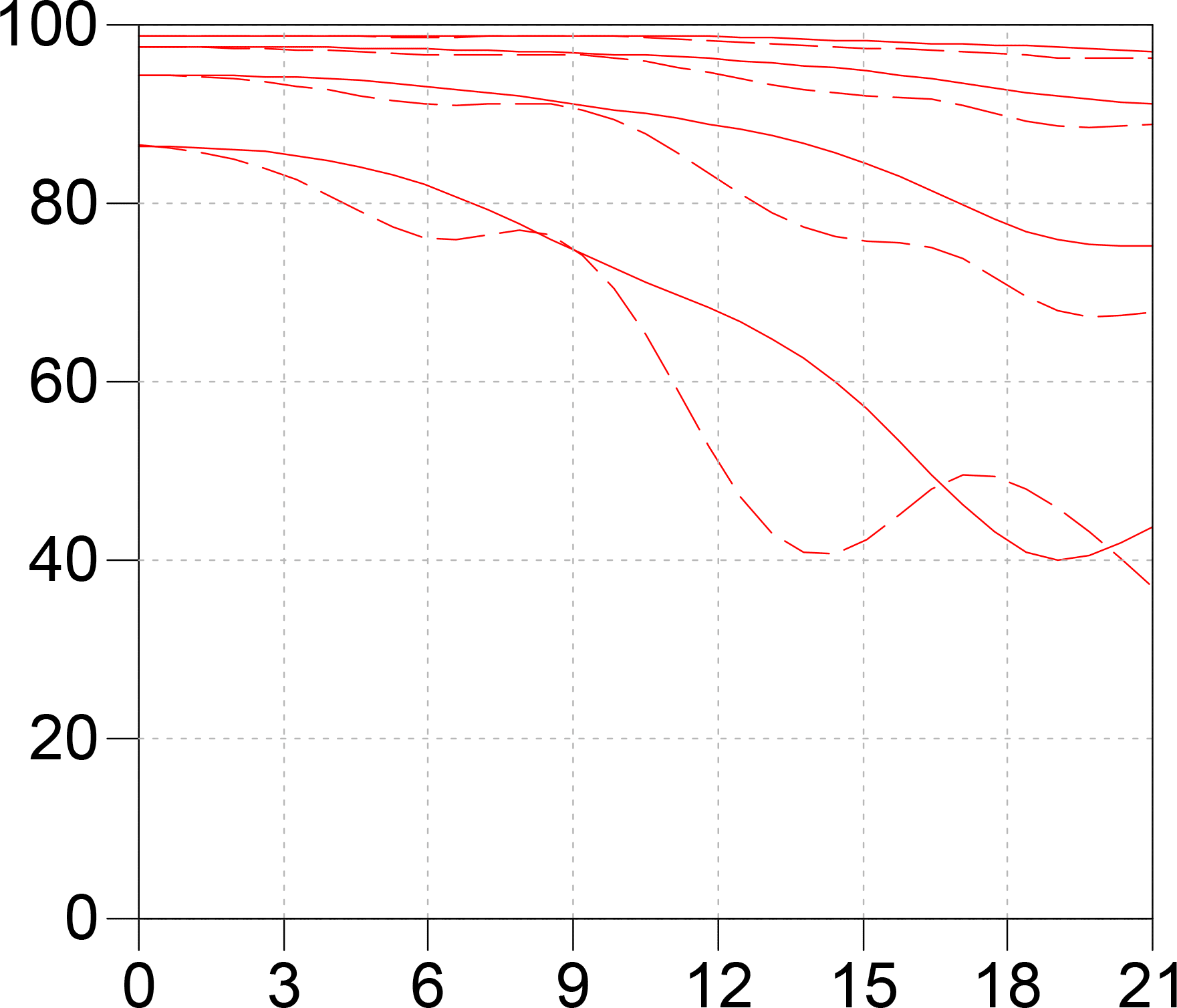
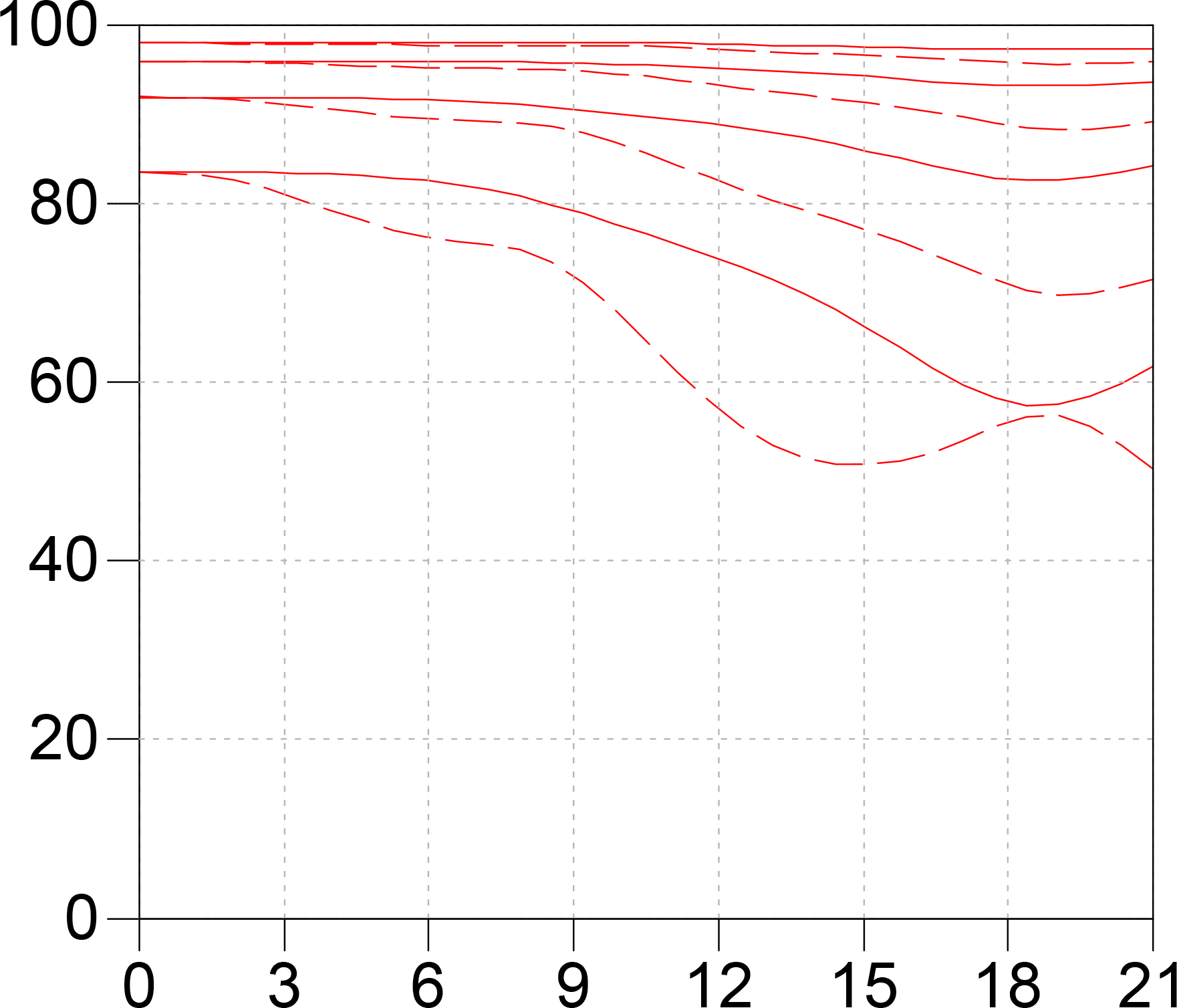



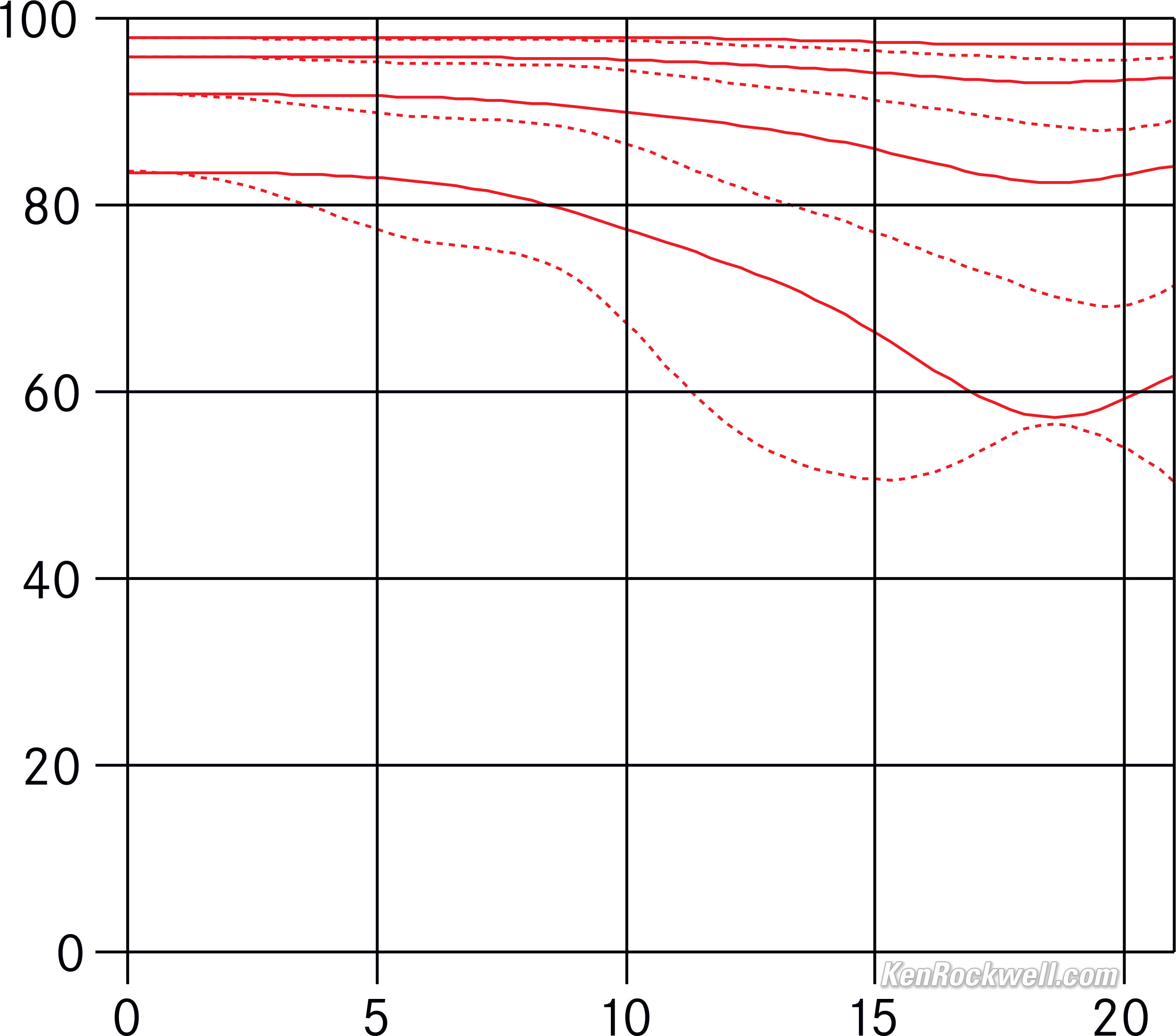
These are measured with white light at infinity at 5, 10, 40 und 40 line pairs per millimeter.
The solid lines are the sagittal (radial) and the dotted lines are the meridional (tangential) measurements:
Sound, Noise & Vibration performance top
The Q3 is a very quiet camera due to its nearly silent leaf shutter. Even in its normal mode it's barely audible.
It also has a completely silent electronic shutter mode.
Spherochromatism performance top
Spherochromatism, also called secondary spherical chromatic aberration or "color bokeh," can cause colored fringes on out-of-focus highlights, usually seen as green fringes on background highlights and magenta fringes on foreground highlights.
Spherochromatism is common in fast lenses of moderate and long focal lengths when shooting contrasty items at full aperture. It goes away as stopped down.
Spherochromatism is when the spherical aberration at the red and blue ends of the color spectrum (which together make magenta) is corrected differently than in the middle of the spectrum (green).
Spherochromatism is an advanced form of spherical and chromatic aberration in a different dimension than lateral color fringes and therefore cannot be corrected with software or automatic corrections.
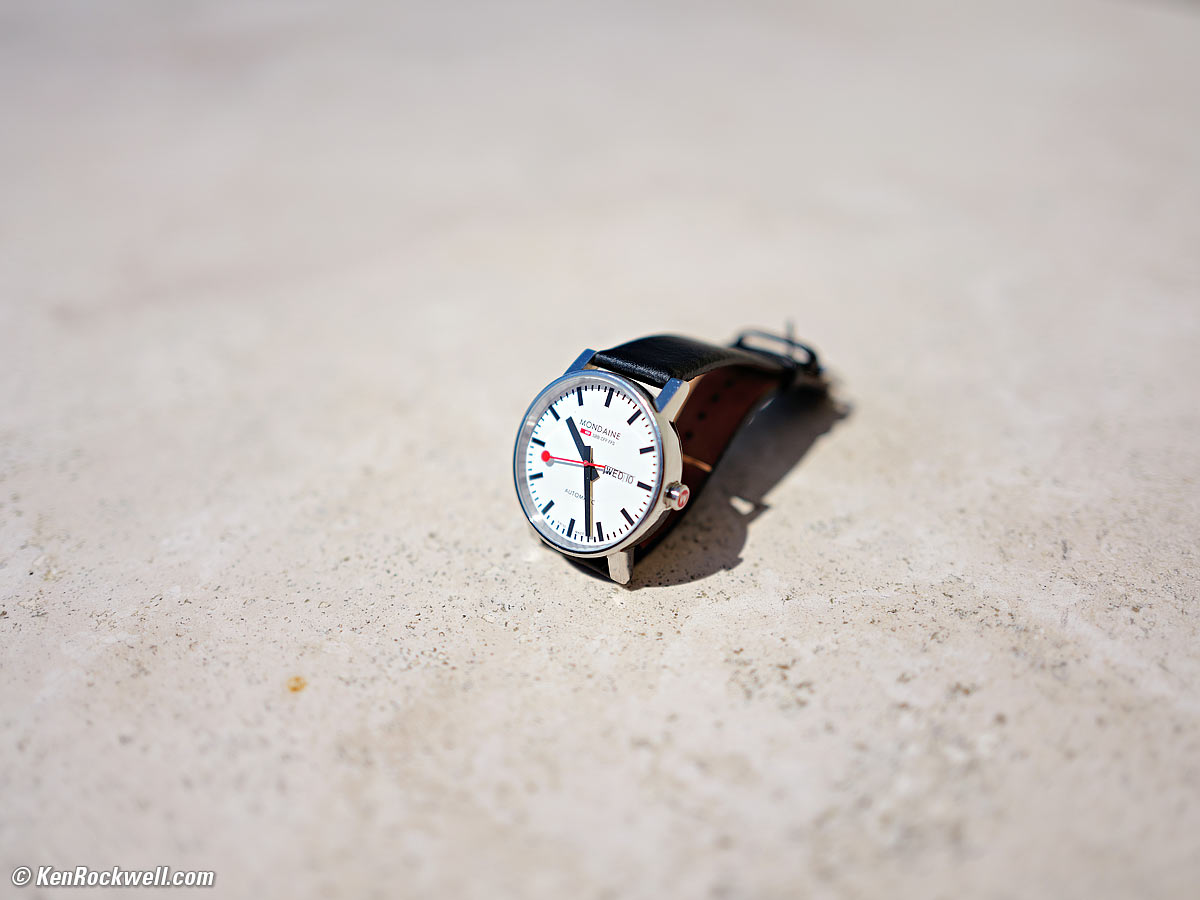
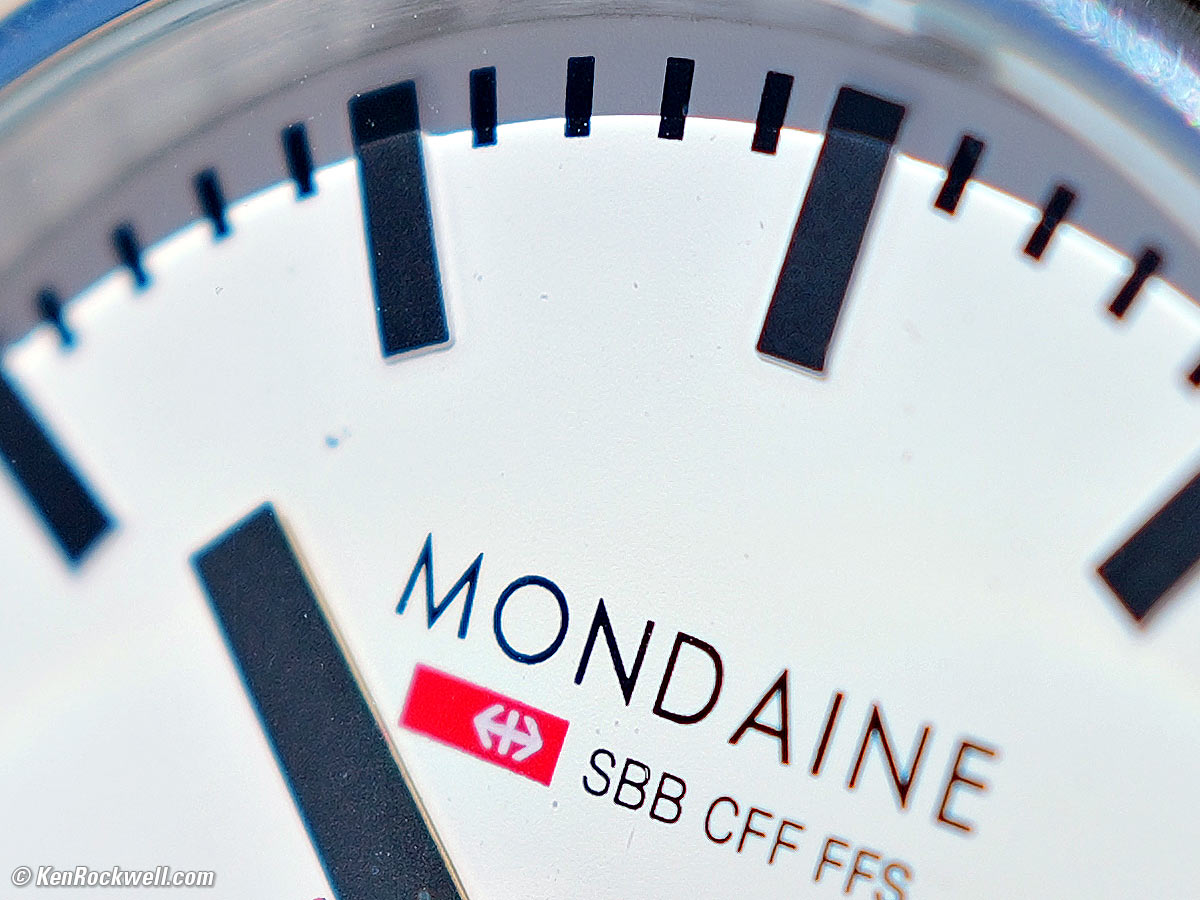
The 28mm f/1.7 SUMMILUX ASPH has spherochromatism, seen as cyan fringes on background highlights and red fringes on foreground highlights:
Regular mode at 1'/0.3m at f/1.7
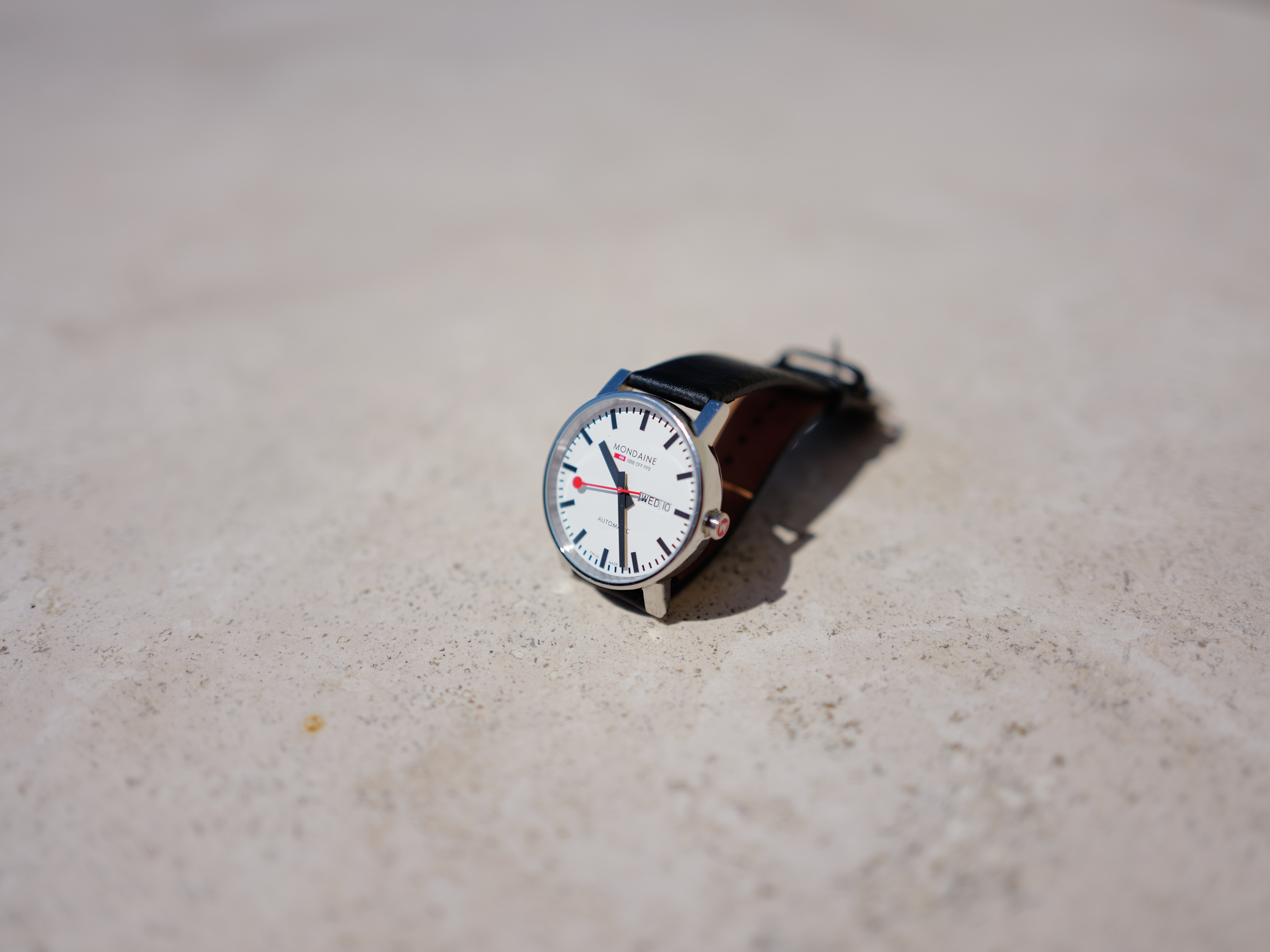
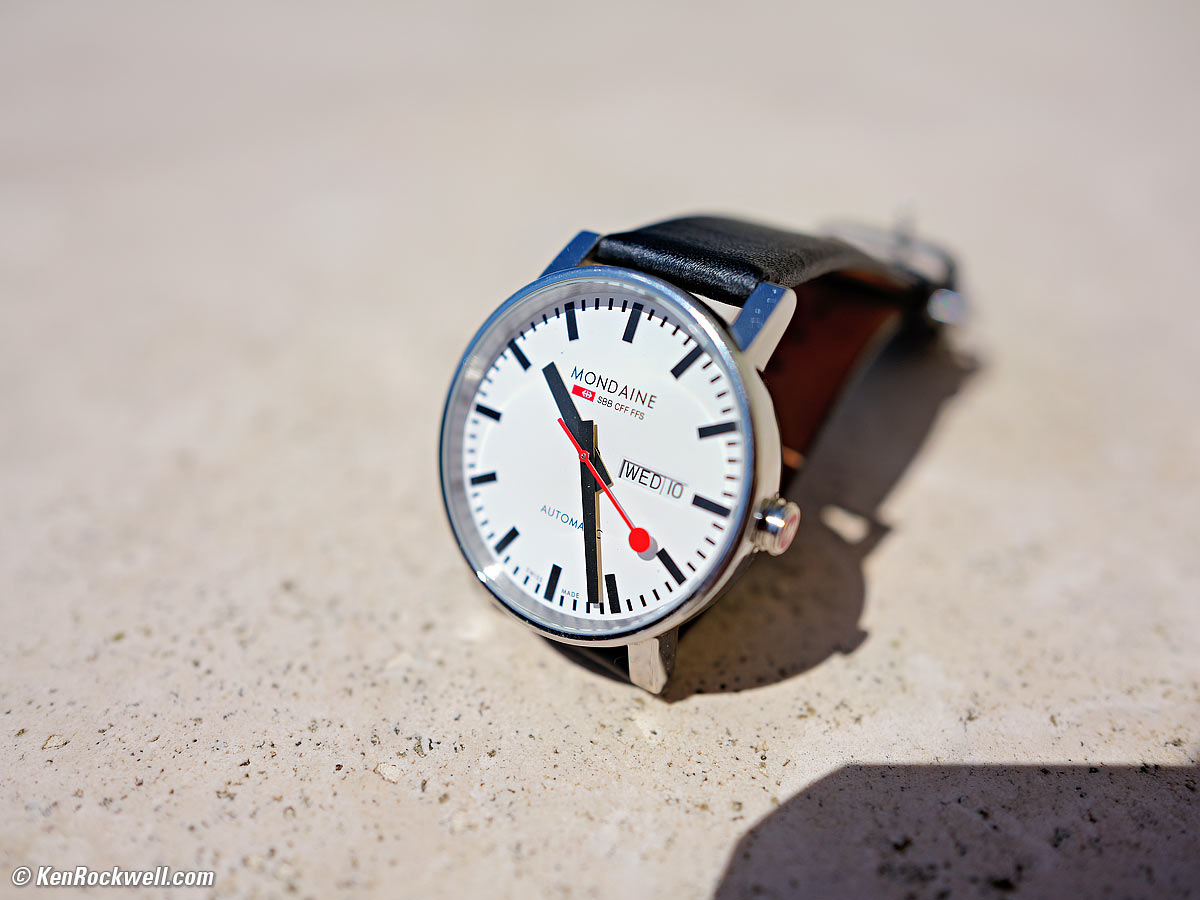
Mondaine A132.30348.11SBB, 10 June 2026. LEICA Q3, LEICA SUMMILUX 28mm f/1.7 ASPH at f/1.7 at 1/16,000 at Auto ISO 100 (LV 15.5). größer or camera-original 53.5 MP (4:3 cropped) © 13.5 MB JPG file.
1,200 × 900 pixel (7× magnification) crop from above. größer or camera-original 53.5 MP (4:3 cropped) © 13.5 MB JPG file.
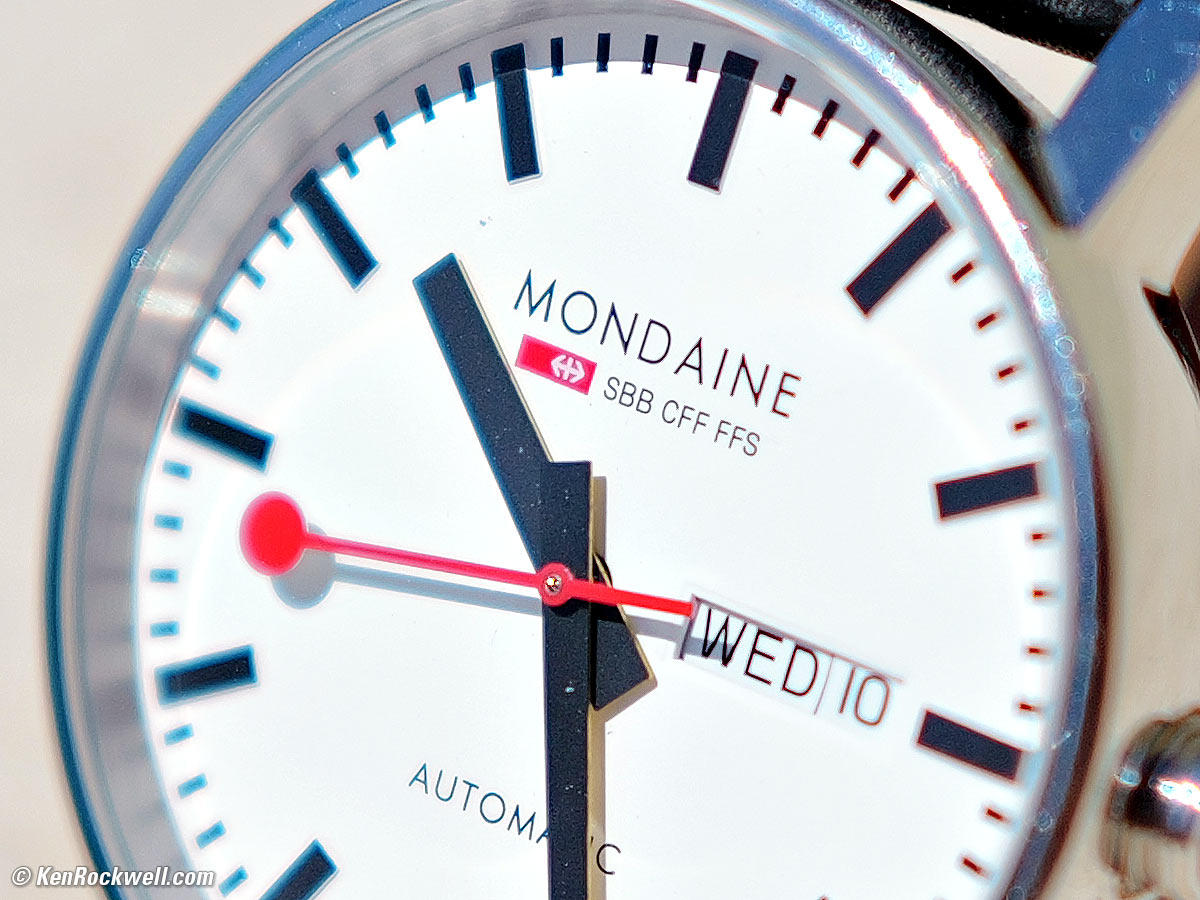
If this 1,200 × 900 pixel crop is about 3" (7.5cm) wide on your screen, then the complete image printed at this same large magnification would be about 16 × 21" (1.3 × 1.8 feet or 40 × 53 cm).
If this 1,200 × 900 pixel crop is about 6" (15cm) wide on your screen, then the complete image printed at this same extreme magnification would be about 32 × 42" (2.6 × 3.5 feet or 0.75 × 1.06 meters).
If this 1,200 × 900 pixel crop is about 12" (30cm) wide on your screen, then the complete image printed at this same insanely high magnification would be about 63 × 84" (5.3 × 7 feet or 1.6 × 2.1 meters).
MACRO mode at 0.56'/0.17m at f/2.8
There is less visible spherochromatism in the MACRO mode simply because the Q3 limits the maximum aperture to f/2.8 to hide it!
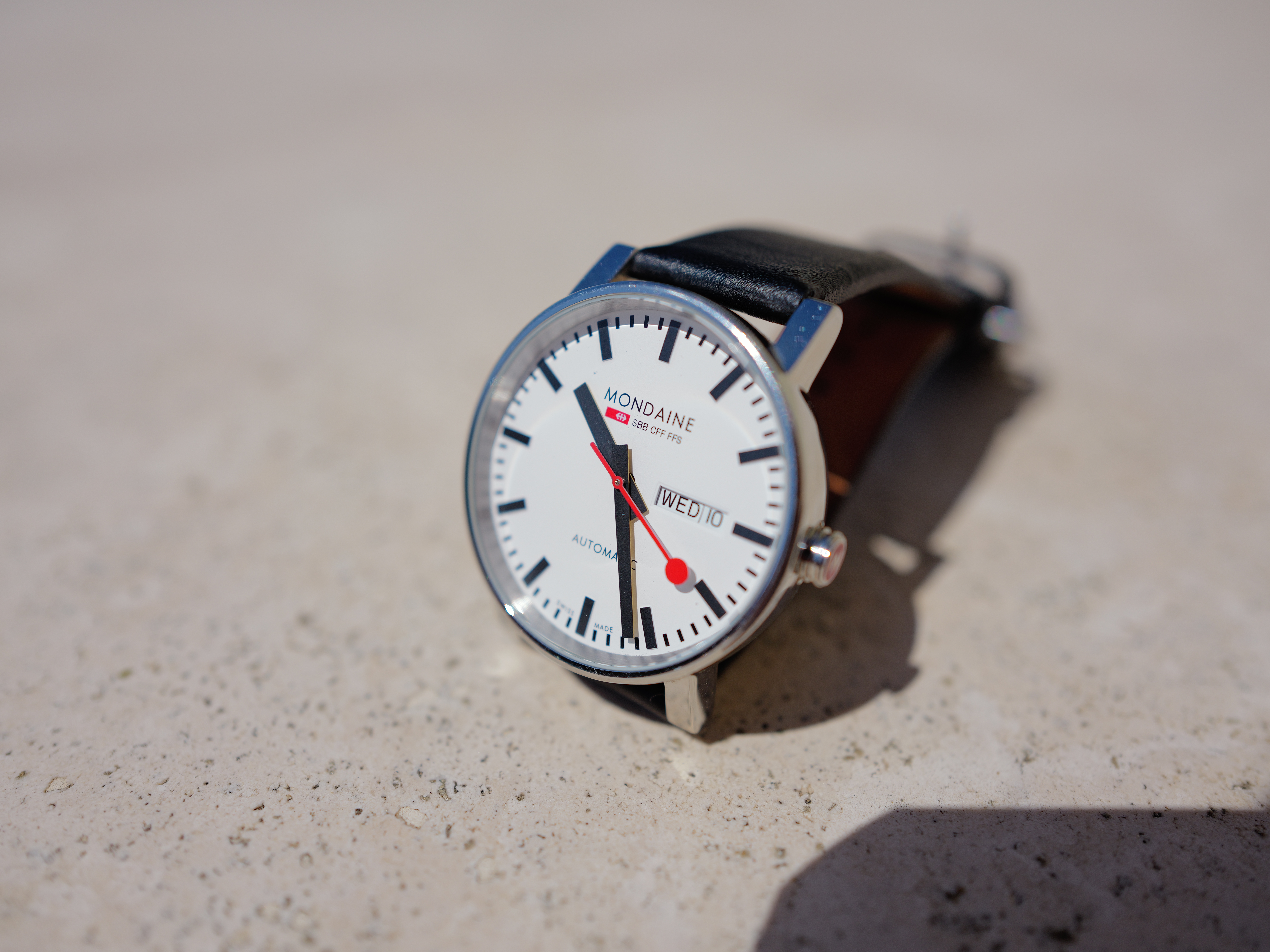
Mondaine A132.30348.11SBB, 10 June 2026. LEICA Q3, LEICA SUMMILUX 28mm f/1.7 ASPH at f/2.8 at 1/6,400 at Auto ISO 100 (LV 15.6). größer or camera-original 53.5 MP (4:3 cropped) © 13.5 MB JPG file.
1,200 × 900 pixel (7× magnification) crop from above. größer or camera-original 53.5 MP (4:3 cropped) © 13.5 MB JPG file.
If this 1,200 × 900 pixel crop is about 3" (7.5cm) wide on your screen, then the complete image printed at this same large magnification would be about 16 × 21" (1.3 × 1.8 feet or 40 × 53 cm).
If this 1,200 × 900 pixel crop is about 6" (15cm) wide on your screen, then the complete image printed at this same extreme magnification would be about 32 × 42" (2.6 × 3.5 feet or 0.75 × 1.06 meters).
If this 1,200 × 900 pixel crop is about 12" (30cm) wide on your screen, then the complete image printed at this same insanely high magnification would be about 63 × 84" (5.3 × 7 feet or 1.6 × 2.1 meters).
Image Stabilization performance top
Optical Image Stabilization (OIS, IS or VR (Vibration Reduction)) works great, letting me get perfect tripod-equivalent sharpness most of the time even at 1/8 of a second hand-held. Your results will vary.
"Percent Perfectly Sharp Shots" are the percentage of frames with 100% perfect tripod-equivalent sharpness I get when I'm shooting hand-held while standing with no support. Hand tremor is a random occurrence, so at marginal speeds some frames will be perfectly sharp while others will be in various stages of blur — all at the same shutter speed. This rates what percentage of shots are perfectly sharp, not how sharp all the frames are:
| % Perfectly Sharp Shots | 1s |
1/2 |
1/4 |
1/8 |
1/15 |
1/30 |
1/60 |
1/125 |
1/250 |
| Stabilization ON | 0 |
0 |
35 |
77 |
95 |
85 |
86 |
100 |
100 |
| Stabilization OFF | 0 |
0 |
0 |
0 |
0 |
20 |
30 |
92 |
100 |
I see a four stop real-world improvement.
Sunstars performance top
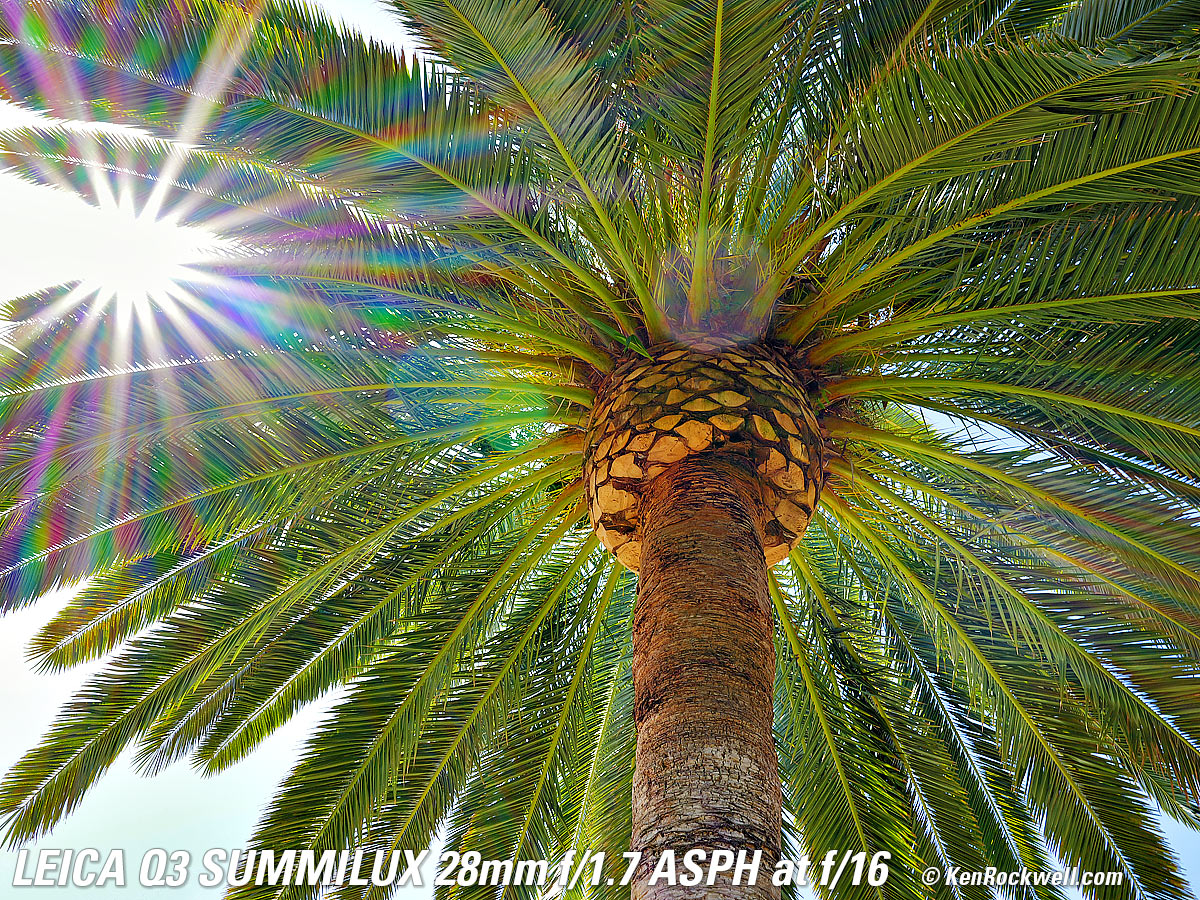
With a 9-blade rounded diaphragm, I get soft 18-pointed sunstars on brilliant points of light at moderate apertures and stronger ones as stopped down.
Click any to enlarge:
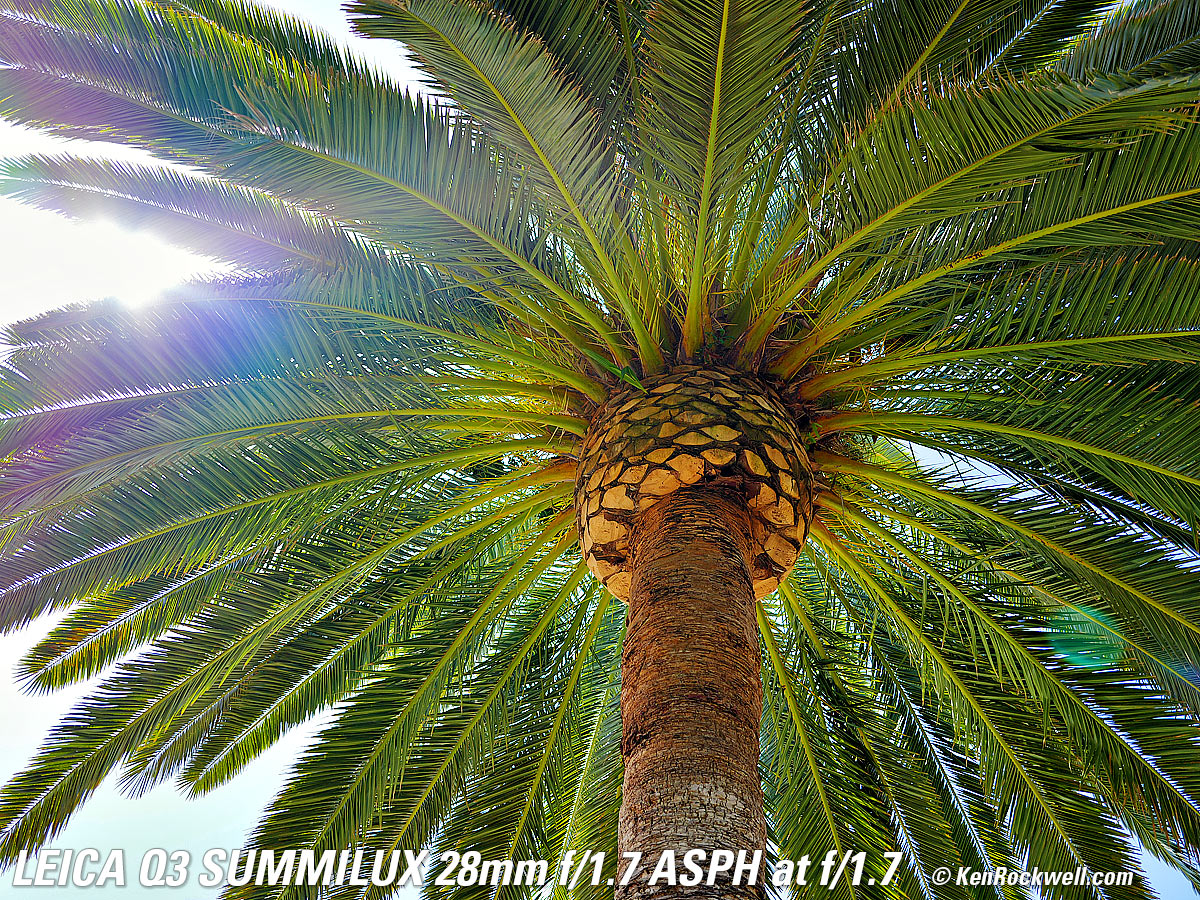
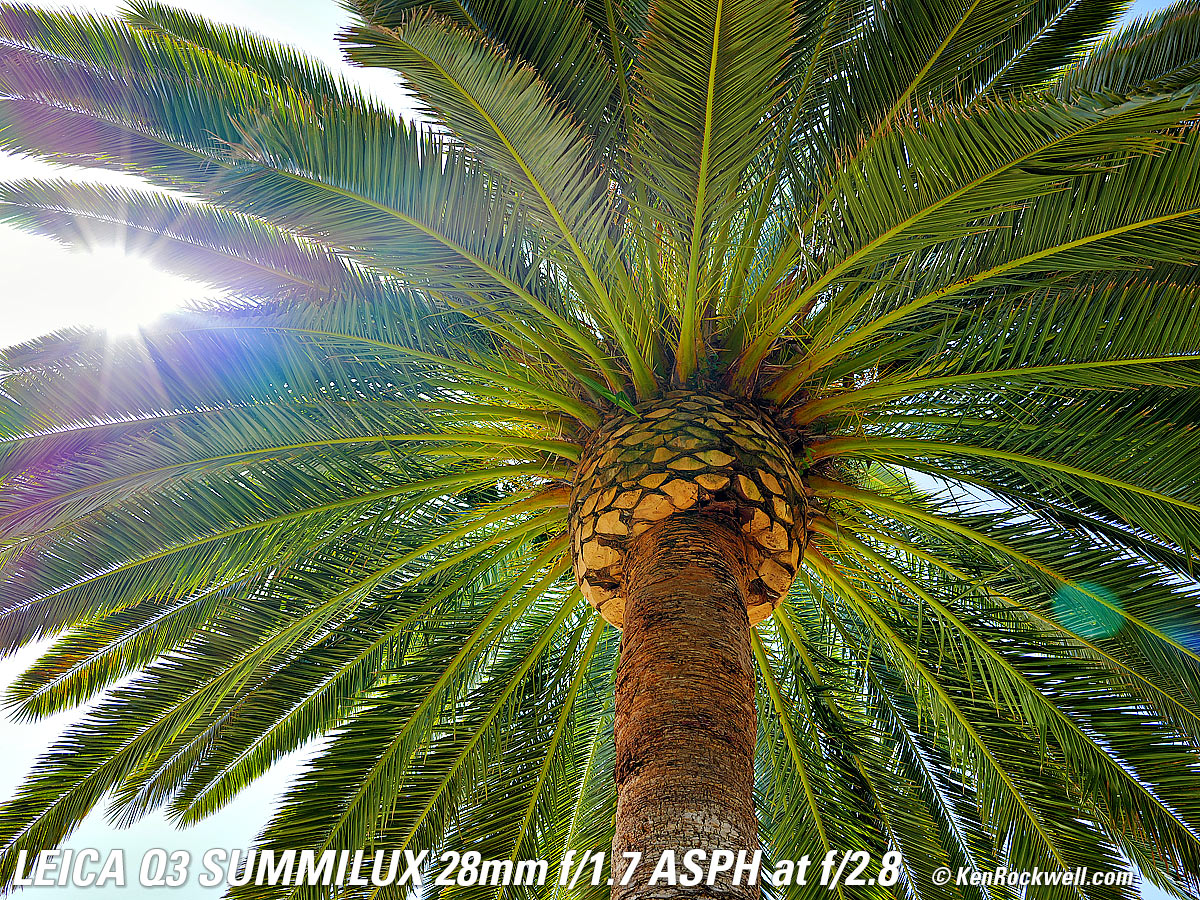
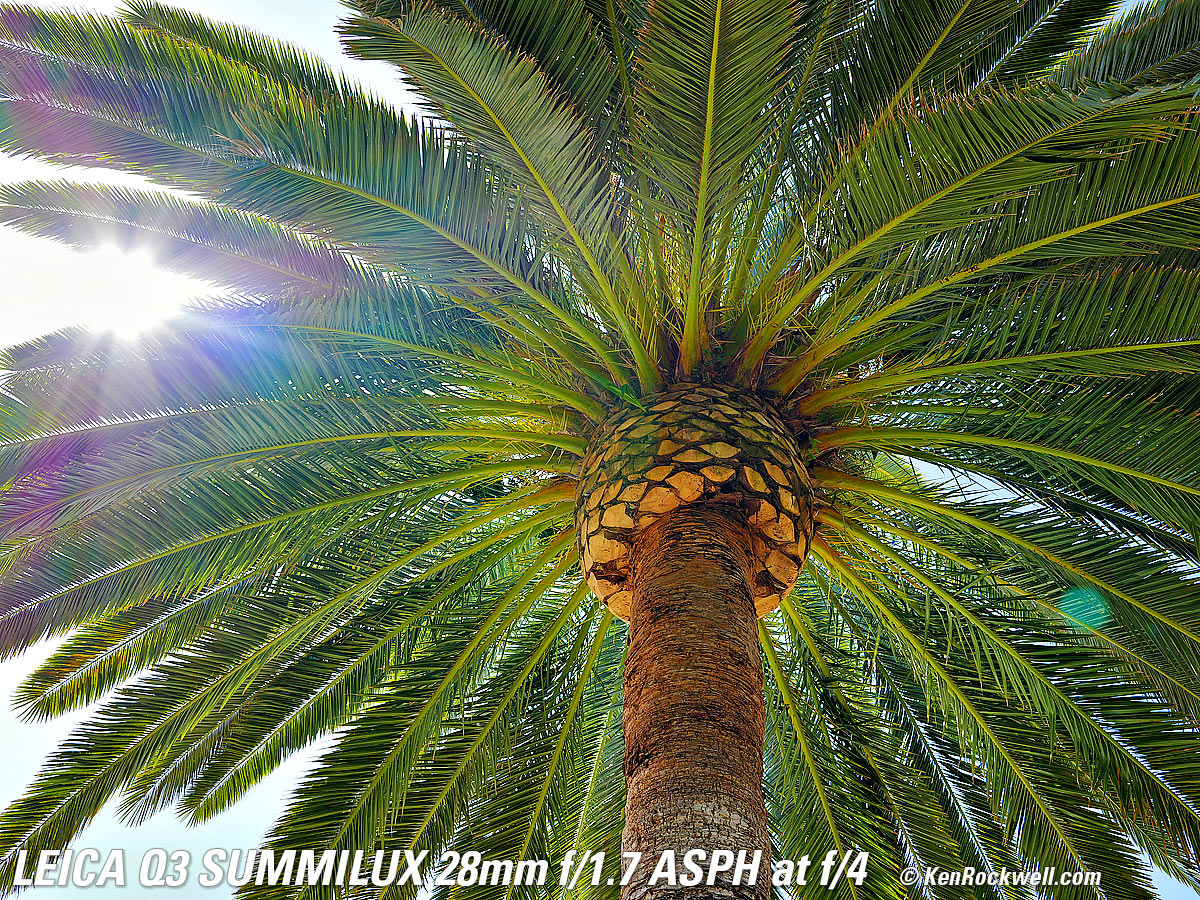
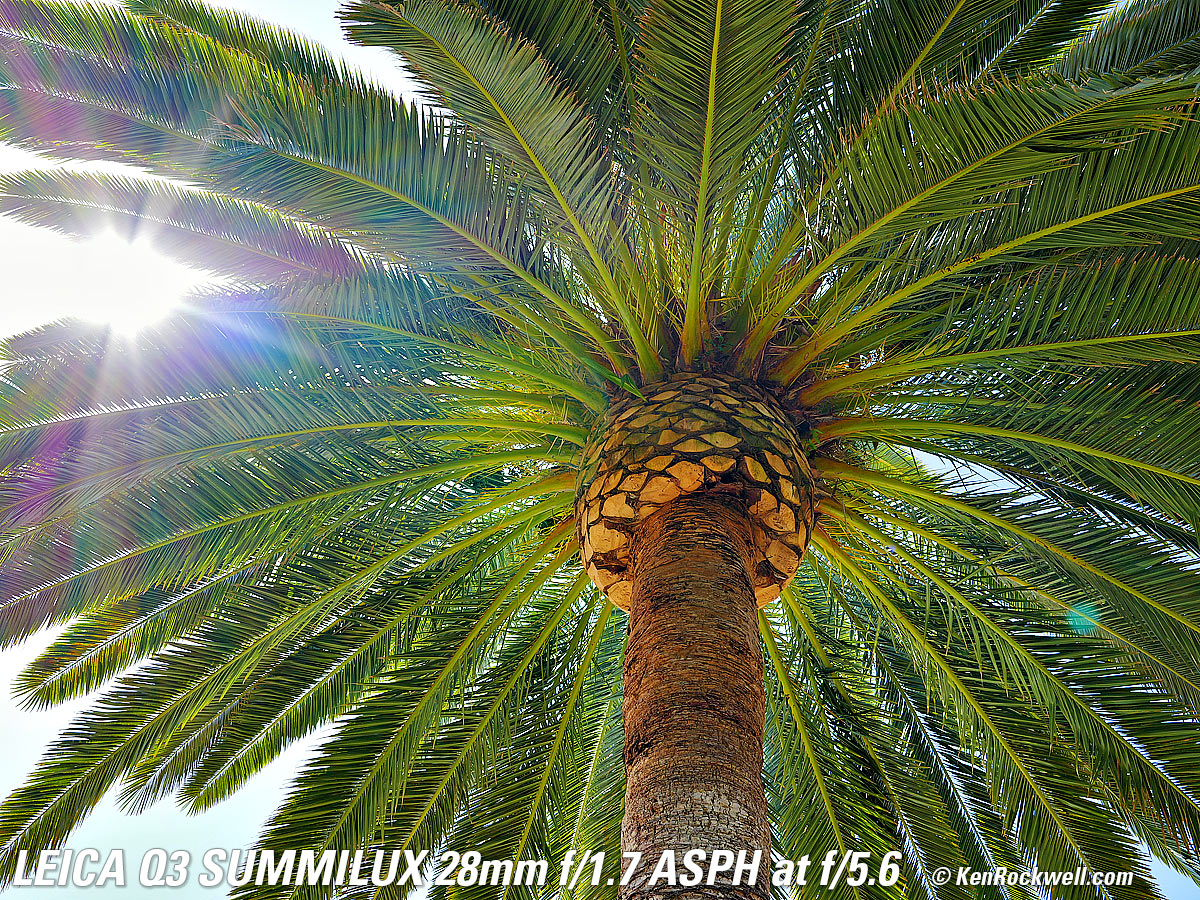
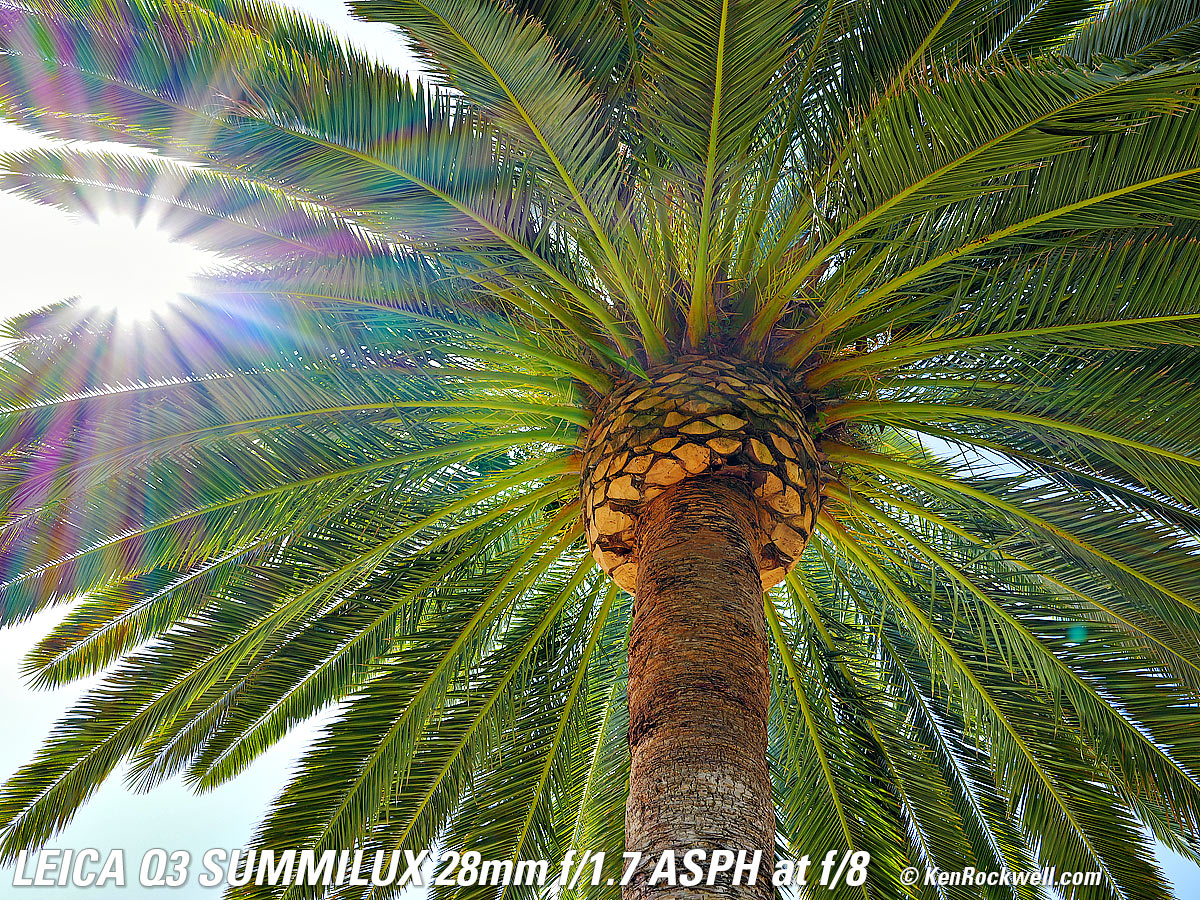
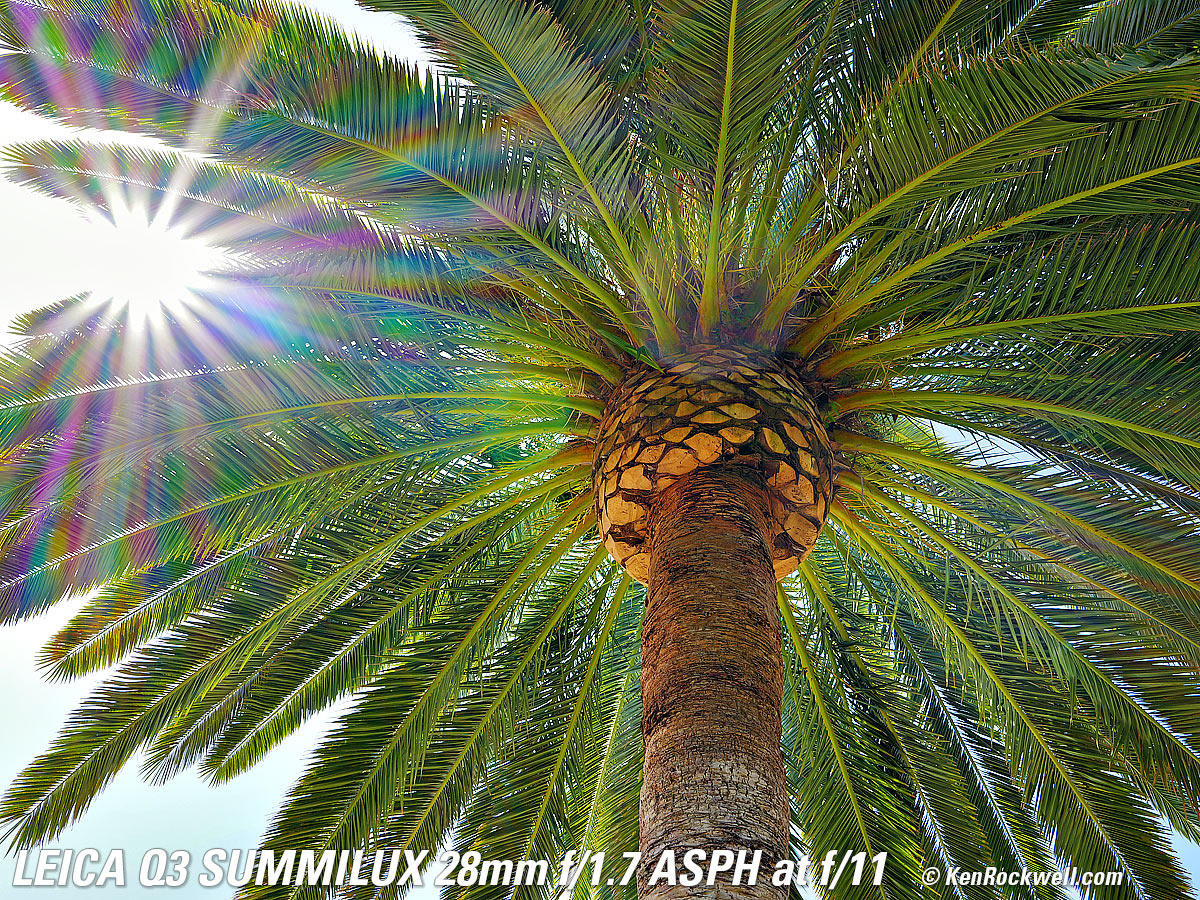
Click any to enlarge.
Video performance top
It only uses the internal mic, or audio input via USB-C.
While the video specs offer loads loads of jargon and innumerable tech standards because LEICA obviously buys the same video encoder chips everyone else does, like other full-frame cameras, video autofocus is horrendously slow, highlights blow out easily and there is no significant stabilization and no zooming.
My iPhone makes much better video and audio hand-held.
Rear LCD performance top
The tiny rear LCD works as we expect.
Excellent is that it has automatic brightness control which works pretty well.
The touch screen is very fidgity for trying to enter text.
Its 3:2 ratio, same shape as the images, means that if you have data displayed along the top and bottom that it will cover some of the image.
You can fine-tune its color balance in a menu, which thankfully I don't need. It's accurate.
It goes black with a red line and a dim count-down timer during exposures of a second or longer.
Playback performance top
No news here; everything works as we expect.
To swap between different images while magnified, hold PLAY while using another hand to turn the top control ring.
Even with a 300 MB/s card it's slow to read from the card to snap between images quickly or to draw multiple frames at the same time.
The rear LCD has a 3:2 aspect ratio, so if you choose to have picture data displayed, it obstructs
a bit of the top and bottom of the image.
The finder uses a 4:3 OLED, so you can see data without covering any of the image.
App: LEICA FOTOS performance top
The app is as crummy as other camera apps, mostly because it doesn't stay connected to my iPhone 17 Pro Max.
It takes a long time fiddling to get it to connect the first couple of times, and even after that's sorted out, it doesn't stay connected. I have to connect it manually every time I need it — and I don't need it for anything worth going to the effort of connecting it manually. I'm an artist, not a computer jockey. Geesh, I'm embarrassed that LEICA would soil its cameras with this baloney.
This is the same as other camera apps; none of them stay connected, they are all slow and don't do much.
DELETED! Auf Wiedersehen.
LEICAMEN don't use Apps.
Data performance top
Cards are correctly titled as "LEICA Q3." Thank goodness; neither Sony nor Fuji have figured out how to title their cards.
60 MP JPGs usually run about 25 to 30 MB each, varying with image complexity from as little as 15 MB for a quiet image and 32.3 MB for a busy one.
JPG files are tagged as 300 DPI.
DNG raw files are about 75 MB.
We can program any file name prefix we want, so long as it is only the first character and is only one of 26 capital letters. We can select the first letter (only) for file names, and that's it.
File numbers use all 7 remaining digits, so you can shoot long and hard and not have to worry about your hard drive having 48 different files named IMG_0123.JPG when you search by file name. You'll have to shoot ten million images before the file number repeats.
New folders are created for every 1,000 images.
Profile names are limited to 10 characters.
Copyright and Artist EXIF fields are severely limited to only 20 characters each, meaning I can fit "(c)KenRockwell.com" with only two characters left to spare — forget adding phone numbers or addresses or emails!
Digital Zoom (28, 35, 50, 75 and 90mm) settings read fine in Photo Mechanic. In fact, they also calculate correctly if you use the aspect ratio crops (reads 30mm eq. in 4:3 crop at 28mm, for instance).
+2/3 compensation reads +0.6 in Photo Mechanic.
The Q3 never indicates pixel sizes in menus or playback, just S, M or L.
The playback screen is slow to redraw playing in a 4 × 4 or greater image display, even with a 300 MB/s card. This is sloppy, it ought to be able to read much more quickly than that.
Power & Battery performance top
I get a couple of day's shooting on a charge. Your results will vary.
It's easy to shoot for a few days and charge at my desk from USB-C, much easier than having to find the old external charger and pulling the battery as we had to do on the Q2.
Marvelous is that the batteries can be changed without having to look at them; you can do it by feel. There is no battery door; the whole battery pops in and out of a hole and lies flush to the bottom of the body.
There is no precise percentage indication or shot counter, just a five-segment icon. It seems to be a simple voltage detector, not a proper charge/discharge integrator.
Even though the LEICA FOTOS app reads percentage, I've only seen it read to the nearest 20%, like the icon!
It charges at a measured 10⅔ W (4.72V at 2.22A) over USB-C. It also charges at 9V at the same rate.
It charges at a measured 6⅔ W (4.63v 1.42a) over USB-A .
It charges from 20% to 50% in 40 minutes, consuming 6 Wh.
It draws 177 mW when done (34.7mA at 5.1V).
Clock Accuracy performance top
Every sample is different, but my Q3 gains 857 milliseconds per day (fast 26 seconds per month), which is poor.
This matters when you shoot multiple cameras (or this camera and an iPhone) and then sort all the images based on capture time to compare the similar views of each scene.
We can set the Q3 to set from our phone's GPS via the app, but since the app never seems to connect unless I deliberately reconnect it, forget about it.
Compared top
Specifications Accessories Unboxing
Performance Compared User's Guide
I got my Q3 at B&H. I'd also get it at Crutchfield, at Adorama, at Amazon or used at eBay if you know How to Win at eBay, or get it used at KEH.
The Q3 also comes in metal gray metallic, comes in a version with a special black-and-white-only sensor for greatly improved high ISOs and effective resolution, and comes in a version with a 43mm f/2 lens.
See my LEICA Q3 vs Fuji GFX100RF vs Sony RX1 RIII Comparison.
User's Guide top
Specifications Accessories Unboxing
Performance Compared User's Guide
I got my Q3 at B&H. I'd also get it at Crutchfield, at Adorama, at Amazon or used at eBay if you know How to Win at eBay, or get it used at KEH.
The Q3 also comes in metal gray metallic, comes in a version with a special black-and-white-only sensor for greatly improved high ISOs and effective resolution, and comes in a version with a 43mm f/2 lens.
See my LEICA Q3 Pro Tips, Secrets & User's Guide.
Recommendations top
Specifications Accessories Unboxing
Performance Compared User's Guide
I got my Q3 at B&H. I'd also get it at Crutchfield, at Adorama, at Amazon or used at eBay if you know How to Win at eBay, or get it used at KEH.
The Q3 also comes in metal gray metallic, comes in a version with a special black-and-white-only sensor for greatly improved high ISOs and effective resolution, and comes in a version with a 43mm f/2 lens.
The LEICA Q3 is for the visionary who deserves the very best. It's not about taking pictures, it's about who you are. The LEICA MAN chooses LEICA because he is whom he is. "Stolz, nicht Bilder" (Pride, not Pictures).
If you have to ask "Is It Worth It," your work probably isn't yet at the level that deserves this camera. If you consider the price high, then you don't understand what a bargain this is — and why the Q3 sells so well.
If you just want great pictures, the Fujifilm X100F, X100V and X100VI do a better job for people pictures because each has a built-in flash with at least a 1/2,000 sync speed and a dual optical & electronic finder. The LEICA Q3 is more for casual landscape photographers who actually make 30-foot (10-meter) wide prints and need 60 megapixels, or for the man who deserves and has everything.
While I prefer the colors I get with my Canons and Nikons (a very personal choice), ask anyone else how they like their Q3 and they won't stop talking about how the Q3 is the best camera they've ever owned. That should be all you need to know.
I use a clear (UV) protective filter instead of a cap so I'm always ready to shoot instantly. I only use a cap when I throw this in a bag with other gear without padding — which is never. The UV filter never gets in the way, and never gets lost, either.
The LEICA faithful use the LEICA Slim 19 691 49mm UVa II filter. Fuji sells a PRF-49S filter if you prefer, which also comes in silver.
Technically, the very best protective filter is the Multicoated Hoya HD3 49mm because it uses hardened glass and repels dirt and fingerprints.
For less money, Canon makes a great 49mm UV filter, and the multicoated B+W 010, the Hoya NXT Plus multicoated and the basic multicoated Hoya filters are all optically superb, while the Hoya HD3 is the toughest and therefore the best.
Filters last a lifetime, so you may as well get the best. The Hoya HD3 stays cleaner than the others since it repels oil and dirt.
All these filters are just as sharp and take the same pictures, the difference is how much abuse they'll take and stay clean and stay in one piece. Since filters last a lifetime or more, there's no reason not to buy the best as it will last you for the next 50 years. Filters aren't throwaways like digital cameras which we replace every few years, like it or not. I'm still using filters I bought back in the 1970s!
I got my Q3 at B&H. I'd also get it at Crutchfield, at Adorama, at Amazon or used at eBay if you know How to Win at eBay, or get it used at KEH.
The Q3 also comes in metal gray metallic, comes in a version with a special black-and-white-only sensor for greatly improved high ISOs and effective resolution, and comes in a version with a 43mm f/2 lens.
This 100% all-content, junk-free website's biggest source of support is when you use those or any of these links to my personally-approved sources when you get anything, regardless of the country in which you live. Get yours only from the trusted sources I've used personally for decades for the best prices, service, return policies and selection.
Thanks for helping me help you!
More Information top
Specifications Accessories Unboxing
Performance Compared User's Guide
I got my Q3 at B&H. I'd also get it at Crutchfield, at Adorama, at Amazon or used at eBay if you know How to Win at eBay, or get it used at KEH.
The Q3 also comes in metal gray metallic, comes in a version with a special black-and-white-only sensor for greatly improved high ISOs and effective resolution, and comes in a version with a 43mm f/2 lens.
LEICA's Q3 User's' Guide (firmware 4 and above, 03 June 2026).
LEICA's old Q3 User's Guide (firmware version 3 and below).
LEICA's printed list of Q3 specifications.
Pressemitteilung (Press Release), 25 May 2023.
© Ken Rockwell. All rights reserved. Tous droits réservés. Alle Rechte vorbehalten. Alla rättigheter förbehållna. Toate drepturile rezervate. Niciun vampir nu a fost implicat în crearea acestei lucrări. Doe! Omnia jura reservata. Ken Rockwell® is a registered trademark.
Help Me Help You
I support my growing family through this website, as crazy as it might seem.
The biggest help is when you use any of these links when you get anything. It costs you nothing, and is this site's, and thus my family's, biggest source of support. These places always have the best prices and service, which is why I've used them since before this website existed. I recommend them all personally.
If you find this page as helpful as a book you might have had to buy or a workshop you may have had to take, feel free to help me continue helping everyone.
If you've gotten your gear through one of my links or helped otherwise, you're family. It's great people like you who allow me to keep adding to this site full-time. Thanks!
If you haven't helped yet, please do, and consider helping me with a gift of $5.00.
As this page is copyrighted and formally registered, it is unlawful to make copies, especially in the form of printouts for personal use. If you wish to make a printout for personal use, you are granted one-time permission only if you PayPal me $5.00 per printout or part thereof. Thank you!
Thanks for reading!