Canon R6 V
Stabilized 32 MP Full-Frame, ISO 100~64,000 (50L~102,400H), Silent 40 FPS, 7K/60, 4K/120 & 1,080/180 (2026 ~ today)
Sample Images Intro New Good Bad Missing
Specifications Accessories Unboxing
USA Version Performance User's Guide
R1 R3 R5II R5 R5C R6III R6II R6 R6V R R8II R8 RP
R7 R10 R50 R50V R100 Bodies Compared
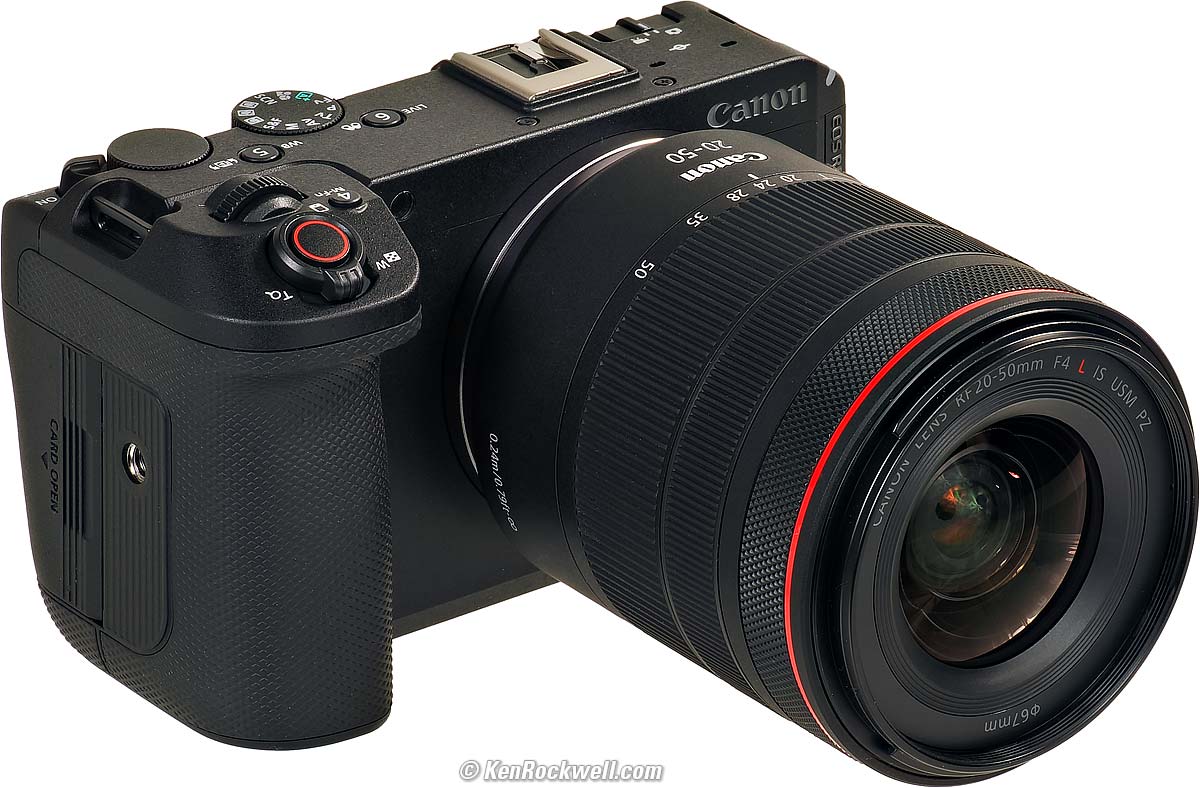
Canon EOS R6 V (24.0 oz./679g with battery and SD card, also has a second slot for a CFexpress type B card, $2,499) and RF 20-50mm f/4L IS USM PZ. bigger.
I got mine at B&H. I'd also get it at Amazon, at Crutchfield or at Adorama, or get it used at eBay (How to Win at eBay), or get it used at KEH.
The R6 V also comes as a kit with the RF 20-50mm f/4L IS USM Power Zoom ($3,699) at B&H, at Amazon, at Crutchfield and at Adorama.
My junk-free, all-content website's biggest source of support is when you use those or any of these links to the places I use myself when you get anything, and it costs nothing more. I've bought from these places for over 100 combined years because they have the best service, the best selection, the best prices, and usually 100% cash-back returns for at least 30 days if you don't love your new goodies. As an Amazon Associate and eBay Partner Network Affiliate, I earn from qualifying purchases. Thanks for helping me help you! Ken.
September 2026 Better Pictures Canon Reviews RF Lenses EF Lenses Flash All Canon Reviews All Reviews
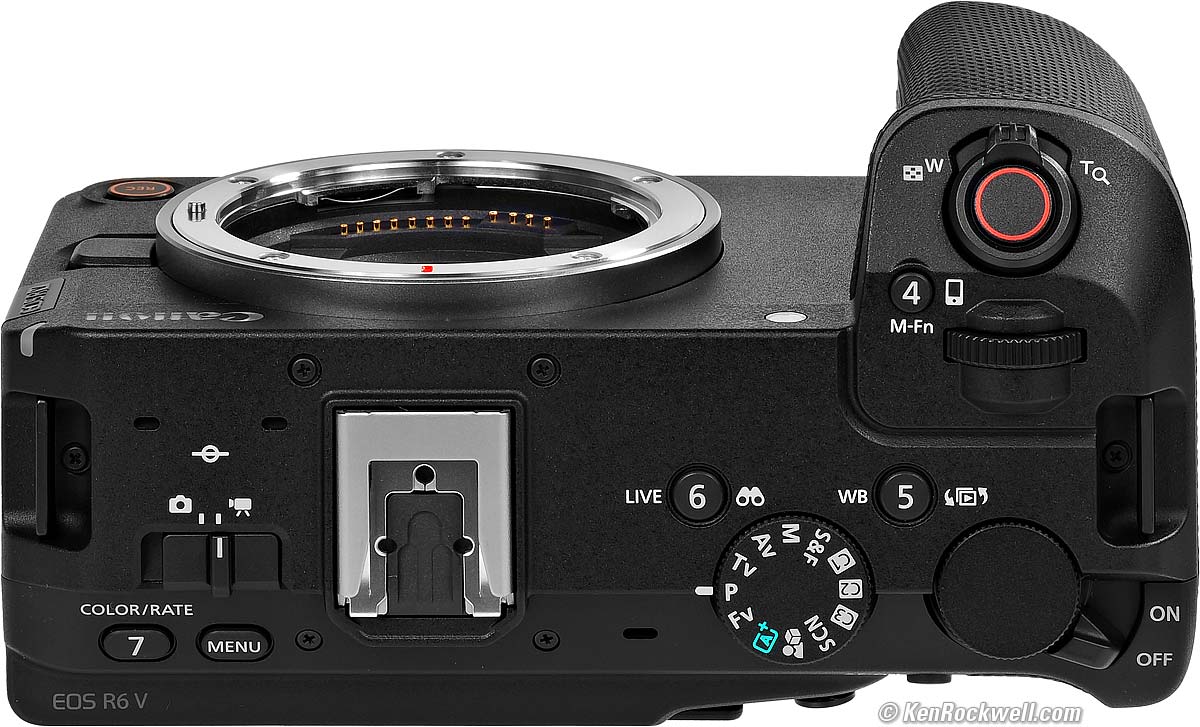
Canon EOS R6 V. bigger.
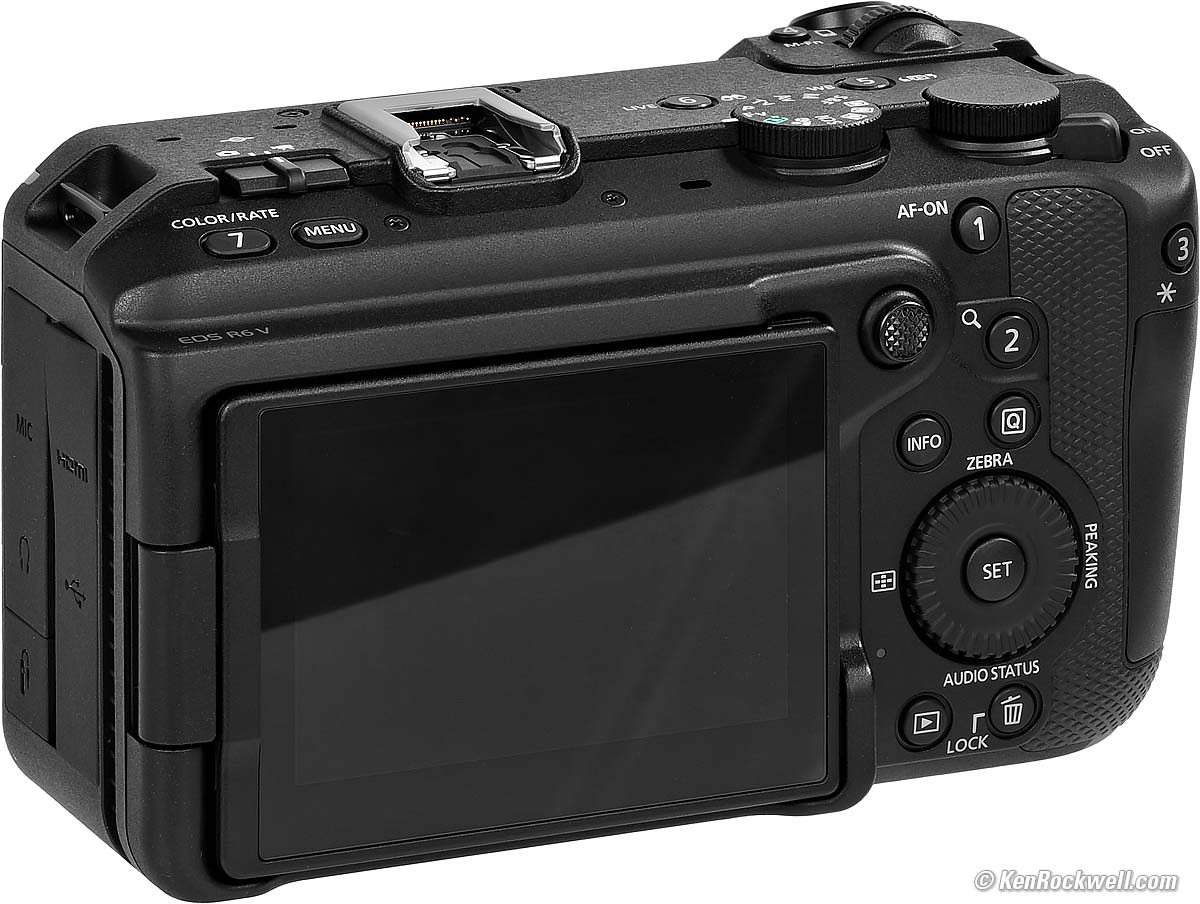
Canon EOS R6 V. bigger.
Sample Images top
Sample Images Intro New Good Bad Missing
Specifications Accessories Unboxing
USA Version Performance User's Guide
(more at High ISOs)
These are just snapshots; my real work is in my Gallery.
These are all shot hand-held as LARGE NORMAL (


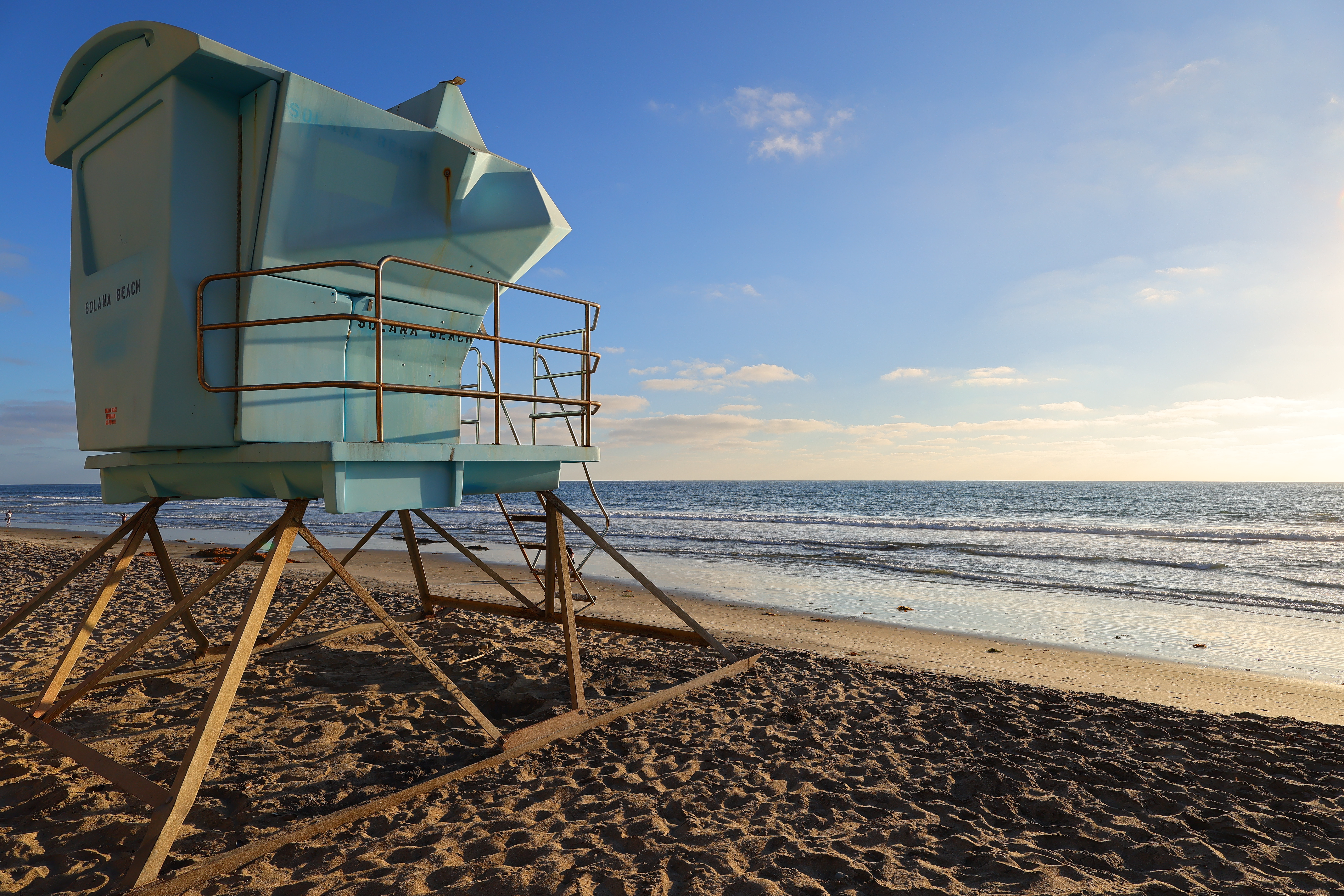
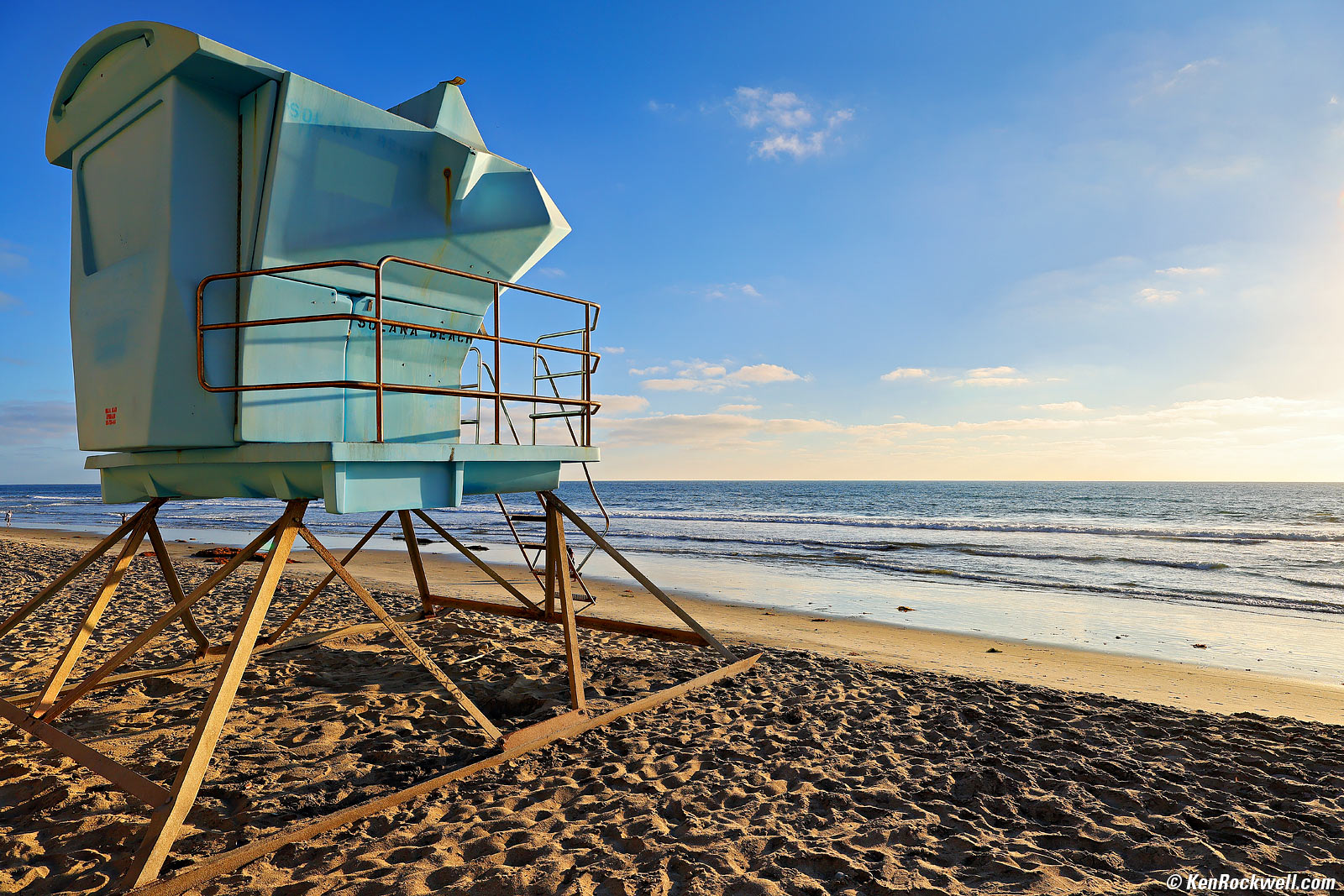
Lifeguard Tower, 6:18 PM, Wednesday, 02 September 2026. Canon R6 V with RF 20-50mm f/4L IS USM PZ at 20mm at f/10 at 1/400 at Auto ISO 100 (LV 15¼), Radiant Photo software to add light. bigger or camera-original 32 MP © 8.2 MB JPG file.
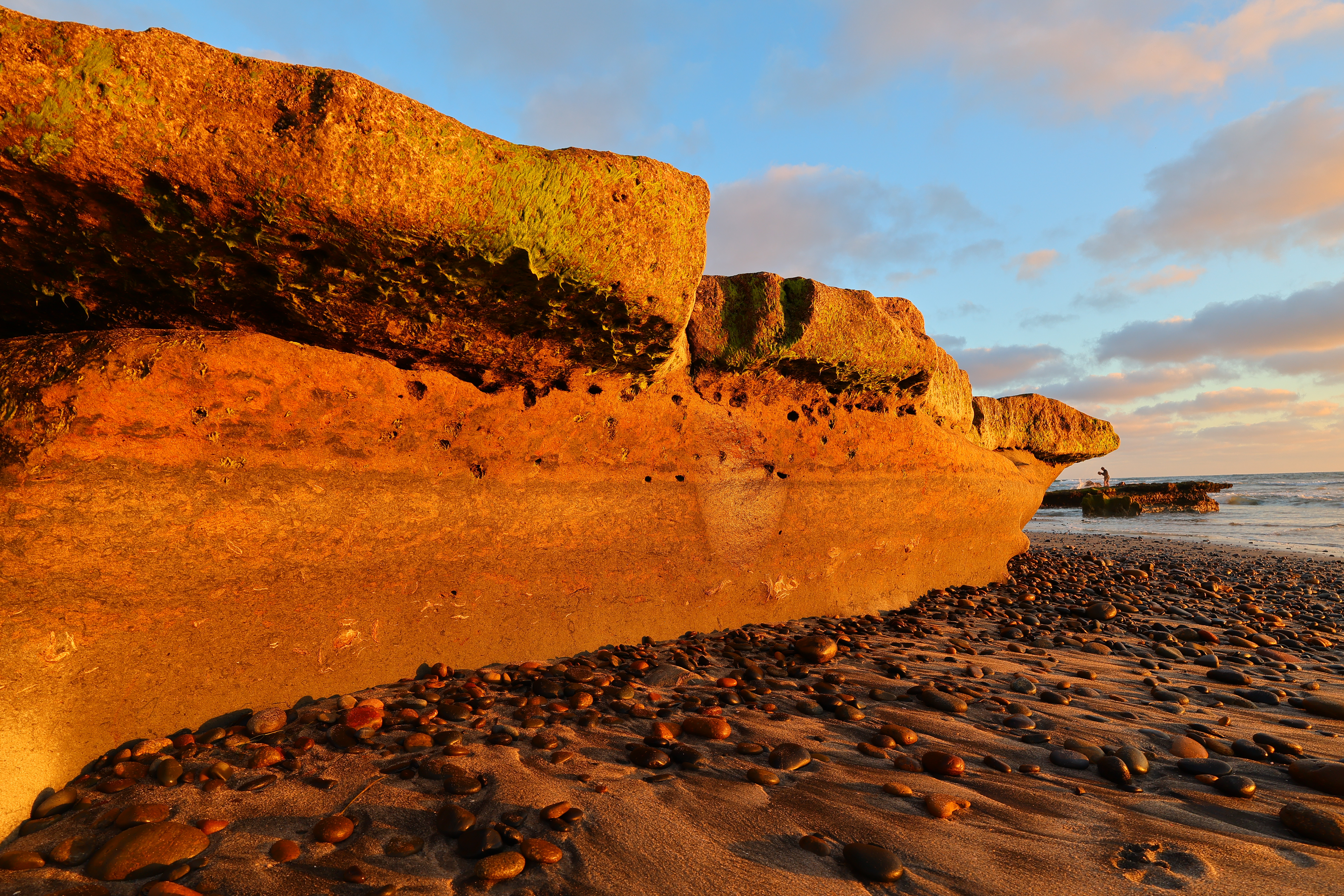
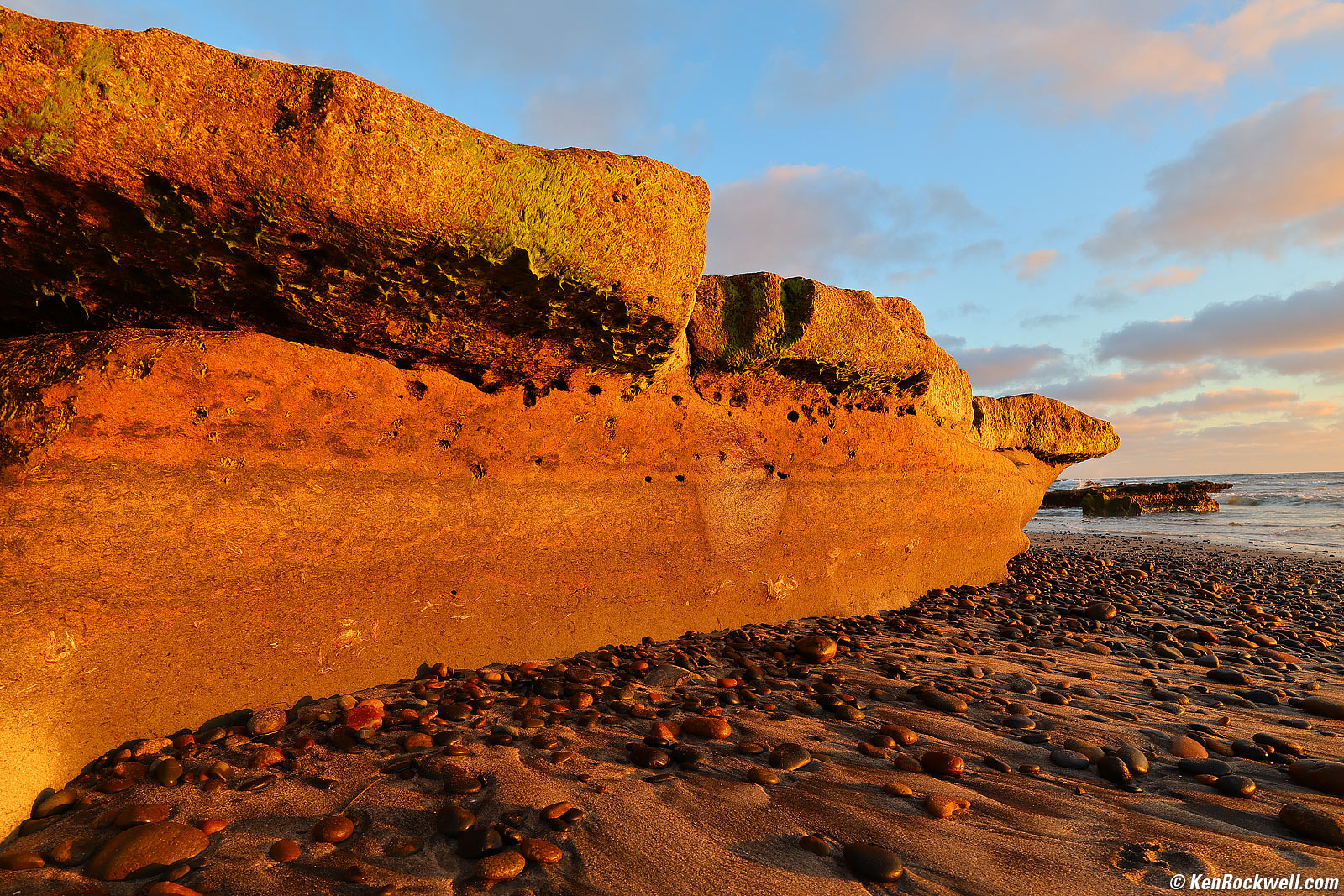
Sea Stone, 6:59 PM, Wednesday, 02 September 2026. Canon R6 V with RF 20-50mm f/4L IS USM PZ at 20mm at f/11 at 1/125 at Auto ISO 100, -0.7 stops exposure compensation (LV 11.6), as shot. bigger or camera-original 32 MP © 11.5 MB JPG file.
Since the R6 V has no finder and we're always having to use the rear screen, it encourages shooting from odd angles. This shot is from about a foot (30 cm) off the sand, making a small stone mound look huge.

Sunset, Solana Beach, 7:12 PM, Monday, 07 September 2026. Canon R6 V with RF 20-50mm f/4L IS USM PZ at 41mm at f/4.5 at 1/80 at Auto ISO 100, -0.7 stops exposure compensation (LV 10¾), Radiant Photo software to add light. bigger.
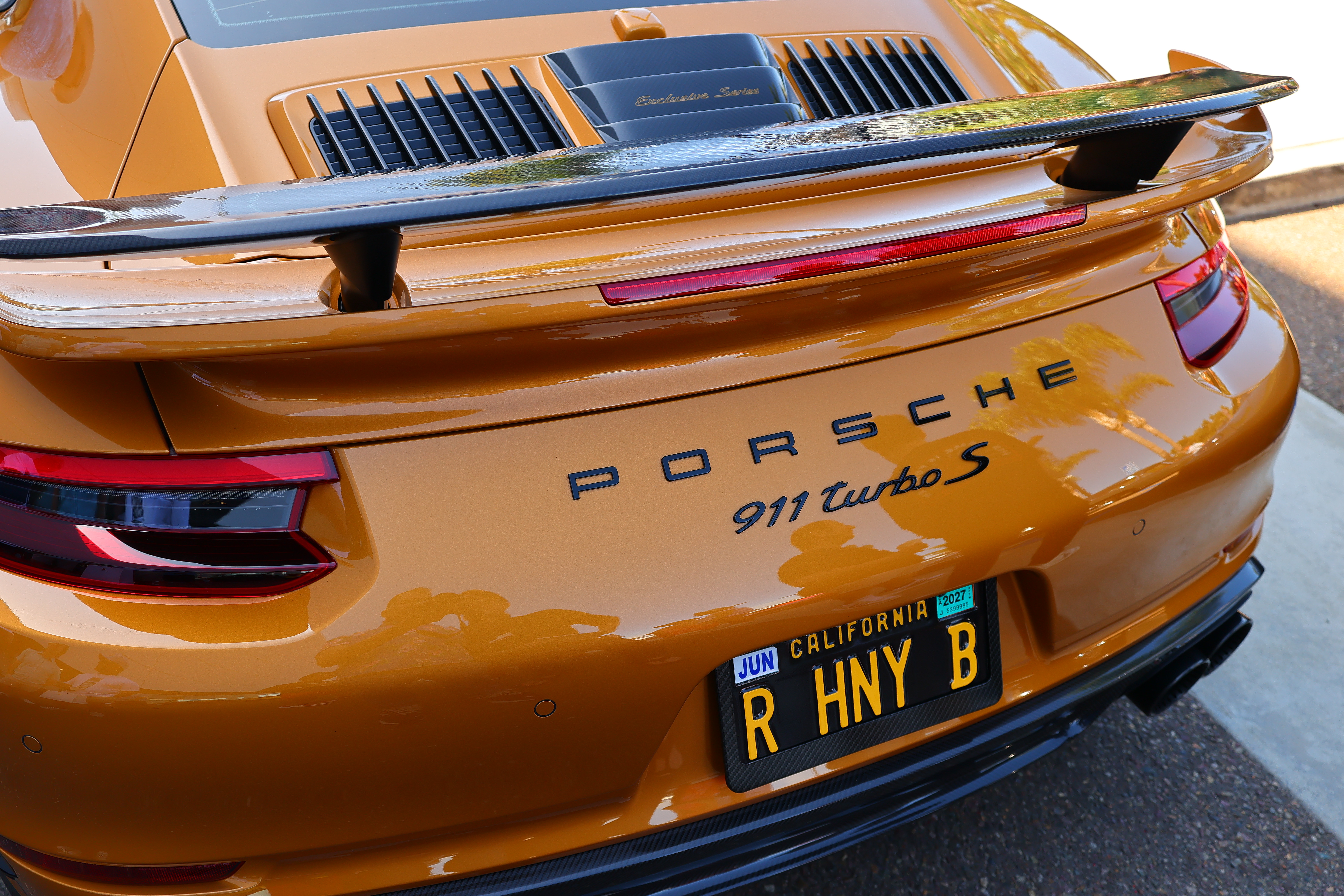
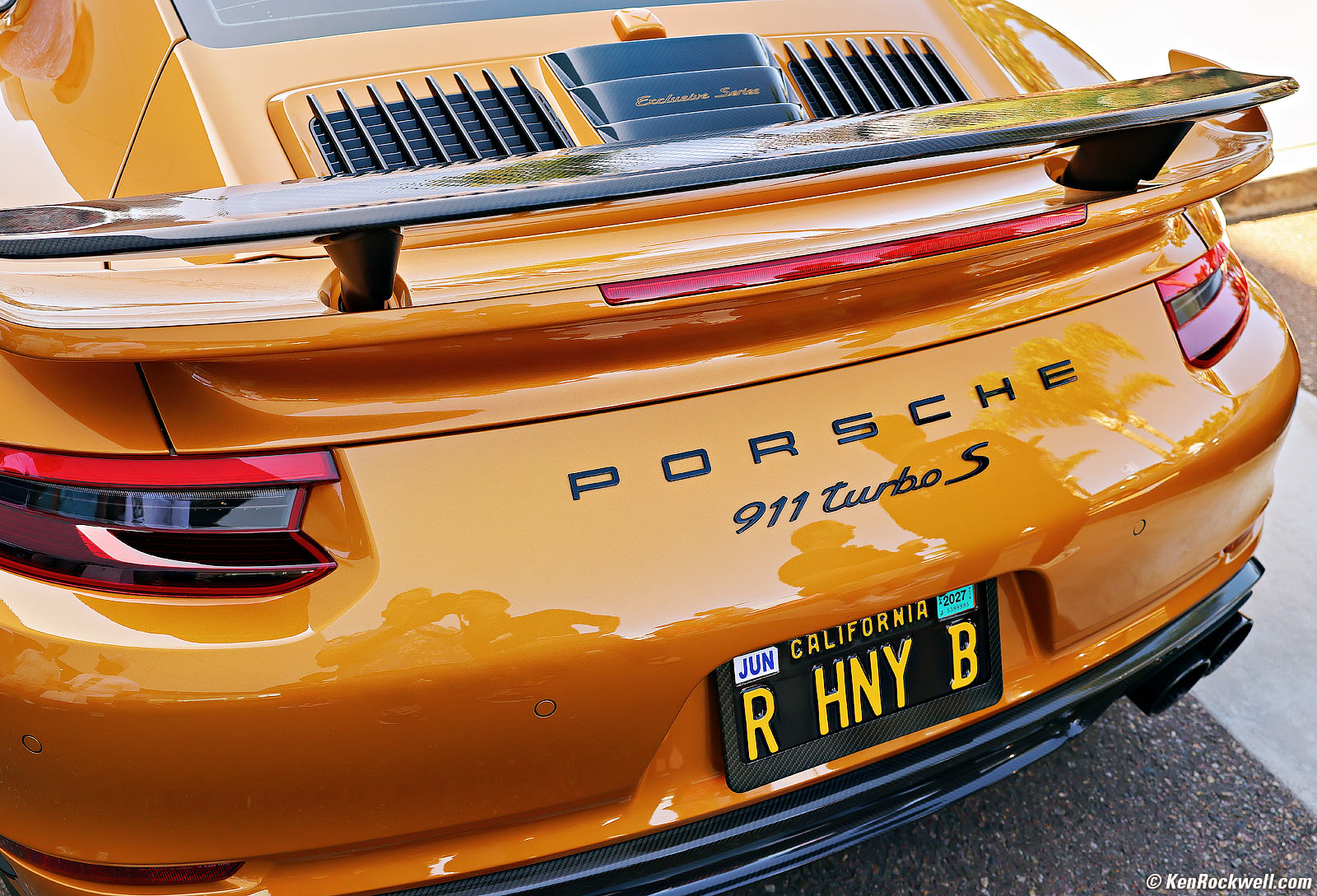
2018 Hand-Finished Porsche Exclusive Manufaktur 911 Turbo S (Sonderwunsch of 500) in Golden Yellow Metallic, 10:04 AM, Saturday, 29 August 2026. Canon R6 V with RF 20-50mm f/4L IS USM PZ at 31mm at f/5 at 1/100 at Auto ISO 100, -0.3 stops exposure compensation (LV 11¼), Radiant Photo software to add light. bigger or camera-original 32 MP © 6.6 MB JPG file.
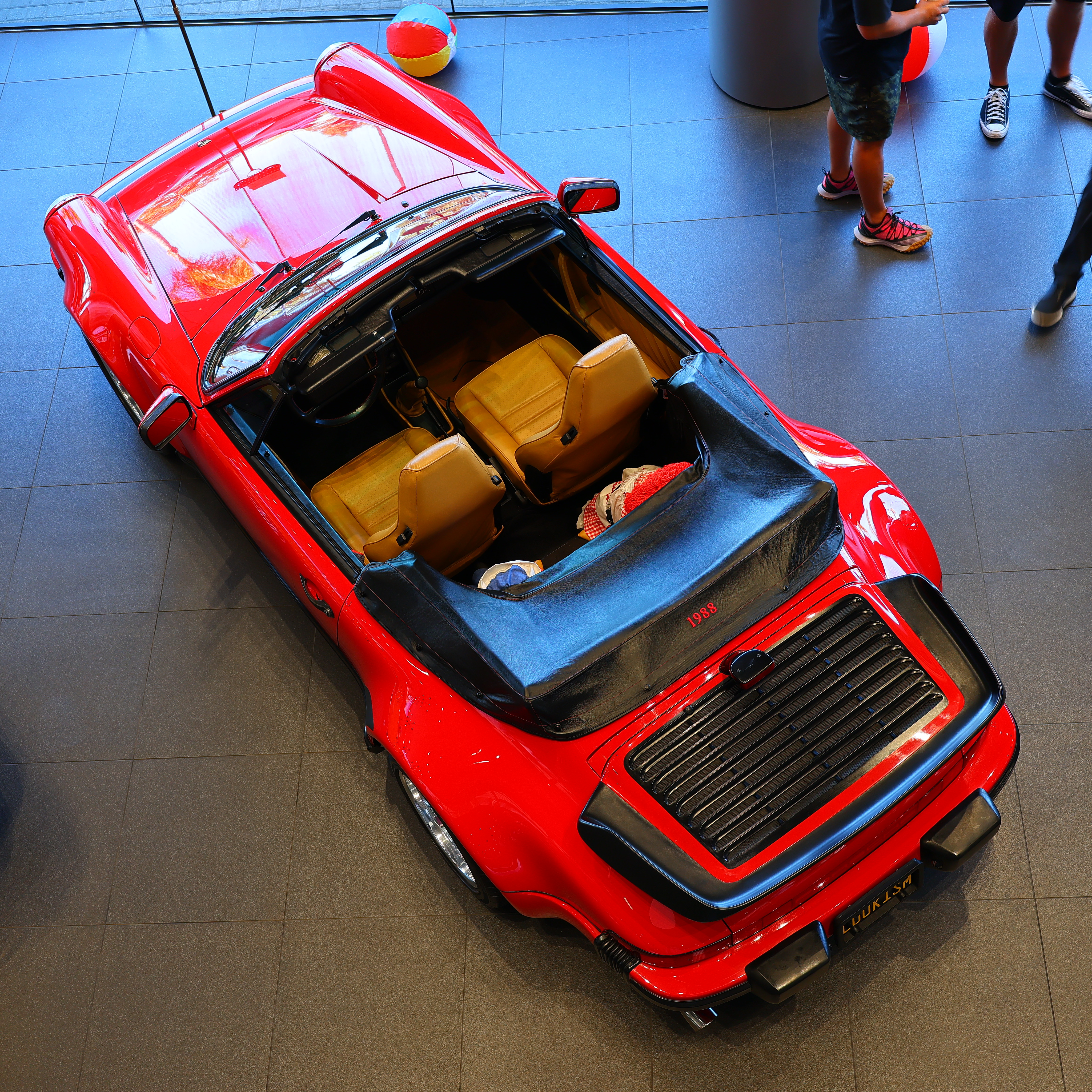
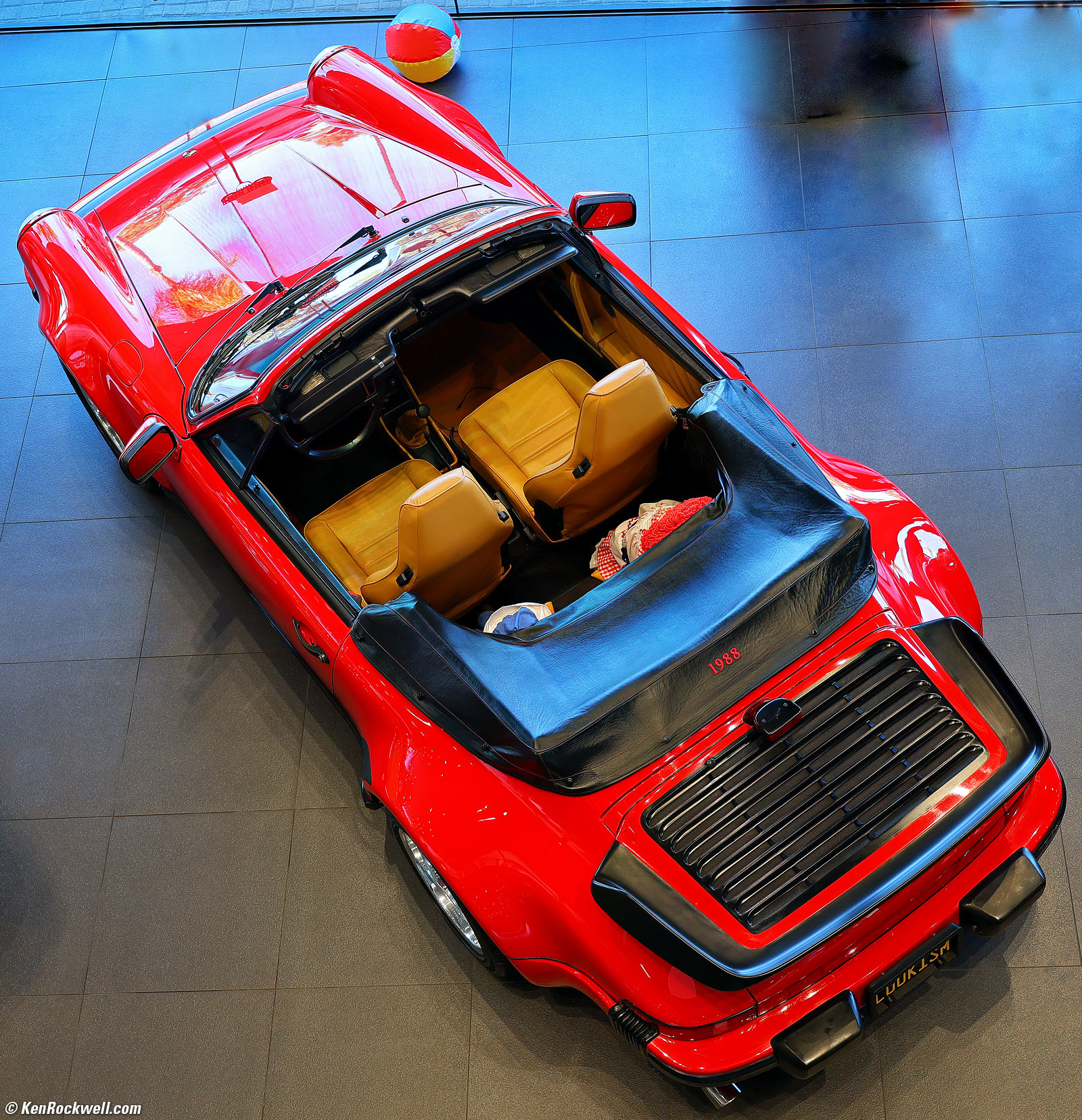
1988 Porsche 911 in Guards Red, 9:22 AM, Saturday, 29 August 2026. Canon R6 V in square-crop mode with RF 20-50mm f/4L IS USM PZ at 36mm wide-open at f/4 hand-held at 1/25 at Auto ISO 100, -0.7 stops exposure compensation (LV 11¼), Radiant Photo software to add light. bigger or camera-original 32 MP © 8.9 MB JPG file.
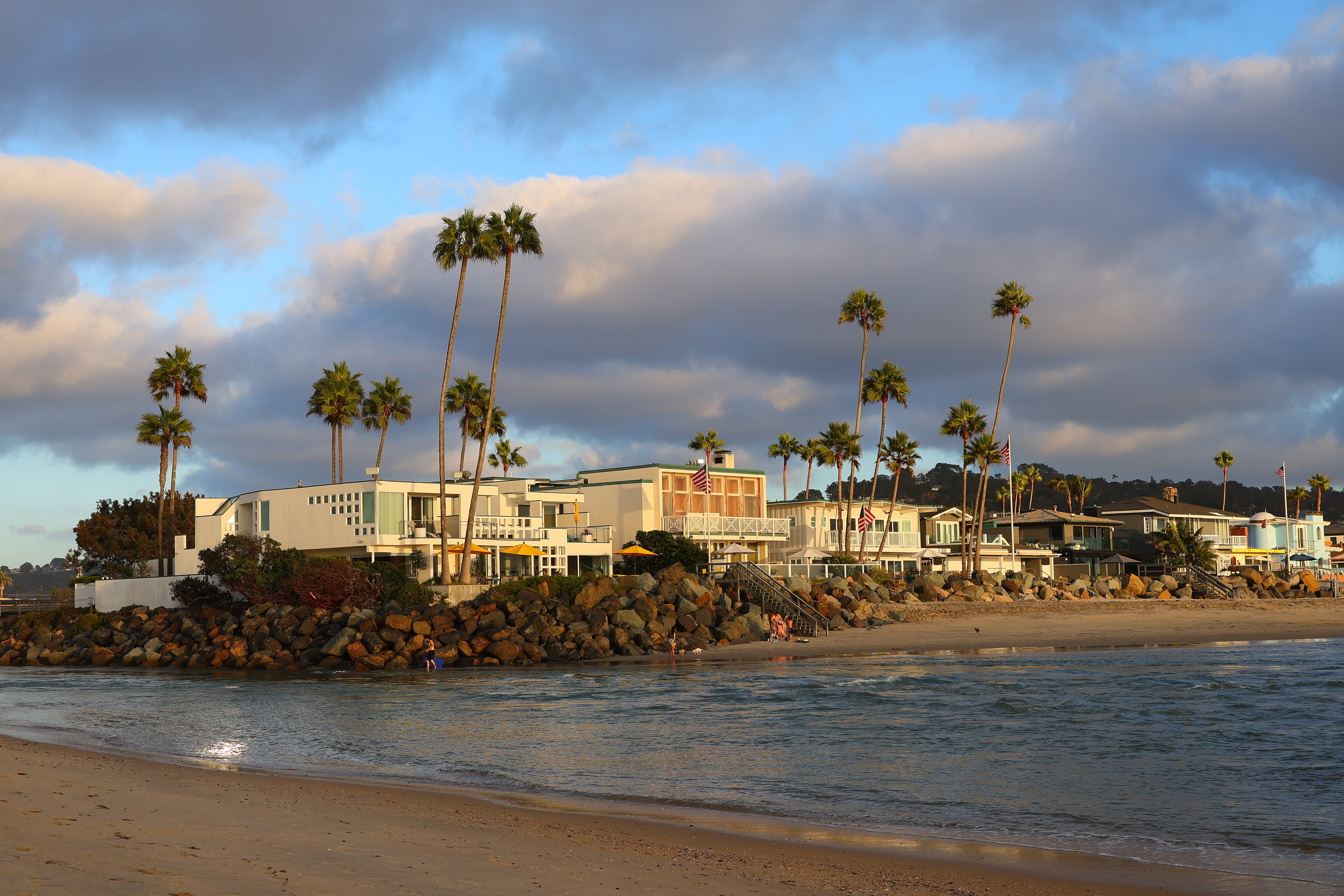
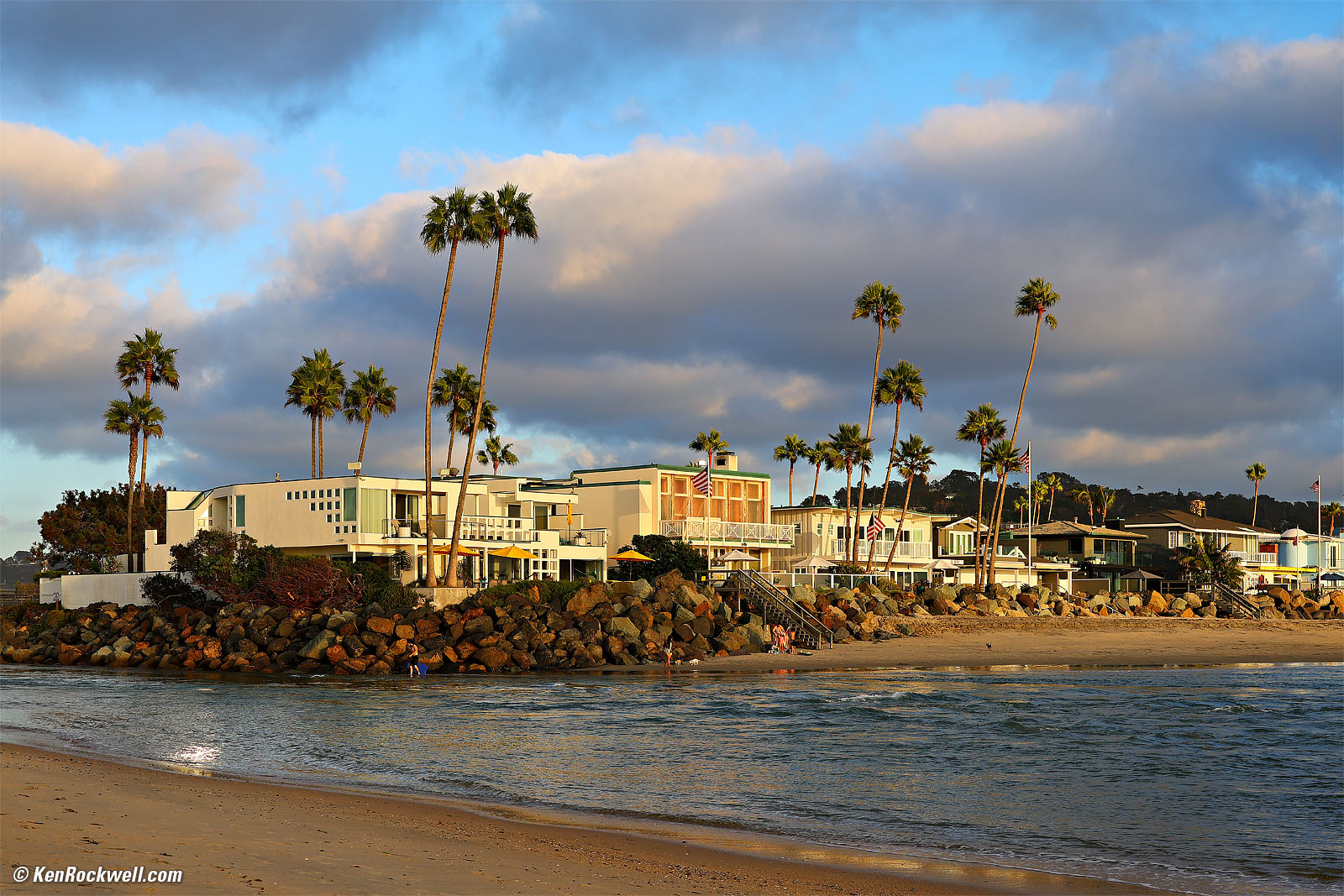
Palm Beach, 6:36 PM, Thursday, 03 September 2026. Canon R6 V, RF 20-50mm f/4L IS USM PZ at 50mm at f/7.1 at 1/200 at Auto ISO 100, (LV 13¼), Radiant Photo software to add light. bigger or camera-original 32 MP © 7.3 MB JPG file.

Introduction top
Sample Images Intro New Good Bad Missing
Specifications Accessories Unboxing
USA Version Performance User's Guide
|

I buy only from these approved sources. I can't vouch for ads below. |



This Canon EOS R6 V is a slightly newer video-optimized version of the R6 Mk III (Mark Three). The "V" stands for "Video;" is it not a "Mark Five." I can imagine the V being confused as a Mark Five in the future.
This R6 V lacks a viewfinder or mechanical shutter, but adds extra cooling for extended video shooting.
I prefer the finder included with the R6 III, but for you video folks who are using external monitors, this is a swell camera that also makes it fun and easy to knock-out awesome still images.
I'm a still shooter, and while I certainly prefer an electronic finder rather than a tiny screen held out in front of me for composing, this R6 V handles so well, with so many programmable buttons and controls, that it's fun and easy to shoot for stills. The real reason I miss the electronic finder of the R6 Mk III is more for playing back and seeing what I've shot, especially when standing in daylight, so if anything this R6 V keeps me more focused on shooting rather than reviewing.
I got my R6 V at B&H. I'd also get it at Amazon, at Crutchfield or at Adorama, or get it used at eBay (How to Win at eBay), or get it used at KEH.
The R6 V also comes as a kit with the RF 20-50mm f/4L IS USM Power Zoom ($3,699) at B&H, at Amazon, at Crutchfield and at Adorama.
New since the R6 Mk III intro top
 Video-optimized version of the R6 Mk III.
Adds a cooling fan and vents for long video takes.
Removes the viewfinder.
The four sides of the big rear dial (Up, Down, Left and Right) are now clickable controls. It's now like the brilliant Click Dial of the original iPod, but even better, they are programmable as you like!
Several of the various programmable buttons have moved around. I lost count, but especially with the four new clickable directions of the big rear dial, I think there are more programmable controls total than on the R6 Mk III.
New to me is seeing four different preset Kelvin white balance settings among the white balance options, and they are each trivially easy to program.
The front dial has softer detents than earlier Canons, which makes it faster to set, and the detents are still obvious. Bravo!
No mechanical shutter.
No BULB, TIME (long exposure) or Intervelometer modes; you only can get these controlled remotely through a phone app!
No protective blind over the sensor when off or without a lens mounted.
Top flash sync speed only 1/60 with the rolling electronic shutter.
New W-T (Wide-Tele) electronic zoom lever around the shutter button for zooming power-zoom lenses with your right index finger.
New W-T electronic zoom lever around the shutter button also magnifies and minimizes playback images!
No more front Fn button by the lens mount.
New second video REC button on the front (ignored for stills, but will wake the camera from sleep).
New second side-mounted tripod socket for vertical shots:
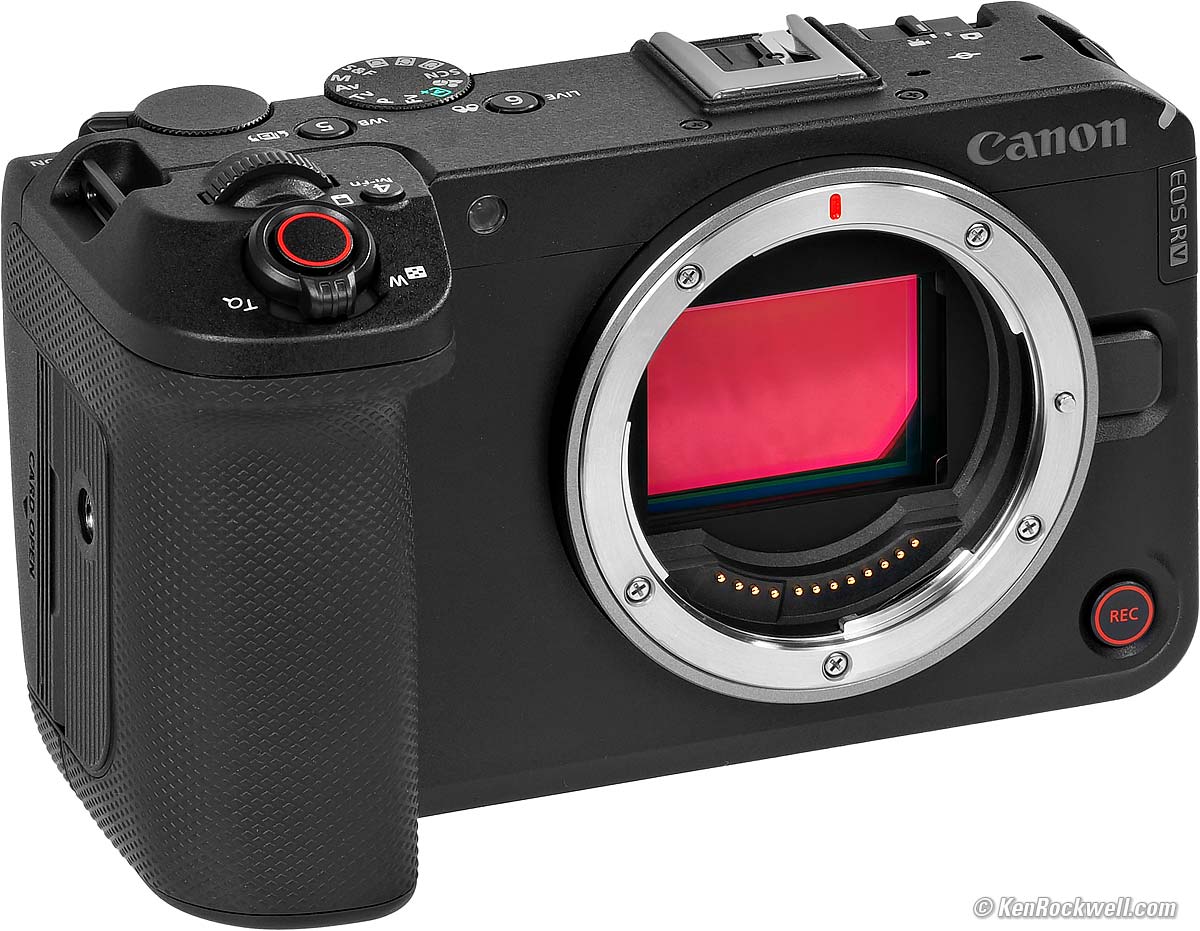
Second Side-Mounted Tripod Socket for Vertical Shots. bigger.
Good intro top
 In-camera focus bracketing and compositing for easy infinite depth-of-field still shots, no computer required. Here's how it works on the R6 III.
Great photos: well exposed, great color and always in focus.
It shoots FAST, 40 FPS, with tracking AF and auto exposure (auto white balance stays locked).
Excellent buffer design: you can shoot more bursts and play back images even with the buffer almost full as you keep on shooting! Lesser cameras used to lock-up the camera until it finished writing your last burst to the card, while with the R6 V, nothing gets in your way. Bravo!
Easy to program and shoot, even without a finder.
Great battery life.
4:3, Square and 16:9 still image crops.
Made in Japan.
Takes a normal SD card as well as has a second slot for a CFexpress type B card.
100% U.S.A.-based high-quality technical support at (800) OK-CANON.
Bad intro top
 There's no way to get all the data off the screen so we can our image clearly for precise composition with our finger half-pressing the shutter button. We only can get a clear image before we half-press the button, but not when half-pressed locked and loaded and ready to fire. While this problem is in every Canon mirrorless camera's rear LCD, it's not a problem through the viewfinders of other cameras because the finder has enough room to show the data under the image, but there isn't enough room on the bottom of the R6 V's LCD to let us see our final composition uncovered by data.
Sensor not protected by shutter blades with power off. Instead, the sensor is always exposed and out in the open every time you change lenses or leave the body without a lens.
Unlike every iPhone, it will not rotate the playback images as you rotate the camera while viewing them. If you rotate the camera during playback, the images will not flip as they do on an iPhone. It flags vertical images as shot so verticals are vertical, but it's not smart enough to flip them as you rotate the camera on playback. Arrgh.
Still uses the old menu conventions that require us to select an item, rotate the selection back and forth between ENABLE or DISABLE, and hit OK to toggle a setting back and forth. More modern menu systems just let us toggle these in one tap instead of several.
Still uses a pathetically tiny 3.0" (76mm) flippy screen, like it's 2005.
Missing intro top
 No automatic brightness control for rear LCD.
No BULB, TIME (long exposure) or Intervalometer modes; you only can get these controlled remotely through a phone app!.
Like most cameras, no illuminated buttons.
Like most cameras, advance mode icons are simply labeled as L, H and H+ instead of their actual frame rates (3 FPS, 10 FPS, etc.).
No GPS.
While on-screen data displays rotate when shooting vertical video, they don't for stills. What?
Menus don't rotate when held vertically.
Like most cameras except iPhone, no search ability in the menu system.
No advance mode lever.
No Automatic Leveling mode like the R7.
No Sony-like mode to create a new folder for each day of shooting.
Playback images don't rotate as you rotate the camera, as iPhones do.
Like most cameras, simple ON/OFF menu entries still require selecting that item, clicking up or down to select the other OFF or ON option, and then hitting OK to register your selection. You can't simply toggle them directly at the menu listing as you can in the Z9 or an iPhone.
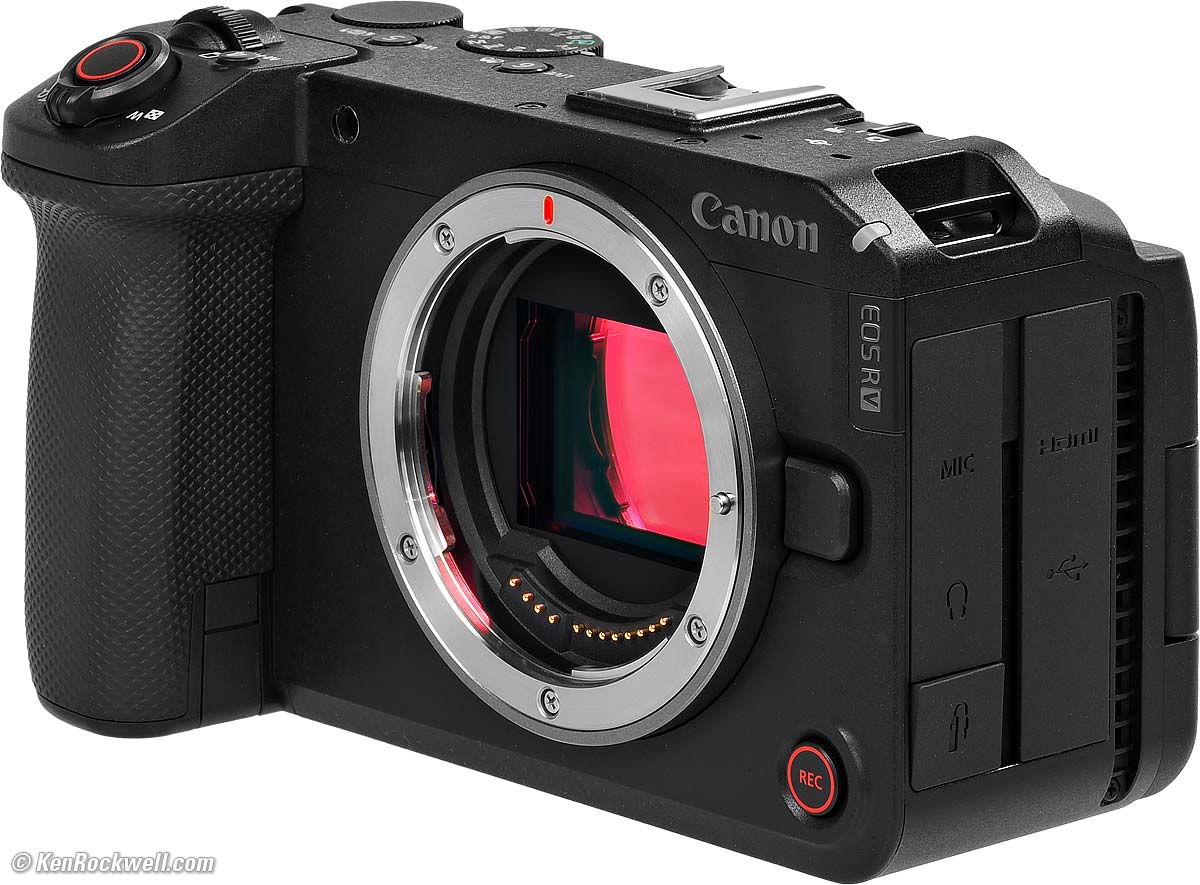
Canon EOS R6 V. bigger.
Specifications top
Sample Images Intro New Good Bad Missing
Specifications Accessories Unboxing
USA Version Performance User's Guide
I got my R6 V at B&H. I'd also get it at Amazon, at Crutchfield or at Adorama, or get it used at eBay (How to Win at eBay), or get it used at KEH.
The R6 V also comes as a kit with the RF 20-50mm f/4L IS USM Power Zoom ($3,699) at B&H, at Amazon, at Crutchfield and at Adorama.
These are just the basics.
If you want know every detail, especially its innumerable video formats and standards, see fifty pages of details from page 1,033 to 1,082 in Canon's own EOS R6 V User's Guide.
Lens Compatibility specifications top
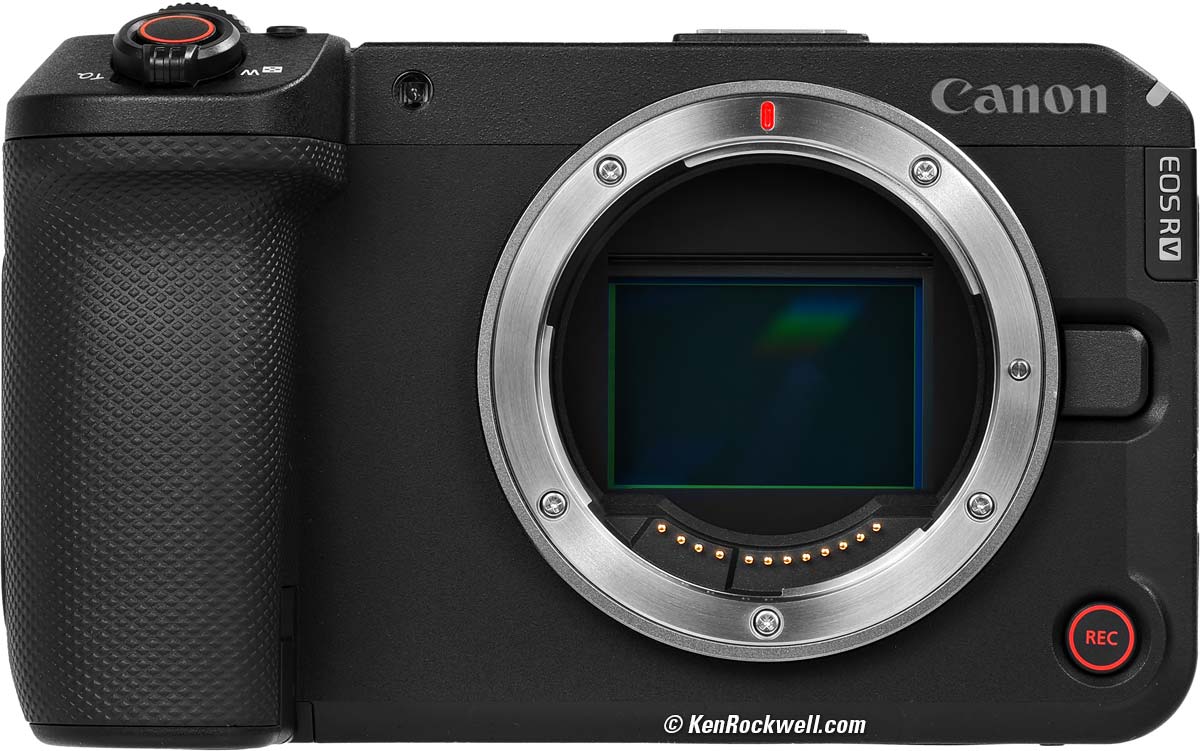
Canon EOS R6 V. bigger.
Works with all of Canon's RF and RF-s lenses.
With an EF-RF adapter, it works flawlessly with every EF and EF-s lens made since 1987.
It won't work with any EOS-M lens.
The Megadap Autofocusing LEICA M to Canon RF Adapter turns manual-focus LEICA lenses — or pretty much any auto or manual-focus lens you can adapt to LEICA M — into autofocus lenses on the R6 V:
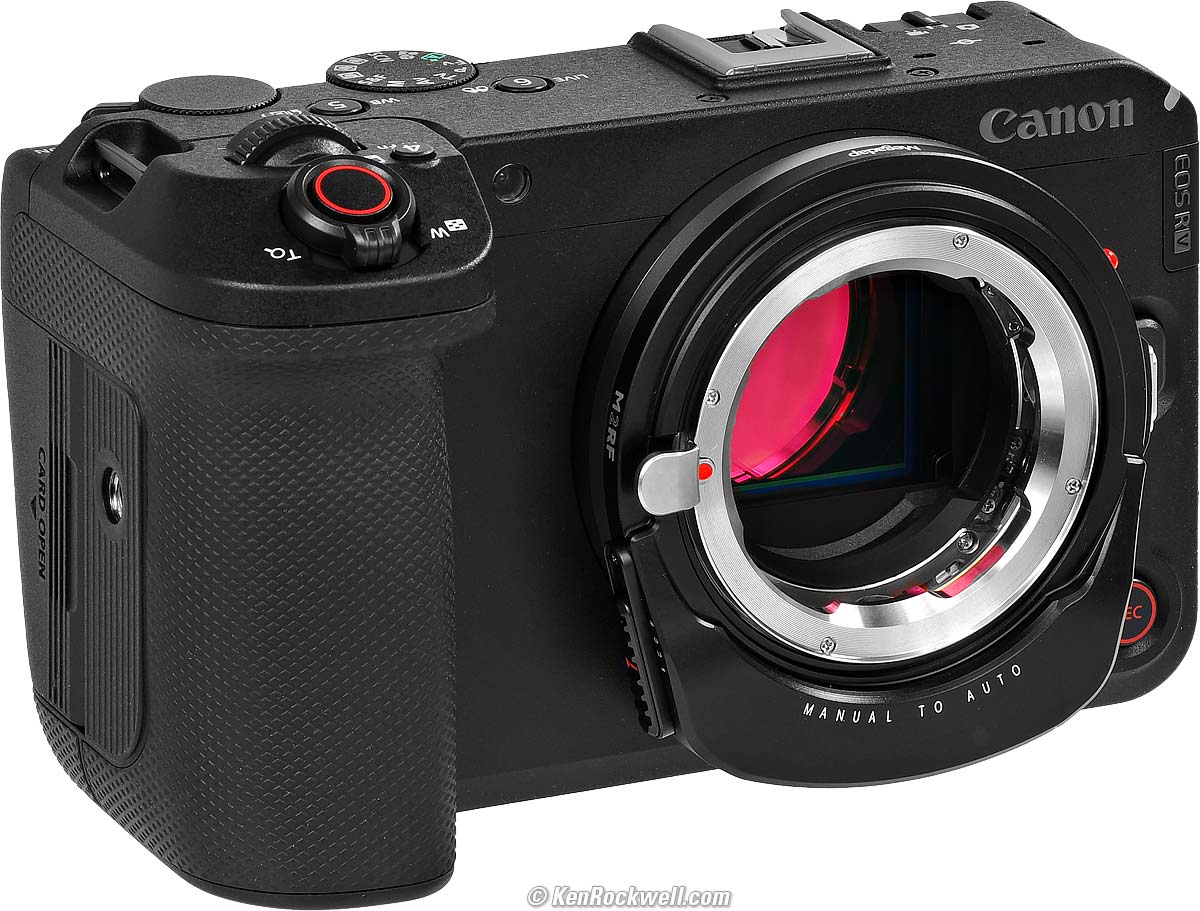
Canon EOS R6 V and Megadap Autofocusing Anything (LEICA M) to Canon RF Adapter. bigger
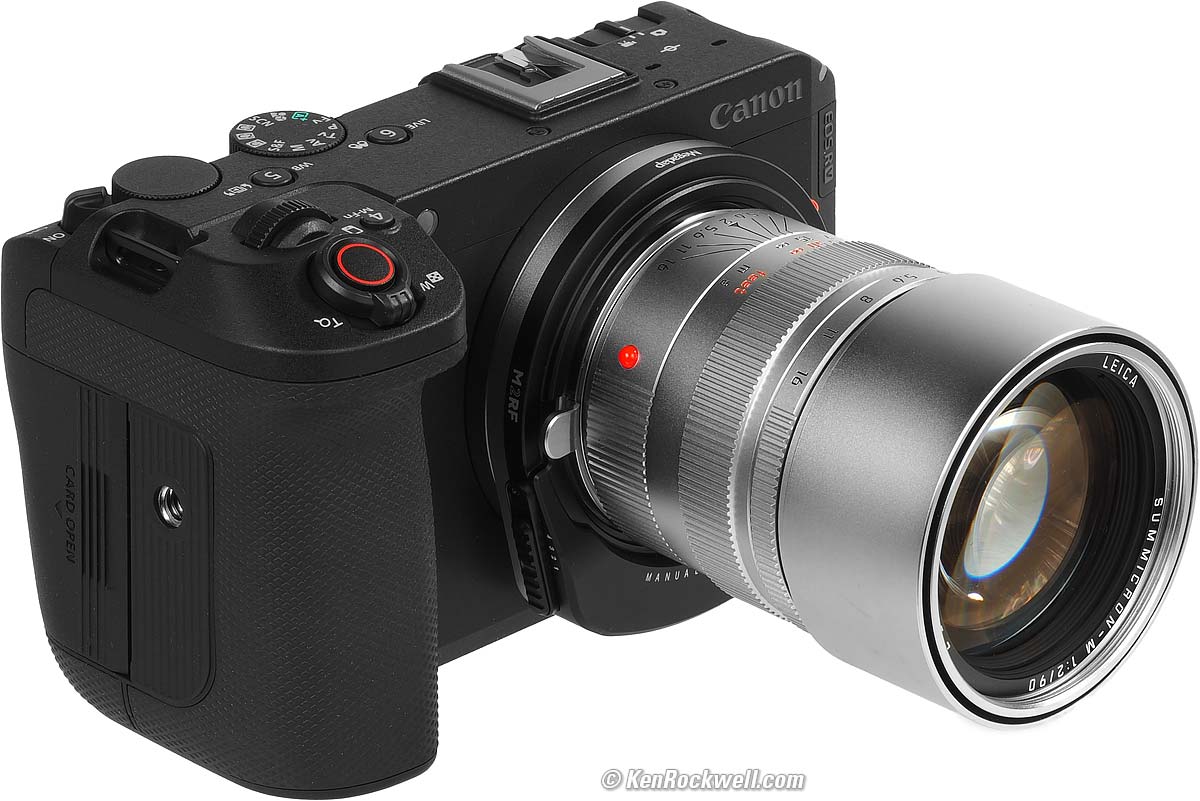
LEICA SUMMICRON-M 90mm f/2 on Megadap Autofocusing LEICA M to Canon RF Adapter on Canon R6 V. bigger.
Image Sensor specifications top
32.3 MP (32,294,400 pixels), native.
23.9 × 35.9 mm CMOS.
5.16 µm pixel pitch.
1.5:1 aspect ratio.
1.00 × crop factor.
Ultrasonic cleaner.
ISO specifications top
ISO 100~64,000, Auto or Manual.
Also ISO 50L~102,400H for manual ISOs.
Autofocus specifications top
LV -6.5 ~ +21 with an f/1.2 lens.
Auto Selection: 1,053 (39 × 27) zones.
Manual Selection: 6,097 (91 × 67) zones.
Light Meter specifications top
384 (24 × 16) zones
Stills: LV -3 ~ +20.
Video: LV -1 ~ +20.
Finder specifications top
NONE; use the LCD.
Shutter specifications top
Electronic Shutter Only
1/8,000~ 30 seconds in all modes.
To 1/10,000, 1/12,500 and 1/16,000 in M and Tv modes.
1/60 flash sync.
NO BULB Mode.
Different speeds for video, see page 1,075 in Canon's own EOS R6 V User's Guide.
Still Frame Rates specifications top
H+: To 40 FPS, measured, with tracking autofocus and exposure, but fixed auto white balance.
H: To 20 FPS.
Continuous Low: 5 FPS.
Flash specifications top
Flash sync with the rolling electronic shutter is a slow 1/60, maximum.
It has no traditional contacts for flash, and instead has a multipin row underneath the front of the shoe for use with the newest flash like the EL-10 or EL-5:
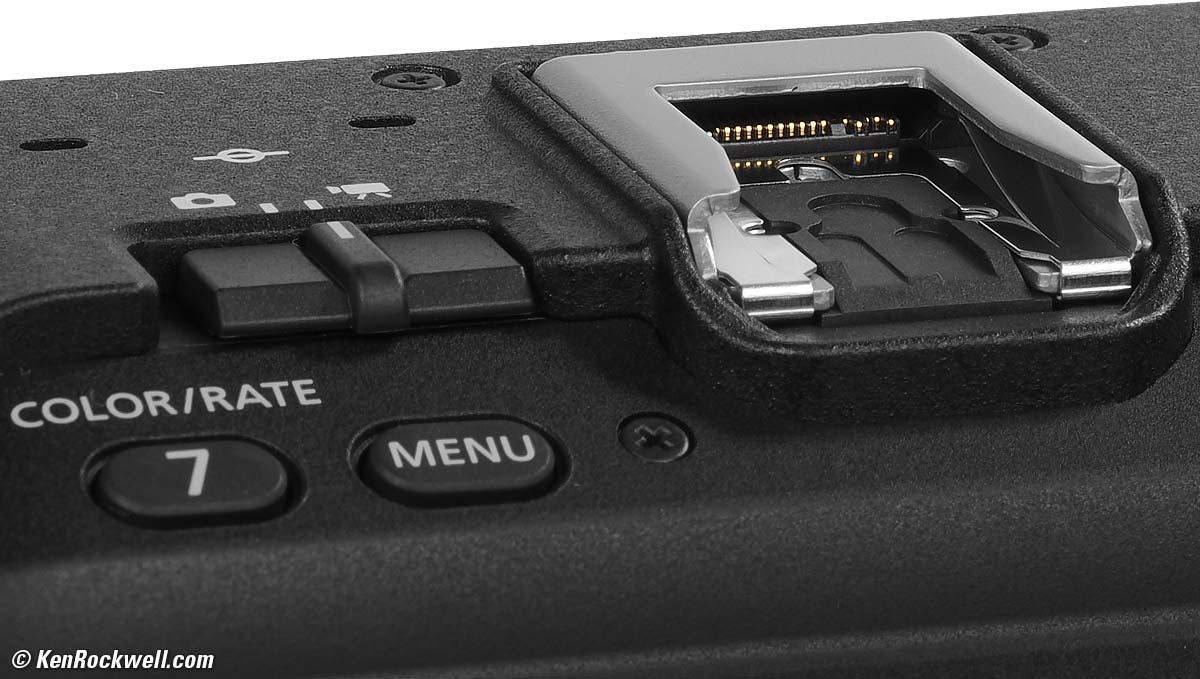
Flash Contacts. bigger.
To use traditional flash, you have to buy the AD-E1 Multi-Function Shoe Adapter.
Video specifications top
Works at up to 7K/59.94, 4K/119.90 or 1,080/179.82.
See 33 pages of details just about video (pages 1,037 to 1,069) at Canon's own EOS R6 V User's Guide.
Audio specifications top
S - t - e - r - e - O microphone built in.
3.5mm mic input (3-pin).
Multi-function shoe is compatible with Directional Stereo Microphone DM-E1D and many other mics and accessories.
3.5mm stereo headphone jack.
LCD Monitor specifications top
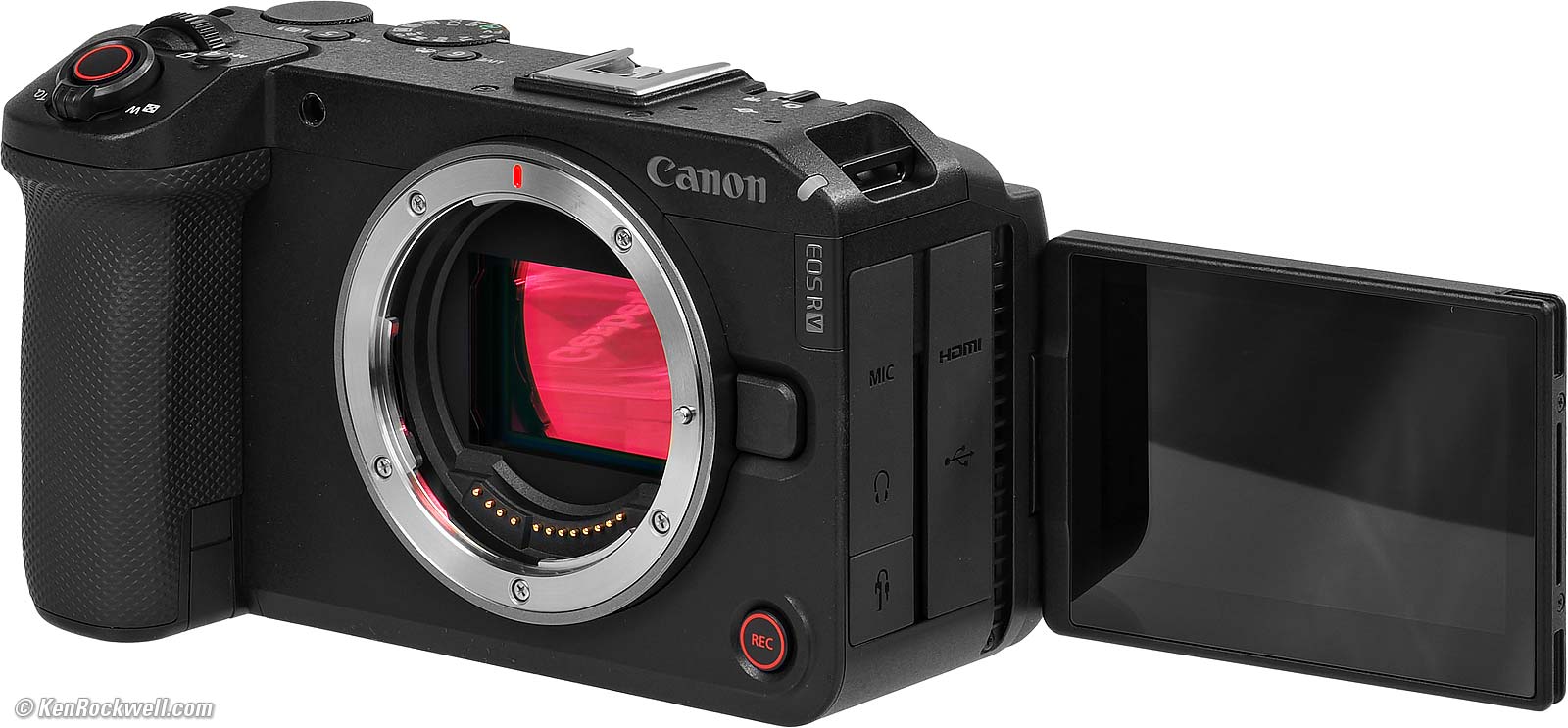
Canon EOS R6 V. bigger.
3.0" (75 mm) diagonal.
1,620,000 dots.
1.5:1 aspect ratio.
Anti-smudge coating.
Connectors specifications top
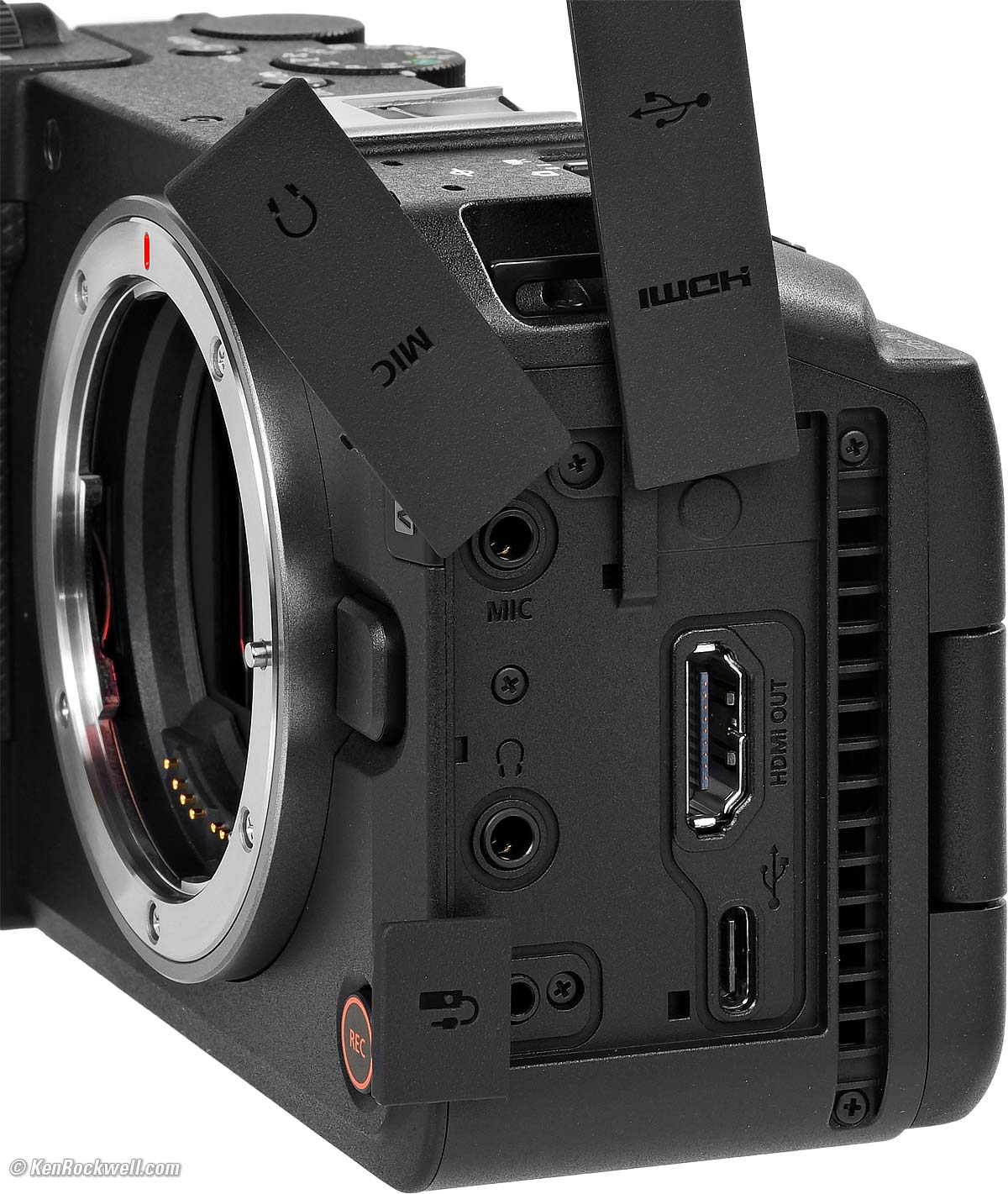
Canon EOS R6 V. bigger.
Wi-Fi specifications top
2.4 and 5 GHz; see page 1,081 in Canon's own EOS R6 V User's Guide for explicit details.
Bluetooth specifications top
5.1.
GPS specifications top
None, use the app.
Storage specifications top
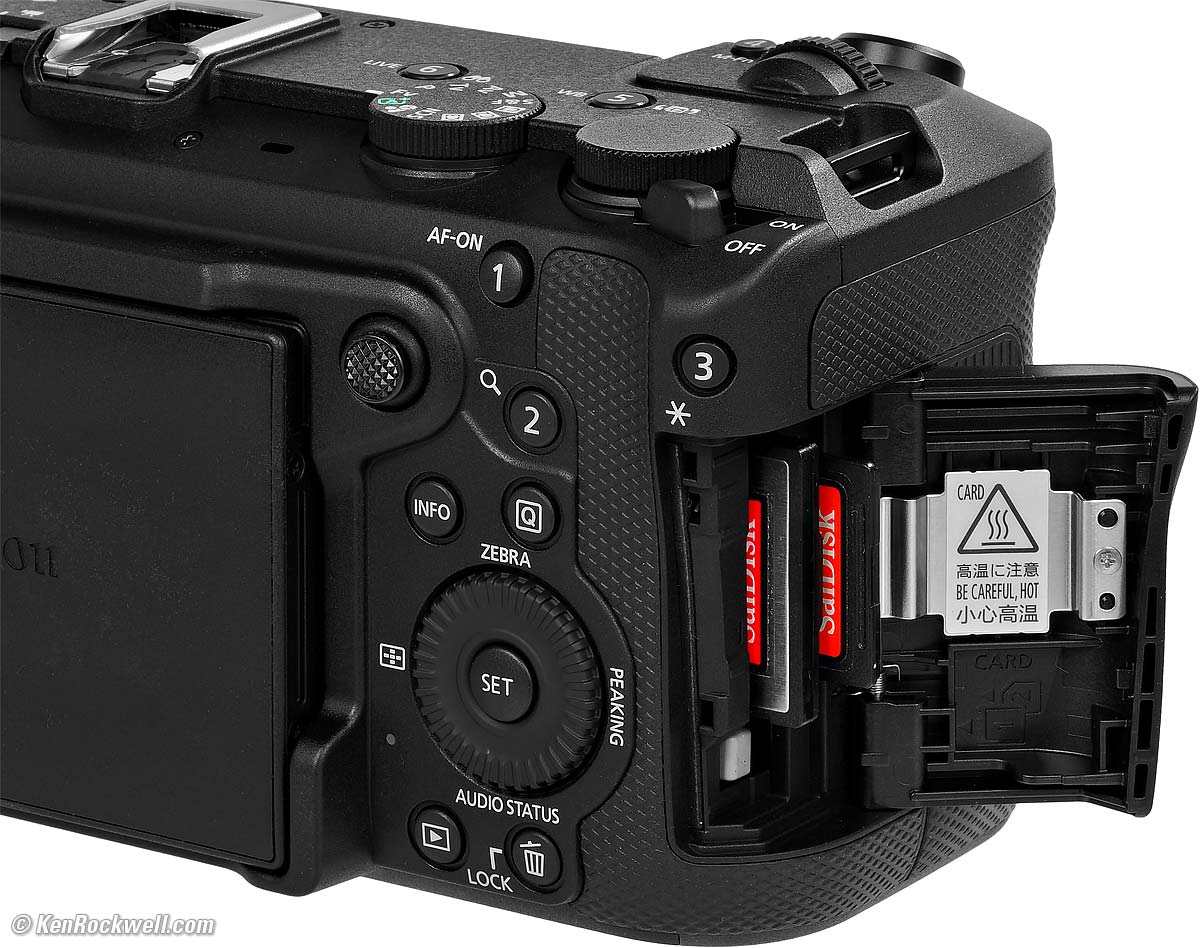
Slots for a CFexpress type B card and an SD card. bigger.
Slot 1
CFexpress type B, up to 8 TB.
Larger cards will only look like 8 TB and will need to be low-level formatted in the camera first.
It needs to be 2 TB or less for loading firmware updates.
Slot 2
UHS-II.
SD (up to 2 GB), SDHC (up to 32 GB) and SDXC (up to 2 TB) cards.
Quality specifications top
Made in Japan.
Power & Battery specifications top
Battery
Rated 640 shots at the default display refresh setting, or 510 in the high frame-rate "smooth" display setting.
~ or ~
Rated for 4 hours and 20 minutes of being ON in Live View.
See page 1,079 in Canon's own EOS R6 V User's Guide for how much video you can shoot at different settings.
|
|
|

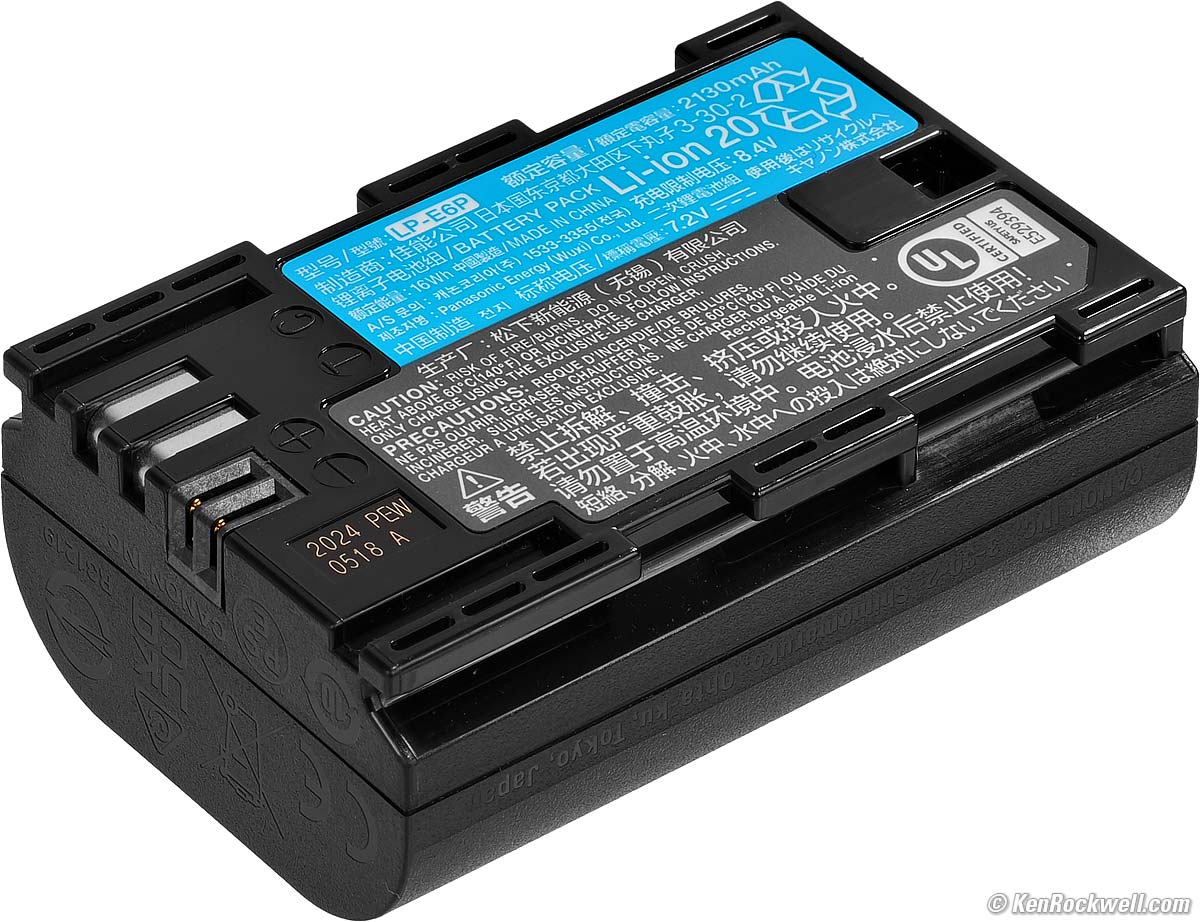
Comes with the newest LP-E6P Battery. Canon says it shoots with our older LP‑E6N and LP-E6NH, but won't work with the original LP-E6.
I tested it and it works fine with my newest Watson LP-E6P batteries.
Charging
The battery charges in-camera with any USB-C PD "Power-Delivery" rated charger, or in the included LC-E6 folding-plug external charger:
|
|
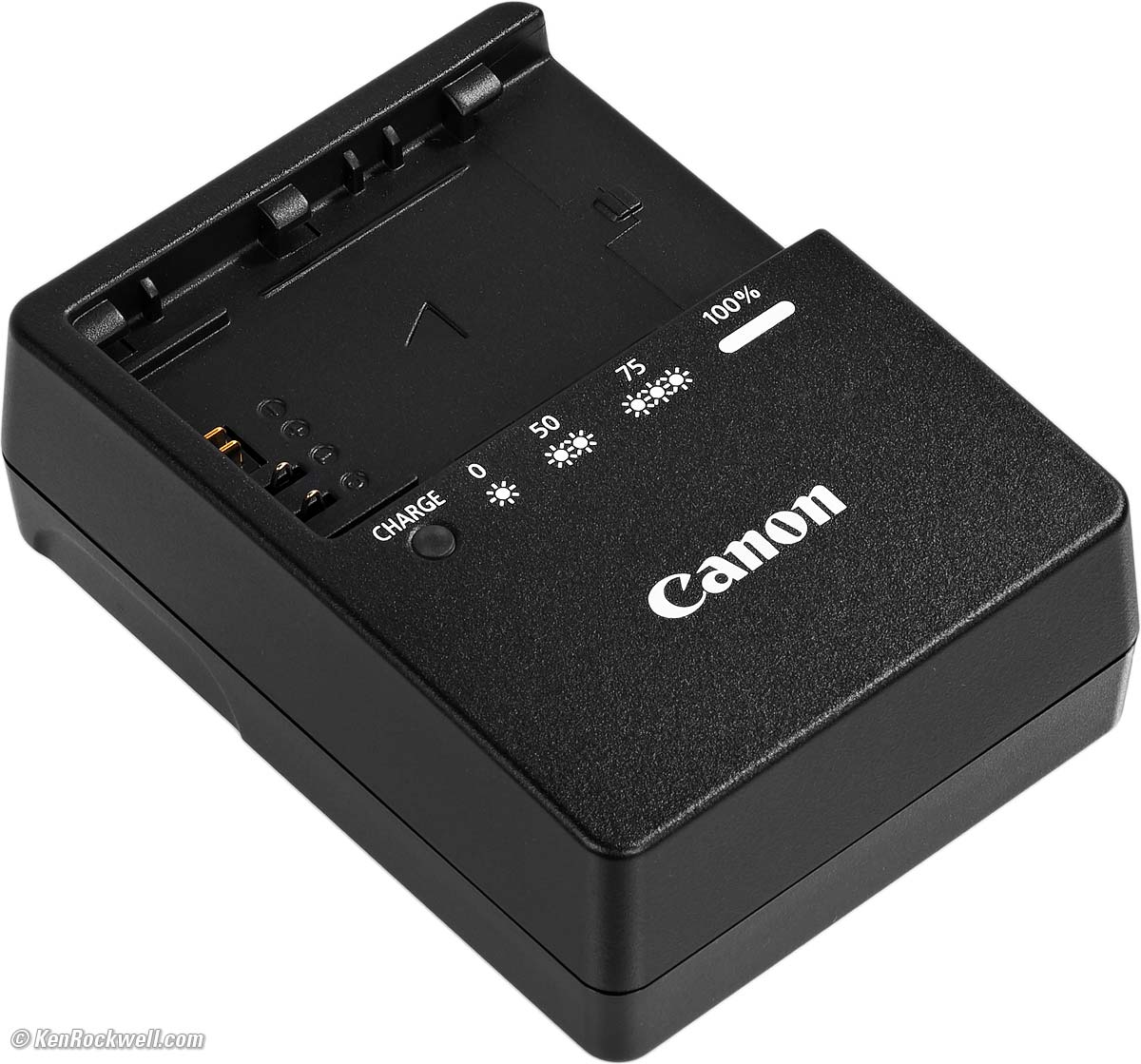
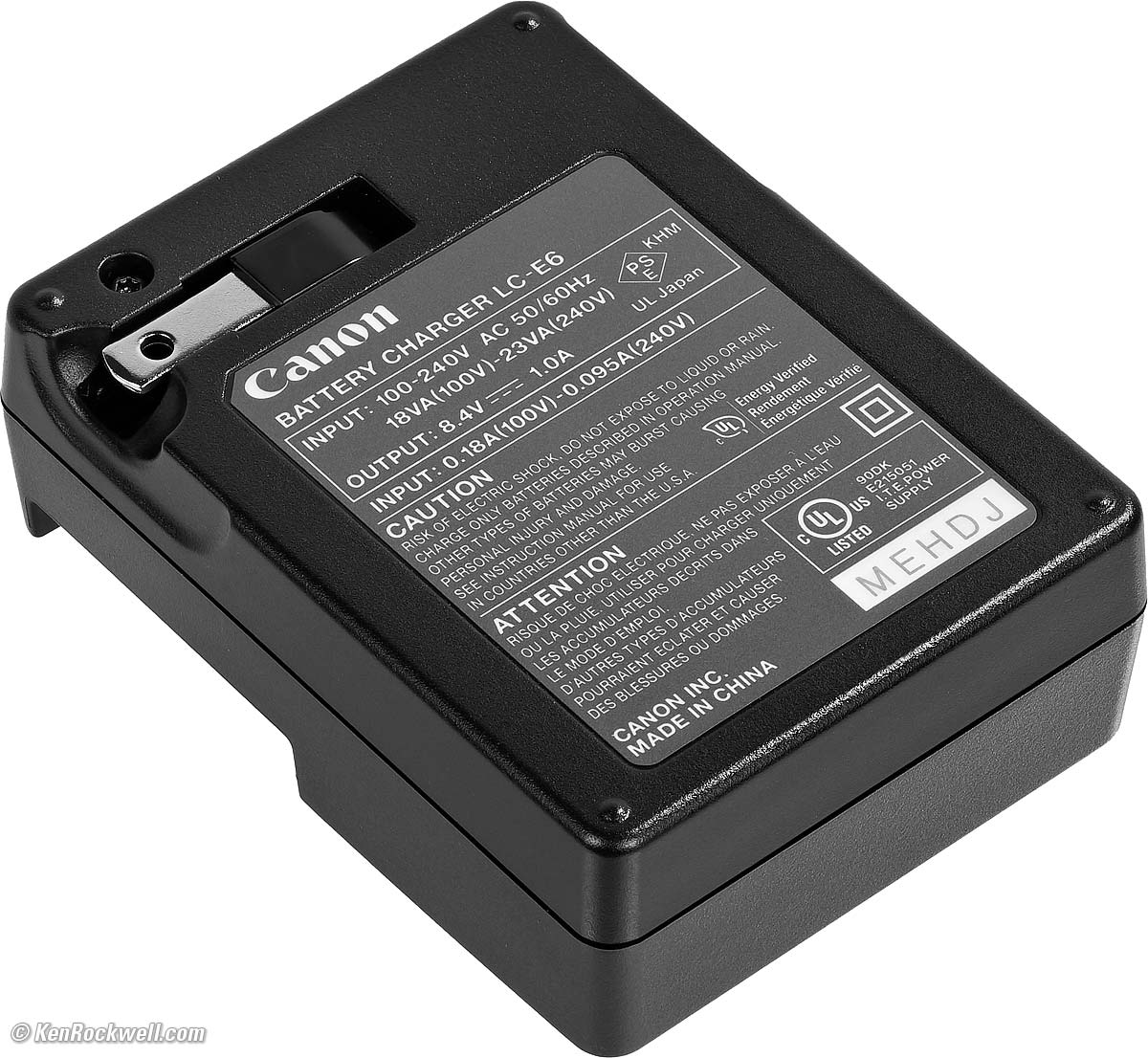
LC-E6 folding plug 100-240V 50-60 cps charger, included.
My Watson Dual USB-C Canon LP-E6x Battery Charger is even smaller and seems to work great as well. It runs from USB-C like the included AC wall adapter, a socket in your car, an output from your MacBook, a solar panel, power bank, etc., and has two slots that charge at the same time. While I prefer the dual-color blinking light visible from across the room on Canon's own charger while at home, this tiny Watson charger is great if you need one for travel. I don't need any of these; I use one battery and charge it in the camera every night.
Size specifications top
3.28 × 5.58 × 3.14 inches HWD.
83.3 × 141.8 × 79.7 millimeters HWD.
Weight specifications top
23.965 oz./679.4 g with battery and SD card, actual measured weight.
Rated 24.27 oz. (688g) with battery and CFexpress type B card, 21.99 oz. (598g) stripped.
Environment specifications top
Operating
0º ~ 40º C (32º ~ 104º F).
0 to 85% RH.
Model Numbers specifications top
7250C002, body only.
7250C010, kit with the RF 20-50mm f/4L IS USM Power Zoom.
Included specifications top
R6 V.
Eyecup.
RF-5 body cap.
Strap.
Announced specifications top
Wednesday, 13 May 2026.
Packaging specifications top
Microcorrugated cardboard box.
|
|
Box End. bigger. |
Box Back. bigger. |
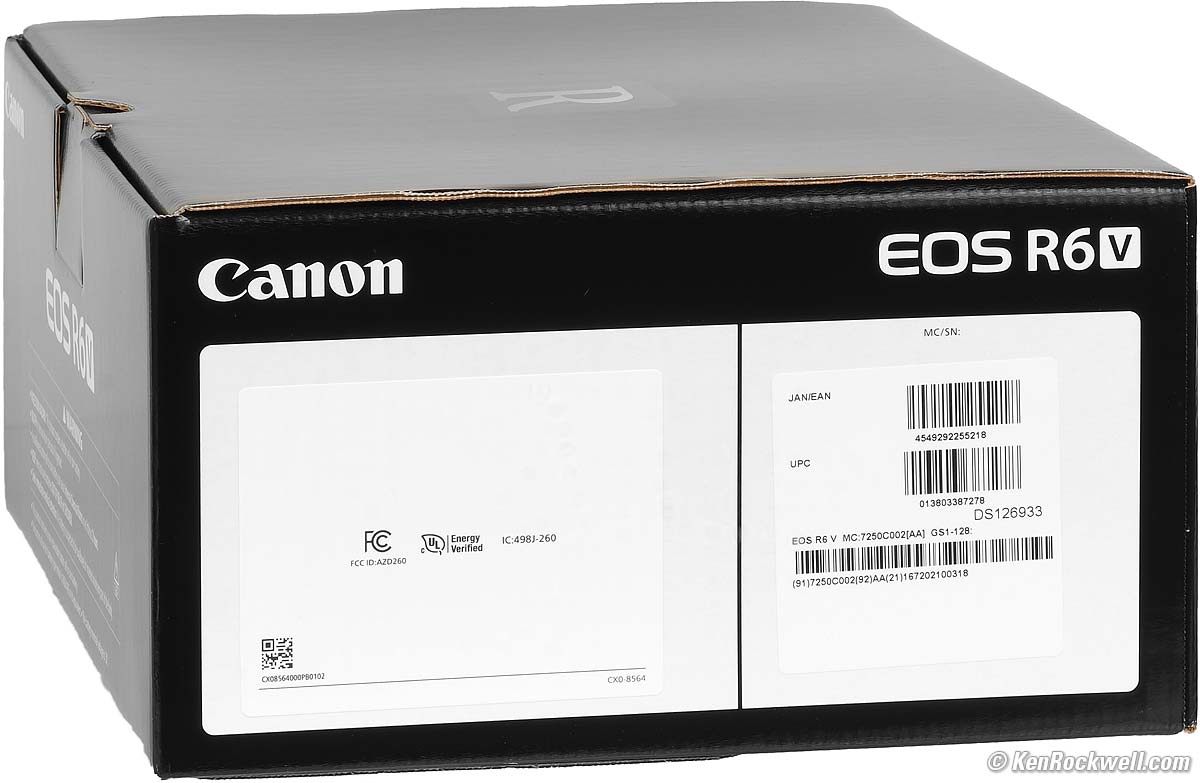
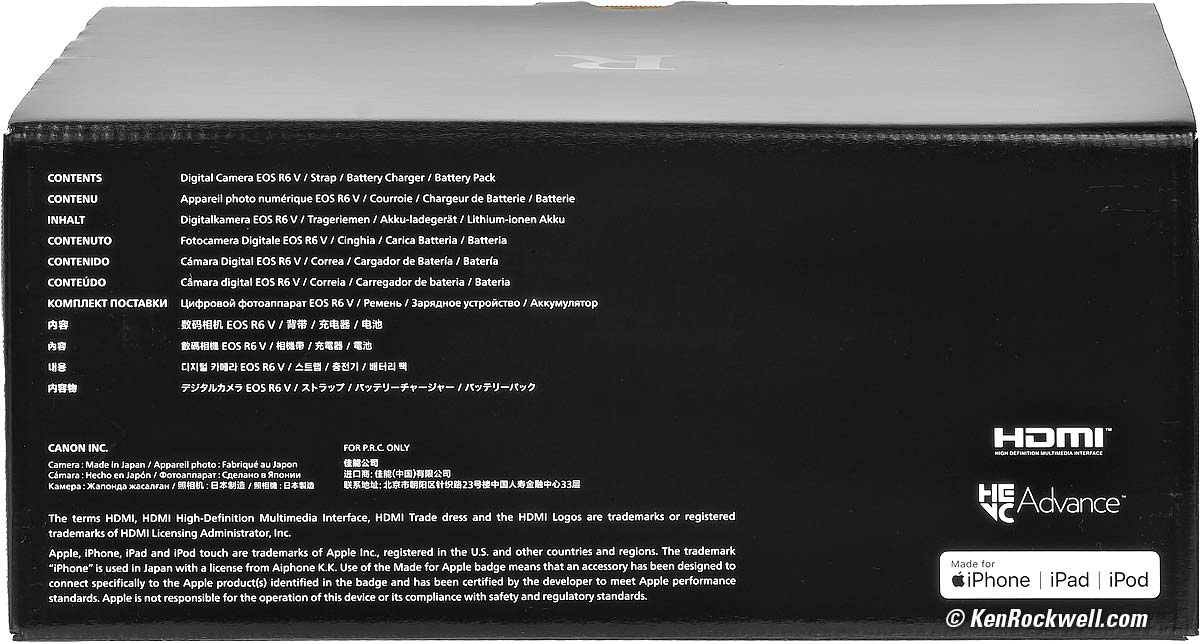
See more at Unboxing.
Price, U. S. A. specifications top
September 2026
$2,499 at B&H, at Amazon, at Crutchfield and at Adorama.
About $2,166 used at eBay (How to Win at eBay), but there are very few used ones available so soon.
$3,699 as a kit with the RF 20-50mm f/4L IS USM Power Zoom at B&H, at Amazon, at Crutchfield and at Adorama.
May 2026 (Introduction)
$2,499 at B&H, at Amazon and at Adorama.
$3,699 as a kit with the RF 20-50mm f/4L IS USM Power Zoom at B&H and at Adorama.
Optional Accessories top
Sample Images Intro New Good Bad Missing
Specifications Accessories Unboxing
USA Version Performance User's Guide
I got my R6 V at B&H. I'd also get it at Amazon, at Crutchfield or at Adorama, or get it used at eBay (How to Win at eBay), or get it used at KEH.
The R6 V also comes as a kit with the RF 20-50mm f/4L IS USM Power Zoom ($3,699) at B&H, at Amazon, at Crutchfield and at Adorama.
Canon RF Lenses
Canon EF and EF-s Lenses
Canon EF to RF Adapters
Vello for Canon RF Extension Tubes
Canon Flash
AD-E1 Multi-Function Shoe Adapter to use regular five-pin flash and cords
Remotes
Canon BR-E2 Wireless Bluetooth Remote Control.
RS-60E3 Wired Remote Release or similar 2.5mm remote cords.
Power
LP-E6P Battery (spare)
LC-E6 Battery Charger (spare).
Canon DM-E1D Programmable Microphone
Digital-direct hot shoe mounted.
90º or 120º stereo or mono settings.
Furry windscreen included.
Canon DM-E1 Programmable Microphone
Corded shoe-mount microphone. Less expensive, but needs a cord.
90º or 120º stereo or mono settings.
Windscreen included.
Canon DM-E100 Stereo Microphone
Corded shoe-mount microphone. Much less expensive, but needs a cord.
One fixed stereo pattern.
Windscreen included.
Unboxing top
Sample Images Intro New Good Bad Missing
Specifications Accessories Unboxing
USA Version Performance User's Guide
I got my R6 V at B&H. I'd also get it at Amazon, at Crutchfield or at Adorama, or get it used at eBay (How to Win at eBay), or get it used at KEH.
The R6 V also comes as a kit with the RF 20-50mm f/4L IS USM Power Zoom ($3,699) at B&H, at Amazon, at Crutchfield and at Adorama.
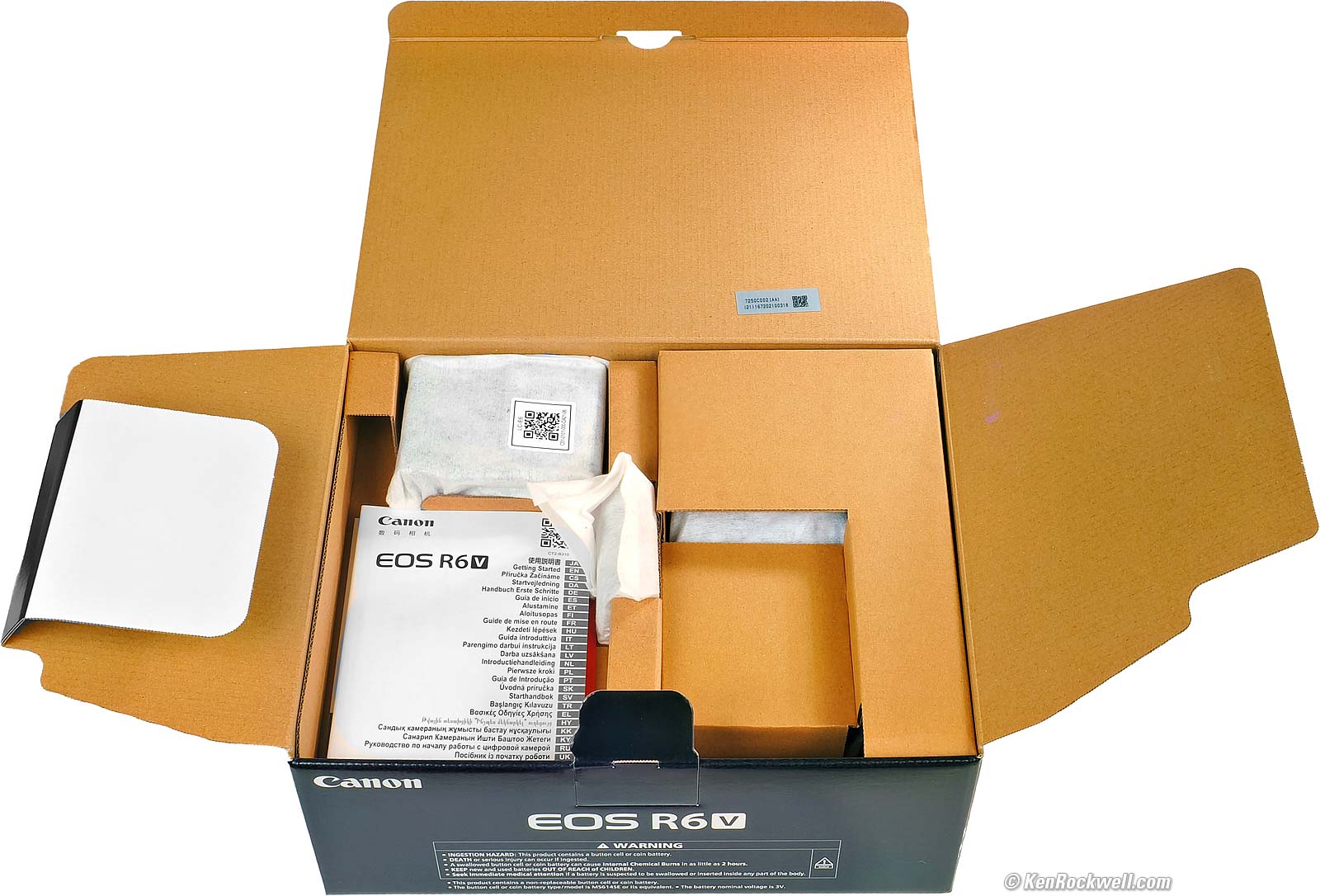
Canon EOS R6 V. bigger.
The box seems to have enough room for the RF 20-50mm f/4L IS USM PZ that comes as part of a kit, but if you get just the body, there's plenty of air in the box.
The box is completely unsealed. Just like packages of ice cream that kids open, lick and put back in store freezer sections or mouthwash that's been gargled and spat back in the bottle and put back on the store shelf, there is no way to know if anyone else has been fiddling with your camera, swapping parts and accessories, or even if it's a dropped, returned, damaged or used camera.
This is why it's critical to buy only from an approved online source, since they ship from automated warehouses where no shifty salesmen or other customers ever get to touch your new camera before it ships. While new home security cameras, $5 CDs, DVDs, Blu-Rays, bottles of milk and 50¢ bottles of drinking water are sealed and quite obvious if anyone's opened them, paradoxically xx doesn't bother sealing anything, so your only insurance is to buy only from a trusted online dealer.
Getting a Legal U. S. A. Version top
Sample Images Intro New Good Bad Missing
Specifications Accessories Unboxing
USA Version Performance User's Guide
I got my R6 V at B&H. I'd also get it at Amazon, at Crutchfield or at Adorama, or get it used at eBay (How to Win at eBay), or get it used at KEH.
The R6 V also comes as a kit with the RF 20-50mm f/4L IS USM Power Zoom ($3,699) at B&H, at Amazon, at Crutchfield and at Adorama.
This section applies in the U. S. A. only.
Your R6 V must include a printed U. S. A. warranty card like the one below from Canon U.S.A., Inc. It should be in the top section inside your box as you open it. The serial number on the card must match the serial number on the bottom of your R6 V:
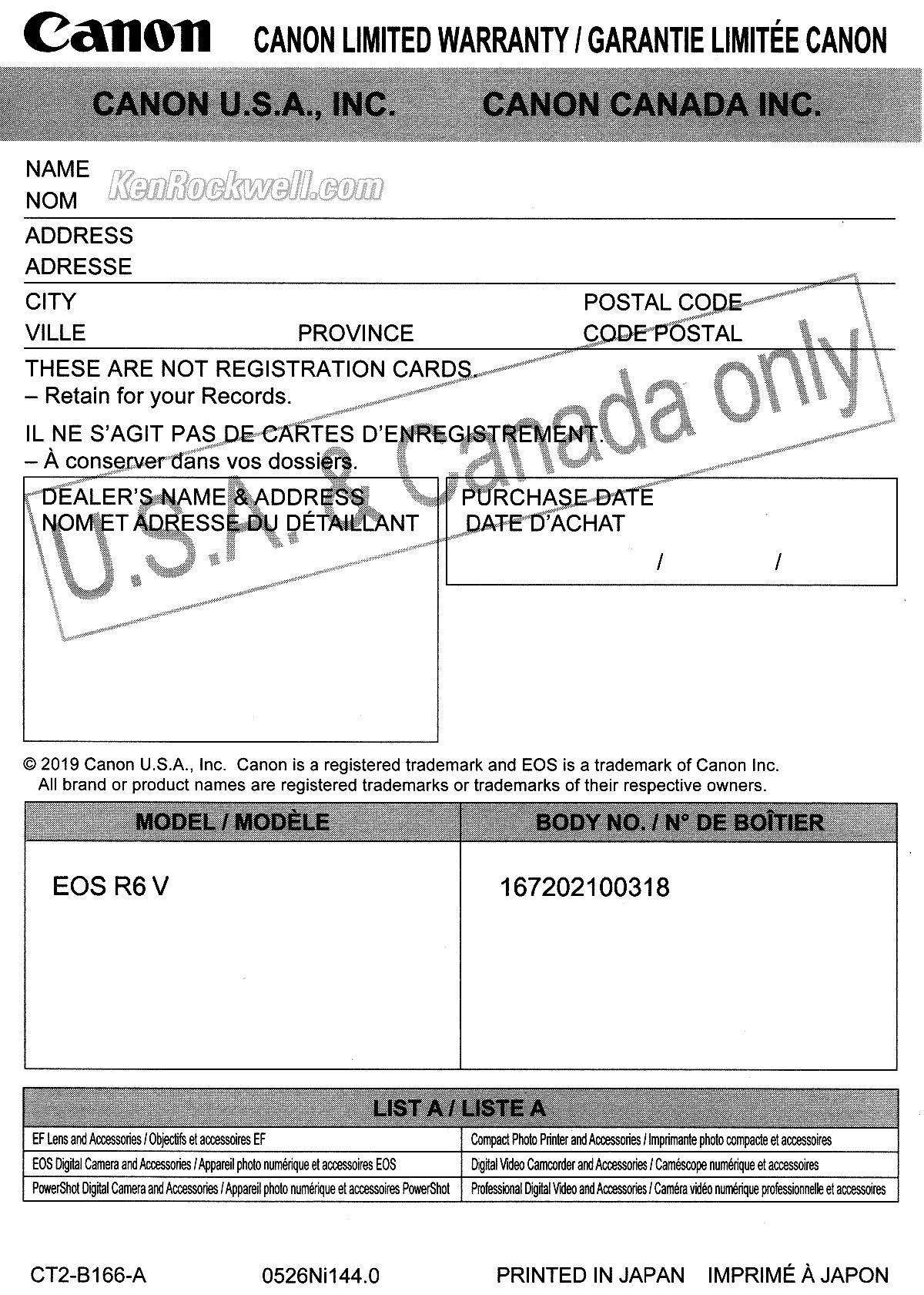
U. S. A. Warranty Card. bigger.
If you have no card or the serial number doesn't match, you got ripped off with a gray market version intended to be sold in another country. This is why I never buy from any place other than my personally approved sources. You just can't take the chance of buying elsewhere, especially at any retail store where strangers have probably opened your completely unsealed box and played with your camera, because non-U. S. A. versions have no warranty in the U. S. A., and you probably won't be able to get firmware or service for it — even if you're willing to pay out-of-pocket for it when you need it!
Shifty dealers may include color copies of a card from a legitimate U. S. A. product in a gray-market box, hoping you won't check serial numbers and catch their fraud. A card with the wrong serial number means nothing other than that you have no warranty coverage.
The serial number on the box doesn't have to match, but it should. It's the last part of the long number below the bar codes. If not, it means a shady dealer took things out of boxes and was too sloppy to put them back correctly — and it means you got a used camera if anyone other than you took it out of the box.
If a gray market version saves you $600 the risk might be worth it, but for $200 or less I wouldn't risk having no warranty or support.
Always be sure to check yours while you can still return it, or just don't buy from unapproved sources and never at retail so you'll be able to have your camera serviced and get free updated firmware as needed. Get yours from the same places I do and you won't have a problem.
Performance top
Sample Images Intro New Good Bad Missing
Specifications Accessories Unboxing
USA Version Performance User's Guide
Overall Autofocus Focus Stacking Auto ISO
Auto White Balance Buffer Clearing Color Rendition
Crop Modes Ergonomics Exposure Flash
Frame Rates GPS HDR High ISOs Lens Corrections
Long Exposures Mechanics Stabilization
Weather Sealing Rear LCD Playback Data
Save Settings to Card Power & Battery
I got my R6 V at B&H. I'd also get it at Amazon, at Crutchfield or at Adorama, or get it used at eBay (How to Win at eBay), or get it used at KEH.
The R6 V also comes as a kit with the RF 20-50mm f/4L IS USM Power Zoom ($3,699) at B&H, at Amazon, at Crutchfield and at Adorama.
Overall performance top
The R6 V is easy to use, very flexible and makes great pictures, if you don't mind shooting it at arm's length.
Autofocus performance top
Autofocus is the usual excellence from Canon. No problems here.
Unlike viewfinder cameras, I can't see much of what it's doing as I shoot, but since all my photos are in-focus, I'm a happy camper.
Focus Bracketing, Stacking & Compositing performance top
I didn't try it, but seeing how well it works on my older R6 III, I have no worries that it's any different.
Auto ISO performance top
Auto ISO is the usual, no surprises here — which is good!
Auto White Balance performance top
Auto White Balance is the usual, no surprises here — which is good!
What's new to me is seeing four different preset Kelvin white balance settings when we call up the white balance options, and they are trivially easy to program.
Buffer Clearing performance top
This camera runs FAST (40 FPS!), and its buffer works in the background so you can stop, shoot more or play at the same time the buffer is writing to your card.
This is far superior to some other brands of cameras I've used whose buffers aren't well designed and lock-up the camera from playing if the buffer is writing to the card.
Bravo, Canon!
Color & Tonal Rendition performance top
I love the colors I get from my Canons, and the R6 V matches the rest of them as I expect.
Color rendition is how pictures look in the real world. Real-world color rendition has nothing to do with color accuracy measured in a lab. Color rendition is dependant on how a maker programs all the color matrices, curves, and look-up tables to generate color from the data read from the sensor, and varies widely between makers once you set a camera away from its defaults. I never shoot at defaults.
If you shoot raw then your colors and tones aren't created until you process the raw data later in software, and your choice of software will have as much effect on your images as the camera itself.
It's like pianos: anyone can talk forever about how pianos are made, but to most ordinary players the subtle variations between different samples of a Steinway Model D are eclipsed by their own limitations in playing, but when you're a virtuoso even subtle differences become obvious to the seasoned master. That's why when you buy, or choose a Steinway for your tour as a Steinway Artist, you go to Steinway's Astoria factory and pick from among several samples of the same model which suits your style best. To a master, the subtle details are everything, just like subtle differences in color rendition between different brands of camera. Art is not the duplication of reality; art is the expression of imagination.
I'm a seasoned working artist, not some online tweaker, YouTuber or tech blogger. COLOR is my life and work. I'm pickier about color than almost anyone; I see things most people don't. I can get photos that get oohs and ahhs with this camera, but I rarely, if ever, do I get to WOW! as often as I do with my Nikons and Canons.
This is just me; your preferences and results will vary. This is art.
Crop Modes performance top
I program a button to let me select 1.6×, square, 4:3 or 16:9. Perfect!
Ergonomics performance top
Ergonomics are mostly wonderful due to all the very useful options to which we can program its many buttons and dials.
New is that there are now four-way clicks on big rear dial, which I love, but can sometimes lead to a fake click if you tap the big rear dial the wrong way until you get used to it.
I prefer to program the LCD maximum brightness option to a button, making it easy to set that when I'm outdoors. It works while in Live View, but is ignored in playback, so set it before hitting play. That's a nice touch, but sadly there is no automatic brightness control to save us from having to mess with this in the first place.
There is no way to get all the data off the screen so we can see all of our image for precise composition with our finger half-pressing the shutter button. We only can get a clear image before we half press the button, but not when locked and loaded and ready to fire. While this problem is in every Canon mirrorless camera's rear LCD, it's not a problem with the viewfinder because the finder has enough room to show the data under the image, but there isn't enough room on the bottom of the LCD to let us see our final composition uncovered by data.
Exposure performance top
Exposure is the usual, no surprises here — which is good!
Flash performance top
I didn't try it with flash.
I'd caution that this is a poor choice if you use flash for daylight fill as it only synchronizes at up to 1/60, meaning for daylight fill you'll need a flash four times as powerful as you need with a 1/250 sync speed.
Frame Rates (still images) performance top
I tested it and it really does crank out 40 FPS with tracking exposure and autofocus - but Auto while balance stays locked.
GPS performance top
None, use the app.
HDR performance top
It has both old-fashioned multiframe compositing HDR, as well as modern single-frame HEIC capture.
High ISO Performance details dark detail performance top
There's no mystery to comparing cameras; I shoot this same test at all the ISOs in every other camera I review so you can compare for yourself. Caveat: I repainted these walls white from their previous tan as of the beginning of 2023, so the background wall won't match in older reviews, and this set is lit by natural light which is different every day.
Complete Images details dark detail performance top
As seen at normal image sizes below, the R6 V pretty much makes the same images from ISO 50 (L) to ISO 64,000.
ISO 102,400 (H) gets a little softer and blotchier, but still quite usable if I need it for normal-sized images.
This is typical performance in 2026; all cameras work just fine for online image sizes at insanely high ISOs. Honestly I never use anything above ISO 10,000. If you have to use five-digit ISOs you're doing something wrong, and no one needs six-digit ISOs other than for fooling around. Photography is all about light and lighting, so if you have no light, you should be working on improving that light rather than worrying about which camera makes the least awful photos in bad situations.

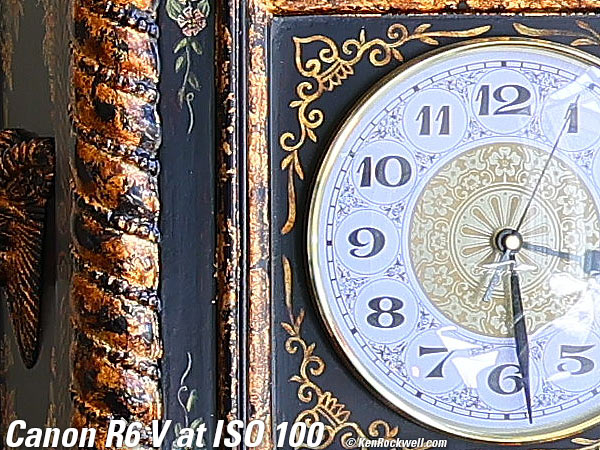
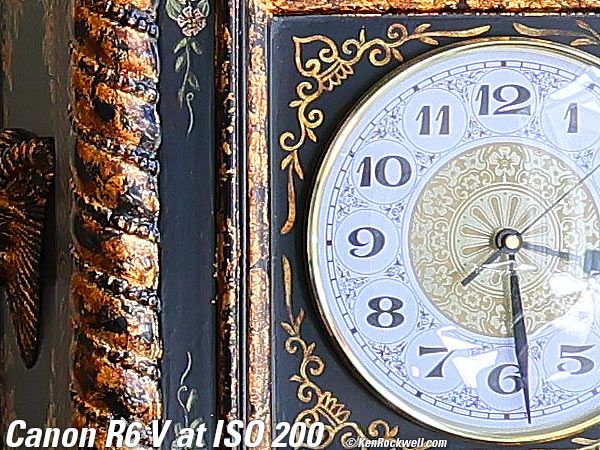
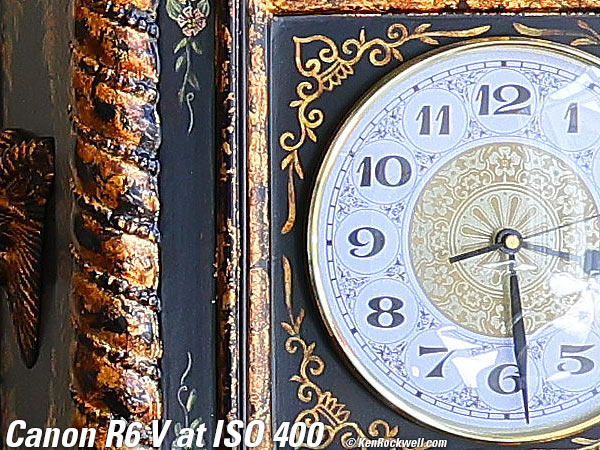
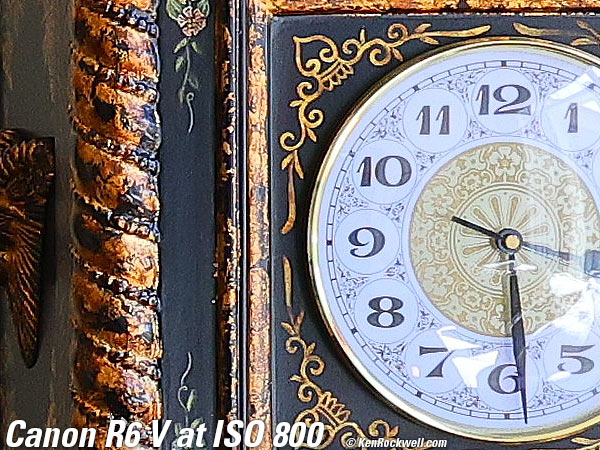
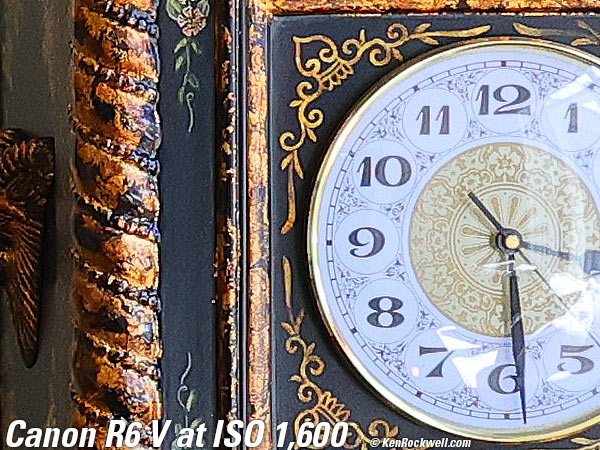
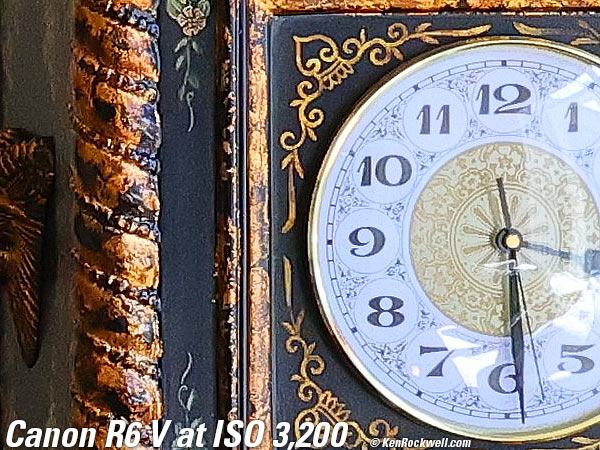
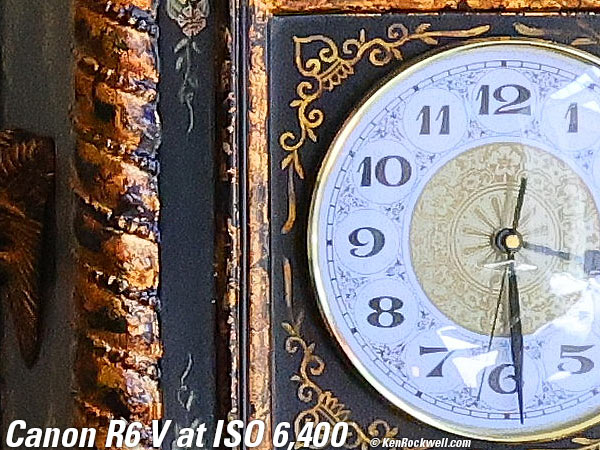
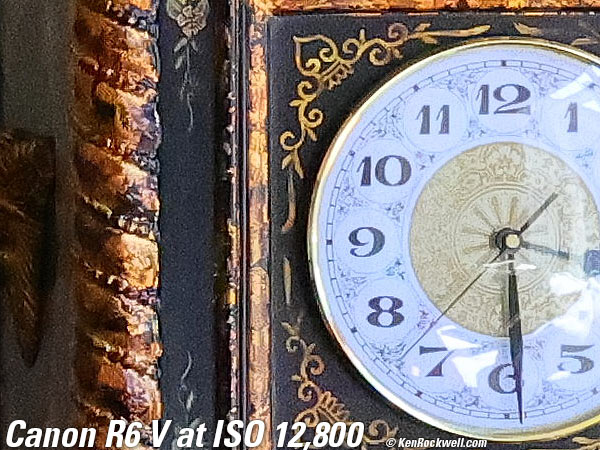
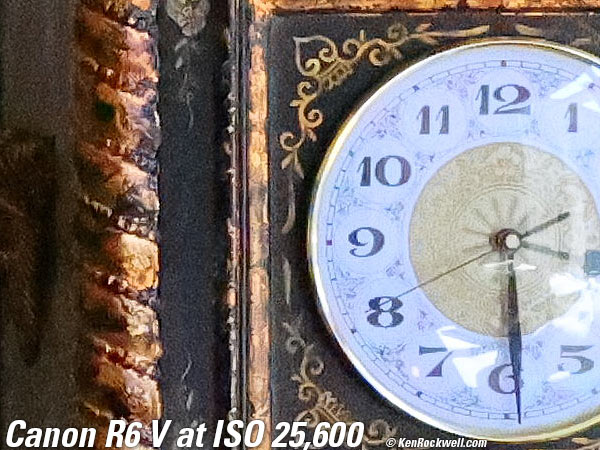
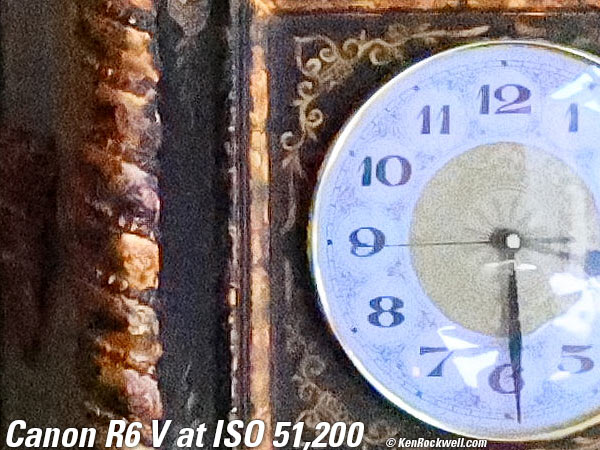
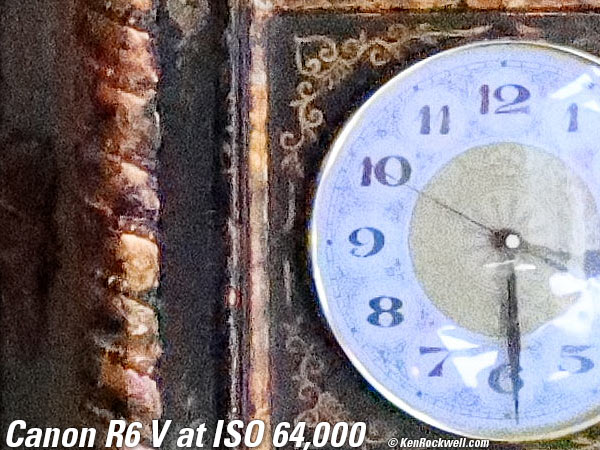
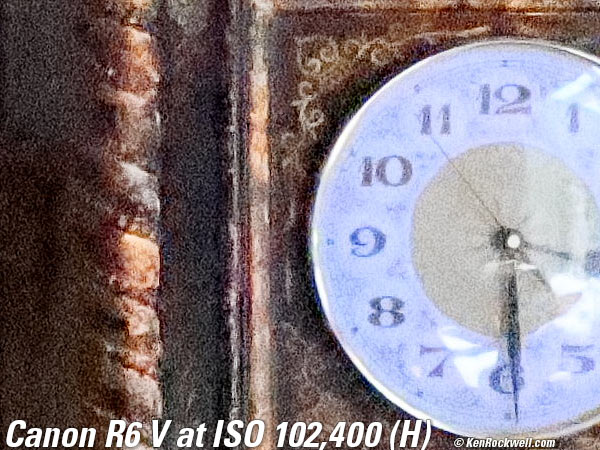
Fine Details: 600 × 450 Pixel Crops (11.6× magnification) High ISOs details dark detail performance top
Here are crops showing the clock on the right from the same complete images as above.
The original images were LARGE NORMAL (
What we see at the high magnifications below is that fine details go away as the ISO increases. This happens with all cameras (and our own eyes) and is an artifact of the noise reduction working harder as the ISO increases.
In the R6 V, the most detail is at ISO 50 (L) and ISO 100, and becomes softer at every higher ISO. This is normal and how noise reduction works in every camera.
ISO 50 (L) is a "pull" ISO, and thus has more highlight contrast. This usually increases perceived highlight detail and sharpness, and can lead to clipped highlights if you have too much subject contrast, as in the case of the window reflection in the glass of the clock face.
By ISO 12,500 it's getting much softer, and by ISO 25,600 most of the detailed scrollwork between the clock numbers is gone.
By ISO 64,000 the minute marks are mostly gone, and by ISO 102,400 (H) all the detail is gone from the clock face, leaving only some faint vestiges of the numbers. Even the hands are starting to disappear.
It's normal in all digital cameras for details to go away at higher ISOs. The differences between cameras are in how much detail is lost, and at what ISOs.
If these 600 × 450 pixel crops are about 3" (8cm) wide on your screen, then the complete image printed at this same high magnification would be about 23 × 35" (2 × 3 feet or 59 × 88 cm).
If these 600 × 450 pixel crops are about 6" (15cm) wide on your screen, then the complete image printed at this same extreme magnification would be about 46 × 70" (3.8 × 5.8 feet or 1.18 × 1.8 meters).
If these 600 × 450 pixel crops are about 12" (30cm) wide on your screen, then the complete image printed at this same insane magnification would be about 93 × 140" (7.7 × 11.6 feet or 2.3 × 3.5 meters):
Dark-Area 600 × 450 Pixel Crops (11.6× magnification) High ISOs details dark detail performance top
Here are different crops showing the dark grillwork of the fireplace from the same images as above.
The original images were LARGE NORMAL (
ISO 50 (L) is a "pull" ISO, and throws much more light into the shadows and usually would give the most detail, but in the R6 V it seems that ISO 100 is even better.
Higher ISOs greatly reduce the details in the shadows, as we expect.
Regions of the screen are starting to disappear by ISO 200.
The bricks behind the grill are starting to go away by ISO 1,600, and the bricks and the screen are mostly gone by ISO 6,400.
Things get sloppier and sloppier as the ISO continues to increase, and there isn't much left at ISO 51,200.
At ISO 102,400 (H) you can't even see the iron bars!
It's normal in all digital cameras for details to go away at higher ISOs. The differences between cameras are in how much detail is lost, and at what ISOs.
If these 600 × 450 pixel crops are about 3" (8cm) wide on your screen, then the complete image printed at this same high magnification would be about 23 × 35" (2 × 3 feet or 59 × 88 cm).
If these 600 × 450 pixel crops are about 6" (15cm) wide on your screen, then the complete image printed at this same extreme magnification would be about 46 × 70" (3.8 × 5.8 feet or 1.18 × 1.8 meters).
If these 600 × 450 pixel crops are about 12" (30cm) wide on your screen, then the complete image printed at this same insane magnification would be about 93 × 140" (7.7 × 11.6 feet or 2.3 × 3.5 meters):
Lens Corrections performance top
It has options to correct for falloff (Peripheral Illumination), Distortion and a Digital Lens Optimizer which corrects for a suite of other aberrations.
If you turn off the Digital Lens Optimizer, you are then offered à la carte ON/OFF options for Chromatic Aberration Correction and Diffraction Correction.
Some lenses use electronic distortion correction as a core part of their optical design, and with those lenses one cannot turn off distortion correction; it's always ON.
If you shoot raw data rather than JPG images, whatever software you use to create visible images from raw data may or may not correct the distortion as is done in-camera as JPGs. You're on your own there; I don't bother with raw data.
Long Exposures performance top
No BULB, TIME (long exposure) or Intervalometer modes; you only can get these controlled remotely through a phone app!
Mechanical Quality performance top
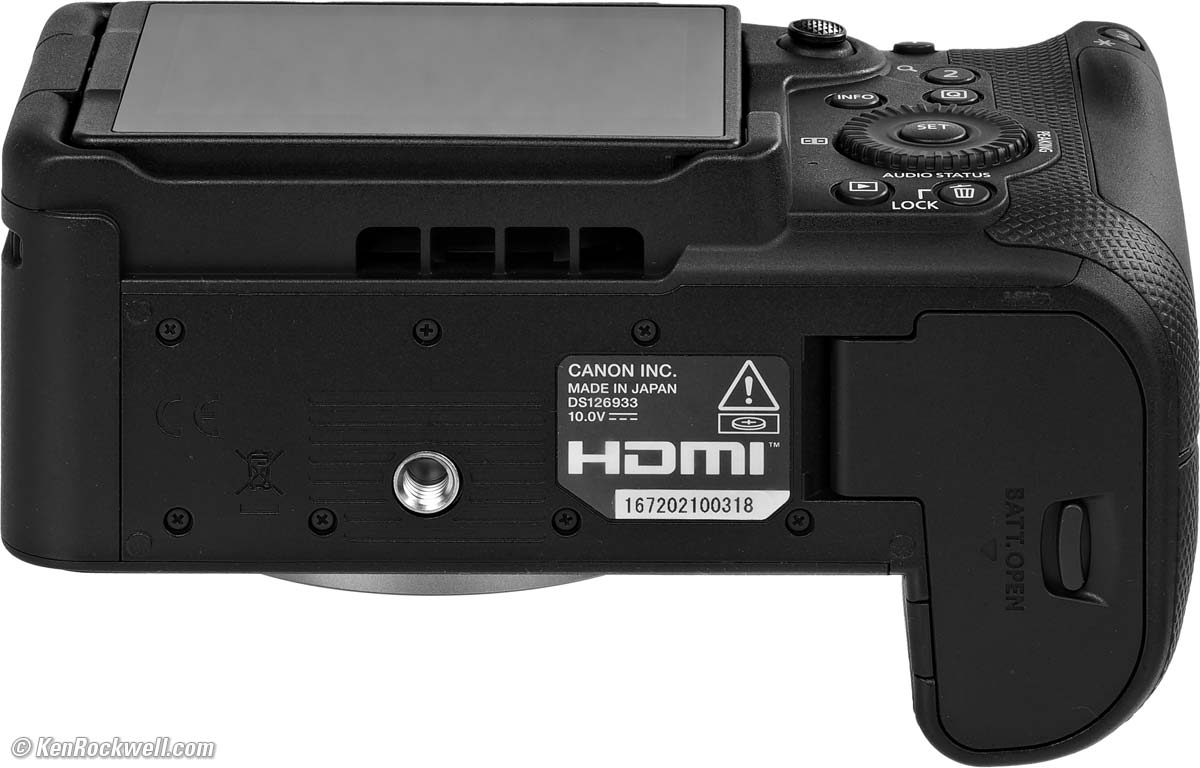
Canon EOS R6 V. bigger.
It's the usual for Canon mirrorless: metal lens mounts and and internal frames, and mostly plastic on the outside.
Metal
Strap lugs, hot shoe, top cover, lens mount, tripod sockets, card door pivot pin, battery door innards.
Plastic
All buttons, dials, switches and levers, card door, front cover, right and left sides, back, LCD frame, camera bottom, both tripod socket mounting surfaces (sockets are metal), battery door and its latch pin.
Rubberized
Grip material all around the grip front, right-side and back.
Glass
LCD cover.
Serial Number
Printed on a sticker glued into recess in the bottom, making it subject to wear with heavy use.
It's also in the EXIF data if you wear off the sticker.
Date Code
The serial number contains a date code.
My serial number starts with 167, which means it was made in July 2026.
Noises When Shaken
Power off: Strong clunking from an uncaged sensor flopping around.
Power on: Minor to moderate clacking from the sensor floating around less.
Made in
Made domestically in Japan.
Image Stabilization performance top
Sensor-Shift Image Stabilization (in-camera IS or IBIS) works well, giving me 3½ real-world stops of improvement.
"Percent Perfectly Sharp Shots" are the percentage of hand-held at arms' length, free-standing with no support or bracing, frames with 100% perfect tripod-equivalent sharpness as viewed at 300%. Hand tremor is a random occurrence, so at marginal speeds some frames will be perfectly sharp while others will be in various stages of blur — all at the same shutter speed.
This rates what percentage of shots are perfectly sharp, not how sharp are all the frames:
With Unstabilized EF 50mm f/1.8 STM on EF to RF Adapter
| % Perfectly Sharp Shots | 1/2 |
1/4 |
1/8 |
1/15 |
1/30 |
1/60 |
1/125 |
1/250 |
1/500 |
| Stabilization ON | 0 |
0 |
53 |
45 |
100 |
100 |
100 |
100 |
100 |
| Stabilization OFF | 0 |
0 |
0 |
0 |
6 |
6⅔ |
53 |
100 |
100 |
I see a 3½-stop real-world improvement, and this of course is while held out at arm's length.
Weather Sealing performance top
This camera claims weather sealing, but I didn't test it.
I don't worry. No LEICA M lens, nor anything other than dedicated underwater cameras claimed this up until a few years ago. "Weather sealing" is mostly a marketing feature to get you to pay more for more expensive gear.
People have worried way too much about this ever since camera companies started FUD campaigns to make us think that our gear will melt unless it has weather sealing. How do you think we shot in the rain for the first 200 years of photography?
LCD Monitor performance top
No surprises, it's the same tiny 3.0" LCD we've been dealing with for years. It's a pretty sad excuse for shooting outdoors in bright light.
An iPhone is soooo much bigger, better, sharper and brighter, and automatically sets its brightness for conditions.
Hint: I program a button to let me set my R6V's screen to its maximum daylight brightness with one tap. One more tap and it returns to whatever other brightness you've set.
Particularly embarrassing is the complete lack of automatic brightness control. If you don't program a button to control this, every time you walk in or outdoors you'll need to fiddle with the LCD brightness in the menu system. Appalling, but all too common. The Japanese for some reason haven't bothered to give us the big, bright screens that Apple does.
Playback performance top
Playback images don't rotate as you move the camera during playback as does every iPhone.
The "autorotate" playback menu option is simply a "rotate tall" option, not true autorotation if we move the camera during playback like an iPhone.
Data performance top
We can program the first four letters of the file name to our preference.
The Copyright EXIF fields are large enough that I can fit my website, phone and street mailing address into it, unlike the LEICA Q3, which has barely enough space to add just "(c)KenRockwell.com."
Save Settings to Card performance top
Yes, we can save and load settings to and from a card.
Power & Battery performance top
Battery life is excellent! My battery runs for a couple of weeks, or 1,600 photos and still reading 44%.
Like most mirrorless, battery life tends to be a constant number hours of operation rather than how many snaps you take. You get so much time regardless of what you do, so the more pictures you take in that time rather than playing back or setting things, the more pictures you get per charge.
The R6 V is the first camera I've noticed that also rates it for how long you can stay in Live View: 4 hours and 20 minutes.
If all I did was take single shots and play each one and fiddle, most cameras, and I assume my R6 V would only give several hundred shots as specified, and if all I did was shoot long continuous bursts with no playback or fiddling, I'd probably get 10,000 shots per charge.
Clock Accuracy performance top
Every sample is different, but mine on the poor side, gaining an average of 660 milliseconds per day, or 20 seconds per month.
This matters when you shoot multiple cameras (or this camera and an iPhone) and then sort all the images based on capture time to compare the similar views of each scene. The more accurate a camera's internal clock, the less often you need to reset it.
We probably can set our clock to update to GPS via the app, but I didn't try.
User's Guide top
Sample Images Intro New Good Bad Missing
Specifications Accessories Unboxing
USA Version Performance User's Guide
I got my R6 V at B&H. I'd also get it at Amazon, at Crutchfield or at Adorama, or get it used at eBay (How to Win at eBay), or get it used at KEH.
The R6 V also comes as a kit with the RF 20-50mm f/4L IS USM Power Zoom ($3,699) at B&H, at Amazon, at Crutchfield and at Adorama.
See Ken Rockwell's Users's Guide to the Canon EOS R6 III. The R6 V is very similar. While some features are different and menus items may be in slightly different locations, all of what I needed to know for my R6 V I was able to find in my R6 III User's Guide.
Some things unique to the R6V are:
I like to program my R6 V buttons to:
Fn 1: SERVO AF ~ ONE SHOT. (Continuous AF or focus once and lock.)
Fn 2: Magnify (default).
Fn 3: Direct AF area selection. This selects how and which AF areas are used. I limit the AF area modes to only the ones I actually use: Single-Point AF and Whole Area AF, so I deactivate all the other AF Area selection modes at MENU > AF page 5 > Limit AF areas > and uncheck all that I don't use. It's much faster to select between just two than among all of them!
Fn 4 (M-Fn): Aspect Ratio (Square, 4:3, etc.).
Fn 5: Set LCD to Maximum Brightness.
Fn 6: MENU.
Fn 7: Picture Style (default).
Big Dial Click Up: White Balance.
Big Dial Click Right: ISO.
Big Dial Click Left: Drive Mode.
Big Dial Click Down: Depth-of-Field Preview.
SET: Play and magnify an image with one tap! Here's how I set all that.
Hint: When making settings with several layers of adjustments, like Picture Controls, if the screen says "Press INFO for more details," often it means you have to hit the dedicated INFO button on the back of the R6 V and not just tap that section of the LCD. Tricky!
Hint: The R6 V has no BULB, TIME (long exposure) or Intervelometer modes; you only can get these controlled remotely through the phone app!
If you want to load all the settings from my R6 V into your R6 V, here is my personal CAMSET03.CSD settings file from 07 September 2026 and here's how to load them. Remember I'm linking to my R6 III User's Guide and the menu locations may vary, and of course you have to use my CAMSET03.CSD file from my R6 V, not from my R6 III.
See also Canon's Own EOS R6 V User's Guide.
Recommendations top
Sample Images Intro New Good Bad Missing
Specifications Accessories Unboxing
USA Version Performance User's Guide
I got my R6 V at B&H. I'd also get it at Amazon, at Crutchfield or at Adorama, or get it used at eBay (How to Win at eBay), or get it used at KEH.
The R6 V also comes as a kit with the RF 20-50mm f/4L IS USM Power Zoom ($3,699) at B&H, at Amazon, at Crutchfield and at Adorama.
Be sure to get it only from my recommended sources so that you can just send it back if you don't love it. You never have to guess about how well it will work for you; order it and see for yourself. That's why I've used B&H and Adorama since I was a kid in the 1970s: I can try it in my own environment with my own other gear and if I don't love it, back it goes.
I prefer the finder included with the R6 III, but for you video folks who are using external monitors, this is a swell camera that also makes it fun and easy to knock-out awesome still images. Enjoy!
This 100% all-content, junk-free website's biggest source of support is when you use those or any of these links to my personally approved sources I've used myself for way over 100 combined years when you get anything, regardless of the country in which you live — but I receive nothing for my efforts if you take the chance of getting it elsewhere. Canon does not seal its boxes in any way, so never buy at retail or any other source not on my personally approved list since you'll have no way of knowing if you're missing accessories, getting a defective, damaged, returned, dropped, incomplete, gray-market, store demo or used camera — and my personally approved sources allow for 100% cash-back returns for at least 30 days if you don't love your new R6 V. I've used many of these sources since the 1970s because I can try it in my own hands and return it if I don't love it, and because they ship from secure remote warehouses where no one gets to touch your new R6 V before you do. Buy only from the approved sources I've used myself for decades for the best prices, service, return policies and selection.
Thanks for helping me help you!
Ken.
© Ken Rockwell. All rights reserved. Tous droits réservés. Alle Rechte vorbehalten. Alla rättigheter förbehållna. Toate drepturile rezervate. Niciun vampir nu a fost implicat în crearea acestei lucrări. Doe! Omnia jura reservata. Ken Rockwell® is a registered trademark.
Help Me Help You top
I support my growing family through this website, as crazy as it might seem.
The biggest help is when you use any of these links when you get anything. It costs you nothing, and is this site's, and thus my family's, biggest source of support. These places always have the best prices and service, which is why I've used them since before this website existed. I recommend them all personally.
If you find this page as helpful as a book you might have had to buy or a workshop you may have had to take, feel free to help me continue helping everyone.
If you've gotten your gear through one of my links or helped otherwise, you're family. It's great people like you who allow me to keep adding to this site full-time. Thanks!
If you haven't helped yet, please do, and consider helping me with a gift of $5.00.
As this page is copyrighted and formally registered, it is unlawful to make copies, especially in the form of printouts for personal use. If you wish to make a printout for personal use, you are granted one-time permission only if you PayPal me $5.00 per printout or part thereof. Thank you!
Thanks for reading!
Ken.